Why there are Amazon links here: Brave Review is paid a commission for qualifying Amazon purchases made through the links below. Your price does not change, and using our links is entirely optional. How this works
Best Ways to Keep a Router Online During an Outage
A dead internet connection during a power cut or a frozen router is a solvable problem, and the fix depends on what actually failed. This roundup covers five devices built for two different jobs: automatic rebooting when the connection drops, and battery backup that keeps the router powered when the wall outlet dies. It suits remote workers who cannot afford downtime, households that stream and game all evening, and anyone running a home security camera or NAS that needs to stay reachable. The overview below sorts every pick by job and price tier so a choice can be made in under a minute.
The Picks at a Glance
| Product | Key Spec | Best Use | Price Tier |
|---|---|---|---|
| Router Wi-Fi Reset Device | Phone-number text alerts on reset | Simple auto-reboot with SMS notice | Budget |
| APC BE600M1 UPS | 600VA/330W, 490 J surge protection | Whole-desk backup for router plus PC | Mid |
| Portable Rechargeable USB DC Backup | 13500mAh, 5V/9V/12V output | Travel and small modem/router setups | Budget |
| KP3 Mini UPS | 10000mAh 36Wh, 0ms switchover | Router, modem and camera on one unit | Mid |
| MAX Router Rebooter | No app needed, SMS on reset | Hands-off monitoring for a frozen line | Premium |
Router Wi-Fi Reset Device

Type: Automatic router rebooter
Function: Power-cycles a router on a schedule or on demand
Alert method: Text message to an entered phone number
Setup: No app required
Best for: Basic unattended reboots
This is the simplest entry point into automatic recovery. The unit sits between the wall outlet and the router and cuts power for a set interval, then restores it, which clears the kind of memory lockup that leaves a router broadcasting but not passing traffic. Entering a phone number means a text arrives each time a reset fires, so a household knows the reboot happened rather than discovering it hours later.
It earns its place as the budget pick because it solves the most common outage cause — a hung router — for the least money. The trade-off is that it cannot tell a frozen router from a genuine ISP outage, so a line that is down upstream will trigger repeated resets and repeated texts.
Trade-off: It resets on a timer or trigger rather than diagnosing the fault, so a real ISP outage produces a string of pointless reboots.
Check the current price on Amazon
APC BE600M1 UPS Battery Backup & Surge Protector

Type: Standby UPS with battery backup
Capacity: 600VA / 330W
Runtime: 23 minutes at 100W load
Surge protection: 490 joules
Extras: USB charging port
Best for: Router, modem and desktop on one unit
This is the traditional answer to a power cut: a sealed standby battery that switches the load over when mains power fails. A router and modem draw very little, so the stated runtime at a light load stretches well past the router’s own needs, and the spare capacity covers a desktop or NAS at the same time. The surge protection stage guards against the spikes that often accompany an outage and the restoration that follows.
It suits a home office where the router shares a desk with other equipment and where a few minutes of runtime is enough to finish a call or save work. The trade-off is bulk and cost: this is a large box with a lead-acid cell inside, and it is overkill for a router sitting alone in a hallway.
Trade-off: It is a heavy, desk-sized unit with a battery that will eventually need replacing, which is a lot of hardware for one small router.
Check the current price on Amazon
Portable Rechargeable USB DC Backup Power
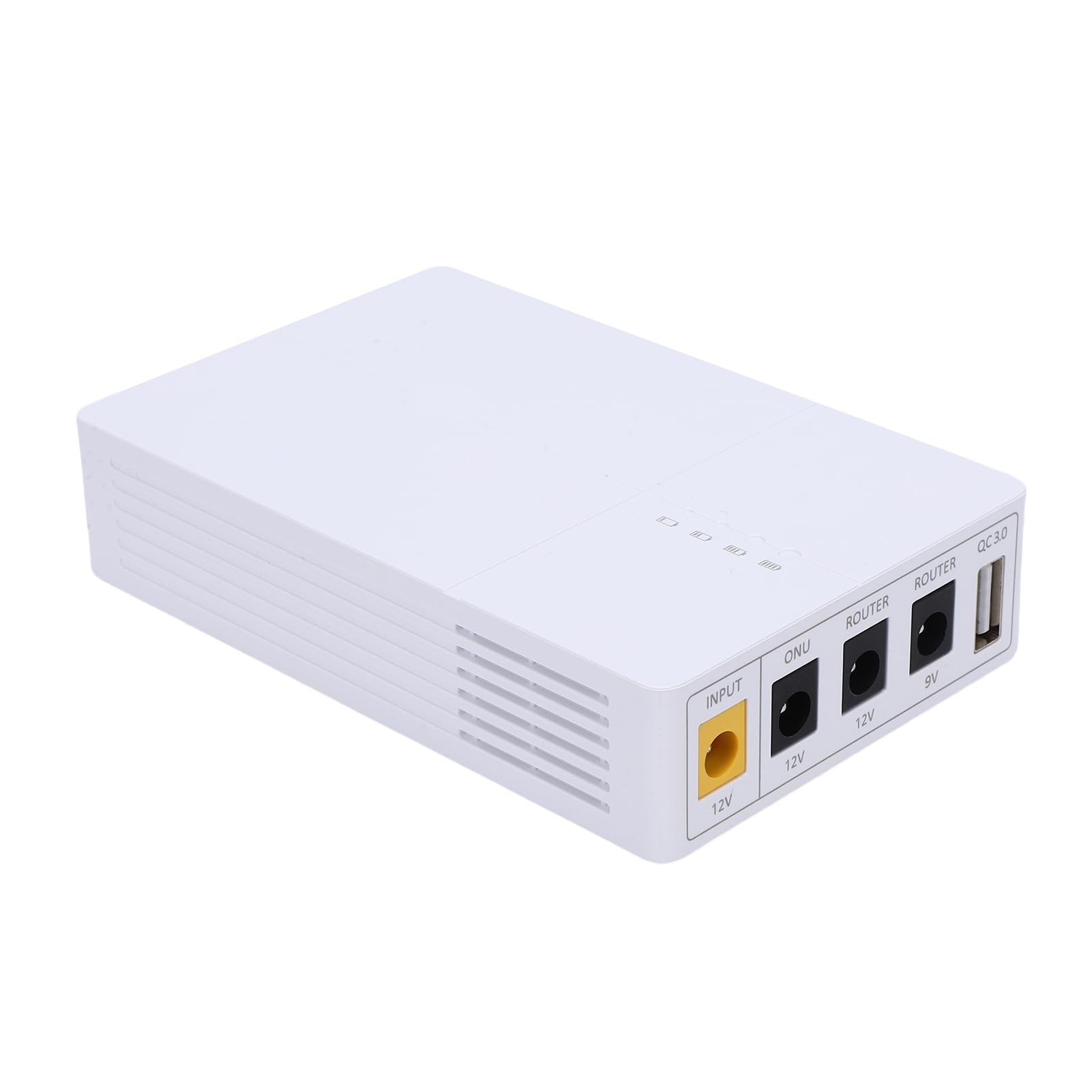
Type: Portable DC mini UPS
Capacity: 13500mAh
Outputs: 5V, 9V and 12V DC plus USB
Intended load: Router, camera, switch, ONU, modem
Best for: Small setups and travel
This unit takes the opposite approach to the APC: instead of a big box under the desk, it is a small rechargeable pack that feeds a router or modem through a DC barrel cable at the voltage the device expects. The multiple voltage outputs mean it can match a 12V router, a 9V ONU or a 5V camera, and the USB port covers phones and small accessories.
It suits renters, travelers and anyone with a compact router who wants backup power that fits in a bag. The trade-off is that DC packs like this depend on the right barrel tip and polarity, and the output is limited, so it will not carry a desktop PC alongside the router.
Trade-off: Correct tip and voltage matching is on the buyer, and a wrong setting can damage the router rather than protect it.
Check the current price on Amazon
KP3 Mini UPS Battery Backup for WiFi Router
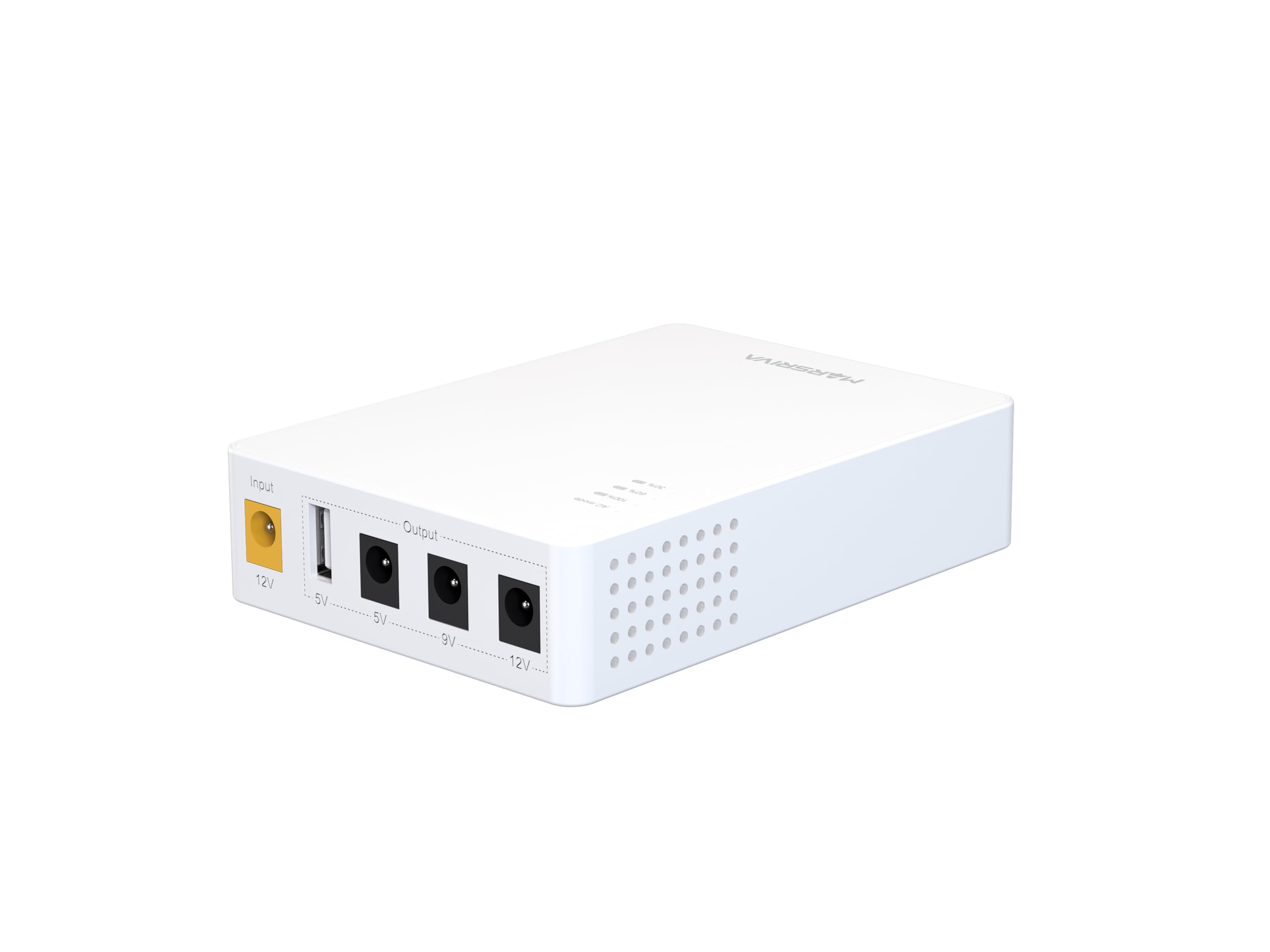
Type: DC mini UPS
Capacity: 10000mAh / 36Wh
Switchover: 0ms
Intended load: Router, modem, CCTV camera
Best for: Keeping a router and camera live through a cut
The KP3 targets the same job as the portable pack but leans toward fixed installation. A zero-millisecond switchover means the router never sees the mains drop, so an active connection and any camera feed stay up without a reconnect cycle. The stated capacity in watt-hours is the more useful figure here, since it translates directly into runtime at a router’s small draw.
It suits a household that wants the router and a security camera to survive short outages without a full-size UPS on the shelf. The trade-off is that it is a DC-only device with a fixed set of outputs, so it is less flexible than a mains UPS if other equipment needs backing up later.
Trade-off: DC-only output limits it to devices with a matching barrel connection, and the compact cell gives short runtime under heavier loads.
Check the current price on Amazon
MAX Router Rebooter

Type: Connectivity-monitoring rebooter
Function: Detects loss of connection and resets the router
Alert method: Text message to an entered phone number
Setup: No app necessary
Best for: Unattended, hands-off recovery
This is the more capable of the two rebooters. Rather than firing on a fixed schedule, it watches whether the connection is actually alive and resets the router only when connectivity is lost, which avoids needless reboots on a healthy line. The text alert on each reset keeps a remote owner informed without needing to log into anything, and the no-app setup keeps configuration to a minimum.
It earns the premium slot for households that are away often or run a small office where a frozen router would otherwise go unnoticed until someone complains. The trade-off is price: it costs more than the budget rebooter for the same basic reset action, and it still cannot restore service when the fault is upstream at the provider.
Trade-off: It monitors and resets but cannot fix an ISP-side outage, so the premium buys smarter triggering rather than a guaranteed fix.
Check the current price on Amazon
Before You Buy
- Fault type: A rebooter fixes a frozen router; a UPS fixes a power cut. Diagnosing which problem occurs most often decides the category.
- Router voltage and plug: DC backup units must match the router’s stated voltage and barrel size, and the wrong polarity can cause damage.
- Runtime: Watt-hour and VA figures only mean something against the load. A router alone draws little; adding a modem, camera or PC changes the math quickly.
- Switchover time: A zero-millisecond transfer keeps a connection alive; a slower unit may force the router to reconnect.
- Placement: A mains UPS is bulky and needs ventilated space, while a mini DC unit can sit beside the router on a shelf.
- Alerting: Text-on-reset is useful for anyone away from home, but it also means repeated messages during a genuine provider outage.
- Battery lifespan: Every unit here contains a cell that degrades; plan on eventual replacement rather than a permanent install.
Frequently Asked Questions
-
Will a rebooter help if the power is out?
No. A rebooter restores a frozen router but needs mains power to operate, so a battery backup is the right tool for an outage. -
Can a mini UPS keep a router running for hours?
It depends on the router’s draw and the pack’s capacity. Routers are light loads, so small packs often last a while, but adding a modem or camera shortens that considerably. -
Is a full-size UPS overkill for one router?
Usually yes. A mains UPS makes sense when a desktop, NAS or camera shares the load; for a lone router, a DC mini unit is smaller and cheaper. -
Do these devices need an app?
The rebooters listed here are configured without one, and the battery units are largely plug-and-play. Alerts arrive by text rather than through an app. -
What happens during a long outage?
The battery drains and the router goes down when it is empty. Backup power buys time for short cuts, not indefinite service. -
Can a rebooter and a UPS be used together?
Yes. A battery unit keeps the router powered while a rebooter handles lockups, covering both failure modes at once.
Bottom Line
The right first purchase depends on the failure being solved. For a router that freezes, the MAX Router Rebooter is the strongest pick because it watches connectivity and acts only when the line actually drops. For a router that dies with the power, the APC BE600M1 is the most proven choice when other desk equipment needs backup too. A household that wants both jobs covered cheaply should pair the budget rebooter with a mini DC UPS and treat them as one system.
