Why there are Amazon links here: Brave Review is paid a commission for qualifying Amazon purchases made through the links below. Your price does not change, and using our links is entirely optional. How this works
eufy Security eufyCam C35 4-Cam Kit: Wireless Coverage Without the Monthly Bill
The eufy Security eufyCam C35 4-Cam Kit is aimed at homeowners who want cameras around the whole property but refuse to rent cloud storage for the privilege. Four wireless cameras, color night vision, on-device recording and a magnetic mount make it a self-contained system rather than a subscription. This review covers what the hardware actually delivers, where the four-camera bundle makes sense, and which buyers should look elsewhere before ordering.
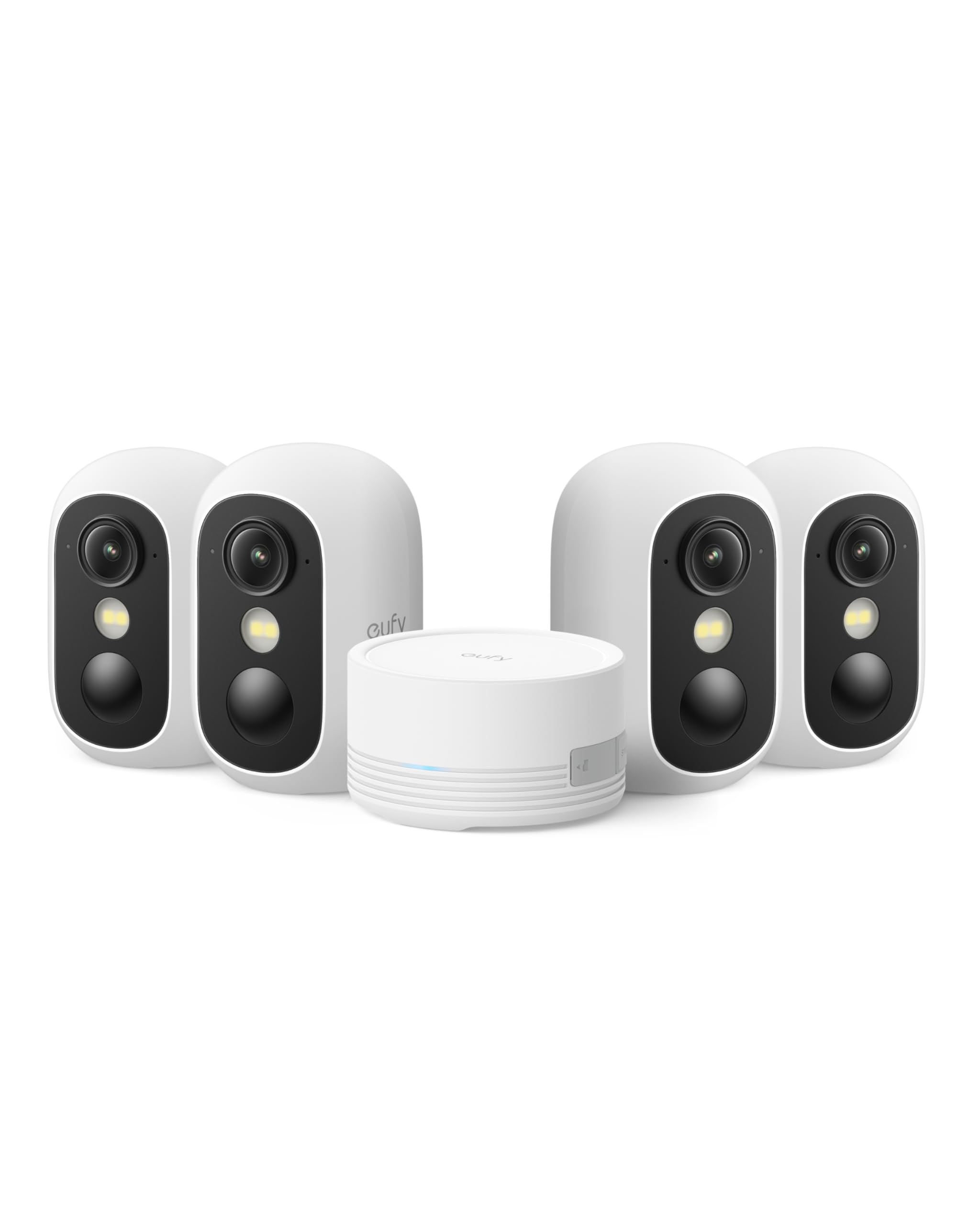
Features and Specifications
Type: Wireless indoor/outdoor security camera kit
Cameras included: 4
Night vision: Color night vision
Storage: Local storage, no monthly fee
Mount: Magnetic mount
Weather resistance: IP67
Smart features: Facial recognition
Power: Solar panel compatible
Color: White
The name on this kit is dense with intent, and each line answers a question buyers ask before installing a camera system. The headline is the storage model: footage stays local, and there is no monthly fee attached to it. That single decision reshapes the cost of ownership compared with cloud-dependent rivals.
Color night vision matters for identification rather than deterrence. A conventional infrared camera shows shapes in black and white; color footage keeps clothing, vehicle paint and other details usable. Facial recognition goes a step further by sorting familiar faces from unfamiliar ones, which cuts down on alerts triggered by the household coming and going.
IP67 is the outdoor rating to look for. It means the camera housing is sealed against dust and survives rain without shelter, so mounting under an eave is convenient but not mandatory. The magnetic mount is the install story: the camera attaches and detaches without tools, which makes repositioning and recharging far less of a chore. Solar panel compatibility extends that further, since a small panel can keep a camera topped up in a sunny spot and remove the recharge cycle altogether.
A four-camera kit is a coverage decision, not a camera decision. Most single-camera buyers end up adding a second and third unit later; this kit front-loads that purchase at a lower per-camera cost. The white finish suits siding, soffits and garages, and the wireless design means no cable runs to the far corners of a property.
Build and Weatherproofing
The IP67 rating is the spec that decides where these cameras can live. It supports mounting on a fence post, a shed wall or a gate pillar with no roof above them, and the sealed housing keeps out the dust and grit that shorten the life of lesser outdoor gear. Buyers in wet climates get the most value from that rating, since it removes the need to plan coverage around shelter.
The magnetic mount is a genuine convenience in daily use, but it is also the point to think about placement. A camera that lifts off easily is easy to reposition, and the same is true for anyone else with access to it. Mounting high — above arm’s reach — is the standard answer, and it costs nothing to plan for.
Wireless operation is the other build trade-off. No cabling means fast installation and flexible placement, but every camera depends on its own battery. The solar panel compatibility is the mitigation: a panel in decent sun keeps a unit running without a recharge schedule, while shaded mounts fall back to periodic manual charging.
Coverage and the Four-Camera Bundle
Four cameras change how a property gets watched. A typical layout puts one on the front approach, one on the driveway or garage, one covering a side gate or alley, and one on the back door or patio. That is full-perimeter coverage for a suburban house, and it is the configuration most buyers eventually build anyway.
The bundle is where the value sits. Buying four cameras individually costs more per unit, and the kit arrives ready to pair as one system rather than four separate purchases. For a household that already knows it wants more than one viewpoint, the kit is the sensible entry point.
The caution is for smaller properties. A studio, a condo balcony or a single-entry apartment does not need four cameras, and four units mean four batteries to monitor and four feeds to review. Buyers with one or two coverage points should price out a smaller configuration instead of paying for cameras that sit in a drawer.
Trade-off: Four cameras and local storage deliver excellent value per viewpoint, but every unit runs on its own battery, so a large install means a recurring charging routine unless solar panels are added.
Check the current price on Amazon
Local Storage and the No-Fee Model
Local storage is the reason this kit appears on so many shortlists. Cloud camera systems charge monthly for recorded footage, and that fee runs for the life of the product. Keeping recordings on local storage moves that cost to a one-time purchase, which is a meaningful difference over several years.
The practical consequence is that the buyer owns the footage. There is no subscription to lapse, no account tier to upgrade and no service change that can alter what the cameras record. For buyers who dislike recurring charges on principle, that is often the deciding factor.
The trade-off is remote access. Local storage is not the same as cloud backup, and a camera whose storage is physically in the house is only as reachable as the home network allows. Buyers who want footage to survive a break-in, a power cut or a damaged unit should weigh that against the savings.
Power and Maintenance
Battery power is what makes the wireless placement possible, and it is also the maintenance item. Each camera needs a periodic recharge, and the magnetic mount makes that job quick — the unit comes off, charges indoors and goes back up without tools. The schedule depends on how much activity the camera sees.
Solar panel compatibility is the upgrade that changes the routine. A panel mounted alongside the camera keeps it charged from daylight, and for cameras in open sun the manual recharge cycle largely disappears. Buyers with shaded mounting spots should plan on the manual cycle instead.
Facial recognition adds a layer of tuning rather than a layer of maintenance. It learns the faces it is shown and flags the rest, which reduces the noise from familiar people. It works best when the camera has a clear view of faces at the door, so placement matters more than settings.
Night Vision and Alerts
Color night vision is the feature that separates usable footage from footage that only shows a silhouette. At night, color detail — a jacket, a car, a package — is what makes a recording worth keeping. This kit keeps that detail without a floodlight.
Facial recognition works alongside it to sort alerts. Household members get recognized, unfamiliar faces get flagged, and the result is a notification list with fewer false alarms from the people who live there. It is the difference between a camera that cries wolf and one that reports what changed.
The limitation is range and light. Color night vision performs best when there is some ambient light, and a camera pointed at a pitch-black corner will not perform like one covering a lit driveway. Buyers should map their lighting before deciding which camera goes where.
Who It Suits and Who It Does Not
This kit suits homeowners with a property large enough to justify four viewpoints and a preference for one-time costs over subscriptions. It also suits buyers who want outdoor-rated hardware and a fast, tool-light install, and households that will add solar panels to skip the recharge routine.
It does not suit apartment dwellers or anyone with a single coverage point, who would pay for cameras they never mount. Nor does it suit buyers who need cloud backup for off-site footage, since local storage keeps recordings in the home. Buyers who want wired, always-on recording should look at a different class of system entirely.
FAQ
-
Does the eufy Security eufyCam C35 require a monthly subscription?
No. The kit records to local storage, and there is no monthly fee for that footage. The buyer pays for the hardware once. -
Can the eufyCam C35 be used outdoors in the rain?
Yes. The cameras carry an IP67 rating, which covers dust and water exposure, so they can be mounted without overhead shelter. -
How many cameras come in the eufyCam C35 kit?
Four. The kit is designed for full-perimeter coverage of a house rather than a single entry point. -
Does the eufyCam C35 record in color at night?
Yes. Color night vision is one of the headline features, and it keeps clothing and vehicle details visible after dark. -
What does the magnetic mount do?
It lets each camera attach and detach without tools, which makes repositioning and recharging quick and simple. -
Can solar panels be added to the eufyCam C35?
Yes. The cameras are solar panel compatible, so a panel can keep a unit charged in a sunny spot and reduce manual recharging. -
Does the eufyCam C35 recognize faces?
Yes. Facial recognition is built in, and it helps separate familiar household faces from unfamiliar ones in alerts. -
Is the eufyCam C35 good for an apartment?
Generally no. Four cameras are more than a single-entry property needs, and a smaller configuration would cost less. -
Do the cameras need to be wired for power?
No. The system is wireless, and each camera runs on its own battery, with solar panels as an optional charging aid. -
Where is the footage stored?
On local storage rather than in the cloud, which is what removes the monthly fee and keeps the recordings in the home.
Bottom Line
The eufy Security eufyCam C35 4-Cam Kit is the right buy for a homeowner who wants whole-property coverage, outdoor-rated hardware and no recurring cloud bill. Four cameras, color night vision, facial recognition and local storage cover the essentials in one purchase, and the magnetic mount keeps maintenance manageable. Buyers with a single coverage point or a need for off-site backup should look elsewhere, but for everyone else this kit is the straightforward pick.