Why there are Amazon links here: Brave Review is paid a commission for qualifying Amazon purchases made through the links below. Your price does not change, and using our links is entirely optional. How this works
Best Alert Routing to Family Members for Fast Senior Emergency Alerts
Alert routing to family members means the call for help goes straight to the people who can act, not to a call center. This roundup covers five systems that send a senior’s button press — and in some cases a fall — directly to a relative’s phone or receiver. The picks split into three buyer profiles: families who want a simple no-fee pager, caregivers who need app-based alerts across a house, and households that want fall detection and GPS on top. The overview table below shows the differences at a glance before the individual reviews.
Overview of the Picks
| Product | Key Spec | Best Use | Price Tier |
|---|---|---|---|
| WiFi Caregiver Pager Life Alert System (B0GXF41RX5) | 1 waterproof call button + 1 watch button + 1 receiver, 2.4GHz Wi-Fi | Simple home alerting with a wearable watch button | Budget |
| Medical Alert Pendant for Seniors (B0FJY6RHW9) | Auto fall detection, GPS tracking, 2-way calling, no call center | Families wanting fall alerts and location sent to relatives | Premium |
| PILSAMAS WiFi Caregiver Pager (B0FJ6XZVFK) | 1 hub + 3 panic buttons, IP65 waterproof, caller ID display | Multi-room coverage and nursing care | Mid-range |
| Life Alert System No Monthly Fee (B0HDT2N444) | 2.4GHz Wi-Fi receiver, necklace + bracelet, app alerts | Wearable options for one senior at home | Mid-range |
| SOS No Subscription Medical Alert (B0DSGS9ZMS) | Uses home phone line or cellphone with optional adapter, waterproof | Households wanting landline-based alerting | Budget |
1. WiFi Caregiver Pager Life Alert Systems for Seniors
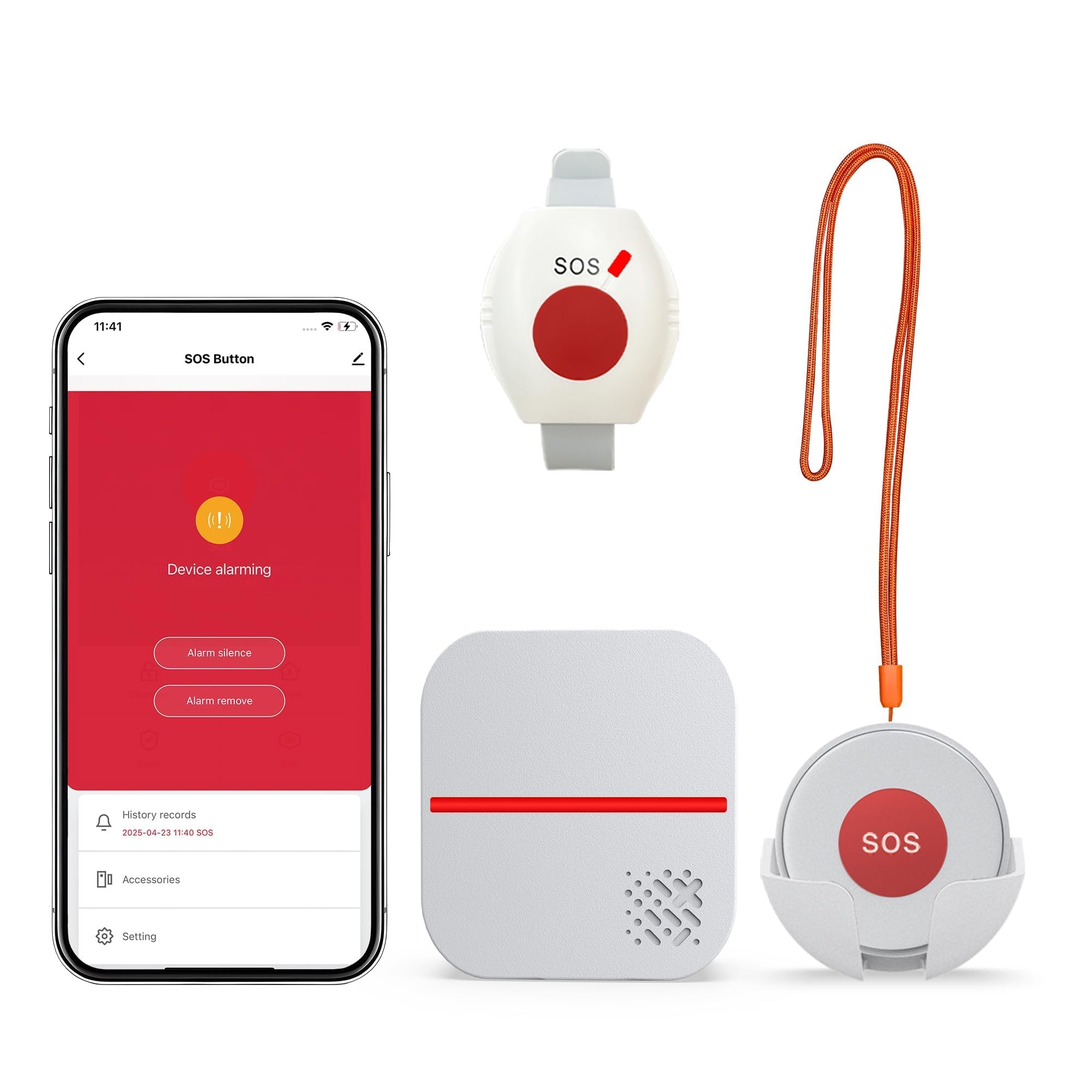
Buttons Included: 1 waterproof call button + 1 watch button
Receiver: 1 receiver unit
Connectivity: 2.4GHz Wi-Fi only
App Control: Yes
Monthly Fee: None
Placement: Fixed call button plus wearable watch button
This system pairs a fixed waterproof call button with a wearable watch button, so a senior can raise an alert from a bedside, bathroom or chair without hunting for a pendant. The receiver sits in the caregiver’s part of the home and sounds when either button is pressed, and app control adds phone-side notifications without a subscription. The waterproof call button is the practical piece for wet rooms, where slips are most likely. It suits a family where one relative is usually home and wants an audible alert plus a phone backup.
The watch button is the differentiator here: it puts the trigger on the wrist, which many seniors find less fiddly than a necklace clasp. The trade-off is the 2.4GHz-only Wi-Fi requirement — homes on a 5GHz-only network or with weak 2.4GHz coverage will need to check the router before buying, and the single receiver means alerting stays inside one household rather than reaching relatives who live elsewhere.
Trade-off: The single receiver and 2.4GHz-only Wi-Fi limit this to one home with a compatible router, so it is not the pick for remote family members.
2. Medical Alert Pendant for Seniors, Alerts Go Direct to Family
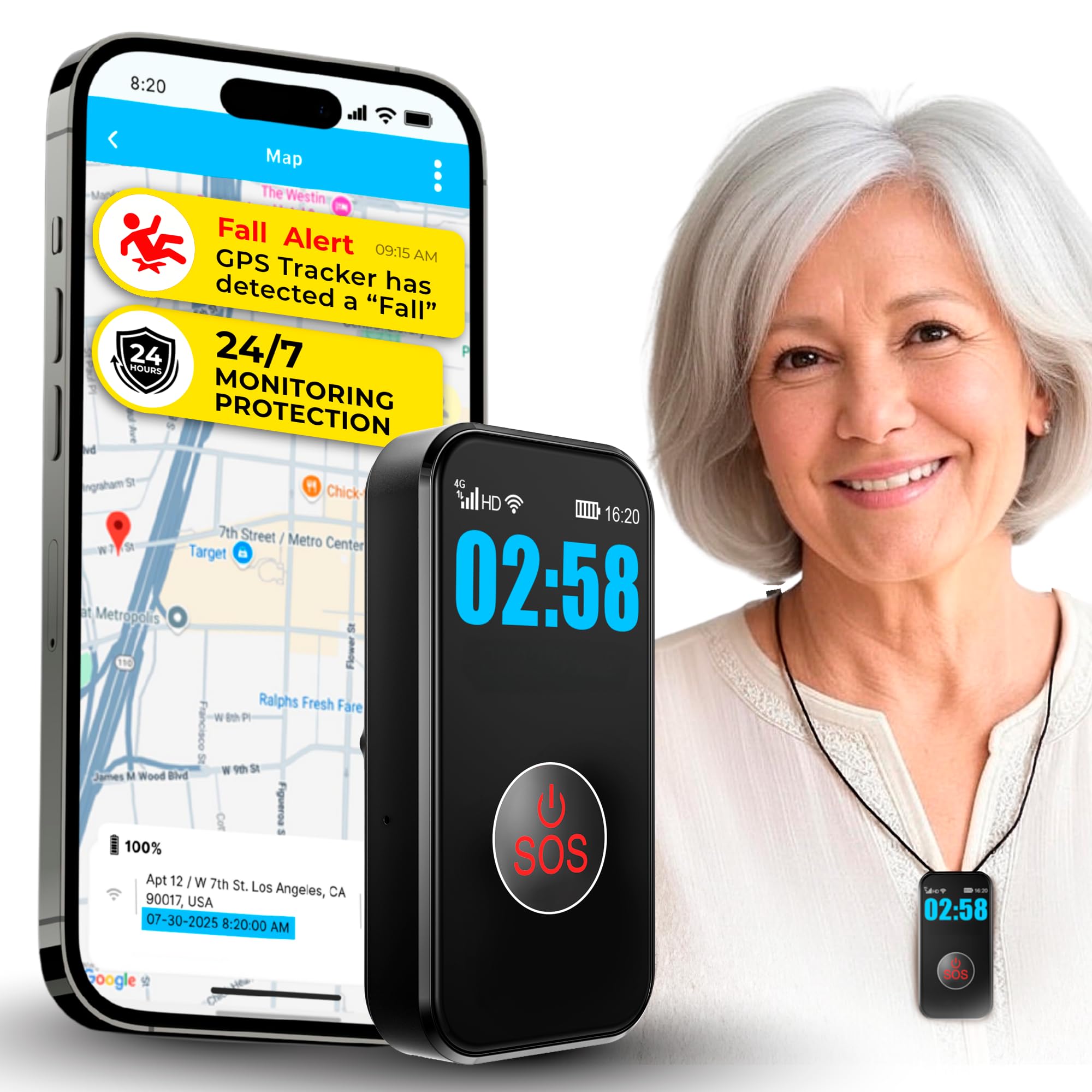
Alert Routing: Direct to family, no call center
Fall Detection: Automatic
Location: GPS tracking
Communication: 2-way calling
Wear Style: Water-resistant necklace pendant
Monthly Fee: None stated in the product name
This pendant is the most feature-dense pick in the roundup: it routes alerts straight to family rather than a monitoring center, adds automatic fall detection and GPS tracking, and supports two-way calling through the pendant. The necklace format keeps the trigger on the body at all times, which matters for fall detection because the sensor has to travel with the wearer. Water resistance means showers and hand-washing are not a reason to take it off. It suits families who live at a distance and want location context when something goes wrong.
Two-way calling changes the nature of the alert: instead of a one-way ping, a relative can speak to the senior and judge the situation before deciding whether to call emergency services. The caution is that fall detection of this type is sensor-driven and can miss slow slides or register hard sits, so it should be treated as a backup to the button rather than a replacement. Buyers should also confirm cellular coverage in the senior’s area, since GPS and calling depend on it.
Trade-off: Fall detection sensors can miss slow or cushioned falls, so the pendant works best as a supplement to a pressed button, not a substitute.
3. PILSAMAS WiFi Caregiver Pager Wireless Call Button
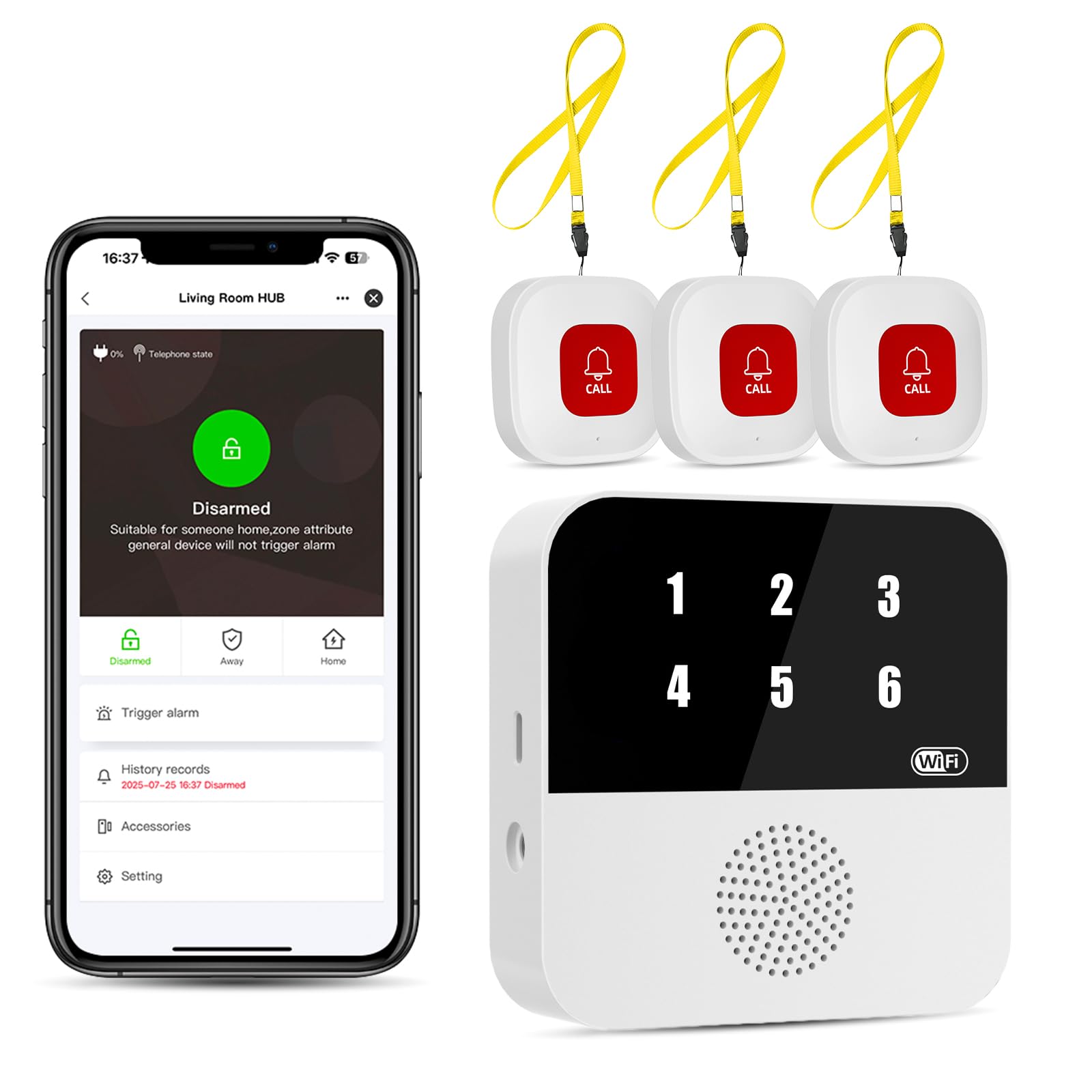
Kit Contents: 1 hub + 3 panic buttons
Waterproofing: IP65
Display: Caller ID display
App Alerts: Yes, no monthly fee
Intended Use: Elderly at home and nursing care
Connectivity: Wi-Fi hub-based
The PILSAMAS kit is built around a hub and three panic buttons, which makes it the best choice for covering several rooms without moving one button around. The IP65 rating means the buttons tolerate splashes and dust, and the caller ID display on the hub tells a caregiver which button was pressed rather than just that an alert fired. App alerts carry the same signal to a phone with no monthly fee. It suits multi-room homes and light nursing-care setups where more than one location needs a trigger.
Three buttons is the practical number for a home: one by the bed, one in the bathroom and one in the living area covers the places where help is most often needed. The hub-based design is the limitation as well as the strength — if the hub loses power or Wi-Fi, the app side goes quiet, so a household that wants an always-on audible alarm should keep the receiver near a caregiver rather than relying solely on the phone.
Trade-off: Alerts depend on the hub staying powered and connected, so a power cut or router outage can silence the app side of the system.
4. Life Alert System No Monthly Fee, Caregiver Pager Call Button

Wearables: Necklace and bracelet included
Receiver: 2.4GHz Wi-Fi receiver
App: Included alerting
Alert Type: Panic button
Monthly Fee: None
Connectivity: 2.4GHz Wi-Fi
This kit ships with both a necklace and a bracelet, which is a smart inclusion for seniors who dislike one format or want a spare. The panic button triggers a 2.4GHz Wi-Fi receiver in the home and also pushes alerts through the companion app, with no monthly fee attached. The dual-wearable approach means the senior can choose the style that actually gets worn, which is the single biggest factor in whether a medical alert gets used. It suits a household that wants wearable flexibility without paying for monitoring.
Two wearables also solve a practical problem: the bracelet can stay on during tasks where a necklace swings or snags, and the necklace can be worn out of the house. The trade-off is the same 2.4GHz Wi-Fi dependency as the other hub-style kits — range and router compatibility decide how reliable the alerts are, and a home with a weak signal in the far bedroom may see delayed notifications.
Trade-off: Alert reliability depends on 2.4GHz Wi-Fi coverage reaching the receiver, so large or thick-walled homes may need a router check first.
5. SOS No Subscription Medical Alert, Waterproof
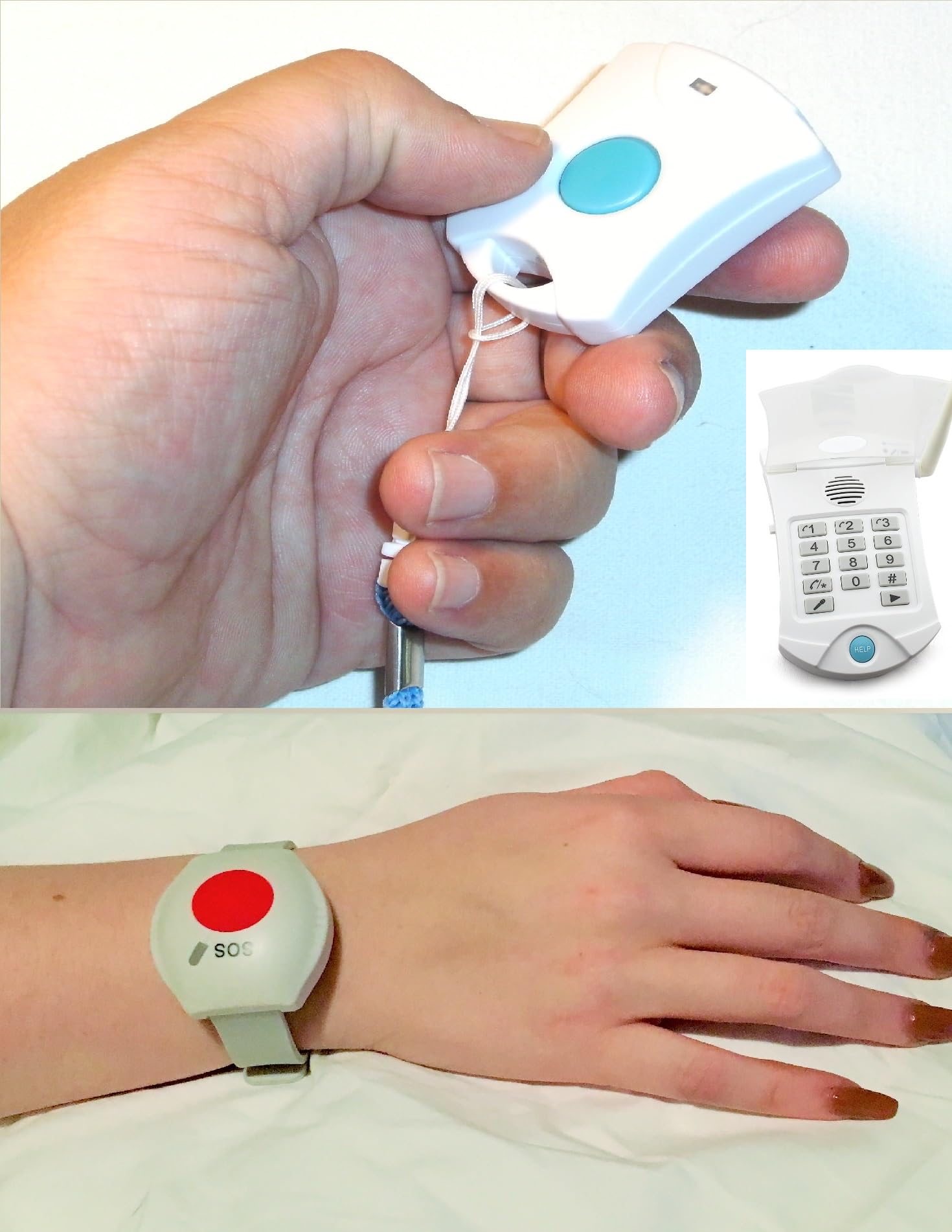
Connection: Home phone line or cellphone, with optional adapter
Waterproofing: Waterproof
Subscription: None
Contract: None
Monthly Fees: None
Alert Type: SOS button
This is the landline-friendly option: it works through a home phone line or a cellphone with an optional adapter, so it fits households that still have a traditional phone service or want to avoid Wi-Fi entirely. The unit is waterproof and carries no subscription, contract or monthly fee. It suits seniors in homes with a reliable phone line and families who prefer a simple SOS trigger without app setup. The lack of an app is a feature for buyers who find smartphone pairing a barrier.
The phone-line approach has a real advantage in rural areas where Wi-Fi is patchy but the landline is solid, and the waterproof build means it can live in a bathroom. The caution is that this is the least connected pick in the roundup — there is no GPS, no fall detection and no app-based location sharing, so a relative gets an alert without context. Households that have already dropped their landline should look at the Wi-Fi or cellular picks instead.
Trade-off: No GPS, fall detection or app tracking, so relatives receive an alert without location or context — best for households with a dependable phone line.
Before You Buy
- Connection type: Wi-Fi kits need a 2.4GHz network with good coverage; phone-line units need an active landline or the optional adapter.
- Alert destination: Decide whether alerts should go to a receiver in the home, a relative’s phone, or both — the picks differ on this.
- Wear style: Necklace, bracelet and watch buttons suit different seniors; the format that actually gets worn is the one that works.
- Waterproofing: Bathroom and shower use demands at least water resistance; check the rating before placing a button in a wet room.
- Fall detection: Treat it as a backup to a pressed button, not a replacement, and confirm coverage in the senior’s area.
- Number of buttons: One button suits a single-room setup; three or more cover a whole home without moving hardware.
- Fees and contracts: All five picks are no-monthly-fee, but confirm there is no subscription tied to app features before buying.
Frequently Asked Questions
-
What does alert routing to family members actually mean?
It means the senior’s button press goes to a relative’s receiver or phone instead of a paid monitoring center, so the family decides what happens next. -
Do any of these systems charge a monthly fee?
All five are sold as no-monthly-fee options, though buyers should confirm app features are included rather than tied to a subscription. -
Which pick is best for fall detection?
The Medical Alert Pendant is the only pick that names automatic fall detection, GPS and two-way calling, making it the strongest choice for fall-prone seniors. -
Can these systems reach relatives who live elsewhere?
The app-based picks can push alerts to a phone, but the receiver-based kits are designed for a caregiver in the same home. Remote families should prioritize the app and cellular features. -
What if the home has no landline?
Skip the phone-line unit and choose a Wi-Fi or cellular pick; the 2.4GHz kits and the pendant do not require a traditional phone service. -
Is a waterproof button necessary?
It is worth having if the senior uses the bathroom or shower unaided, since those are common fall locations and a wet-room trigger needs water resistance.
Bottom Line
For most families, the Medical Alert Pendant for Seniors is the top pick because it routes alerts directly to relatives, adds fall detection, GPS and two-way calling, and needs no call center. Households that want a simple in-home receiver with a wearable watch button should take the WiFi Caregiver Pager, while multi-room setups are better served by the three-button PILSAMAS kit.