Why there are Amazon links here: Brave Review is paid a commission for qualifying Amazon purchases made through the links below. Your price does not change, and using our links is entirely optional. How this works
Philips Hue Smart Dimmer Switch Remote vs Philips Hue Wireless Smart Light Switch Button: Which Hue Control Fits Your Home
The Philips Hue Smart Dimmer Switch Remote and the Philips Hue Wireless Smart Light Switch Button both add a physical control to a Hue setup, but they solve different problems. The Dimmer Switch Remote is built around smooth dimming and scene recall for a fixed spot on a wall or table. The Wireless Smart Light Switch Button is a compact, portable trigger for scenes and on/off routines. The short answer: buyers who want a dimmer dial should take the Dimmer Switch Remote, and buyers who want a small button to carry around or stick anywhere should take the Button. The rest of this comparison breaks down where each one earns its place.
Philips Hue Smart Dimmer Switch Remote

Type: Smart dimmer switch remote
Control Style: Dimming dial with on/off and scene recall
Installation: No-wire installation
Power Source: Battery powered
Hub Requirement: Philips Hue Bridge
Pack Size: 1-pack
Color: White
The Dimmer Switch Remote is the more traditional of the two controls. It mounts to a wall, a magnetic plate, or a flat surface without any wiring, and the rotating dial gives buyers fine control over brightness rather than a simple step up or down. That makes it the natural fit for a bedroom, a dining room, or any space where light level matters more than scene switching.
Because the remote talks to the Hue Bridge, it can be assigned to a room, a zone, or a group of lights, and the dial can be configured to recall scenes alongside brightness changes. The magnetic mount means the remote can also be lifted off the wall and used from a couch or bed, though its shape and size suit a fixed location better than a pocket. Buyers who want one control point that handles dimming and scene recall in a single gesture will find this the more useful of the two.
Trade-off: The dial design and magnetic wall mount make it a poor fit for buyers who want a control that disappears in a pocket or travels between rooms.
Check the current price on Amazon
Philips Hue Wireless Smart Light Switch Button
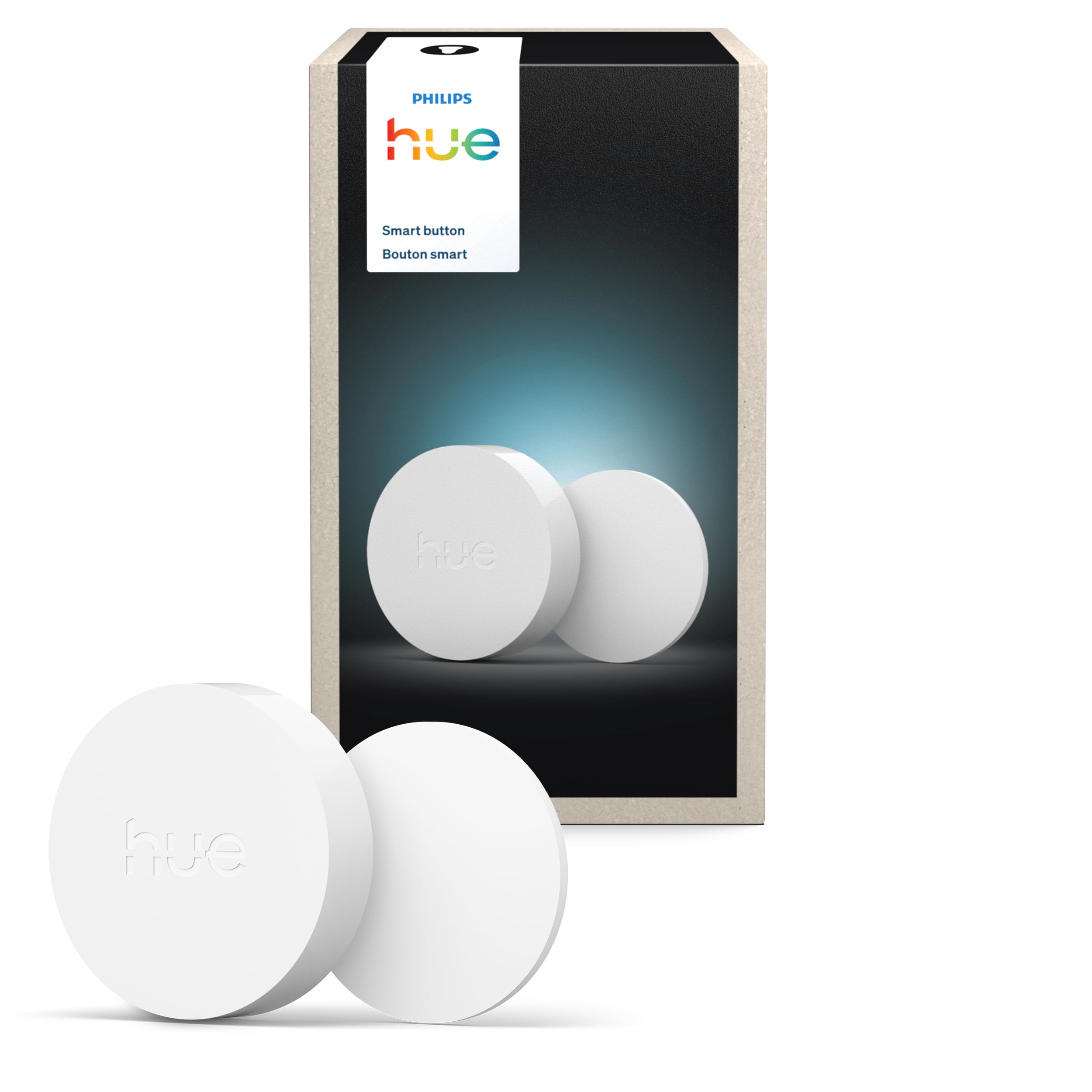
Type: Wireless smart light switch button
Control Style: Single-button press
Installation: No-wire installation
Power Source: Battery powered
Hub Requirement: Philips Hue Bridge
Pack Size: 1-pack
Color: White
The Wireless Smart Light Switch Button is the simpler device. It is a single pressable button, battery powered and portable, that can be placed on a nightstand, stuck to a wall, or carried from room to room. Each press can trigger a scene, toggle a light group, or run a routine set up in the Hue app, which makes it a good fit for guests, kids, or anyone who finds app control fiddly.
Its strength is placement flexibility. Because it does not need wiring and is not tied to a wall plate, it can sit wherever a second control point is needed without an electrician or a new switch box. The trade-off is granularity: a single button steps through states rather than offering a dial, so buyers who want to set an exact brightness level will find it less precise than the Dimmer Switch Remote.
Trade-off: A single button cannot dim smoothly or set a specific brightness level, so it suits scene triggering better than fine light control.
Check the current price on Amazon
Side-by-Side Comparison
| Feature | Philips Hue Smart Dimmer Switch Remote | Philips Hue Wireless Smart Light Switch Button |
|---|---|---|
| Control style | Dimming dial with on/off and scene recall | Single-button press |
| Installation | No-wire installation | No-wire installation |
| Power source | Battery powered | Battery powered |
| Hub requirement | Philips Hue Bridge | Philips Hue Bridge |
| Pack size | 1-pack | 1-pack |
| Color | White | White |
| Best use | Fixed dimming and scene control in one room | Portable scene and on/off triggering |
| Price tier | Budget | Slightly higher |
How the Two Controls Differ
The clearest difference is the control surface. The Dimmer Switch Remote has a rotating dial, which means brightness can be raised or lowered in small increments and a scene can be recalled with a press. The Wireless Smart Light Switch Button has one button, so each press cycles through whatever the Hue app has been told to do. The first is a dimmer, the second is a trigger.
Installation and power are effectively identical. Both are no-wire, battery-powered devices that require the Hue Bridge to join the system. Neither needs an electrician, and both can be mounted or placed without cutting into a wall. Buyers who already own a Bridge can add either one in minutes.
Portability is where the Button pulls ahead. The Dimmer Switch Remote is designed around a magnetic wall mount and works best left in place, while the Button is small enough to sit in a pocket or move between rooms. For a guest room or a child’s bedside, the Button is the friendlier option.
Price tier separates them slightly. The Dimmer Switch Remote sits at the lower end of the two, which makes it the better value for buyers who want the most control per dollar. The Button costs a little more for less granular control, and that premium buys portability rather than capability.
Which Should You Buy?
Choose the Philips Hue Smart Dimmer Switch Remote if the goal is a fixed control point for one room, smooth dimming matters, and scene recall from a single device is useful. It suits bedrooms, dining rooms, and living rooms where light level is adjusted often.
Choose the Philips Hue Wireless Smart Light Switch Button if the goal is a portable or easily placed trigger for scenes and on/off routines, or a simple control for guests and kids. It suits nightstands, hallways, and any spot where a second control point is needed without wiring.
Buyers who want both dimming and portability should note that neither device does both well. The Dimmer Switch Remote can be lifted from its mount but is shaped for a wall; the Button travels easily but cannot dim smoothly.
FAQ
-
Do both devices need the Philips Hue Bridge? Yes. Both the Dimmer Switch Remote and the Wireless Smart Light Switch Button require the Hue Bridge to connect to the rest of the system.
-
Can either one be installed without wiring? Yes. Both are no-wire, battery-powered devices, so no electrician or new switch box is needed.
-
Which one is better for dimming lights? The Dimmer Switch Remote. Its rotating dial allows smooth brightness adjustment, while the Button only triggers preset scenes or on/off states.
-
Which one is more portable? The Wireless Smart Light Switch Button. It is a compact, battery-powered button designed to be placed or carried anywhere, while the Dimmer Switch Remote is built around a magnetic wall mount.
-
Can both control more than one room? Both can be assigned in the Hue app to rooms, zones, or groups of lights, so either can control multiple fixtures depending on how the app is configured.
-
Are batteries included? Both devices are battery powered; buyers should check the listing for whether a battery ships in the box.
-
Which one is cheaper? The Dimmer Switch Remote sits at a lower price tier than the Wireless Smart Light Switch Button, though prices change and the live listing is the reliable source.
-
Can either one replace a traditional wall switch? Neither replaces a wired wall switch directly. Both are wireless controls that mount or sit over a surface and communicate with Hue lights through the Bridge.
Bottom Line
For most Hue households, the Philips Hue Smart Dimmer Switch Remote is the better first purchase: it dims smoothly, recalls scenes, and costs less, which covers the widest range of everyday lighting needs. The Philips Hue Wireless Smart Light Switch Button is the right add-on for buyers who specifically want a portable or guest-friendly trigger. Buyers who want one device to do both jobs will need to pick which priority matters more, because these two controls split the task rather than combine it. The Dimmer Switch Remote remains the stronger single pick for a room that needs real light control.