Why there are Amazon links here: Brave Review is paid a commission for qualifying Amazon purchases made through the links below. Your price does not change, and using our links is entirely optional. How this works
Best Network Setup for Video Calls for Lag-Free Meetings
A reliable video call needs two things working together: a network that carries the stream without stalling and a camera-and-audio setup that makes the call worth joining. This guide covers five products that do one job or the other, from mesh routers that spread strong WiFi through a home to conference bars that put a whole room on screen. Home-office workers, remote teams, and small huddle-room owners will each find a fit here. The overview table below lines up every pick so a choice can be made in under a minute.
Overview of the Picks
| Product | Key Spec | Best Use | Price Tier |
|---|---|---|---|
| All-in-One UVC34 Webcam with 8 Microphones & Speaker | 4K, 120° wide angle, AI auto framing | Solo and small-room calls | Mid |
| Logitech MeetUp Video Conferencing System 4K | 3 microphones, 120° field of view | Dedicated conference rooms | Premium |
| TP-Link Deco 7 Pro BE63 Tri-Band WiFi 7 | 6-stream, 10 Gbps, 4×2.5G ports | Whole-home mesh coverage | Mid |
| NETGEAR Orbi 370 Series WiFi 7 Mesh System | Up to 5 Gbps, 2.5 Gig port, 3 pack | Large homes and multi-floor offices | Mid |
| EMEET C980 PRO 3-in-1 1080P Webcam | 4 noise-cancel mics, 2 speakers | Budget desktop setups | Budget |
All-in-One UVC34 Webcam with 8 Microphones & Speaker

Type: Conference meeting bar
Resolution: 4K
Microphones: 8
Field of View: 120° wide angle
Features: AI auto framing, plug & play
Compatibility: PC, huddle room, Teams & Zoom
This Yealink bar bundles the camera, microphone array, and speaker into one unit, which cuts the cable clutter of a separate webcam-and-speakerphone setup. The 120° wide angle and AI auto framing keep everyone in a huddle room in the frame without manual adjustment. Eight microphones pick up voices across a table, and the built-in speaker handles the far end of the call. It is a plug-and-play device, so setup is a single USB connection rather than a driver install.
The UVC34 suits small teams that want one device on the table instead of three. It earns its place because the all-in-one design is genuinely simpler to deploy than separate components. The caution: a bar that combines camera, mics, and speaker in one chassis leaves less room to upgrade any single piece later, so a buyer unhappy with one part replaces the whole unit.
Logitech MeetUp Video Conferencing System 4K

Type: Conference camera system
Resolution: 4K
Microphones: 3
Field of View: 120° wide
Features: Adjustable speakers
Compatibility: PC, Mac, laptop, MacBook, tablet
The MeetUp is a premium conference system built for a dedicated meeting room rather than a desk. The 120° field of view and 4K sensor cover a group seated around a table, and the three-microphone array with adjustable speakers is tuned for room-scale audio. Its wide compatibility list means it connects to nearly any host device a business already owns. This is the pick for organizations that hold frequent group calls in one fixed space.
It earns its place on build and audio quality for a room, and it suits teams that want a set-and-forget system. The caution is one of fit: this is a room-class device at a premium price, so a single remote worker at a desk would pay for capability that a much cheaper webcam already covers.
TP-Link Deco 7 Pro BE63 Tri-Band WiFi 7 Whole Home Mesh System
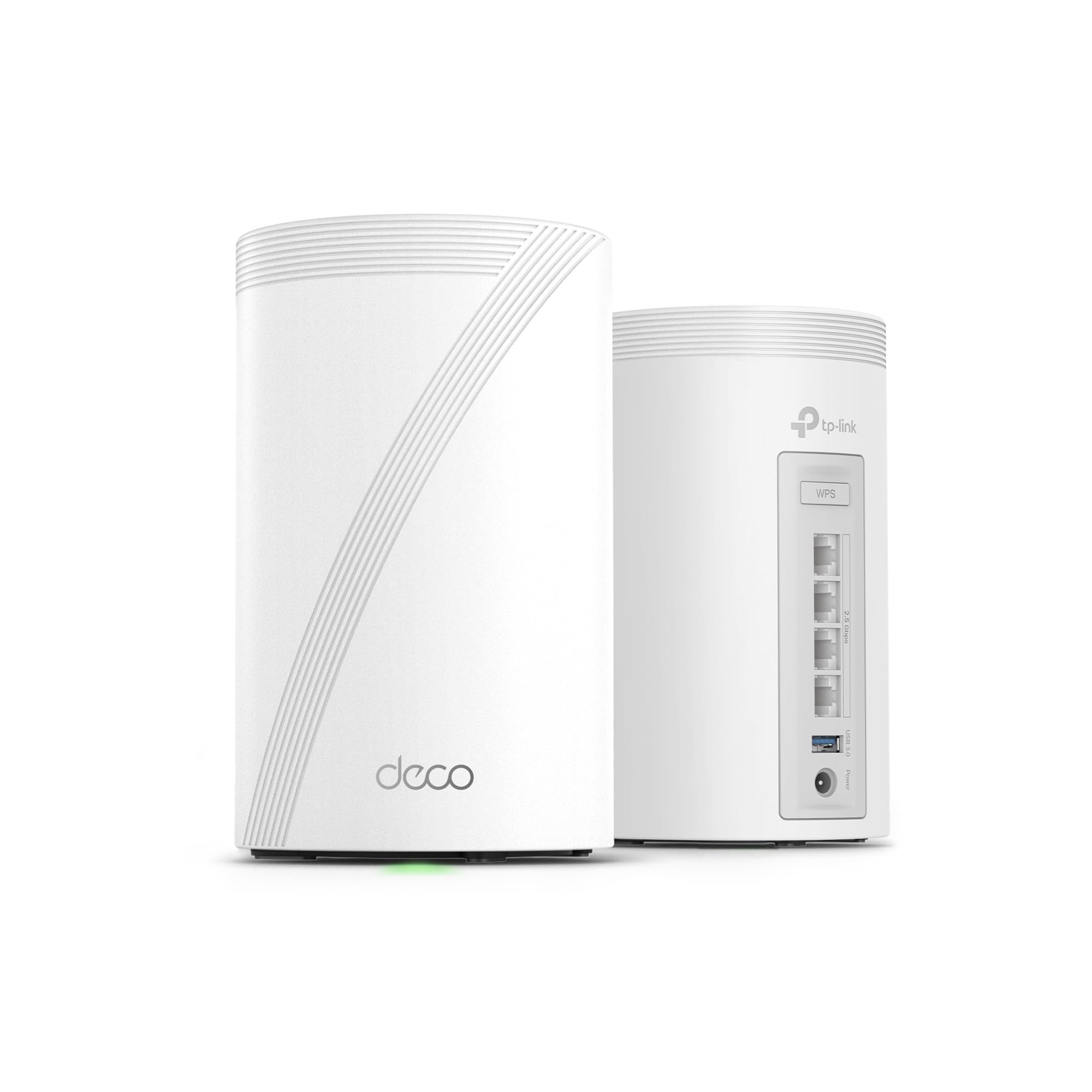
Type: Whole-home mesh system (2-pack)
Standard: Tri-Band WiFi 7
Streams: 6-stream, 10 Gbps
Ports: 4×2.5G wired backhaul
Antennas: 4x smart internal
Features: VPN, HomeShield
The Deco 7 Pro is the network half of the equation: a two-pack mesh system that spreads a strong WiFi 7 signal across a home so a video call does not drop when the caller moves rooms. The 4×2.5G ports and wired backhaul let the units talk to each other over cable, which is the most stable way to keep a mesh fast. VPN and HomeShield features add security and parental controls on top of the raw throughput. Tri-band design keeps call traffic off the busiest channel.
This pick suits households where several people work or study at once and the router sits far from the desk. It earns its place because a mesh beats a single router for consistent coverage. The caution: WiFi 7 speed benefits only appear with WiFi 7 client devices, so a home full of older laptops will see everyday gains that are smaller than the spec sheet suggests.
NETGEAR Orbi 370 Series WiFi 7 Mesh System

Type: Mesh system, router + 2 satellites (3-pack)
Standard: Dual-Band WiFi 7
Speed: Up to 5 Gbps
Coverage: Up to 6,000 sq ft
Devices: 70
Port: 2.5 Gig
Features: Easy setup, security features
The Orbi 370 is a three-piece mesh kit — one router and two satellite extenders — aimed at large homes and multi-floor spaces. The stated coverage reaches up to 6,000 sq ft and supports up to 70 devices, which matters in a busy household where phones, laptops, and smart gear all compete for bandwidth. A 2.5 Gig port gives a fast wired option for a desktop that needs a rock-solid call connection. Setup is described as easy, and security features come built in.
This pick suits big homes and home offices spread across floors where a single router leaves dead zones. It earns its place on coverage and device count for the money. The caution: a dual-band mesh trades the extra lane of a tri-band system for coverage, so in a very dense household the busier band can get crowded during peak call hours.
EMEET C980 PRO 3-in-1 1080P Webcam

Type: 3-in-1 webcam with microphone and speaker
Resolution: 1080P
Microphones: 4 noise-cancel
Speakers: 2
Field of View: 60°–98°
Features: Auto low light correction, privacy cover
The C980 PRO is the budget entry: a 1080P webcam that packs four noise-canceling microphones and two speakers into one clip-on unit. The adjustable 60°–98° field of view lets a user frame a single face or widen out for a small group, and auto low-light correction helps in a dim room. A privacy cover is built in, which is a welcome touch at this price. It is a USB camera aimed at online conferences and classes.
This pick suits remote workers and students who need a complete audio-and-video setup on a tight budget. It earns its place because it covers camera, mic, and speaker in one purchase. The caution: at this price tier the 1080P sensor and small speakers are built for a single desk user, so a group in a larger room will find the pickup and volume strained.
Before You Buy
- Coverage: Match the mesh system to the home’s square footage; a two-pack suits most apartments, while a three-pack covers multi-floor houses.
- Band support: WiFi 7 gear pays off only with WiFi 7 client devices; older laptops will still work but see smaller gains.
- Room size: A desk webcam suits one person, while a conference bar or room system is needed for a group around a table.
- Wired option: A router with a 2.5 Gig port lets a desktop connect by cable for the most stable call.
- Microphone count: More microphones generally mean better pickup across a room, which matters for huddle spaces.
- Privacy: A built-in privacy cover is worth having on any desk webcam.
- Compatibility: Confirm the camera or router lists the host devices and platforms already in use.
Frequently Asked Questions
-
What is the best network setup for video calls?
A strong mesh WiFi system paired with a capable camera is the core. The Deco 7 Pro or Orbi 370 handle the network, while a conference bar or webcam handles the call itself. -
Do I need WiFi 7 for video calls?
No. Video calls run fine on older WiFi, but WiFi 7 mesh systems give more headroom for busy households with many devices. -
Is a mesh system better than a single router for calls?
For larger homes, yes. A mesh spreads coverage so calls stay stable in rooms far from the router. -
What is the difference between a conference bar and a webcam?
A conference bar bundles camera, microphone array, and speaker for a room, while a webcam is a smaller desk unit for one person. -
How many microphones are enough for a huddle room?
A multi-microphone array is the safer choice for a group; single-mic webcams suit one speaker at a desk. -
Can a budget webcam handle professional calls?
Yes, for a single desk user. The EMEET C980 PRO covers camera, mic, and speaker at a low price, though it is not built for group rooms.
Bottom Line
The strongest overall starting point is the TP-Link Deco 7 Pro BE63, a WiFi 7 mesh system that gives a whole home stable coverage for calls, paired with a conference bar or webcam for the call itself. For a dedicated room, the Yealink UVC34 all-in-one is the simplest single-device option. Buyers should pick the network piece for coverage and the camera piece for room size, then check current pricing before ordering.