Why there are Amazon links here: Brave Review is paid a commission for qualifying Amazon purchases made through the links below. Your price does not change, and using our links is entirely optional. How this works
Best Smart Lighting Sensor for Effortless Motion-Activated Light
A smart lighting sensor turns light on when someone walks in and off when the room empties, and the right one depends on the system already in the house. This guide covers five picks: two rechargeable under-cabinet lights that need no hub, and three sensors built for Philips Hue, Lutron Caseta and multi-platform smart homes. Each entry states who it fits and where it falls short, so the choice takes a minute rather than an afternoon. The overview table below shows the differences at a glance.
Overview of the Picks
| Product | Key Spec | Best Use | Price Tier |
|---|---|---|---|
| Under Cabinet Lighting 2 Pack | Rechargeable, magnetic, dimmable | Kitchen counters and stairs | Budget |
| Lutron Caseta PD-OSENS-WH | Wireless, works with Caseta dimmers | Hallway and garage automation | Mid-range |
| Philips Hue Motion Sensor | Two AAA batteries, magnetic mount | Hue-only smart homes | Premium |
| Shelly BLU Motion ZB | Bluetooth and Zigbee, AES encryption | Multi-platform smart homes | Mid-range |
| EZVALO 3 Pack 8" | 30 LEDs, 3 color temps, rechargeable | Wardrobes and pantries | Budget |
Under Cabinet Lighting, 14.7" Rechargeable Motion Sensor Light Indoor, 2 Pack

Pack Size: 2 pack
Length: 14.7 inches
Power Source: Rechargeable battery
Mounting: Magnetic
Dimming: Dimmable
Type: Motion sensor light
This two-pack is the simplest route into motion-activated light: a rechargeable bar with a magnetic back that sticks to a metal plate or screws into place, no wiring and no hub. The 14.7-inch length spreads light along a counter run, and the dimmable output lets a buyer soften the glow for late-night trips to the kitchen. It suits renters and anyone who wants closet or stair lighting without calling an electrician.
The pick earns its place because it removes the two biggest barriers to under-cabinet lighting: wiring and cost. The magnetic mount also means the bar lifts off for recharging rather than staying tethered to a cord.
Trade-off: A rechargeable bar only runs as long as its battery, so a household that leaves the sensor triggering constantly will be pulling the unit down to charge more often than expected.
Lutron Caseta Smart Lighting Auto On/Off Wireless Occupancy Motion Sensor, PD-OSENS-WH, White

Type: Wireless occupancy motion sensor
Compatibility: Caseta dimmers, switches and fan controls
Wiring: No wires required
Intended Use: Bathrooms, hallways, garages
Color: White
This Lutron sensor is a different animal from the battery bars: it is a wireless occupancy sensor that pairs with Caseta dimmers, switches and fan controls to switch lighting on and off automatically. Because it needs no wires, it mounts wherever motion is best detected rather than wherever a switch box happens to sit. Bathrooms, hallways and garages are its natural homes, and it suits a household already running Caseta gear.
The pick is here for buyers who want automation wired into their existing switches rather than a standalone lamp. It pairs with fan controls too, which makes it useful in a bathroom where light and ventilation should move together.
Trade-off: It is only as useful as the Caseta devices it talks to, so a home without a Caseta dimmer or switch gets nothing from it.
Philips Hue Motion Sensor, 1-Pack

Pack Size: 1 pack
Power Source: Two AAA batteries (included)
Mounting: Magnetic mount or screw setup
Installation: No-wire
Compatibility: Philips Hue smart lights only
This Hue sensor is the premium choice for anyone already living in the Hue ecosystem. It runs on two included AAA batteries, mounts by magnet or screw without wiring, and triggers Hue lights the moment motion is detected. The magnetic base makes repositioning easy, which matters when a hallway’s traffic pattern changes.
It earned its place because it slots into an existing Hue setup with no bridge work and no new app. A buyer with Hue bulbs and a bridge gets motion automation across the whole house from one small puck.
Trade-off: It is exclusive to Philips Hue lights, so it is dead weight in a home running another brand’s bulbs or a mixed setup.
Shelly BLU Motion ZB Smart Bluetooth & Zigbee Light Sensor

Connectivity: Bluetooth and Zigbee
Compatibility: Alexa, Home Assistant, Google, SmartThings
Detection: PIR motion
Special Feature: Beacon mode
Security: AES encryption
The Shelly sensor is the flexible pick for mixed smart homes. It speaks both Bluetooth and Zigbee, works with Alexa, Google, SmartThings and Home Assistant, and uses PIR detection to trigger lights. AES encryption covers the wireless link, and beacon mode gives the device a second job as a locator signal.
It suits the tinkerer who runs Home Assistant and wants one sensor that plays nicely across platforms. The dual radio means it can join a Zigbee mesh or talk directly over Bluetooth, which keeps options open as a setup grows.
Trade-off: Multi-platform support means setup happens through an app and a hub or bridge, so a buyer expecting plug-and-play simplicity will find the configuration steeper than a single-ecosystem device.
EZVALO 3 Pack 8" Motion Sensor Light Indoor Rechargeable
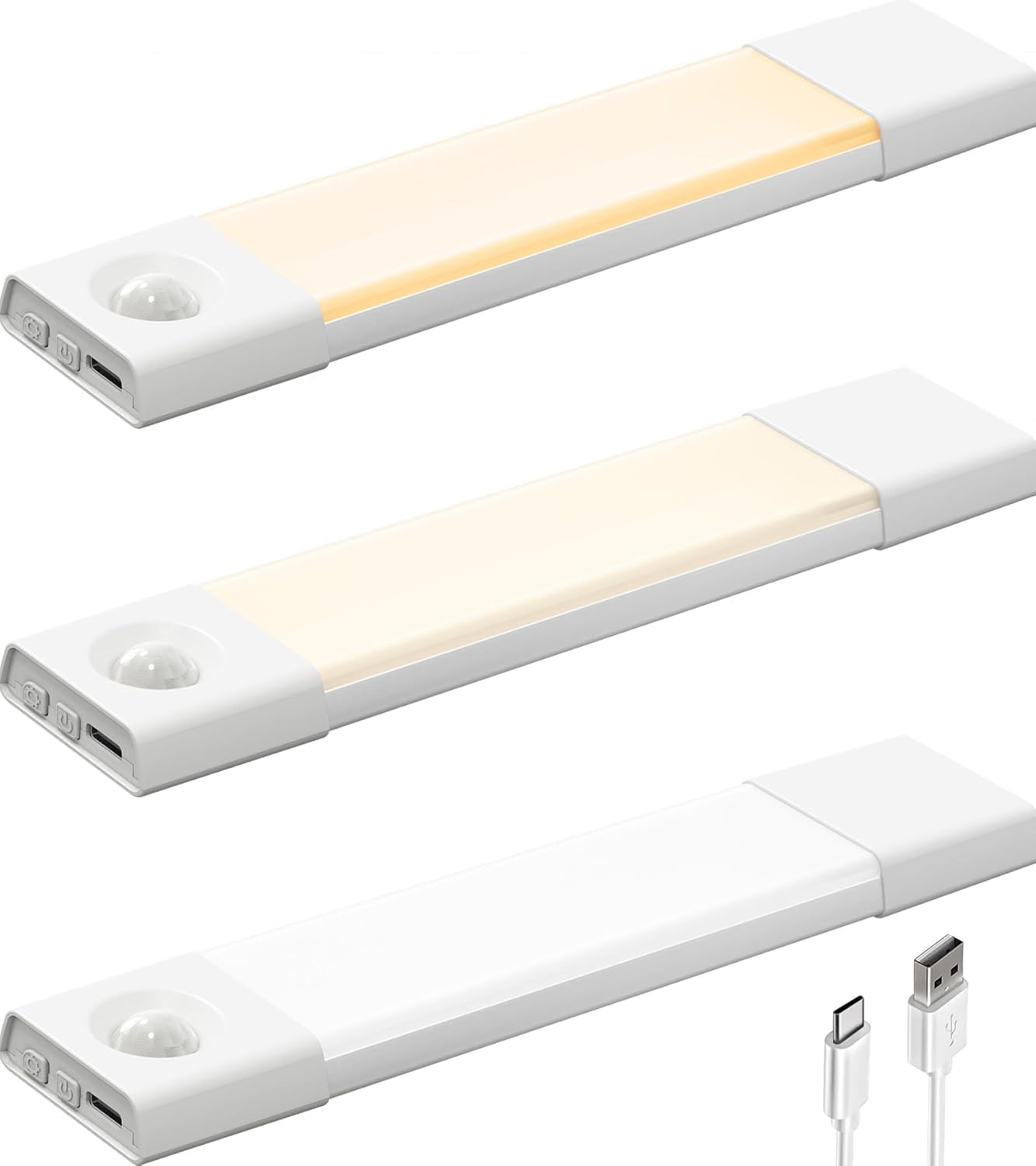
Pack Size: 3 pack
Length: 8 inches
LED Count: 30 LEDs
Power Source: Rechargeable
Color Temps: 3 color temperatures
Mounting: Stick-on, wireless
Dimming: Dimmable
This three-pack takes the same no-wire idea as the first pick and scales it down: shorter 8-inch bars with 30 LEDs each, three color temperatures and dimming, all running on rechargeable batteries. The stick-on mount means no tools and no damage, which suits rental kitchens, wardrobes, pantries and bedrooms. Three units cover more spots than a single bar for roughly the same outlay.
The value here is spread: a buyer lighting a closet, a pantry and a stairwell gets all three from one box. The color temperature control also lets each spot match its surroundings.
Trade-off: At 8 inches the bars throw a narrower pool of light than longer under-cabinet units, so a full kitchen counter run may need more than one bar per section.
Before You Buy
- Power source: Rechargeable bars need periodic charging; battery sensors need occasional cell swaps; wired sensors need a switch box or hub.
- Compatibility: Hue sensors work only with Hue lights, Lutron only with Caseta devices, while Shelly covers multiple platforms. Match the sensor to the lights already installed.
- Hub requirement: Some sensors pair directly to a phone, others need a bridge or hub. Confirm the hub is already in the home before buying.
- Mounting: Magnetic and stick-on mounts suit renters; screw mounts hold better on uneven surfaces.
- Coverage: Shorter bars light a small zone, longer bars cover a counter run. Count how many spots need light before choosing a pack size.
- Color temperature: Adjustable white light suits kitchens and closets; fixed white is fine for utility spaces.
- Placement: PIR sensors need a clear line of sight to the walkway. Corners and door frames can block detection.
Frequently Asked Questions
-
Does a smart lighting sensor need a hub?
It depends on the model. Rechargeable under-cabinet bars work standalone, while Hue, Lutron and Shelly sensors need their matching bridge, hub or platform to trigger lights. -
Can a motion sensor work with lights from another brand?
Only if the sensor supports that platform. The Shelly sensor is the most flexible of the five, while the Hue and Lutron units are tied to their own ecosystems. -
How long do rechargeable motion lights last on a charge?
Runtime depends on how often motion triggers the light and at what brightness. A low-traffic closet drains far slower than a busy hallway. -
Where should a motion sensor be placed?
Along the path people walk, at a height where the sensor sees movement without being blocked by doors or cabinets. A magnetic mount makes testing positions easy. -
Are motion sensor lights good for renters?
Yes. The rechargeable stick-on and magnetic models install without wiring or wall damage, so they come down cleanly at move-out. -
What is the difference between a motion sensor and an occupancy sensor?
A motion sensor reacts to movement, while an occupancy sensor keeps light on while a room is occupied and switches off after it empties. The Lutron unit is labeled as an occupancy sensor.
Bottom Line
For most households the best smart lighting sensor is the one that matches the lights already in place. A Hue home should take the Philips Hue Motion Sensor for seamless integration, a Caseta home the Lutron unit, and a mixed or Home Assistant setup the Shelly. Buyers who just want light where there is none should start with the rechargeable under-cabinet two-pack, which needs no hub, no wiring and no app.