Why there are Amazon links here: Brave Review is paid a commission for qualifying Amazon purchases made through the links below. Your price does not change, and using our links is entirely optional. How this works
Best Automation for a Home Office for Less Daily Busywork
The best automation for a home office is the setup that removes small repetitive tasks without demanding a networking hobby. This roundup covers five picks: a dedicated smart hub for whole-room logic, two smart-plug packs for lamps and desk gear, a universal IR hub for remotes, and a linear actuator for anyone building a powered desk or cabinet.
Three buyer profiles are served here. The tinkerer wants conditional routines across many devices. The minimalist wants lights and a heater on a schedule with no hub in the mix. The builder wants motion, not software. The overview below compares all five before the individual reviews.
The Picks at a Glance
| Product | Key Spec | Best Use | Price Tier |
|---|---|---|---|
| Home Assistant Green | Official Home Assistant hub, local automation | Whole-office routines across brands | Premium |
| Linkind Matter Smart Plug 4-Pack | 15A/1800W, Matter, 2.4G Wi-Fi | Budget scheduling for lamps and fans | Budget |
| Kasa Smart Plug HS103P4 4-Pack | 15 Amp, no hub required, UL Certified | Simple voice control of desk gear | Budget |
| Tapo Smart IR & IoT Hub H110 | 8,000+ IR brands, Matter-certified | Consolidating remotes and schedules | Mid-range |
| Progressive Automations 12V Linear Actuator | 8", 150 lbs, track linear motion | Powered desk and cabinet builds | Premium |
1. Home Assistant Green — Best for Whole-Office Logic
Type: Smart home hub
Brand: Home Assistant (official hardware)
Automation: Advanced, local
Role: Central controller
Setup: Standalone, no subscription required

Home Assistant Green | Smart Home hub with Advanced Automation | Official Home Assistant Hardware
Check the current price on Amazon
Home Assistant Green is the official hardware for the open-source Home Assistant platform, built as a small always-on box that runs the software out of the box. It acts as the brain rather than the muscle: it talks to lights, plugs, sensors and remotes from many brands and runs the rules that tie them together. Because the automation logic lives on the device instead of in a cloud account, routines keep firing even when the internet is down. Setup assumes a willingness to read documentation and connect devices one at a time.
This is the pick for a home office with devices from three or four ecosystems and a wish to make them behave as one. A morning routine that raises the blinds, warms the desk lamp and starts a fan based on room temperature is exactly the sort of multi-step logic the hub exists for. It is not for the buyer who wants to plug something in and be finished in five minutes.
Trade-off: The hub is only as capable as the integrations behind it, so some devices will need extra configuration before they appear, and the learning curve is real.
Suits: Multi-brand offices, privacy-minded buyers, anyone who wants routines to survive an outage.
Skip if: A single plug timer would cover the whole need.
2. Linkind Matter Smart Plug 4-Pack — Best Budget Scheduling
Type: Smart plug, 4-pack
Rating: 15A/1800W
Protocol: 2.4G Wi-Fi, Matter
Control: App and voice
Ecosystems: Apple Home, Alexa, Siri, Google Home
Certification: ETL Certified

Check the current price on Amazon
These are Wi-Fi plugs that switch whatever is plugged into them on a schedule or from a phone, and the four-pack format means several office devices can be handled at once. The 15A/1800W rating covers ordinary loads like desk lamps, fans, monitors and a small heater, while the Matter certification lets the plugs join a compatible smart home platform rather than living in a single vendor app. The 2.4G-only radio is the standard arrangement for this class and keeps the pairing simple.
The main draw is the schedule. A lamp that turns on before the workday and off at closing time, a fan that runs through the warm part of the afternoon, and a charger that stops drawing power overnight can all be set once and forgotten. Buyers with a mixed household of Apple and Android phones will appreciate that Matter lets both sides control the same plugs.
Trade-off: The plugs need a 2.4GHz network, so a router that hides that band or forces 5GHz on the same name will cause pairing headaches.
Suits: Renters, budget-conscious buyers, mixed-ecosystem homes.
Skip if: The office already runs on a hub that prefers a different protocol.
3. Kasa Smart Plug HS103P4 — Best for Simple Voice Control
Type: Smart plug, 4-pack
Rating: 15 Amp
Control: Touch actuator, voice, app
Hub: Not required
Certification: UL Certified
Color: White

Check the current price on Amazon
The Kasa HS103P4 is a four-pack of Wi-Fi outlets that need no separate hub, which keeps the setup to a phone app and a Wi-Fi password. Each plug carries a physical touch actuator, so the device can be switched by hand without pulling out a phone, and it works with Alexa, Echo and Google Home for spoken control. The 15 Amp rating and UL certification put it in the same safe range as the Linkind pack for everyday office loads.
This is the least demanding route into office automation. A buyer who wants the desk lamp to answer to voice and the monitor to shut off on a schedule can be running within an afternoon, and the four-pack leaves room for a printer or a speaker. The single-app design is also simpler to teach to a household than a multi-platform setup.
Trade-off: The plugs lean on the vendor’s app and cloud for remote control, so a platform outage takes the remote features with it.
Suits: First-time smart-home buyers, Alexa and Google households, anyone who wants a physical button.
Skip if: Local-only control or Matter support is a hard requirement.
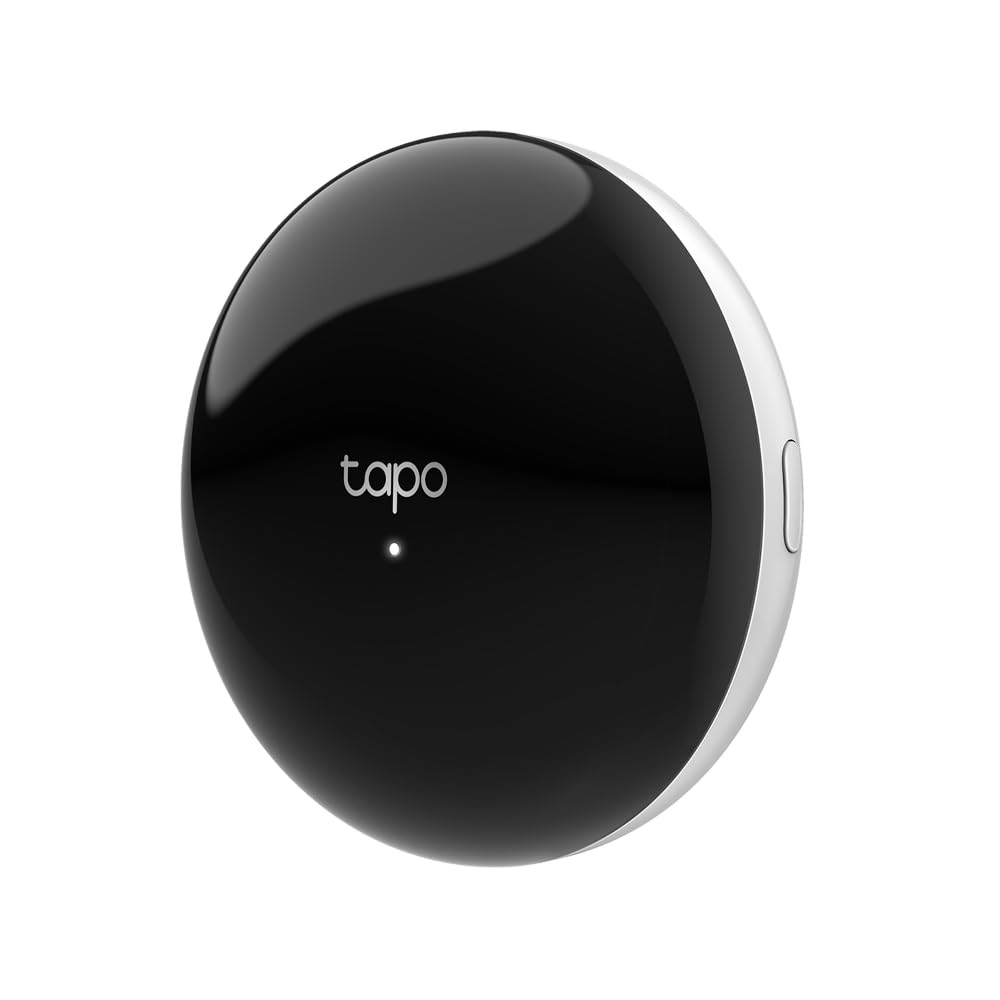
4. Tapo Smart IR & IoT Hub H110 — Best for Remote Consolidation
Type: IR and IoT hub with chime
Device support: TVs, ACs and 18+ device types
Brand coverage: 8,000+ infrared brands
Control: Voice and app
Automation: Custom schedules
Certification: Matter-certified
Check the current price on Amazon
The Tapo H110 is a universal remote hub that blasts infrared commands at equipment which only understands a handheld remote, and it doubles as a Matter-certified IoT hub with a built-in chime. The stated coverage of 8,000+ infrared brands and 18+ device types means air conditioners, TVs and similar gear can be folded into app and voice control without replacing the hardware. Custom schedules and automations are handled in the app.
For a home office with a mini-split, a TV on the wall and a fan that all came with their own remotes, this is the tidy answer. One hub replaces the drawer of clickers, and the chime gives the same box a second job as a door or timer alert. Buyers already running Matter devices can use it as a bridge rather than a standalone app island.
Trade-off: Infrared is line-of-sight technology, so a hub tucked behind a monitor or in a cabinet will miss the equipment it is meant to command.
Suits: Offices with air conditioning and AV gear, remote-clutter sufferers, Matter households.
Skip if: Every device in the room is already Wi-Fi or Zigbee controlled.
5. Progressive Automations 12V Linear Actuator — Best for Powered Builds
Type: Track linear electric actuator
Stroke: 8 inches
Load rating: 150 lbs
Voltage: 12V
Motion: Track linear design
Intended use: General, home and office automation industries

Check the current price on Amazon
This is a component rather than an appliance: a 12V electric actuator that extends and retracts along a track to push or pull a load, rated here at 150 lbs over an 8-inch stroke. It is the part that turns a fixed desk, a cabinet door or a hidden shelf into something that moves on command, and it is aimed at builders working in general, home and office automation. Wiring, a power supply and a controller are the buyer’s side of the project.
The appeal is mechanical automation that no plug or hub can provide. A standing desk conversion, a lift-up printer shelf or a concealed monitor cabinet all become possible with a pair of these and a switch. This is not a beginner’s first purchase, and it assumes comfort with low-voltage wiring and load calculations.
Trade-off: The actuator arrives as a bare component, so the total cost and effort include a power supply, controller and mounting hardware that the price tag does not show.
Suits: Makers, desk-conversion builders, anyone automating physical movement.
Skip if: The goal is switching existing appliances rather than moving things.
Before You Buy
- Protocol: Confirm whether the office runs Matter, plain Wi-Fi or a vendor app; a hub and a plug that do not share a language waste money.
- Load: Match the plug rating to the appliance, and keep high-draw heaters and chargers within the stated amperage.
- Line of sight: Infrared hubs need a clear path to the equipment, so plan the shelf position before buying.
- Network band: Most budget plugs are 2.4GHz only, and a router that merges bands can stall pairing.
- Skill level: A hub and an actuator reward patience; a plug pack rewards none.
- Expansion: A four-pack leaves spare outlets for later devices, while a single hub sets a ceiling on how many routines can be run.
- Power and control: Component parts like the actuator need a supply and a switch that are not in the box.
Frequently Asked Questions
-
What is the best automation for a home office to start with?
A smart plug pack is the fastest entry point, since it needs only Wi-Fi and an app. A hub makes sense once several brands need to work together. -
Is a smart hub necessary for office automation?
No. Plugs and IR hubs can run on their own apps. A hub earns its place when routines must span devices from different makers. -
Can smart plugs handle a space heater?
Only within their stated rating. The 15A/1800W and 15 Amp figures here cover many small heaters, but the appliance label should be checked first. -
Do these devices work with Alexa and Google Home?
The Linkind and Kasa plugs both list support for the major voice assistants, and the Tapo hub offers voice control. Home Assistant Green works through its own integrations. -
What does a linear actuator add that a smart plug cannot?
Movement. A plug switches power to a device, while an actuator physically pushes or pulls a load such as a desk or a cabinet door. -
Will automation still work if the internet goes down?
Local hubs such as Home Assistant Green keep running routines offline. Cloud-dependent plugs generally lose remote control until the connection returns.
Bottom Line
For most home offices the best automation for a home office starts with the Home Assistant Green, because it is the only pick that makes devices from different brands act as one system and keeps working without a cloud account. Buyers who want a ten-minute setup should take the Kasa pack instead and add a hub later if the device count grows.
