Why there are Amazon links here: Brave Review is paid a commission for qualifying Amazon purchases made through the links below. Your price does not change, and using our links is entirely optional. How this works
Best Automation for Energy Saving for Real Household Savings
The best automation for energy saving is the hardware that makes wasted power visible and then switches it off — smart plugs with metering, a whole-panel monitor, and a plug-in saver for smaller loads. This roundup covers five options for three kinds of buyers: renters who want cheap per-outlet control, homeowners ready to track the whole house, and anyone curious about power-factor gadgets. The overview table below sorts all five by key spec and best use, so a decision is possible before the reviews.
The Picks at a Glance
| Product | Key Spec | Best Use | Price Tier |
|---|---|---|---|
| Tapo P115 (4-Pack) | 1800W max, ETL certified, 2.4G Wi-Fi | Budget multi-room scheduling with energy monitoring | Budget |
| Emporia Vue 3 | Real-time whole-home monitoring, solar and net metering | Tracking total household consumption | Premium |
| Tapo P110M (4-Pack) | Matter compatible, UL certified, 15A | Mixed-platform homes that want future-proof pairing | Mid-range |
| SwitchBot HomeKit Smart Plug Mini | No hub required, Siri support, 15A | Apple Home households | Mid-range |
| Electricity Saving Box (2-Pack) | Power factor optimization, plug-in design | Small always-on loads and office setups | Budget |
1. Tapo Smart Plug P115 (4-Pack) — Best Budget Automation for Energy Saving

Type: Wi-Fi smart plug, four-pack
Max Load: 1800W
Amperage: 15A
Certification: ETL certified
Connectivity: 2.4G Wi-Fi only
Features: Energy monitoring, timer, Alexa/Google Home/SmartThings
These are compact outlet modules that sit between the wall and the appliance, and the four-pack format is the point: one box covers a living room lamp, a TV stack, a space heater and a bedroom fan without buying twice. The 1800W ceiling and 15A rating mean ordinary resistive loads are fine, and the ETL mark speaks to the safety side of a device that stays plugged in permanently. Energy monitoring is the automation hook — the plug reports consumption, so schedules can be built around real usage rather than guesswork. It is the natural first purchase for a renter who cannot touch wiring.
The pick earns its place on cost per outlet and on ecosystem breadth, since Alexa, Google Home and SmartThings are all supported out of the box. Buyers who run a mesh network with a single SSID should note the 2.4G-only radio, which occasionally needs a split band to pair cleanly. Heavy motor loads such as a large compressor are outside what a plug of this class should carry.
Trade-off: The four-pack locks buyers into one ecosystem purchase, and the 2.4G-only radio adds a pairing step on modern dual-band routers.
2. Emporia Vue 3 Home Energy Monitor — Best Whole-Home Automation for Energy Saving

Type: Whole-home energy monitor module
Function: Real-time electricity usage, power consumption metering
Solar: Net metering supported
Certification: UL certified
Installation: Panel-mounted
Where a smart plug sees one appliance, this module sees the house. It mounts at the electrical panel and reads consumption in real time, which turns an abstract bill into a live number that can be watched while the dryer runs. Solar and net metering support matter for households that generate as well as consume, since the module can show the direction power is flowing. The UL certification is the relevant safety signal for a device that lives inside a breaker box.
This is the pick for a homeowner who has already replaced the obvious offenders and wants to find the rest. It suits the analytical buyer who will actually open the app and compare days. It is not a switching device — it measures and reports, but it does not turn anything off, so pairing it with a few smart plugs is the practical combination.
Trade-off: Panel installation is not a casual DIY job, and the monitor reports rather than controls, so savings depend on the owner acting on what it shows.
3. Tapo Smart Plug P110M (4-Pack) — Best Matter-Compatible Automation for Energy Saving
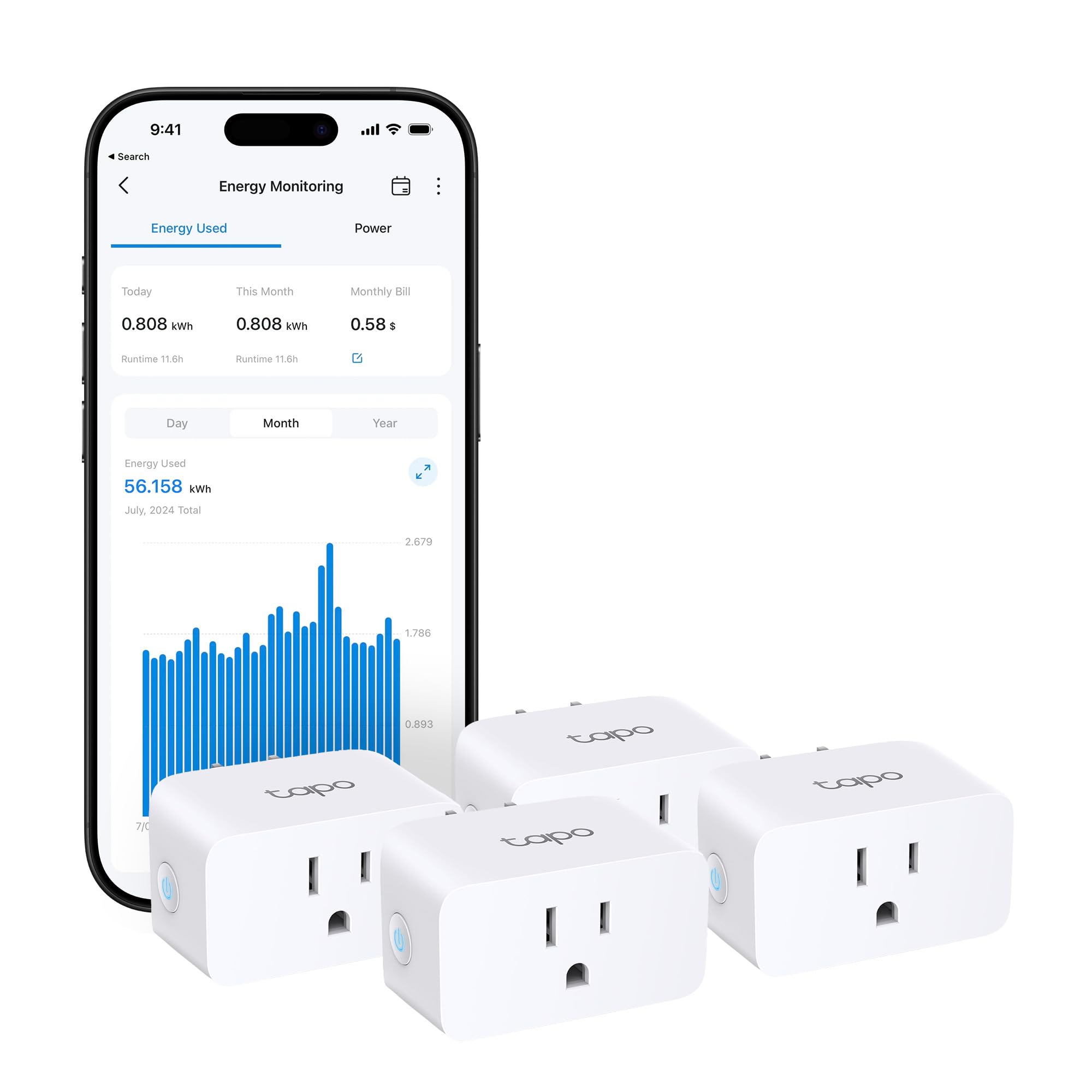
Type: Matter-compatible Wi-Fi smart plug, four-pack
Amperage: 15A
Certification: UL certified
Connectivity: 2.4G Wi-Fi only
Features: Energy monitoring, Alexa/Google Home/SmartThings
Protocol: Matter
This is the same four-outlet formula as the budget pick with two upgrades that matter over time: Matter compatibility and a UL listing. Matter means the plugs can be paired through a standard rather than a single vendor’s cloud, which keeps them useful if the household later switches assistants or hubs. Energy monitoring is retained, so the scheduling and reporting workflow is intact. The 15A rating covers the usual lamps, chargers and kitchen small appliances.
The pick suits a buyer who is standardizing a smart home now and does not want to re-buy accessories in two years. It is also the better choice for anyone who already owns a Matter controller. The caution is the same as its sibling: 2.4G-only Wi-Fi, and a plug is still not the right home for a high-inrush motor load.
Trade-off: Matter pairing can be fussier on first setup than a plain vendor app, and the premium over the non-Matter version buys longevity rather than extra features.
4. SwitchBot HomeKit Smart Plug Mini — Best Automation for Energy Saving for Apple Homes

Type: Mini Wi-Fi smart plug
Amperage: 15A
Hub: Not required
Connectivity: Wi-Fi, 2.4GHz
Voice: Siri, Alexa, Google Home
Features: Energy monitoring, automation
The mini form factor is the practical selling point: it leaves the second wall outlet usable, which matters in older homes with few sockets. HomeKit support without a hub puts it directly into Apple’s Home app and Siri shortcuts, and Alexa and Google Home are covered for mixed households. Energy monitoring is present, so the same report-and-schedule routine works here. The 15A rating is standard for the category.
This pick is for the iPhone household that wants one app for lights, plugs and scenes. It is a single plug rather than a multipack, so covering four rooms costs more than the Tapo bundles. Buyers with no Apple devices gain little from the HomeKit angle and can save money elsewhere.
Trade-off: Sold singly, so a whole-home rollout gets expensive fast, and the HomeKit-first design is wasted on Android-only households.
5. Electricity Saving Box (2-Pack) — Best Plug-In Saver for Small Loads

Type: Plug-in electricity saver device, two-pack
Function: Power factor optimization
Intended Use: Home, office, household appliances
Installation: Plug into wall outlet
Quantity: 2 pack
This is the simplest device in the roundup: it plugs into an outlet and does its work passively, with no app, no pairing and no schedule to configure. The stated function is power factor optimization, which is a real electrical concept aimed at reducing reactive load rather than cutting active watts. The two-pack suits a home plus an office, or two rooms with always-on equipment. There is nothing to maintain and nothing to update.
The pick fits a buyer who wants a zero-effort addition and understands it as a supplementary measure rather than a substitute for switching things off. It is not a monitor and will not show what a household is spending. Expectations should stay modest: power factor correction does not change the active energy a home is billed for in the way that scheduling and load-shifting do.
Trade-off: No app, no metering and no scheduling, so it cannot replace a smart plug or a monitor for anyone serious about tracking savings.
Before You Buy
- Compatibility: Confirm the assistant or hub in use — Matter and HomeKit support are not universal across these picks.
- Wi-Fi band: Every networked plug here runs on 2.4GHz, so a dual-band router may need a separate 2.4GHz SSID during setup.
- Load rating: Check the appliance’s wattage against the plug’s 1800W or 15A ceiling before plugging in a heater or compressor.
- Installation: The Emporia monitor mounts at the electrical panel; the plugs and the saver box need only a free outlet.
- Control vs. measurement: Decide whether the goal is switching devices off automatically or simply seeing where power goes.
- Quantity: Multipacks cover a home cheaper per outlet; singles suit one-off spots.
- Certification: ETL and UL marks are worth prioritizing on anything that stays plugged in unattended.
Frequently Asked Questions
-
What is the best automation for energy saving to start with?
A four-pack of metering smart plugs is the lowest-risk start — it shows consumption per appliance and switches loads on a schedule. -
Does a whole-home monitor save money on its own?
No. It reveals where power goes; the savings come from acting on that information with schedules or habit changes. -
Do these smart plugs need a hub?
The Tapo and SwitchBot plugs connect directly over Wi-Fi. Matter pairing may use an existing controller, but no dedicated hub is required. -
Can a smart plug handle a space heater?
Only within its stated wattage and amperage limits, and always on a device with a safety certification. High-inrush motor loads are a different matter. -
Is a plug-in electricity saving box a replacement for smart plugs?
No. It offers no metering or scheduling, so it works as a supplement rather than a substitute. -
Will these work with Apple Home, Alexa and Google together?
The SwitchBot plug covers Siri alongside Alexa and Google; the Tapo plugs cover Alexa, Google Home and SmartThings, with the P110M adding Matter.
Bottom Line
For most households, the fastest route to lower waste is the Tapo P115 four-pack: it puts metering and scheduling on four outlets for budget money, and the ETL listing covers the safety question. Homeowners who want the full picture should add the Emporia Vue 3, and Apple households are best served by the SwitchBot mini. Start with the Tapo P115 four-pack on Amazon and build from there.
