Why there are Amazon links here: Brave Review is paid a commission for qualifying Amazon purchases made through the links below. Your price does not change, and using our links is entirely optional. How this works
Best Standby Power Monitoring Across a House for Cutting Phantom Loads
Standby power — the trickle of electricity that TVs, chargers, and smart plugs draw while switched off — is one of the hardest costs to see on a monthly bill. This guide covers five devices that make that hidden draw visible, from whole-panel monitors that track every circuit to compact clamp meters and app-based trackers for a single feed. The picks suit three buyer types: homeowners who want circuit-level data on a panel, renters who need a clamp-on option without an electrician, and smart-home tinkerers who want their energy data inside an automation platform. The overview table below shows the key spec and best use for each pick, so a reader can choose in under a minute.
Overview of the Picks
| Product | Key Spec | Best Use | Price Tier |
|---|---|---|---|
| Emporia Vue 3 Home Energy Monitor | Smart home automation module, solar and net metering | Whole-home circuit monitoring with solar | Premium |
| 2.4 GHz WiFi Home Energy Monitor | 2 x 120A CTs, bi-directional tracking | Single-phase 3-wire panels on a budget | Budget |
| WiFi Smart Power Meter | 2 x 80A CT clamps, Tuya app | App-based tracking for smaller feeds | Budget |
| Home Energy Monitor for Home Assistant | Real-time usage, solar self-consumption trace | Automation-platform integration | Mid-range |
| Universal Energy-Saving Box | Plug-and-play power factor corrector (2-pack) | Plug-in outlets, low-cost experiment | Budget |
Emporia Vue 3 Home Energy Monitor
Type: Smart home automation module and real-time electricity usage monitor
Tracking: Solar and net metering
Certification: UL certified safe energy monitoring
Use Case: Whole-home power consumption metering
Price Tier: Premium

The Emporia Vue 3 is the premium pick because it does the job most homeowners actually want: it watches the whole house and reports real-time consumption, with net metering support for homes that generate solar power. The UL certification is stated in the name and matters here, since the module lives inside an electrical panel. It pairs with a smart home automation platform so standby loads can be scheduled off rather than just observed. Buyers who want circuit-level visibility and solar credits tracked in one place will find this the most complete option in the group.
Trade-off: The premium price and panel-mounted installation make this a poor fit for renters or anyone uncomfortable working near a breaker box.
2.4 GHz WiFi Home Energy Monitor with 2 x 120A CTs
Type: Single-phase 3-wire WiFi home energy monitor
Connectivity: 2.4 GHz WiFi
Sensors: 2 x 120A current transformers (CTs)
Tracking: Live energy use, bi-directional
Price Tier: Budget

This unit is the budget entry for single-phase 3-wire homes, and its two 120A CTs clamp around the main feeds to read live energy use. Bi-directional tracking means it can tell power flowing in from power flowing back out, which is the feature that makes standby and solar export visible. The 2.4 GHz WiFi radio is the practical choice for a device that sits near a panel, since that band travels farther through walls than 5 GHz. It suits a cost-conscious homeowner who wants whole-home numbers without paying for a full automation module.
Trade-off: The 120A CT rating limits it to homes with lower-capacity service, so high-draw panels may need a larger sensor set.
WiFi Smart Power Meter with 2 x 80A CT Clamps
Type: WiFi smart power meter with current transformer clamps
Sensors: 2 x 80A CT clamps
App: Tuya app
Tracking: Two-way bilateral monitoring, real-time kWh, energy, voltage statistics
Price Tier: Budget

This meter brings Tuya app control to the budget tier, which matters for buyers already running Tuya-based smart devices. The two 80A CT clamps read real-time kWh, voltage, and energy statistics, and the two-way bilateral monitoring shows direction of flow. It is the smallest-capacity pick here, so it fits branch circuits, sub-panels, or single heavy appliances rather than a whole main service. A renter or tinkerer who wants app-based standby tracking without a premium spend will find this the easiest place to start.
Trade-off: The 80A clamp rating and Tuya-only app ecosystem make it a narrow fit for whole-home monitoring or buyers committed to another platform.
Home Energy Monitor for Home Assistant
Type: Real-time electricity usage monitor and automation module
Tracking: Power usage, solar self-consumption trace
Integration: Home Assistant (group)
Price Tier: Mid-range
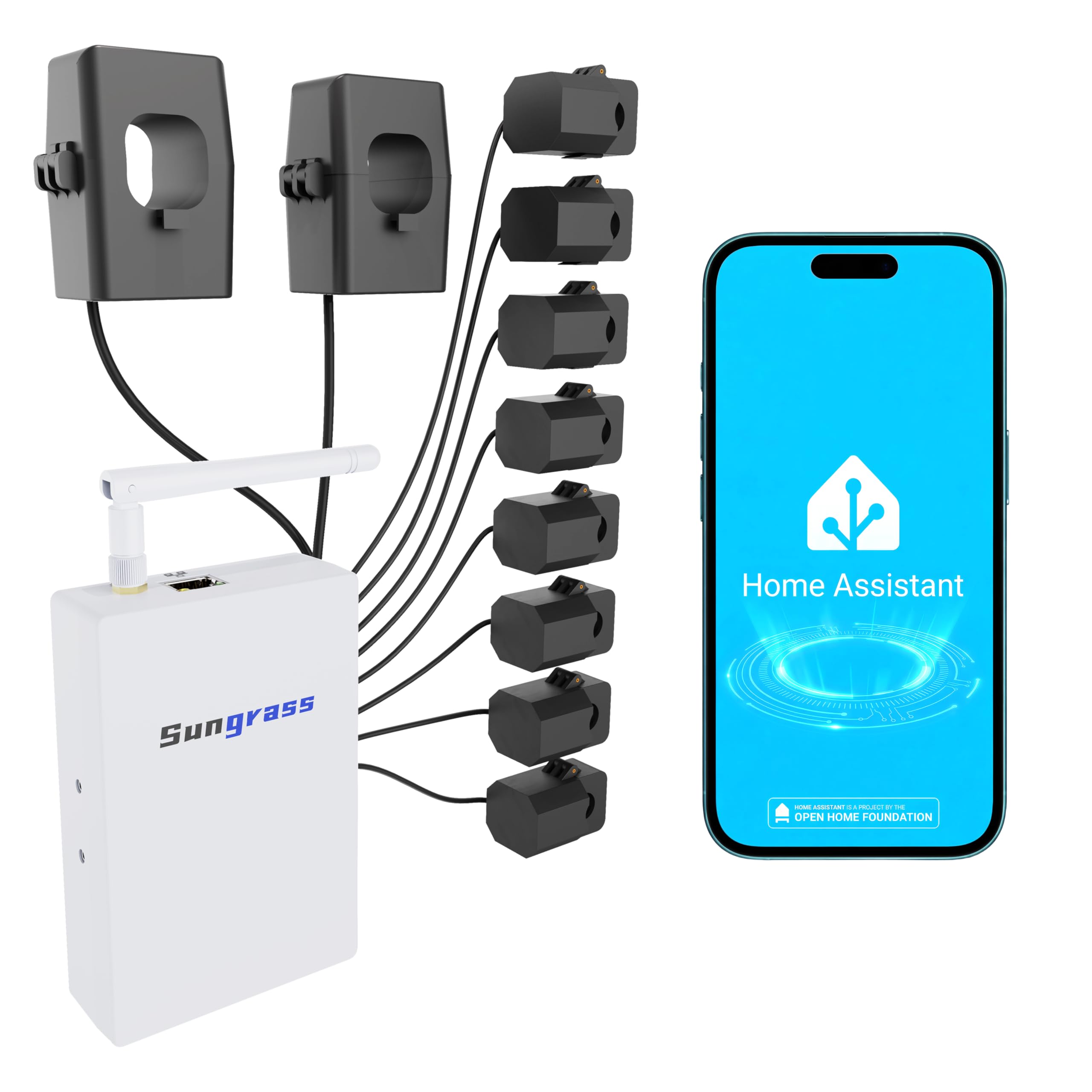
This monitor is built for Home Assistant users, and the group support in its name points to managing multiple units or feeds under one integration. Real-time usage and solar self-consumption tracing let a homeowner see how much generated power is actually used on site versus exported. It sits in the middle of the price range, which makes sense for a device whose value depends on an existing automation setup. Buyers already running Home Assistant will get the most from it, since standby loads can be tied into dashboards and automations directly.
Trade-off: The value depends on an existing Home Assistant installation, so buyers outside that ecosystem pay mid-range money for features they cannot use.
New Universal Energy-Saving Box (2-Pack)
Type: Plug-and-play power factor corrector
Pack: 2 pieces
Use Case: Home and office outlets
Claim: Reduce electricity bills
Price Tier: Budget
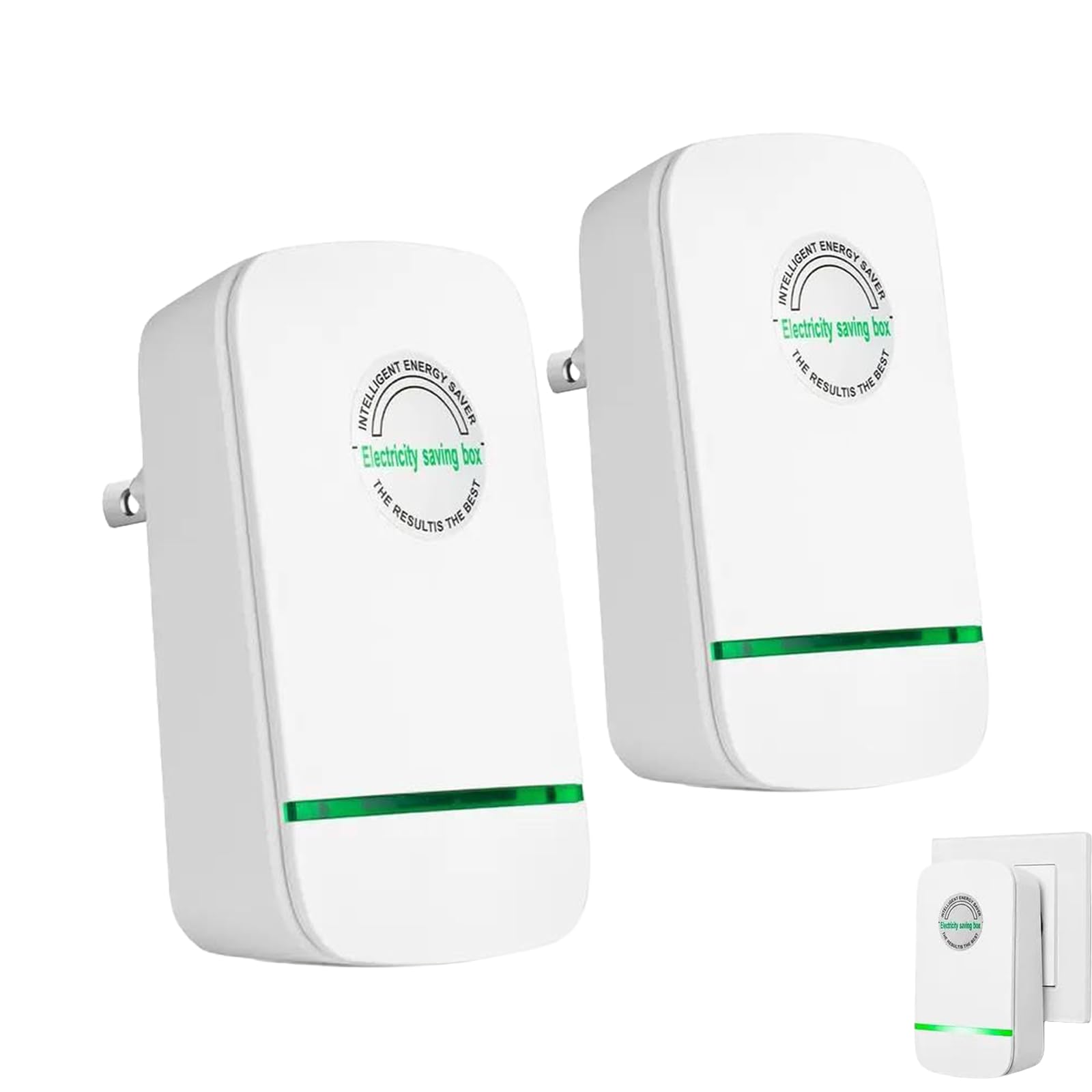
This two-pack is the plug-in option: no clamps, no panel work, just a power factor corrector that goes into a wall outlet. It is the cheapest way to experiment with outlet-level power conditioning, and the plug-and-play design means no tools or wiring. Buyers curious about power factor correction in a home or office can try it with minimal commitment. It earned a place as the low-cost, no-install entry in this group.
Trade-off: Power factor correction at the outlet does little for standby loads measured at the panel, so this is a supplement to a real monitor, not a replacement.
Before You Buy
- Installation: Panel-mounted monitors like the Emporia require working inside a breaker box; clamp-only units are safer for DIY.
- CT rating: Match the current transformer rating (80A vs 120A) to the circuit being measured, not the whole panel.
- Compatibility: Confirm the device works with the existing smart platform — Tuya, Home Assistant, or a proprietary app.
- Wiring type: Single-phase 3-wire panels need a monitor built for that configuration.
- Solar: Homes with panels need bi-directional or net metering support to track export.
- Placement: 2.4 GHz WiFi reaches panels in garages and basements better than 5 GHz.
- Scope: A plug-in power factor box does not replace a whole-home monitor for standby tracking.
Frequently Asked Questions
-
What is standby power monitoring across a house?
It is the practice of measuring the electricity devices draw while switched off or idle, usually with a whole-panel monitor or clamp meter that reports real-time usage. -
Which pick is best for a renter?
The 2.4 GHz WiFi unit with 120A CTs is the most renter-friendly, since it clamps on without panel rewiring. The Tuya meter is the next option for smaller feeds. -
Do these monitors work with solar panels?
The Emporia Vue 3 and the Home Assistant model both state solar or net metering support, which tracks power flowing back to the grid. -
Is a plug-in energy-saving box a substitute for a monitor?
No. It addresses power factor at the outlet, while standby tracking needs a device that reads whole-home or circuit-level consumption. -
What is the difference between 80A and 120A CTs?
The rating is the maximum current the clamp can measure; 120A CTs suit larger main feeds, while 80A clamps fit branch circuits and smaller services. -
Does a monitor need WiFi?
The picks here use 2.4 GHz WiFi or a smart platform integration to send data to an app or dashboard, so a stable network at the panel is required.
Bottom Line
For most homeowners, the Emporia Vue 3 Home Energy Monitor is the top pick: UL certified, built for whole-home real-time tracking, and ready for solar net metering, it covers standby loads and generation in one device. Buyers on a budget or in a rental should start with the 2.4 GHz WiFi monitor with 120A CTs, while Home Assistant users get the best fit from the mid-range integration model.
