Why there are Amazon links here: Brave Review is paid a commission for qualifying Amazon purchases made through the links below. Your price does not change, and using our links is entirely optional. How this works
Best Camera Privacy Settings for Everyday Devices
Software toggles are easy to forget, so the most reliable camera privacy setting is a physical slider that sits over the lens. This roundup covers five covers that fit laptops, tablets, phones, and even an indoor security camera with a built-in privacy mode. It suits remote workers on MacBooks and PCs, phone users who want a front-camera blocker, and anyone setting up a smart camera who wants a hard stop rather than a menu setting. The overview table below puts every pick side by side so a decision takes under a minute.
Overview of the Picks
| Product | Key Spec | Best Use | Price Tier |
|---|---|---|---|
| JOS California 9 Pack | 0.03 inch ultra thin, 3 sizes | Multi-device households | Budget |
| Yilador Webcam Cover 3 Pack | 0.03 inch ultra thin, black | Laptop and tablet rotation | Budget |
| Smartphones Webcam Cover 2 Pack | Single front-camera slider | Phone-only privacy | Budget |
| Anona Pano 4K Indoor Camera | 360° pan-tilt, privacy mode | Home security with a hard off | Premium |
| CloudValley Metal Camera Cover 2 Pack | Metal, 0.023 inch ultra thin | MacBook and iPhone daily carry | Mid-range |
1. JOS California 9 Pack — Best for Multi-Device Households
 ](https://www.amazon.com/dp/B086SJ8Y78/?tag=wdowd-20)
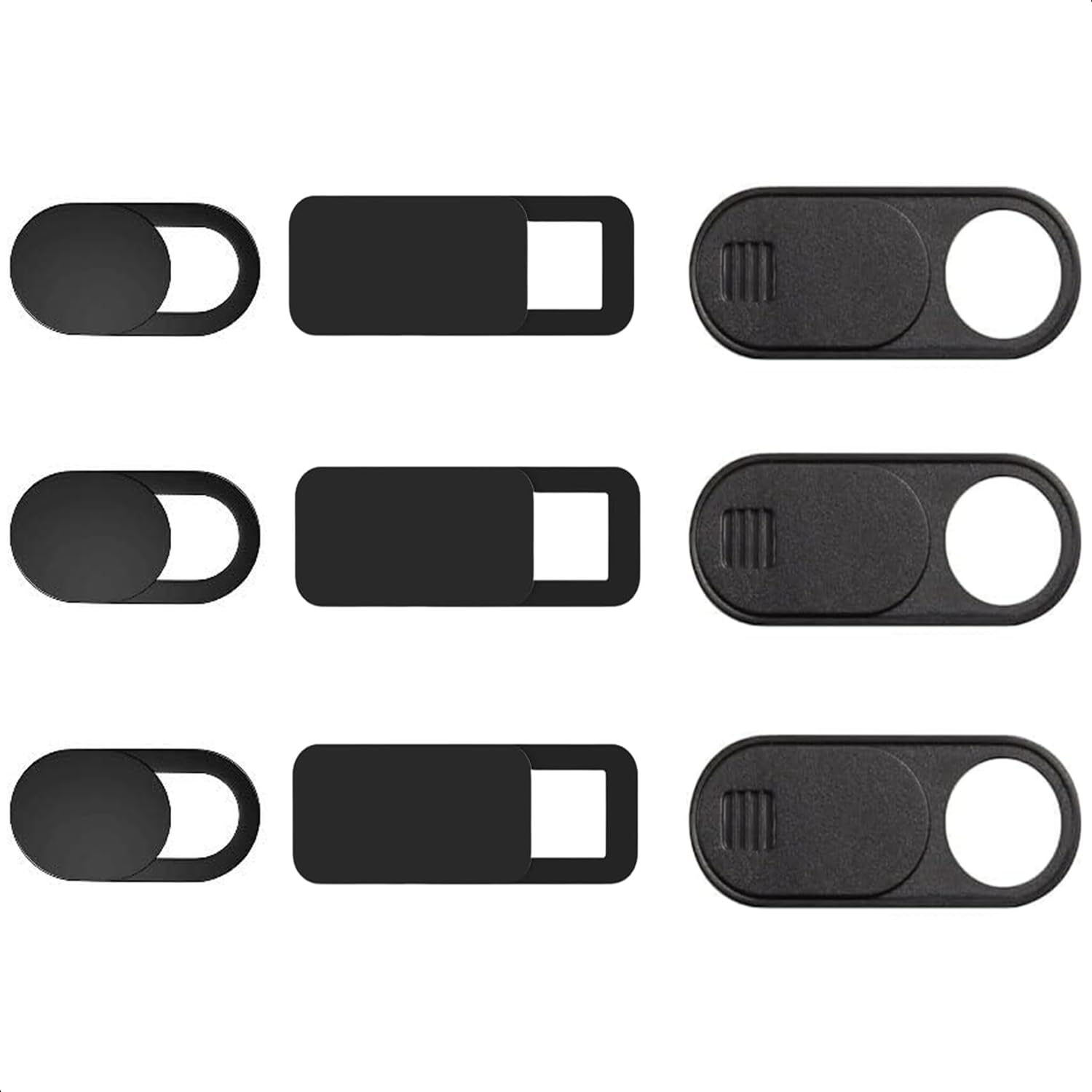
Pack Size: 9 covers (3 large, 3 medium, 3 small)
Thickness: 0.03 inch
Type: Adhesive slide cover
Intended Use: MacBook Air, laptop, iPad, iMac, PC, iPhone
Material: Not stated in the name — thin plastic slide construction
JOS California 9 Pack solves the sizing problem that trips up most buyers. Three different footprints mean one order can cover a thick-bezel laptop, a slim tablet, and a phone without guessing which size fits.
The 0.03 inch profile is thin enough that most laptops still close flush, and the slide mechanism is a simple push-across tab rather than a hinged flap. Nine covers in one box make this the sensible pick for a family desk setup or an office that needs several machines handled at once.
Trade-off: The adhesive backing is the weak point on this style of cover — repeated sliding and heat from a laptop lid can loosen the bond over time, so a spare from the pack is worth keeping.
Check the current price on Amazon
2. Yilador Webcam Cover 3 Pack — Best for Laptop and Tablet Rotation
 ](https://www.amazon.com/dp/B07TBG7WM9/?tag=wdowd-20)
Pack Size: 3 covers
Thickness: 0.03 inch
Color: Black
Type: Adhesive slide cover
Intended Use: iPhone, iPad, MacBook Pro, iMac, cell phone, PC, laptop
The Yilador Webcam Cover 3 Pack is the straightforward three-pack for someone who owns a laptop, a tablet, and a phone and wants all three handled in one purchase. The black finish blends into dark bezels instead of drawing attention to itself.
At 0.03 inch it stays out of the way of lid closure on most machines, and the slide tab moves with a thumb rather than a fingernail. The three-pack format suits buyers who want one cover per device and a spare for a work laptop.
Trade-off: A single-size pack means thick-bezel or unusually narrow camera strips may not line up cleanly, so measuring the bezel before ordering matters more here than with a multi-size set.
Check the current price on Amazon
3. Smartphones Webcam Cover 2 Pack — Best Phone-Only Blocker
 ](https://www.amazon.com/dp/B0H1HPJ988/?tag=wdowd-20)
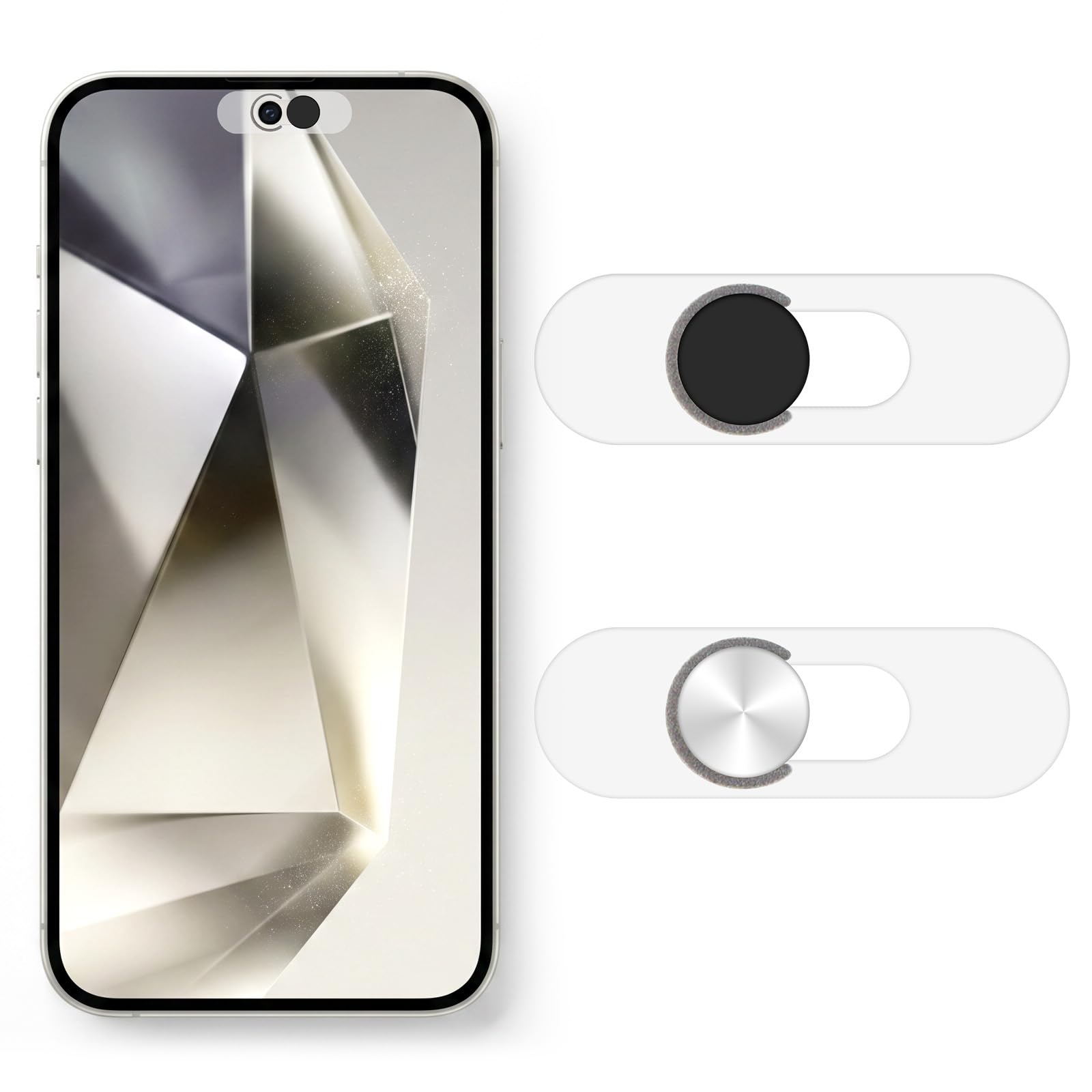
Pack Size: 2 covers
Color: Black
Type: Adhesive front-camera slider
Intended Use: Single front camera on smartphones
Compatibility: Phones with a single front-facing camera
The Smartphones Webcam Cover 2 Pack is built for one job: covering the front camera on a phone. The single-camera slider design keeps the footprint small enough to sit inside a case cutout without interfering with the screen.
Two covers in the pack cover a primary phone and a backup or a partner’s device. For anyone who takes video calls on a phone and wants a visible, physical confirmation that the lens is blocked, this is the most direct option in the group.
Trade-off: This is a phone-specific design — it will not fit a laptop lid or tablet bezel, and phones with a multi-lens front array or an under-display camera may not work with a single-camera slider.
Check the current price on Amazon
4. Anona Pano 4K Indoor Camera — Best for Home Security With a Hard Off
 ](https://www.amazon.com/dp/B0FDX26CNH/?tag=wdowd-20)
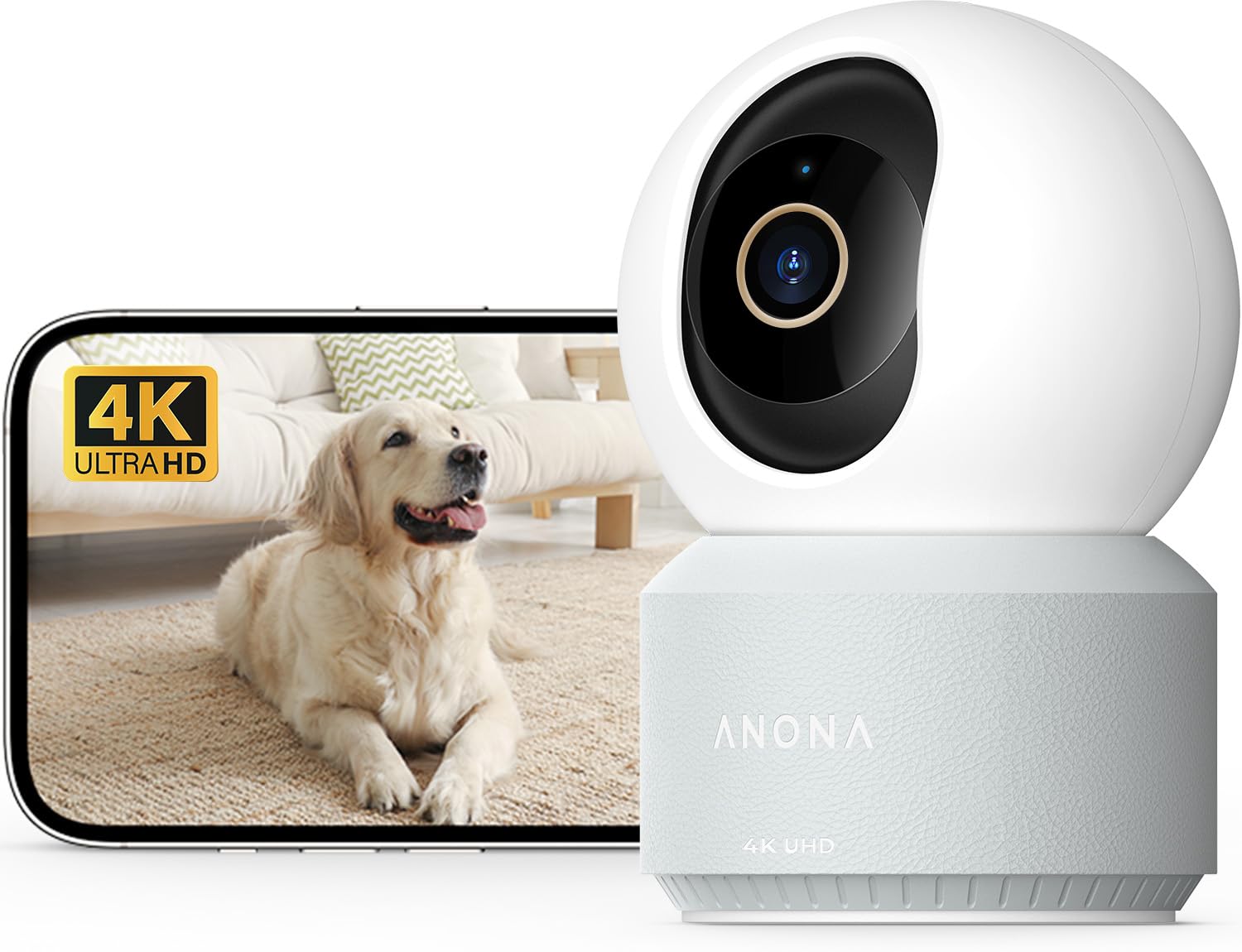
Resolution: 4K UHD
Field of View: 360° pan-tilt
Connectivity: 5G/2.4G dual-band, Wi-Fi 6
Detection: AI person, pet, and baby crying detection
Privacy Feature: Privacy mode
Audio: Two-way
App: Phone app control
The Anona Pano 4K Indoor Camera flips the privacy question around. Instead of blocking a lens, it adds a camera and gives the owner a privacy mode that pauses monitoring on command — the right call for a pet or baby monitor that should not record during family time.
The 360° pan-tilt head and auto-tracking cover a whole room from one corner, and dual-band Wi-Fi 6 keeps the stream stable on a busy home network. AI detection for people, pets, and crying narrows alerts so the app is not pinging all day.
Trade-off: A connected indoor camera is only as private as its app and account security — privacy mode is a convenience, not a guarantee, so a strong unique password and two-factor authentication are non-negotiable.
Check the current price on Amazon
5. CloudValley Metal Camera Cover 2 Pack — Best Premium Build
 ](https://www.amazon.com/dp/B079MCPJGH/?tag=wdowd-20)
Pack Size: 2 covers
Material: Metal
Thickness: 0.023 inch
Color: Black
Intended Use: MacBook Pro, MacBook Air, laptop, iMac, iPad, iPhone 8/7
The CloudValley Metal Camera Cover 2 Pack is the pick for buyers who have already gone through a plastic slider or two. The metal body resists the flex and wear that eventually loosen thin plastic covers, and at 0.023 inch it is the slimmest option here.
Two covers suit a MacBook plus a phone, and the black metal finish reads as part of the hardware rather than an add-on. It is the natural choice for a daily-carry laptop that gets opened and closed dozens of times a day.
Trade-off: Metal adds rigidity but not forgiveness — the cover sits slightly proud on curved or very thin bezels, and the smaller two-pack leaves no spare if one is misapplied.
Check the current price on Amazon
Before You Buy
- Material: Plastic sliders are lighter and cheaper; metal resists wear better on a laptop that travels daily.
- Thickness: Anything at or under 0.03 inch is generally safe for laptop lid closure — thinner is safer on tight hinges.
- Compatibility: Match the cover footprint to the bezel around the lens, not just the lens itself; phone-specific covers will not fit laptops.
- Adhesive: Clean and dry the bezel before applying, and press firmly for the full cure time so the slider does not peel.
- Care: Wipe with a dry cloth only — solvent cleaners can break down the adhesive and cloud the slider.
- Spares: Multi-size and multi-pack sets cost little more and cover sizing mistakes.
- Camera vs. cover: A connected indoor camera needs account security (strong password, two-factor) in addition to any privacy mode.
Frequently Asked Questions
-
Do webcam covers damage a laptop screen when the lid closes?
A cover at 0.03 inch or thinner is designed to clear the gap on most laptops. Thicker covers on a tight-hinge machine are the usual cause of pressure marks, so check the lid closes without resistance after applying. -
Is a physical cover better than a software camera setting?
A physical slider blocks the lens regardless of what software does, which makes it the more dependable setting. Software toggles are still worth using, but they can be reset by updates or missed entirely. -
Can a webcam cover be removed without damaging the laptop?
Yes — adhesive covers are intended to be removable. Warming the cover slightly and peeling slowly reduces residue, and any leftover adhesive lifts with a little isopropyl alcohol on a cloth. -
Which cover fits a phone in a case?
The phone-specific single-camera slider is the right shape for a front lens, and it is thin enough to sit inside most case cutouts. Measure the camera strip before ordering. -
Does privacy mode on an indoor camera actually stop recording?
Privacy mode pauses monitoring through the app, but it depends on the app and account staying secure. Treat it as a convenience layer on top of a strong password and two-factor authentication, not a replacement for them. -
How many covers does a typical household need?
One per device with a camera facing the room: laptop, tablet, phone, and desktop monitor. A multi-size pack usually covers a whole desk setup in one order.
Bottom Line
For most buyers, the JOS California 9 Pack is the best camera privacy settings purchase in this group — three sizes and nine covers handle a laptop, tablet, and phone in one order with spares left over. Buyers who want the most durable build for a daily-carry MacBook should step up to the metal CloudValley pair, and anyone adding an indoor security camera should pair the Anona Pano with a locked-down app account.
