Why there are Amazon links here: Brave Review is paid a commission for qualifying Amazon purchases made through the links below. Your price does not change, and using our links is entirely optional. How this works
Best Separate VLAN for Smart Devices for Isolating IoT Gear
Putting smart plugs, cameras, and TVs on a separate VLAN keeps a compromised gadget from reaching the laptop and the NAS. The three picks here cover three different jobs: a firewall that segments the whole network, a cheap router that walls off IoT on a shoestring, and a managed access point that puts smart devices on a tagged wireless VLAN. The firewall suits the buyer who wants one box to do it all, the budget router suits a first-time segmenter, and the access point suits anyone building a wireless-only IoT network. The overview below is the fastest way to pick.
Overview of the Picks
| Product | Key Spec | Best Use | Price Tier |
|---|---|---|---|
| Firewalla Purple SE | Dedicated home/business firewall | Whole-network VLAN segmentation with parental controls | Premium |
| N300 2.4GHz WiFi Router (T1 Pro) | 2.4GHz WISP router with guest network | Budget IoT isolation via a separate guest SSID | Budget |
| Zyxel NWA90BE | WiFi 7 AP with VLAN tagging and 802.1X | Wireless VLAN for smart devices on managed networks | Mid-range |
Firewalla: Cyber Security Firewall for Home & Business (Purple SE)

Type: Cyber security firewall for home and business
Key capability: Network protection from malware and hacking
Controls: Smart parental control, ad blocking
VPN: Server and client
Fees: No monthly fee
Model: Purple SE
Firewalla: Cyber Security Firewall for Home & Business, Protect Network from Malware and Hacking | Smart Parental Control | Block Ads | VPN Server and Client | No Monthly Fee (Purple SE)
The Firewalla Purple SE is the pick for a household that wants real network segmentation without buying a rack of enterprise gear. It sits inline as a dedicated firewall, so the smart devices can be corralled onto their own segment while the firewall governs what crosses between that segment and the main LAN. Malware and hacking protection, ad blocking, and smart parental controls all live in the same box, and there is no monthly fee to keep them running. The built-in VPN server and client are useful for reaching the home network remotely without opening the IoT segment to the internet.
This is the pick for the buyer who treats the router as a dumb pipe and wants security handled by a purpose-built device. It earns its place because it does segmentation, filtering, and remote access in one purchase instead of three subscriptions. Buyers who only have a handful of smart bulbs and no interest in network administration will find it overkill, and the premium price reflects that.
Trade-off: A dedicated firewall assumes a router that can be put into bridge or access-point mode, so a locked-down ISP gateway can turn setup into a research project.
N300 2.4GHz WiFi Router with WISP Wireless Repeater Mode (T1 Pro)

Type: 2.4GHz WiFi router with WISP repeater mode
Band: 2.4GHz N300
Intended use: Security cameras and IoT smart home devices
Segmentation: Guest network with internet access control
Security: WPA2, WPS
Model: T1 Pro
N300 2.4GHz WiFi Router with WISP Wireless Repeater Mode Internet Router for Security Cameras, IoT Smart Home Devices – Guest Network, Internet Access Control, WPA2, WPS, Easy Setup (T1 Pro)
The T1 Pro is the budget route to a separate network for smart devices, and its name says exactly what it is built for: security cameras and IoT gear. The guest network plus internet access control is the practical mechanism here — smart devices join the guest SSID, the guest network keeps them off the main LAN, and access control decides what they are allowed to reach. WISP repeater mode lets the unit pick up an existing wireless signal rather than requiring a cable run, which matters for a camera at the far end of a house. WPA2 and WPS cover the wireless security basics, and setup is pitched as simple.
This is the pick for a renter, a first-time segmenter, or anyone who wants IoT isolation without touching switch configuration. It earns its place on price and on the 2.4GHz band that most smart plugs and cameras actually use. Buyers with a large house, heavy streaming, or dozens of devices should look elsewhere, because a single-band N300 unit has limited throughput to share.
Trade-off: A guest network is a coarse substitute for true VLAN tagging — it separates traffic, but it will not give the per-device rules and inter-VLAN routing a managed switch provides.
Zyxel WiFi 7 Wireless Access Point BE5100 (NWA90BE)
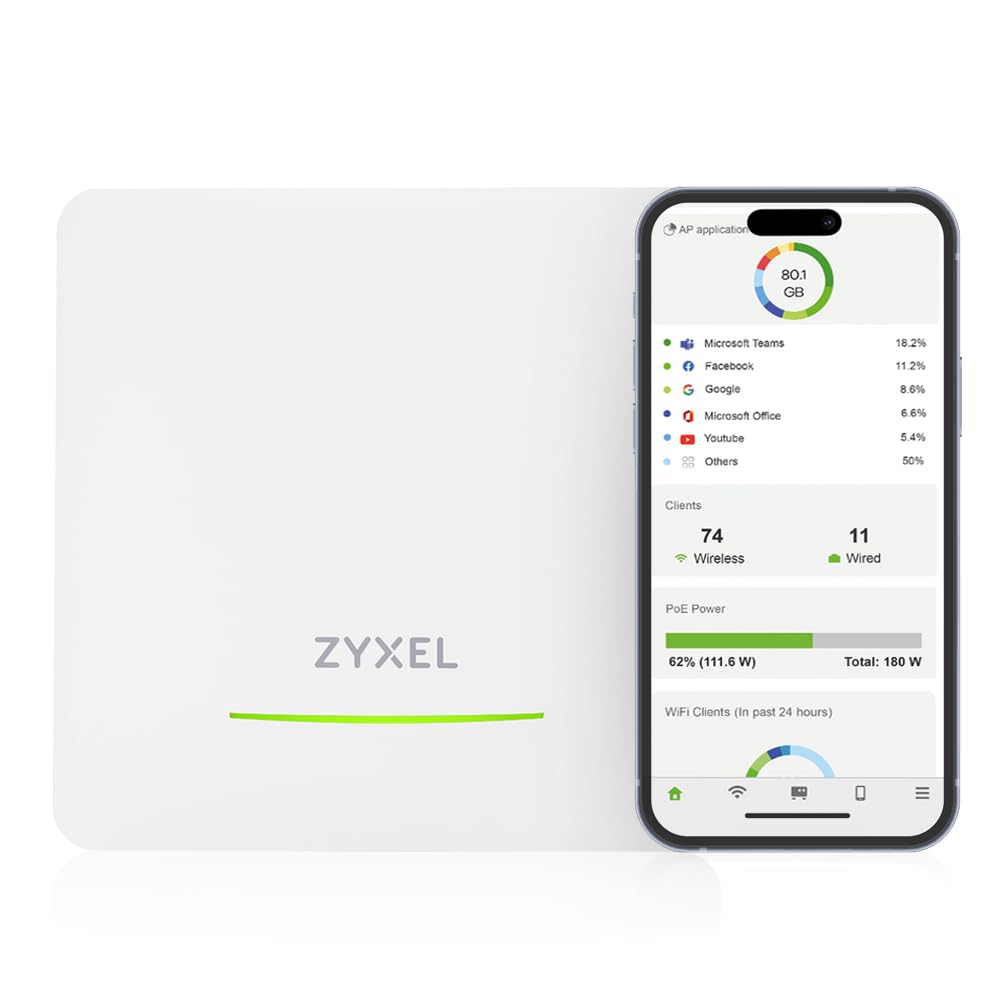
Type: WiFi 7 wireless access point
Uplink: 1x 2.5GbE
Management: Local or free Nebula cloud
Segmentation: VLAN tagging
Authentication: 802.1X/RADIUS, captive portal
Power: PoE+ or DC
Model: NWA90BE
1x 2.5GbE Uplink, Local or Free Nebula Cloud Managed, Captive Portal, 802.1X/RADIUS Auth, VLAN Tagging, Mesh, PoE/DC Power Zyxel WiFi 7 Wireless Access Point BE5100 | 2.5G | PoE+ | NWA90BE
The Zyxel NWA90BE is the pick for a network that already has a VLAN-capable router or switch and needs the wireless side to keep up. VLAN tagging on the access point means a single SSID can map to a dedicated smart-device VLAN, so IoT gear lands on its own segment the moment it associates. The 2.5GbE uplink keeps that segmentation from becoming a bottleneck, and 802.1X/RADIUS authentication plus a captive portal give proper access control rather than a shared password. Management runs locally or through the free Nebula cloud, and PoE+ means one cable for both power and data.
This is the pick for the buyer who has already decided to segment the network and wants WiFi 7 coverage for the IoT devices rather than a stopgap. It earns its place because VLAN tagging is native here instead of simulated through a guest network. Buyers without a VLAN-aware router or switch will not get much from it, since the access point tags traffic but something upstream has to act on those tags.
Trade-off: The access point is one piece of a segmented network, not a whole solution — it needs a VLAN-capable router or managed switch and the willingness to configure both.
Before You Buy
- Existing hardware: True VLAN tagging needs a router or managed switch that understands tags; a guest network is the fallback when it does not.
- Wired vs. wireless: Smart cameras and hubs with Ethernet ports segment cleanly on a managed switch; bulbs and plugs need the wireless side handled.
- Band support: Most smart home devices run on 2.4GHz, so a 2.4GHz-capable AP or router matters more than raw top speed.
- Management model: Local-only management keeps data in the house, while cloud management trades that for remote convenience.
- Power and placement: PoE+ access points need a PoE injector or PoE switch, and ceiling placement affects coverage more than spec sheets suggest.
- Growth room: Count the smart devices expected over the next couple of years, not just today’s, before choosing a single-band unit.
- Firmware updates: A segmented network is only as good as the patches on the gear enforcing it, so check the vendor’s update track record.
Frequently Asked Questions
-
What is a separate VLAN for smart devices?
It is a dedicated network segment that holds IoT gear apart from phones, laptops, and storage, so a compromised device cannot reach the rest of the home network. -
Is a guest network the same as a VLAN?
No. A guest network separates traffic at a basic level, while VLAN tagging lets a managed router or switch apply per-segment rules and routing between segments. -
Which pick works without a managed switch?
The Firewalla Purple SE handles segmentation as a dedicated firewall, and the T1 Pro uses a guest network, so neither depends on a managed switch the way the Zyxel access point does. -
Do smart devices need WiFi 7?
No. Most smart plugs and sensors use 2.4GHz and low bandwidth, so WiFi 7 matters for the network as a whole rather than for the devices themselves. -
Will a separate VLAN break smart home apps?
Only if the rules block the traffic the app needs. Devices usually need internet access and a path back to a hub or phone, so plan those allowances before locking the segment down. -
Does segmentation replace antivirus on a computer?
No. It limits how far a compromised device can spread, but each device still needs its own updates and protections.
Bottom Line
The Firewalla Purple SE is the top pick for most households that want a separate VLAN for smart devices, because it delivers segmentation, filtering, and remote access in one no-subscription box. Buyers on a tight budget should start with the T1 Pro and its guest network, while anyone with VLAN-capable gear upstream should add the Zyxel NWA90BE for tagged wireless coverage.
