Why there are Amazon links here: Brave Review is paid a commission for qualifying Amazon purchases made through the links below. Your price does not change, and using our links is entirely optional. How this works
Best Smart Lock Integration with an Alarm for a Connected, Protected Home
A smart lock that talks to an alarm system turns a front door into part of a whole-home security routine: one code arms the panel, one unlock disarms it. This roundup covers five locks that connect to major alarm and smart-home platforms, from a budget fingerprint model to a video deadbolt with palm-vein recognition. Renters, first-time smart-home buyers, and Ring or Alexa households each have a clear pick below. The overview table shows the differences at a glance before the detailed reviews.
Overview of the Picks
| Product | Key Spec | Best Use | Price Tier |
|---|---|---|---|
| Kwikset HomeConnect 620 | Z-Wave Long Range, hub required | Ring Alarm and Z-Wave hubs | Mid-range |
| Schlage Encode with Camelot Trim | Built-in WiFi, Alexa and Ring compatible | Alexa and Airbnb households | Premium |
| Veise RZ07 | Fingerprint plus app, budget build | First smart lock on a tight budget | Budget |
| eufy FamiLock S3 Max | 2K camera, palm vein, BHMA Grade 1 | All-in-one door security | Premium |
| Wyze Auto-Lock Bolt v2 | Fingerprint AI scanner, IP53, BHMA2 | High-traffic doors, value | Budget |
1. Kwikset HomeConnect 620 Z-Wave Long Range Keypad Smart Lock
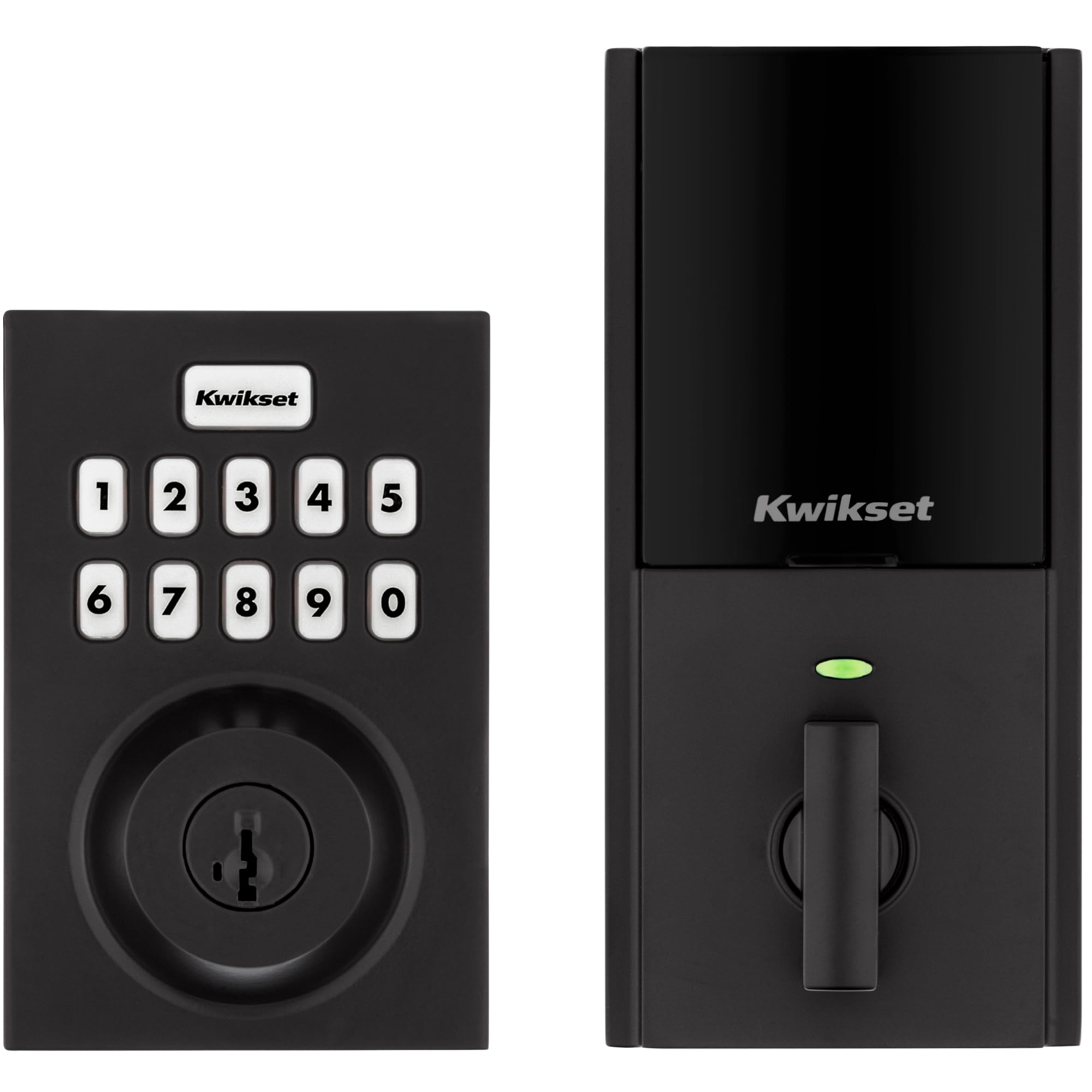
Type: Z-Wave keypad deadbolt
Finish: Matte Black
Compatibility: Ring Alarm compatible
Hub: Required, sold separately
Codes: Customizable user codes
Design: Contemporary
The HomeConnect 620 is the pick for households already running a Ring Alarm or another Z-Wave hub, because the lock joins that network rather than building its own. The matte black finish and contemporary shape suit modern doors, and customizable user codes let a household assign a different code to family, guests, and service people. Because the smarts live in the hub, routines like auto-lock on arming or unlock on arrival are handled by the alarm system itself. This is the most "integration-first" lock in the group.
It suits Ring Alarm owners who want the door to respond to arm and disarm events without adding a second app. It is not for buyers who have no hub and no plans to add one, since the lock needs that controller to unlock its connected features.
Trade-off: The hub requirement means the true cost sits above the sticker price once the Z-Wave controller is counted.
Check the current price on Amazon
2. Schlage Encode Smart WiFi Deadbolt with Camelot Trim

Type: WiFi deadbolt with touchscreen keypad
Connectivity: Built-in WiFi, no hub
Voice Control: Alexa and Google Home
Compatibility: Ring and Airbnb friendly
Finish: Bright Chrome with Camelot trim
Security: Certified security rating
The Encode is the simplest route to alarm-adjacent automation for Alexa households, because WiFi is built in and no separate hub is needed. The touchscreen keypad handles keyless entry, the app covers remote control and code management, and the Camelot trim with bright chrome finish gives it a traditional look that fits older doors. Ring and Airbnb compatibility make it a natural fit for a home that already leans on Amazon devices or rents rooms short-term. It is the polished, mainstream choice.
It suits Alexa users and short-term rental hosts who want remote code changes without extra hardware. It is not for buyers on a tight budget, and anyone expecting deep Z-Wave automation should look at the Kwikset instead.
Trade-off: The premium price buys convenience and finish, not extra lock hardware, so budget-focused buyers pay a lot for the brand and the built-in WiFi.
Check the current price on Amazon
3. Veise RZ07 Fingerprint Smart Door Lock Deadbolt
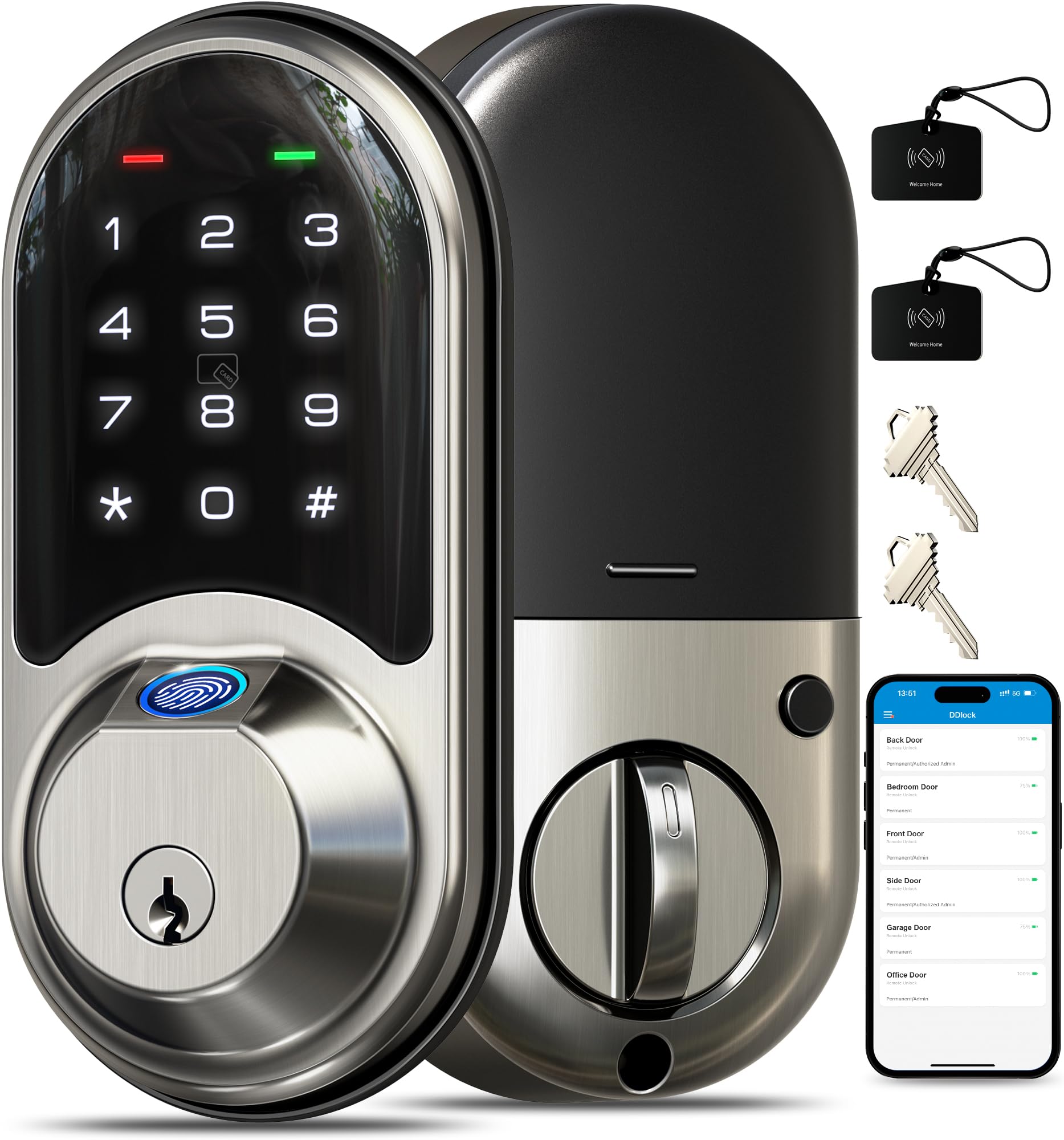
Type: Fingerprint deadbolt with app control
Entry Methods: Fingerprint, keypad, fob, app
Features: Auto lock, user management, remote access sharing
Alert: Low battery alarm
Install: Easy install
Finish: Satin Nickel
The RZ07 packs a lot of entry options into a budget lock: fingerprint, keypad, fob, and app control, plus auto-lock and user management for handing out temporary access. The satin nickel finish is neutral enough for most doors, and the low battery alarm removes the worst surprise of a keyless lock. For a first smart lock, it covers the essentials without asking for a hub or a big spend. Easy install keeps the project to a single afternoon.
It suits renters and first-time buyers who want fingerprint entry and app control at the lowest entry point. It is not for households that need native Ring or Z-Wave alarm routines, since its integration is app-based rather than panel-based.
Trade-off: At this price the finish and internal hardware are built to a budget, so a high-traffic front door may feel the wear sooner than a premium deadbolt would.
Check the current price on Amazon
4. eufy Security Video Smart Lock FamiLock S3 Max
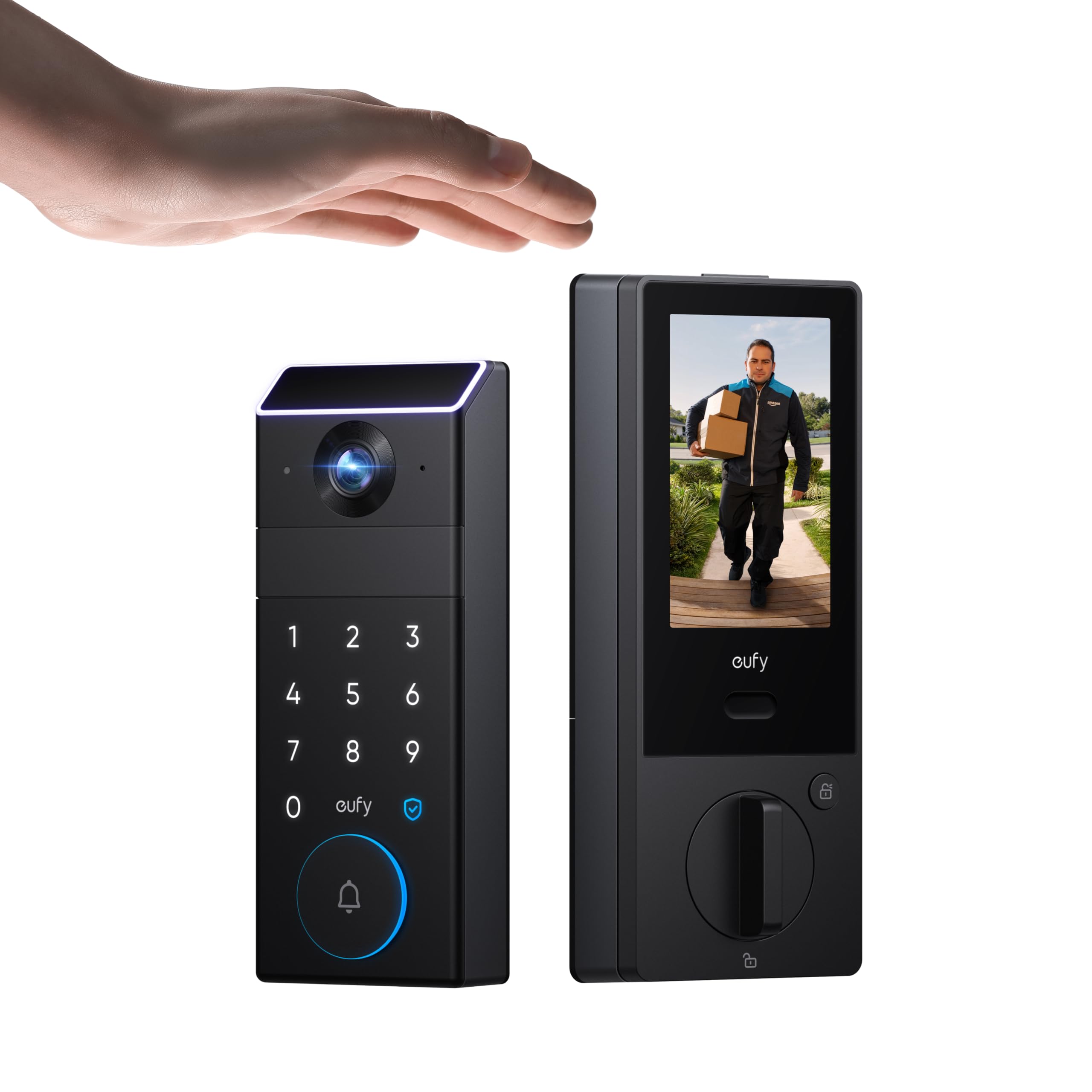
Type: Video smart lock with doorbell camera
Camera: 2K HD doorbell camera
Display: Internal video screen
Storage: 16GB built-in
Entry: Palm vein recognition, keyless
Rating: BHMA Grade 1
The FamiLock S3 Max replaces three devices at once: deadbolt, doorbell camera, and peephole viewer. The 2K camera feeds an internal video screen so occupants can see who is at the door without opening it, and 16GB of built-in storage keeps clips local with no subscription required. Palm vein recognition adds a hands-free entry method that works even with wet or gloved hands. The BHMA Grade 1 rating signals a residential security hardware grade built for heavier use.
It suits households that want door security, video, and keyless entry in one install and are willing to pay for it. It is not for buyers who only need a lock, since the camera and screen add cost and complexity.
Trade-off: Combining camera, screen, and lock in one unit means a single failure takes out all three functions, and the integrated design leaves fewer upgrade paths later.
Check the current price on Amazon
5. Wyze Auto-Lock Bolt v2 Fingerprint Smart Lock

Type: Fingerprint WiFi deadbolt
Scanner: AI learning fingerprint scanner
Battery: 8 months rated
Ratings: BHMA2, IP53
Keypad: Anti-peep
Backup: Physical keys included
The Wyze Auto-Lock Bolt v2 is the volume pick of the group, and the feature list explains why: fingerprint entry with an AI learning scanner, WiFi for app control, auto-lock, and an anti-peep keypad that hides which digits are pressed. IP53 and BHMA2 ratings cover everyday dust, splash, and residential use, and the rated 8-month battery life keeps maintenance visits rare. Backup keys mean a dead battery never locks the household out.
It suits busy households with lots of comings and goings, and anyone who wants fingerprint entry without paying premium prices. It is not for buyers who need native Ring Alarm or Z-Wave panel integration, since its connectivity is WiFi and app based.
Trade-off: The value pricing shows in the plastic-forward build and simpler internal mechanism, so it is a better fit for a sheltered entry than an exposed door in harsh weather.
Check the current price on Amazon
Before You Buy
- Compatibility: Confirm whether the lock needs a hub (Kwikset), works over WiFi (Schlage, Wyze), or integrates through an app, and match it to the alarm system already installed.
- Hub cost: Z-Wave locks require a controller sold separately, so budget for the hub before comparing prices.
- Entry methods: Fingerprint, keypad, fob, palm vein, and app entry all exist here; pick the one the household will actually use daily.
- Power and backup: Battery life and a low battery alert matter, and backup keys are the safety net when power runs out.
- Door fit: Deadbolt replacements need the right door prep and backset, so measure before ordering.
- Finish and exposure: An IP rating helps outdoors, but an exposed door benefits from a sturdier finish and mechanism.
- Rental use: Hosts should prioritize remote code sharing and user management over fingerprint features.
Frequently Asked Questions
-
Which lock integrates best with a Ring Alarm?
The Kwikset HomeConnect 620 is built for Ring Alarm through Z-Wave, while the Schlage Encode is listed as Ring compatible over WiFi. -
Do any of these locks work without a hub?
Yes. The Schlage Encode, Veise RZ07, eufy FamiLock S3 Max, and Wyze Bolt v2 all connect directly, while the Kwikset requires a hub. -
Is a video lock worth it over a standard smart lock?
The eufy FamiLock S3 Max adds a 2K camera and internal screen, which suits households that want door video without a separate doorbell. -
What happens when the battery dies?
The Veise includes a low battery alarm, the Wyze rates 8 months of battery life, and backup keys on the Wyze provide manual entry. -
Can a smart lock be used for short-term rentals?
The Schlage Encode is Airbnb compatible, and the Veise RZ07 supports remote access sharing and user management for guest codes. -
Which pick is best on a budget?
The Veise RZ07 and Wyze Auto-Lock Bolt v2 sit at the low end, with the Wyze adding IP53 and BHMA2 ratings for outdoor use.
Bottom Line
For most households wiring a lock into an alarm system, the Kwikset HomeConnect 620 is the top pick: it is built for Ring Alarm and Z-Wave routines, and the matte black design looks sharp on a modern door. Buyers who want built-in WiFi and Alexa control without a hub should step up to the Schlage Encode instead.
