Why there are Amazon links here: Brave Review is paid a commission for qualifying Amazon purchases made through the links below. Your price does not change, and using our links is entirely optional. How this works
Best Repeater Strategy for a Long House: 5 Wi-Fi Extenders That Reach the Back Rooms
A long house is a Wi-Fi problem shaped like a hallway: the router sits at one end, and the far bedrooms, garage or back patio sit out of range. The fix is a repeater strategy — placing one or more extenders between the router and the dead zone so the signal hops down the length of the home instead of dying halfway. The five picks below cover budget single-room boosters, mid-range whole-home units and high-coverage models for very long layouts. The overview table shows each option’s key spec and best use so a buyer can shortlist in seconds, then the reviews explain the trade-offs.
The Picks at a Glance
| Product | Key Spec | Best Use | Price Tier |
|---|---|---|---|
| Wifi Extender Signal Booster Up to 8470 Sq. Ft. | Up to 8470 sq. ft. coverage | Budget pick for a first dead zone | Budget |
| WiFi Extender Signal Booster 18,000 Sq Ft | Up to 18,000 sq. ft., 65+ devices | Very long homes with many devices | Premium |
| New WiFi Extender 15715sq.ft | Up to 15,715 sq. ft., 5 working modes | Flexible placement in long layouts | Mid-range |
| TP-Link AC1900 WiFi Range Extender RE550 | Up to 2200 sq. ft., 32 devices | Balanced speed and coverage | Mid-range |
| TP-Link AC1200 WiFi Extender RE315 | Up to 1600 sq. ft., 32 devices | Small dead zones on a budget | Budget |
Wifi Extender Signal Booster Internet Repeater for Home Long Range Up to 8470 Sq. Ft.

Coverage Claim: Up to 8470 sq. ft.
Type: Wall-plug Wi-Fi extender / repeater
Best For: A single weak spot in a long hallway
Price Tier: Budget
Wifi Extender Signal Booster Internet Repeater for Home Long Range Up to 8470 Sq. Ft.
This is the entry point to a repeater strategy: a compact plug-in unit that rebroadcasts the existing network into one weak area. The coverage claim is large for the price, which suits a buyer who needs to push signal past one wall or down one corridor rather than blanket an entire long house. Setup is the usual push-button or browser pairing, and the small housing fits a standard wall outlet without blocking the second socket on most strips.
It earns its place as the budget first step — a low-cost way to test whether a repeater alone can solve the dead zone before spending more. Trade-off: at this price the build is basic and the throughput modest, so it suits light browsing and streaming in one room, not heavy multi-device use across a whole wing.
WiFi Extender Signal Booster for Home, Covers Up to 18,000 Sq Ft
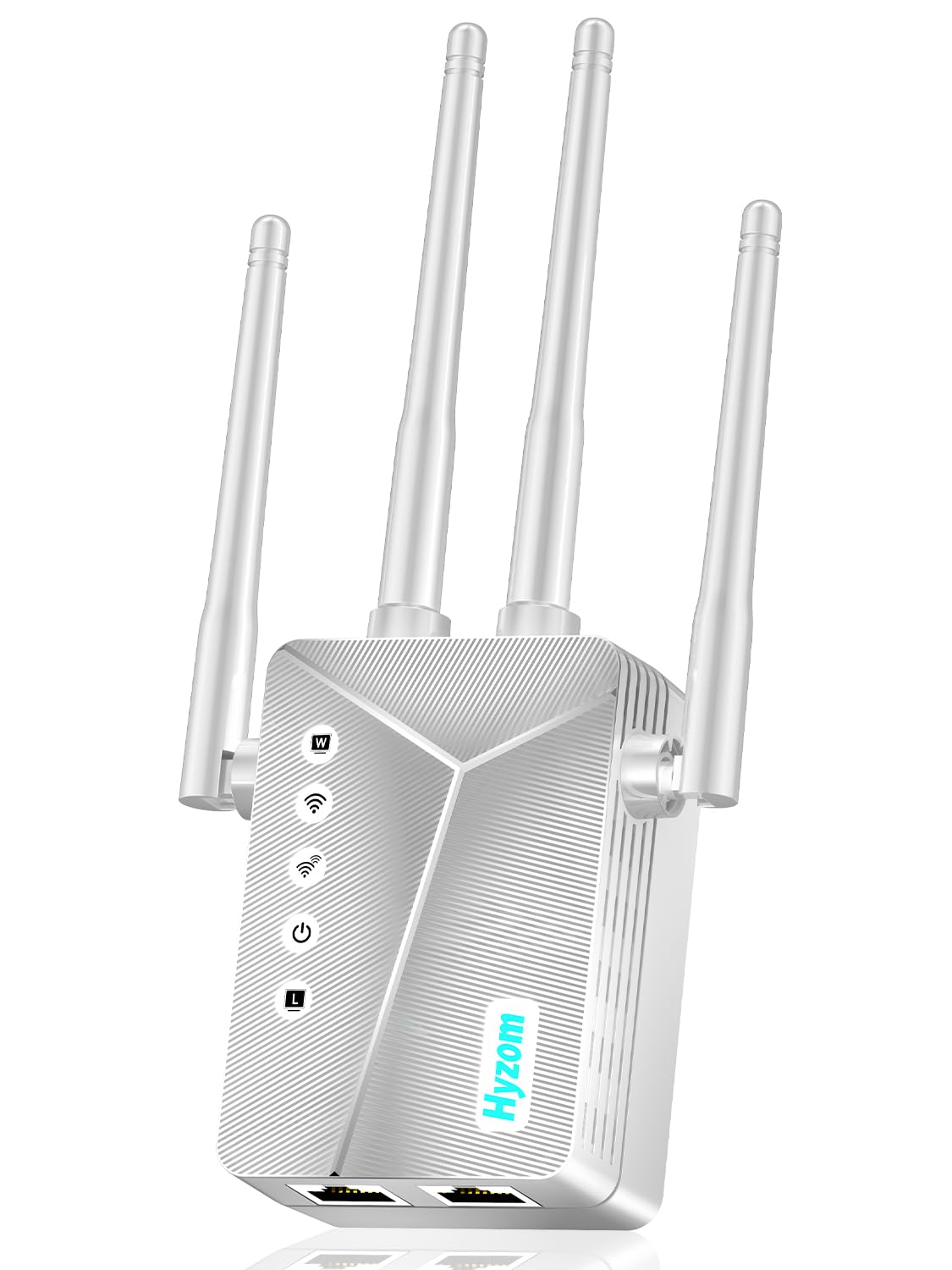
Coverage Claim: Up to 18,000 sq. ft.
Device Support: 65+ devices
Ports: Ethernet port
Setup: One-tap setup
Price Tier: Premium
WiFi Extender Signal Booster for Home, Covers Up to 18,000 Sq Ft
The largest coverage claim in this group, aimed squarely at very long or multi-wing homes where a single extender has to carry a lot of ground. The 65+ device figure matters in a long house with phones, TVs, tablets and smart plugs spread from front to back. The Ethernet port lets a wired device — a desktop or console — join the extended network, and one-tap setup keeps installation simple for non-technical buyers.
It is the pick for a buyer whose layout defeats smaller units and who wants headroom for many connected devices. Trade-off: the premium price and big coverage claim mean it is overkill for a single small dead zone, and the real-world reach depends heavily on where it sits relative to the router.
New WiFi Extender Signal Booster for Home, 15715sq.ft Long Range

Coverage Claim: Up to 15,715 sq. ft.
Modes: 5 working modes
Ports: Ethernet port
Features: Mesh, access point mode
Price Tier: Mid-range
New WiFi Extender Signal Booster for Home, 15715sq.ft Long Range
This unit’s selling point is flexibility: five working modes let it act as a plain repeater, an access point wired to the router, or part of a mesh-style setup, which matters in a long house where the best placement changes as the layout does. The large coverage claim and Ethernet port put it in the same league as the premium pick for less money. It suits a buyer willing to try a couple of placements along the length of the home.
The multiple modes make it a strong middle option for a long hallway where a wired access point at the midpoint may beat a pure repeater. Trade-off: the mode switching and setup take more thought than a one-button unit, so it rewards a buyer who reads the instructions rather than one who wants plug-and-play.
TP-Link AC1900 WiFi Range Extender RE550

Speed Class: AC1900 dual-band
Coverage Claim: Up to 2200 sq. ft.
Device Support: 32 devices
Ports: Gigabit Ethernet port
Features: EasyMesh, app setup
Price Tier: Mid-range
TP-Link AC1900 WiFi Range Extender RE550
A name-brand dual-band extender with a more conservative coverage claim and a faster speed class than the budget units. The Gigabit Ethernet port is the standout for a long house: it can feed a wired device at full speed or accept a wired backhaul from the router for a cleaner hop down the hallway. EasyMesh compatibility means it can join a mesh network rather than run as a lone repeater, and app setup walks a buyer through placement.
It earns its place as the balanced pick — real speed, a wired option and app-guided setup at a fair mid-range price. Trade-off: the 2200 sq. ft. claim is smaller than the headline numbers elsewhere here, so a very long house may need two units or a wired backhaul to cover the full run.
TP-Link AC1200 WiFi Extender RE315

Speed Class: AC1200 dual-band (5GHz/2.4GHz)
Coverage Claim: Up to 1600 sq. ft.
Device Support: 32 devices
Ports: One Ethernet port
Features: EasyMesh compatible
Price Tier: Budget
TP-Link AC1200 WiFi Extender RE315
The smallest and cheapest of the name-brand options, built for one dead zone rather than a whole wing. Dual-band AC1200 is enough for streaming and browsing on a handful of devices, and the single Ethernet port gives a wired device a place to connect. EasyMesh compatibility lets it slot into an existing mesh network instead of working alone.
It suits a buyer with a long house but a modest problem — one back bedroom or a garage that drops out — who wants a reliable brand at a low price. Trade-off: the 1600 sq. ft. claim is the smallest here, so it is a poor fit for a buyer trying to cover the entire length of a large home with one unit.
Before You Buy
- Coverage claim vs. reality: treat the square-footage figure as a ceiling; a long house with thick walls will see less, so plan placement around the actual dead zone.
- Placement: a repeater must sit where the router signal is still strong — roughly halfway down the hallway — not in the dead room itself.
- Wired backhaul: a model with an Ethernet port can be wired to the router for a faster, cleaner hop, which suits very long layouts.
- Device count: match the extender’s device support to the number of phones, TVs and smart devices in the far end of the home.
- Mesh compatibility: if the router is a mesh system, choose an EasyMesh-compatible extender so it joins the network rather than competing with it.
- Speed class: a higher speed class costs more but handles heavy streaming and gaming better than a basic unit.
- Number of units: a very long house may need two extenders placed in a chain, so budget for more than one.
Frequently Asked Questions
- How many extenders does a long house need? Often one per dead zone. A very long layout may need two placed in a chain, each within range of the previous unit or wired back to the router.
- Where should a repeater go in a long house? Roughly halfway between the router and the dead area, where the existing signal is still usable. Placing it in the dead room itself usually does not help.
- Does a repeater slow down Wi-Fi? A wireless repeater splits its throughput between talking to the router and to devices, so a wired backhaul or mesh node generally performs better.
- What does the square-footage claim mean? It is the manufacturer’s maximum coverage estimate under ideal conditions. Walls, floors and interference reduce the real reach.
- Can a repeater work with any router? Most standard extenders pair with any router over Wi-Fi, but mesh features like EasyMesh only work with compatible equipment.
- Is a budget extender enough for streaming? For one or two devices in a single room, yes. For a whole wing with several screens, a higher speed class is the safer choice.
Bottom Line
The right repeater strategy for a long house is to place one capable unit halfway down the run and add a second only if the far end still drops out. For most buyers the TP-Link AC1900 RE550 is the best balance of speed, wired flexibility and price, while the 18,000 sq. ft. model is the pick for very large homes with many devices. Start with the TP-Link AC1900 RE550 and check the current price before buying.
