Why there are Amazon links here: Brave Review is paid a commission for qualifying Amazon purchases made through the links below. Your price does not change, and using our links is entirely optional. How this works
Best Network Monitoring Tools for Home
Home networks have grown well past a single router, and the best network monitoring tools for home use range from a twenty-dollar cable tester to a professional analyzer that costs as much as a used car. This guide covers five picks: a budget tester for quick continuity checks, a mid-range toner kit for installers, a hardware controller for whole-network visibility, a touchscreen pro unit for serious diagnostics, and a complete tool kit for anyone terminating cable. The overview table below puts every pick side by side so a reader can shortlist one in under a minute.
Overview of the Picks
| Product | Key Spec | Best Use | Price Tier |
|---|---|---|---|
| Network Cable Tester (RJ11/RJ12/RJ45) | Tests CAT3 through CAT6/6A with remote | Quick cable checks on a budget | Budget |
| FNIRSI LPM-10C Ethernet Tester Kit | Toner, wiremap, PoE, length and link test | Installers tracing and qualifying runs | Mid-range |
| TP-Link OC200 V3 Hardware Controller | Manages up to 500 devices, cloud access | Whole-network monitoring and control | Mid-range |
| TREND Networks NAVITEK NT PRO | Touchscreen copper and fiber with PDF reporting | Professional diagnostics and documentation | Premium |
| ZOERAX 14-in-1 Network Tool Kit | Crimper, connectors, tester, punch down tool | Building and repairing Ethernet cables | Mid-range |
1. Network Cable Tester for RJ11, RJ12, RJ45, CAT3, CAT5e, CAT6/6A

Type: Handheld cable tester with remote unit
Supported Cables: RJ11, RJ12, RJ45, CAT3, CAT5e, CAT6/6A
Intended Use: Continuity and wiring verification
Power Source: Battery-powered handheld unit
Included Accessory: Remote terminator
This is the entry point into network testing: a small handheld unit that checks whether a cable’s pins are wired correctly and whether a run is continuous end to end. The remote terminator plugs into the far end so one person can test a cable without walking back and forth. It handles phone and data connectors alike, which suits homes that still have landline or DSL wiring alongside Ethernet.
The tester confirms wiring order and continuity, but it is not a performance instrument. It will not measure throughput, certify a cable for gigabit speeds, or report signal quality. Buyers who just need to know whether a patch cable is dead or a wall jack is miswired will find it does the job for very little money.
Trade-off: This is a continuity checker, not a certifier, so it cannot prove a cable will actually carry the speed a network needs.
Check the current price on Amazon
2. FNIRSI LPM-10C Ethernet Tester Kit with Toner, Probe and Link Test
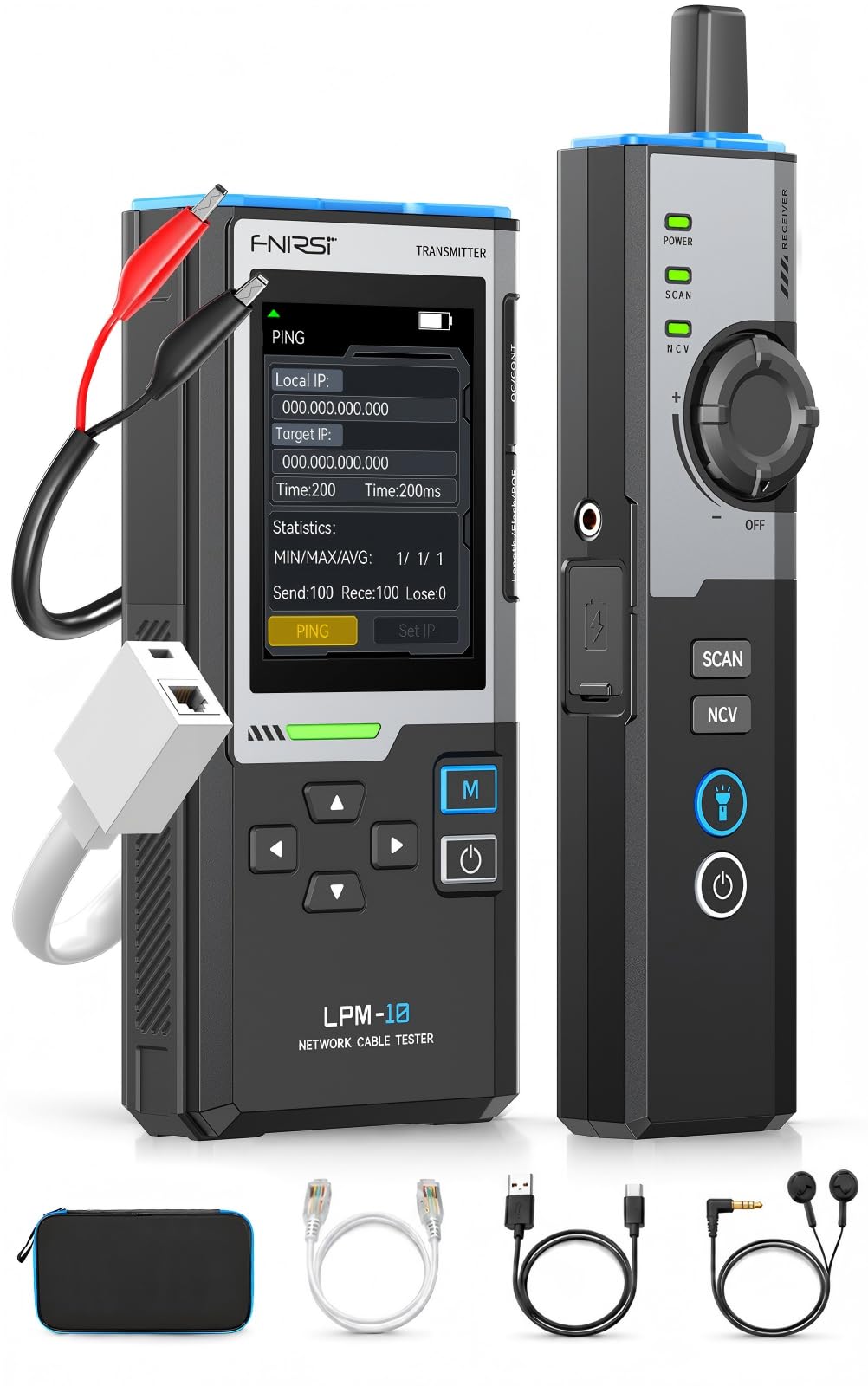
Type: Toner and probe kit with network test functions
Test Functions: Wiremap, PoE detection, length, 10/100/1000 Mbps link test
Additional Tools: IP scan and PING test
Power Source: Rechargeable battery
Intended Use: Network installation and repair
This kit steps up from simple continuity testing to actual network qualification. The toner and probe pair lets a technician trace a cable through a bundle without disconnecting anything, while the wiremap and length functions identify miswiring and estimate run distance. PoE detection matters in homes running access points or cameras, and the link test confirms whether a run negotiates at full gigabit speed.
The IP scan and PING functions push it toward light network diagnostics rather than pure cabling work, which makes it useful for someone maintaining a small home lab or a handful of wired devices. It is aimed at the serious DIY installer rather than the casual user, and the rechargeable battery removes the steady cost of disposable cells.
Trade-off: The feature set is deep enough that a first-time user will spend real time with the manual before trusting the readings.
Check the current price on Amazon
3. TP-Link OC200 V3 Omada Hardware Controller

Type: Dedicated hardware network controller
Device Capacity: Manages up to 500 devices
Connectivity: USB 3.0, cloud access, app support
Platform: Omada SDN integrated
Intended Use: Centralized monitoring and management
This is the only pick in the list that monitors a whole network rather than testing individual cables. It is a small always-on appliance that runs the Omada software defined networking platform, giving one dashboard for access points, switches and gateways that support the ecosystem. It handles up to 500 devices, which is far beyond a typical home but leaves headroom for a lab, a small office, or a large property with many access points.
Cloud access and app support mean the network can be checked remotely, and intelligent monitoring surfaces device status and traffic patterns without a PC left running. The catch is ecosystem lock-in: it earns its place only in a home already using or planning to use Omada-compatible hardware.
Trade-off: The controller only manages Omada-compatible equipment, so it is wasted money on a network built from mixed brands.
Check the current price on Amazon
4. TREND Networks NAVITEK NT PRO Touchscreen Analyzer

Type: Touchscreen copper and fiber network analyzer
Media Support: Copper and fiber
Key Functions: Network service detection, traffic monitoring, PDF reporting
Display: Touchscreen
Intended Use: Professional network diagnostics
This is professional-grade equipment aimed at technicians and very serious home lab operators. It handles both copper and fiber, detects which network services are reachable from a port, monitors live traffic, and generates PDF reports that can be handed to a client or kept as documentation. The touchscreen interface keeps the workflow on the device instead of tethering it to a laptop.
For a home user, the justification is narrow but real: someone running fiber runs, documenting a large install, or troubleshooting intermittent faults that cheaper tools cannot see. The reporting function alone sets it apart from every other pick here, because it turns a diagnostic session into a record.
Trade-off: The price is orders of magnitude above the rest of the list, and most home users will never touch the fiber or reporting features that justify it.
Check the current price on Amazon
5. ZOERAX 14-in-1 Professional Network Tool Kit
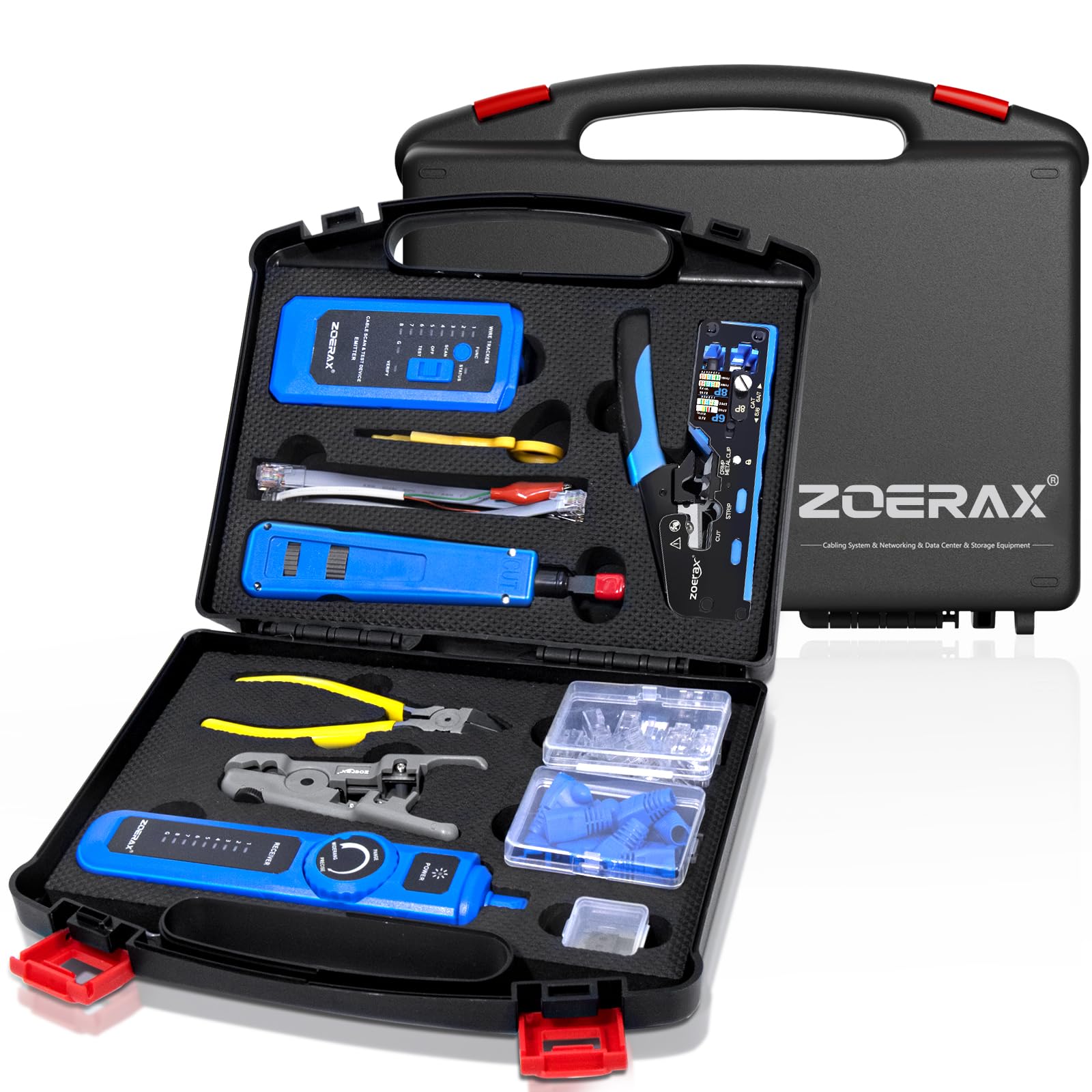
Type: Multi-piece network installation tool kit
Core Tools: RJ45 crimp tool, wire stripper, punch down tool, cable tester
Included Consumables: Cat6 pass-through connectors and boots
Piece Count: 14
Intended Use: Building and repairing Ethernet cables
This kit covers the other half of network work: making the cables in the first place. It bundles a crimp tool, a stripper, a punch down tool for keystone jacks and patch panels, and a cable tester, plus pass-through connectors and boots for Cat6 terminations. Pass-through connectors are easier for beginners because the wires push through the plug body before crimping, so the conductor order can be verified visually.
Fourteen pieces in one case makes it a sensible starting point for a homeowner wiring a house or a hobbyist building a lab, since buying the tools individually costs more and leaves gaps. The tester in the kit handles basic continuity checks, complementing rather than replacing the standalone tester above.
Trade-off: Kit tools are built to a price, so the crimper and stripper will not match the durability of dedicated professional-grade hand tools under heavy repeated use.
Check the current price on Amazon
Before You Buy
- Purpose: Decide whether the job is testing existing cables, monitoring a live network, or building new cables — each points to a different pick.
- Cable types: Confirm the tool supports the connectors and categories in use, from RJ11 phone wiring to CAT6/6A data runs.
- Ecosystem compatibility: A hardware controller only pays off if the rest of the network uses the same platform.
- Fiber support: Copper-only tools are useless on fiber runs, and fiber-capable analyzers carry a steep premium.
- Included accessories: Remote terminators, probes, connectors and boots can add up fast when bought separately.
- Skill level: Feature-heavy testers reward practice; simple continuity checkers suit occasional users better.
- Storage and portability: A case keeps small tools and connectors together, which matters for anyone working across multiple rooms.
Frequently Asked Questions
-
What is the difference between a cable tester and a network monitoring tool?
A cable tester checks the physical wiring of a single cable, while a monitoring tool such as a hardware controller watches the status and traffic of devices across the whole network. -
Does a home network need a hardware controller?
Only if the network uses several compatible access points or switches that benefit from one dashboard. A single router setup does not need one. -
Can a cheap cable tester detect a slow cable?
No. A basic tester confirms continuity and wiring order but cannot measure whether a cable will sustain full gigabit throughput. -
Is fiber testing worth it for a home user?
Rarely. Fiber-capable analyzers cost far more, and the premium only makes sense for fiber installs or professional documentation needs. -
What does a toner and probe actually do?
It puts a signal on a cable at one end and lets a probe identify that same cable in a bundle at the other end, which speeds up tracing runs. -
Are pass-through connectors better for beginners?
They are more forgiving because the wires can be checked visually before crimping, which reduces wasted plugs during early attempts.
Bottom Line
For most homes, the best network monitoring tools for home start with the budget cable tester, which answers the most common question — is this cable good — for the least money. Buyers who plan to wire a house or build a lab should step up to the ZOERAX kit for the tools to make cables, and anyone running a multi-access-point network should look at the TP-Link OC200 V3 controller for whole-network visibility.
