Why there are Amazon links here: Brave Review is paid a commission for qualifying Amazon purchases made through the links below. Your price does not change, and using our links is entirely optional. How this works
Best Smart Lighting Bridge and Hub for a Reliable Smart Home
A smart lighting bridge or hub is the piece of hardware that lets bulbs, switches, and sensors talk to each other and to a voice assistant instead of clogging up the home Wi-Fi network. This guide covers five picks that suit different systems: Hue loyalists who want the newest bridge, Caseta owners who need rock-solid reliability, and budget buyers building a small Ring setup. The overview table below lines up every option by key spec and price tier so a decision can happen fast.
Overview of the Picks
| Product | Key Spec | Best Use | Price Tier |
|---|---|---|---|
| Philips Hue Bridge Pro | Supports 150+ lights and 50+ accessories | Large Hue installations | Premium |
| Lutron Caseta Smart Hub | Non-Wi-Fi ultra-reliable connection | Caseta switches and shades | Mid-range |
| Philips Hue Bridge | Matter-compatible, multi-room control | Standard Hue starter setups | Budget |
| SONOFF Bridge Max | Matter bridge and Zigbee gateway | Mixed-brand local control | Mid-range |
| Ring Bridge | Wider coverage for Ring lights | Small Ring lighting setups | Budget |
1. Philips Hue Bridge Pro Smart Lighting Hub

Type: Smart lighting hub
Capacity: 150+ lights and 50+ accessories
Connectivity: Wireless with advanced encryption
Voice assistants: Apple Home, Alexa, Google
Pack size: 1-pack
The Bridge Pro is the heavy-duty option in the Hue line, built for homes where the lighting count keeps climbing. Its stated capacity of 150+ lights and 50+ accessories leaves real headroom for a whole-house install with motion sensors and dimmer switches layered on top. Advanced encryption covers the traffic between the bridge and the devices, and the unit works natively with Apple Home, Alexa, and Google for voice control.
This is the pick for buyers already deep in Hue gear or planning a large multi-room deployment from scratch. The premium price is the main barrier: anyone with a handful of bulbs will pay for capacity they never touch. Buyers should also expect to stay inside the Hue ecosystem to get full value from the hardware.
Trade-off: The premium price only makes sense for large installations, so small setups are better served by the standard bridge.
Check the current price on Amazon
2. Lutron Caseta Smart Hub

Type: Smart hub
Connectivity: Proprietary wireless, does not rely on Wi-Fi
Voice assistants: Alexa, Apple Home, Google Home
Color: White
Compatibility: Lutron Caseta devices and more
The Caseta Smart Hub earns its place on reliability. It runs on its own dedicated wireless protocol rather than Wi-Fi, which keeps lighting commands off the home network and away from bandwidth congestion. That design is why it pairs so well with Caseta switches, dimmers, and shades, and it links cleanly to Alexa, Apple Home, and Google Home for voice and app control.
Buyers who have already invested in Caseta wall controls get the most from this hub, since it is the gateway that unlocks app and voice access for those devices. It is a poor fit for anyone hoping to run Hue bulbs or other Zigbee gear through it, because the hub is tied to Lutron’s own ecosystem.
Trade-off: The hub is locked to Lutron’s ecosystem, so mixed-brand lighting collections will need a second bridge.
Check the current price on Amazon
3. Philips Hue Bridge

Type: Smart lighting hub
Control: Multi-room and out-of-home
Features: Automations and zones
Voice control: Supported
Compatibility: Matter-compatible
The standard Hue Bridge is the entry point into the full Hue system and the best value in this lineup. It unlocks multi-room grouping, out-of-home control, automations, and zones, features that the bulbs cannot deliver on their own. Matter compatibility means it can also hand off to other Matter controllers over time, which protects the purchase as a smart home grows.
This bridge suits the buyer with a starter kit of Hue bulbs who wants schedules, remote access, and voice control without paying for the Pro model’s extra capacity. Buyers with very large homes or dozens of fixtures should look at the Pro instead, since the standard bridge has less headroom for expansion.
Trade-off: Capacity is modest compared with the Pro, so a growing collection may eventually outgrow it.
Check the current price on Amazon
4. SONOFF Bridge Max Smart Home Hub

Type: Matter bridge and Zigbee gateway
Connectivity: RJ45 Ethernet and Wi-Fi
Platforms: Apple Home, Alexa, Google Home, Home Assistant
Control: Local
Model: Bridge-M
The SONOFF Bridge Max is the flexible middle ground for buyers who refuse to be locked into one brand. It works as both a Matter bridge and a Zigbee gateway, pulling Zigbee devices into Apple Home, Alexa, Google Home, and Home Assistant. The wired Ethernet port is a genuine asset for anyone who wants the hub on a stable connection instead of Wi-Fi, and local control keeps routines running without a cloud round trip.
This hub fits tinkerers and Home Assistant users who mix sensors and lights from several brands. It is not the right choice for someone who wants a polished, single-app experience with zero configuration, because multi-platform bridging always involves more setup work.
Trade-off: Local multi-platform bridging rewards patient setup, but buyers wanting plug-and-play simplicity will find it fiddly.
Check the current price on Amazon
5. Ring Bridge
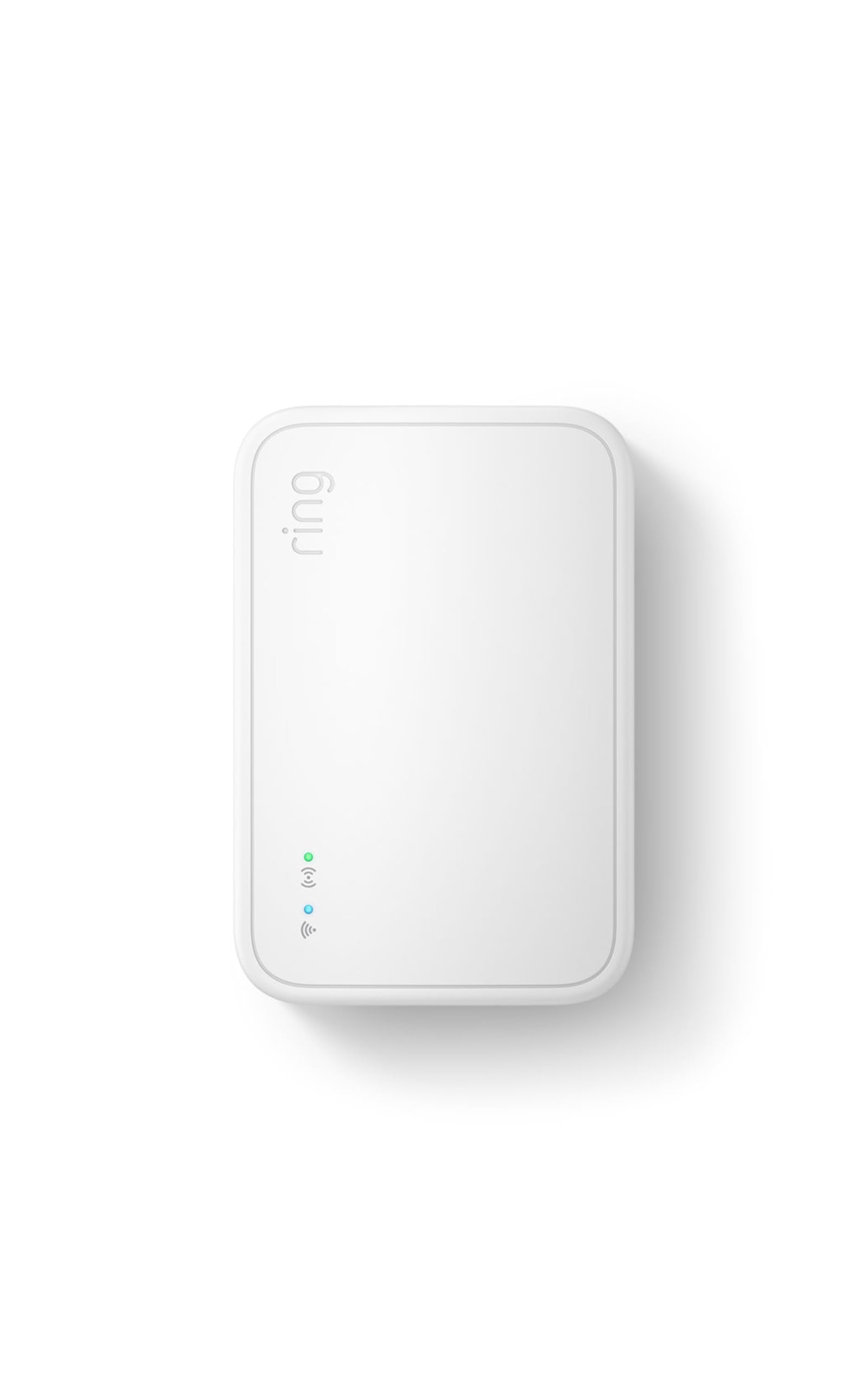
Type: Smart lighting bridge
Coverage: Wider coverage for Ring smart lights
Compatibility: Ring smart lights and compatible devices
Edition: Newest model
The Ring Bridge is the cheapest way into connected lighting in this group, and it is purpose-built for Ring’s own smart lights. Its selling point is wider coverage, which helps Ring lights spread across a yard, driveway, or porch stay linked to one another and to the Ring app. For a household already using Ring cameras and doorbells, it slots into an app that is already familiar.
This pick suits buyers with a small Ring lighting setup who want motion-triggered links between lights without spending much. It is not for anyone outside the Ring ecosystem, and the low price reflects a narrower feature set than the Hue or Caseta hubs offer.
Trade-off: The budget price comes with a narrow scope, so Ring lights are effectively required to get any use from it.
Check the current price on Amazon
Before You Buy
- Ecosystem compatibility: A hub only controls the brands it was built for, so match the bridge to the bulbs and switches already in the home.
- Protocol: Wi-Fi hubs are simple but crowd the network; proprietary and Zigbee bridges keep lighting traffic separate and more stable.
- Capacity: Count every bulb, sensor, and switch before choosing, and leave room for expansion.
- Wired versus wireless: An Ethernet port gives the most stable connection where a cable can reach.
- Matter support: A Matter-compatible bridge is more future-proof as platforms consolidate.
- Voice assistants: Confirm the hub works with the assistant already in use, whether that is Alexa, Apple Home, or Google.
- Setup effort: Single-brand hubs are close to plug-and-play; multi-platform bridges take more configuration.
Frequently Asked Questions
-
What is the difference between a smart lighting bridge and a hub?
The terms are used interchangeably. Both are central devices that connect smart lights to an app and voice assistants, though "bridge" often implies a protocol translator such as Zigbee or Matter. -
Does a smart hub need Wi-Fi?
Not always. Some hubs, like the Lutron Caseta model, use their own wireless protocol and connect to the router separately, which can be more reliable than Wi-Fi. -
Can one hub control lights from different brands?
Only if it supports those brands’ protocols. A Matter bridge or Zigbee gateway can pull in multiple brands, while a brand-specific hub is limited to its own ecosystem. -
Is a hub required for smart bulbs?
Many bulbs work over Wi-Fi alone, but a hub adds remote access, automations, and better reliability for larger setups. -
Which pick is best for a large Hue installation?
The Philips Hue Bridge Pro, which supports 150+ lights and 50+ accessories. -
Which hub is best on a tight budget?
The Ring Bridge is the lowest-cost option, provided the lighting is Ring-compatible.
Bottom Line
For most buyers, the Philips Hue Bridge is the best smart lighting bridge and hub in this lineup: it unlocks the full Hue feature set, adds Matter compatibility, and costs far less than the Pro model. Households with large Hue installations should step up to the Bridge Pro, while Caseta owners and mixed-brand tinkerers have strong dedicated options in the Lutron and SONOFF hubs.
