Why there are Amazon links here: Brave Review is paid a commission for qualifying Amazon purchases made through the links below. Your price does not change, and using our links is entirely optional. How this works
ScreenBeam ECB6200K02: Ethernet Over Coax for the Whole House
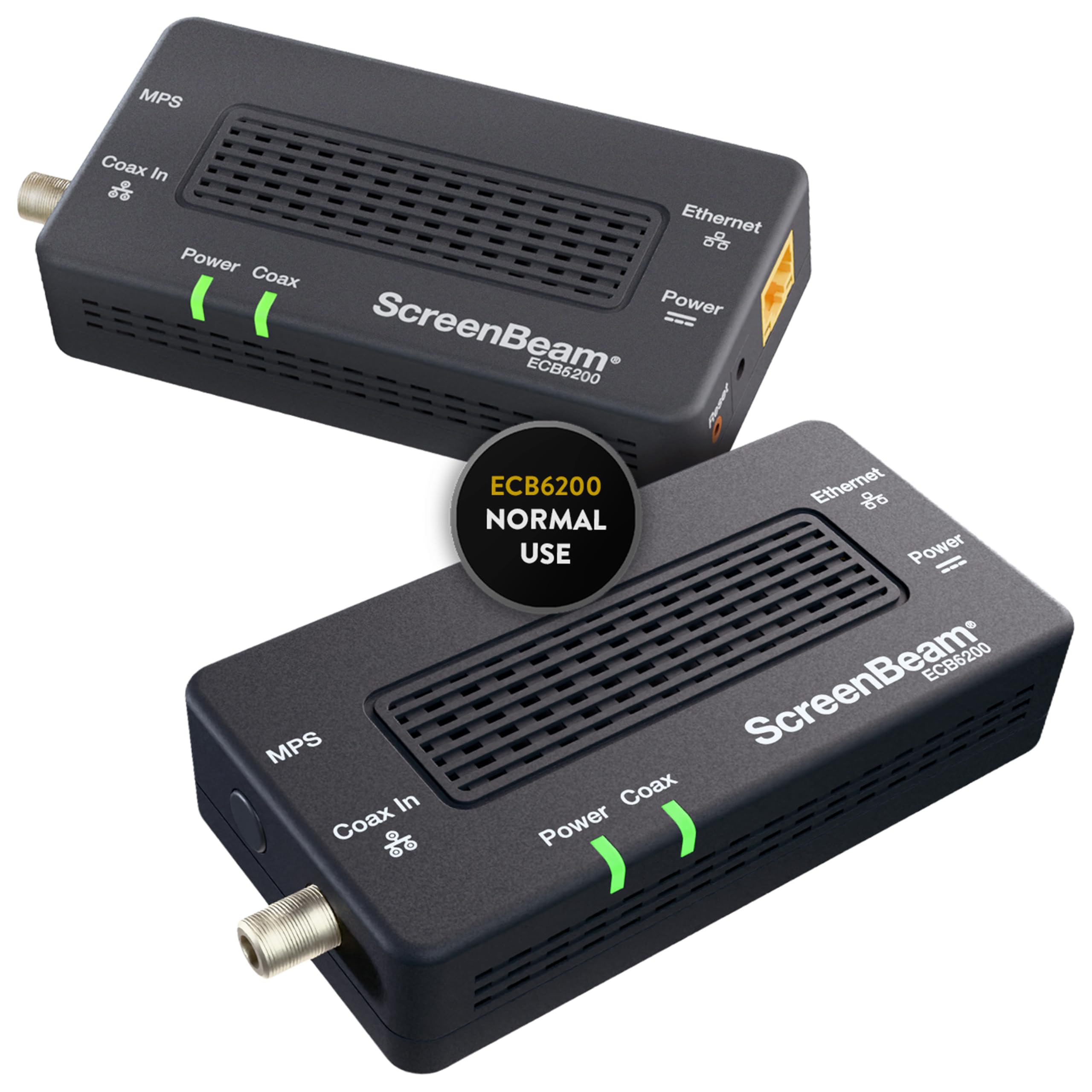
The ScreenBeam ECB6200K02 is a bonded MoCA 2.0 starter kit that turns the coax cable already running through a house into a wired network backbone. It suits homeowners and renters who want stable internet at a room where Wi-Fi struggles, without paying for new cable runs. This review covers what the kit includes, how the bonded MoCA 2.0 link works, where it fits in a home network, and the limits a buyer should weigh before ordering.
Check the Current Price on Amazon
Features and Specifications
Product Type: Ethernet over coax network adapter starter kit
Standard: Bonded MoCA 2.0
Connection Medium: Existing coaxial cable
Intended Use: Streaming, work from home, normal home networking
Kit Format: Starter kit (two adapters, one for each end of the coax run)
Brand: ScreenBeam
Model: ECB6200K02
The kit’s whole job is to convert a coax wall jack into an Ethernet port. One adapter sits near the router and feeds the network signal onto the coax line; the second adapter sits at the far room and converts it back to a standard wired connection. Because the link rides on cable that is usually already installed, no drywall work, no attic crawl, and no new cabling is required.
Bonded MoCA 2.0 is the technology that makes this practical. The bonding aspect means the adapters use multiple coax channels together rather than a single one, which is what separates a modern MoCA link from older single-channel gear. For a buyer, the practical takeaway is that this is a current-generation adapter rather than a legacy clearance item.
Build and Installation
The adapters are small desktop boxes that sit next to a router or a TV stand, powered from a wall outlet and connected with short Ethernet patch cables. Setup is a physical task rather than a software one: coax into the adapter, Ethernet into the router or device, power on, repeat at the other end. There is no configuration app to fight with and no account to create.
The one installation detail that decides whether the kit works is the coax layout itself. MoCA needs the two adapters to share a continuous coax path, which is normal in most homes but not universal — a house with separate, disconnected coax branches or a satellite dish setup that occupies the line can complicate things. Buyers should confirm the two rooms are on the same coax wiring before ordering.
Trade-off: Two adapters only cover one room-to-room link, so a buyer who wants wired internet in three or four locations needs additional adapters beyond this starter kit.
Capacity and Performance
Bonded MoCA 2.0 is built for the kind of throughput a household actually uses: streaming video on a television, video calls and file transfers from a home office, and general browsing on a desktop or console. The adapters present as a plain wired Ethernet connection, so the connected device treats it exactly like a cable run to the router. That means no wireless interference, no signal drop through floors, and no sharing airtime with phones and tablets.
The performance ceiling is not unlimited, and it is worth being clear about that. A bonded MoCA link is fast for home networking but it is not a substitute for a direct fiber or Ethernet handoff, and the coax in the walls becomes part of the signal path. Buyers chasing the absolute maximum throughput on a multi-gig plan should treat this as a strong upgrade over Wi-Fi in a difficult room rather than as a match for a dedicated cable run.
Power and Placement
Each adapter needs its own wall outlet, which is a small but real planning consideration. Behind a TV stand or in a crowded home-office corner, two free outlets — one for the adapter, one for the device — are not always available, and a power strip adds clutter. The adapters are compact enough to tuck onto a shelf, but they are not something that disappears entirely.
Placement follows the coax jack, not the buyer’s preference. The adapter has to live wherever the cable outlet is, which may mean a visible box in a living room rather than a hidden one in a closet. Buyers who care about cable tidiness should plan for short patch cables and a little velcro.
Trade-off: The kit depends on a coax outlet in each location, so rooms without one need a different solution entirely.
Maintenance and Day-to-Day Use
Once installed, the kit is essentially maintenance-free. There are no subscriptions, no firmware dashboards the average buyer needs to touch, and no recurring fees. It draws a small amount of standby power continuously, which is normal for always-on network gear but worth knowing for anyone counting outlets and watts.
Troubleshooting, when it is needed, tends to be physical: a loose coax connector, a swapped cable, or a splitter that is not passing the MoCA signal cleanly. Keeping the coax path simple — fewer splitters between the two adapters — is the single most useful habit for keeping the link reliable.
Strengths and Weaknesses
The clearest strength is that the kit solves a specific, common problem without construction work. A room with weak Wi-Fi gets a stable wired connection using cable that is already in the walls, and the setup is simple enough that a non-technical buyer can complete it in an afternoon.
The second strength is the bonded MoCA 2.0 standard itself. It is current technology rather than a legacy workaround, so the kit is a reasonable long-term purchase rather than a stopgap that will be obsolete in a year.
The weaknesses are structural rather than defects. The starter kit covers exactly two endpoints, so larger homes need more hardware. Every location needs a coax jack and a power outlet. And the link is only as good as the coax wiring it runs on — old splitters or a satellite dish on the same line can force extra troubleshooting.
Trade-off: Buyers who want a plug-and-play mesh Wi-Fi system will find this kit more rigid, because it is wired infrastructure rather than a flexible wireless solution.
FAQ
-
What does the ScreenBeam ECB6200K02 actually do?
It converts existing coaxial cable into an Ethernet connection. One adapter connects near the router, the second at a distant room, and the pair creates a wired network link over the coax already in the walls. -
Does the ScreenBeam ECB6200K02 work with any internet provider?
It sits behind the router, so it works with any provider that supplies a standard router with an Ethernet port. The kit does not replace the modem or the router; it extends the network. -
Is bonded MoCA 2.0 better than a Wi-Fi extender?
For a fixed device in a difficult room, a wired MoCA link is generally more stable because it avoids wireless interference and signal loss through walls. A Wi-Fi extender is more flexible about placement but shares airtime with everything else on the network. -
How many adapters come in the starter kit?
The starter kit is built as a pair, one adapter for each end of the coax run. That covers a single room-to-room connection. -
Can the ScreenBeam ECB6200K02 be used for gaming or video calls?
Yes. The connected device sees a normal wired Ethernet connection, which is the preferred setup for latency-sensitive activities like gaming and video conferencing. -
Does the kit need a coax outlet in every room?
Yes. Each adapter must connect to a coax jack that shares a wiring path with the other adapter. Rooms without a coax outlet cannot use this kit. -
Will a cable TV or satellite signal interfere with the MoCA link?
Coax can carry both, but satellite setups and some splitters can complicate the MoCA signal path. Buyers with a dish or a heavily split coax layout should check compatibility before installing. -
Is there a monthly fee or subscription?
No. The kit is a one-time hardware purchase with no service plan attached. -
Can more than two adapters be added later?
Yes, additional MoCA adapters can extend the network to more rooms. The starter kit is the entry point, not the ceiling. -
Does the ScreenBeam ECB6200K02 replace a router?
No. It is a bridge between the router and a distant device, not a router itself. The existing router still handles the network.
Bottom Line
The ScreenBeam ECB6200K02 is the right buy for a household that already has coax in the walls and needs reliable wired internet in one hard-to-reach room — a home office, a media room, or a gaming setup where Wi-Fi keeps dropping. It is a focused tool rather than a whole-home system, and buyers who need wired connections in several rooms should budget for extra adapters. For the single most common case, a router at one end of the house and a device that needs a stable connection at the other, the kit does the job cleanly and without construction.