Why there are Amazon links here: Brave Review is paid a commission for qualifying Amazon purchases made through the links below. Your price does not change, and using our links is entirely optional. How this works
Best Smart Heating Schedule Setup for Effortless Comfort and Savings
A smart heating schedule setup lets a home warm up before the alarm goes off, ease back while everyone is out, and settle to a comfortable temperature by evening — without anyone touching a dial. This roundup covers five thermostats that handle that job at different price points, from a budget DIY model to a full-featured color touchscreen unit. The picks suit three kinds of buyers: renters and first-timers who want a simple, low-cost install; households already living inside Alexa, Google, or Siri; and anyone replacing an old dial thermostat who just wants a reliable 5-2 schedule. The overview table below shows each pick’s key spec and best use, so a decision can be made in under a minute.
Overview of the Picks
| Product | Key Spec | Best Use | Price Tier |
|---|---|---|---|
| Sensi Smart Thermostat ST55 | Wi-Fi, DIY, Energy Star | Simple budget setup | Budget |
| Honeywell Home RTH9585WF1004 | 7-day programmable, color touchscreen | Detailed weekly scheduling | Mid-range |
| ecobee Smart Thermostat Essential | Works with Siri, Alexa, Google | Voice-control households | Budget |
| ecobee Smart Thermostat Enhanced | Energy Star, programmable Wi-Fi | Whole-home automation | Mid-range |
| Honeywell Home X2P RTH20B | 5-2 day schedule, single-stage | Basic scheduled heating | Budget |
Sensi Smart Thermostat ST55
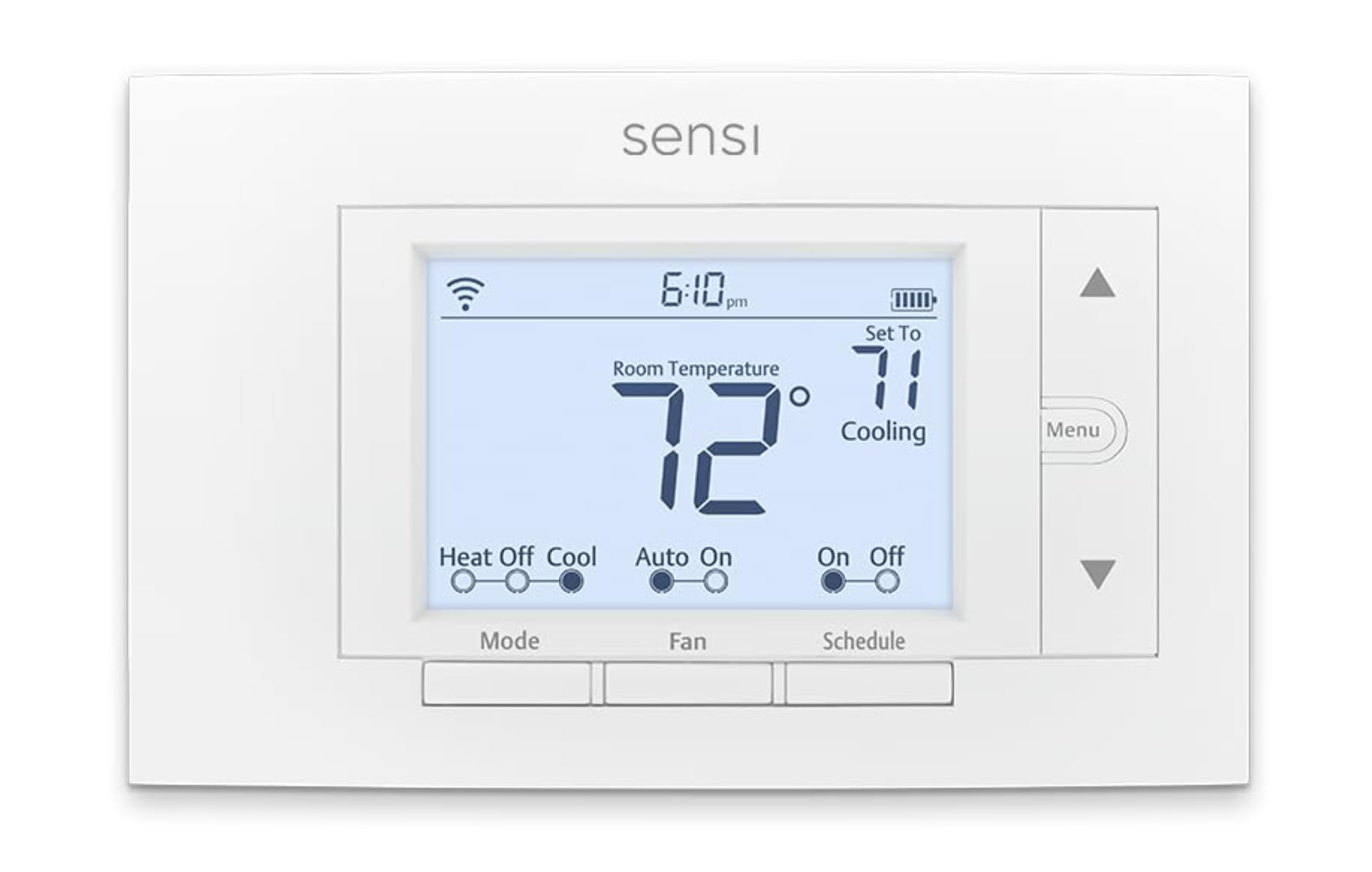
Type: Smart Wi-Fi thermostat
Control: App-based scheduling
Voice Assistant: Alexa
Certification: Energy Star
Installation: DIY
Model: ST55
The Sensi ST55 is built for the homeowner who wants a smart schedule without a smart-home hobby. It connects over Wi-Fi and runs its schedule from a phone app, so heating can be set to follow a weekly routine rather than a fixed dial. The DIY label points to a straightforward replacement of an existing thermostat, and Alexa support adds voice control for temperature changes. Energy Star certification signals that the schedule is designed to trim wasted runtime rather than run the system flat out. It is the value pick of the group and the easiest entry point for a first smart setup.
This pick suits renters with permission to swap a thermostat, first-time smart-home buyers, and anyone on a tight budget who still wants app-based scheduling. It earns its place on price and simplicity — no hub, no extra sensors, no learning curve. The trade-off is that a budget model like this keeps its feature set lean, so buyers wanting room sensors or a color display should look further up the list.
Check the current price on Amazon
Honeywell Home RTH9585WF1004 Wi-Fi Smart Color Thermostat

Type: Wi-Fi smart thermostat
Scheduling: 7-day programmable
Display: Color touchscreen
Certification: Energy Star
Voice Assistant: Alexa ready
Color: Gray
The RTH9585WF1004 is the detail-oriented option in this lineup. Its 7-day programming lets each day of the week carry its own schedule, which suits households with irregular routines — shift workers, people who work from home part of the week, or families with different weekend patterns. The color touchscreen makes those schedules readable and editable at the wall rather than only in an app, and Energy Star certification keeps efficiency in the picture. Alexa readiness adds voice changes on top of the programmed routine.
This pick suits buyers who want granular control and a display they can read at a glance, and it fits well in a central hallway or living area where the thermostat is visible. The 7-day programming is its strongest selling point and the reason it sits mid-range. The trade-off is that a feature-rich touchscreen model asks more of the buyer at setup — the schedule has to be built thoughtfully to pay off, and a casual user may never use the day-by-day flexibility.
Check the current price on Amazon
ecobee Smart Thermostat Essential

Type: Programmable Wi-Fi thermostat
Voice Assistants: Siri, Alexa, Google Assistant
Certification: Energy Star
Scheduling: Programmable
Connectivity: Wi-Fi
The ecobee Smart Thermostat Essential is the most flexible pick for voice-controlled homes. It works with all three major assistants — Siri, Alexa, and Google Assistant — so a household split between Apple and Android devices can still change the temperature by voice from either camp. Programmable Wi-Fi scheduling covers the core job of a smart heating setup, and Energy Star certification keeps efficiency central. It sits in the budget tier, which makes triple-assistant support notable at this level.
This pick suits mixed-device households, Apple Home users who do not want to be locked out, and buyers who want voice control as the primary way they interact with heating. It earns its place on compatibility breadth at a low price. The trade-off is that a budget model in this class typically keeps extras minimal — buyers wanting remote room sensors or advanced occupancy features should expect to step up to a fuller ecobee model.
Check the current price on Amazon
ecobee Smart Thermostat Enhanced

Type: Programmable Wi-Fi smart thermostat
Voice Assistants: Siri, Alexa, Google Assistant
Certification: Energy Star
Smart Home: Supported
Scheduling: Programmable
The ecobee Smart Thermostat Enhanced is the automation-focused pick. It carries the same broad voice compatibility as the Essential — Siri, Alexa, and Google Assistant — but positions itself as a smart-home component rather than a standalone thermostat. Energy Star certification and programmable Wi-Fi scheduling cover the fundamentals, while smart-home support means it can slot into routines alongside other connected devices. For a household building out scenes and automations, that integration is the reason to choose it over the cheaper Essential.
This pick suits buyers already running a connected home who want heating to respond to broader routines, and it works for multi-assistant households that may change platforms later. It earns its place on integration and headroom for growth. The trade-off is that the extra smart-home capability only pays off if the buyer actually builds those routines — a household that just wants a weekly schedule can save money with a simpler model.
Check the current price on Amazon
Honeywell Home X2P Programmable Thermostat RTH20B
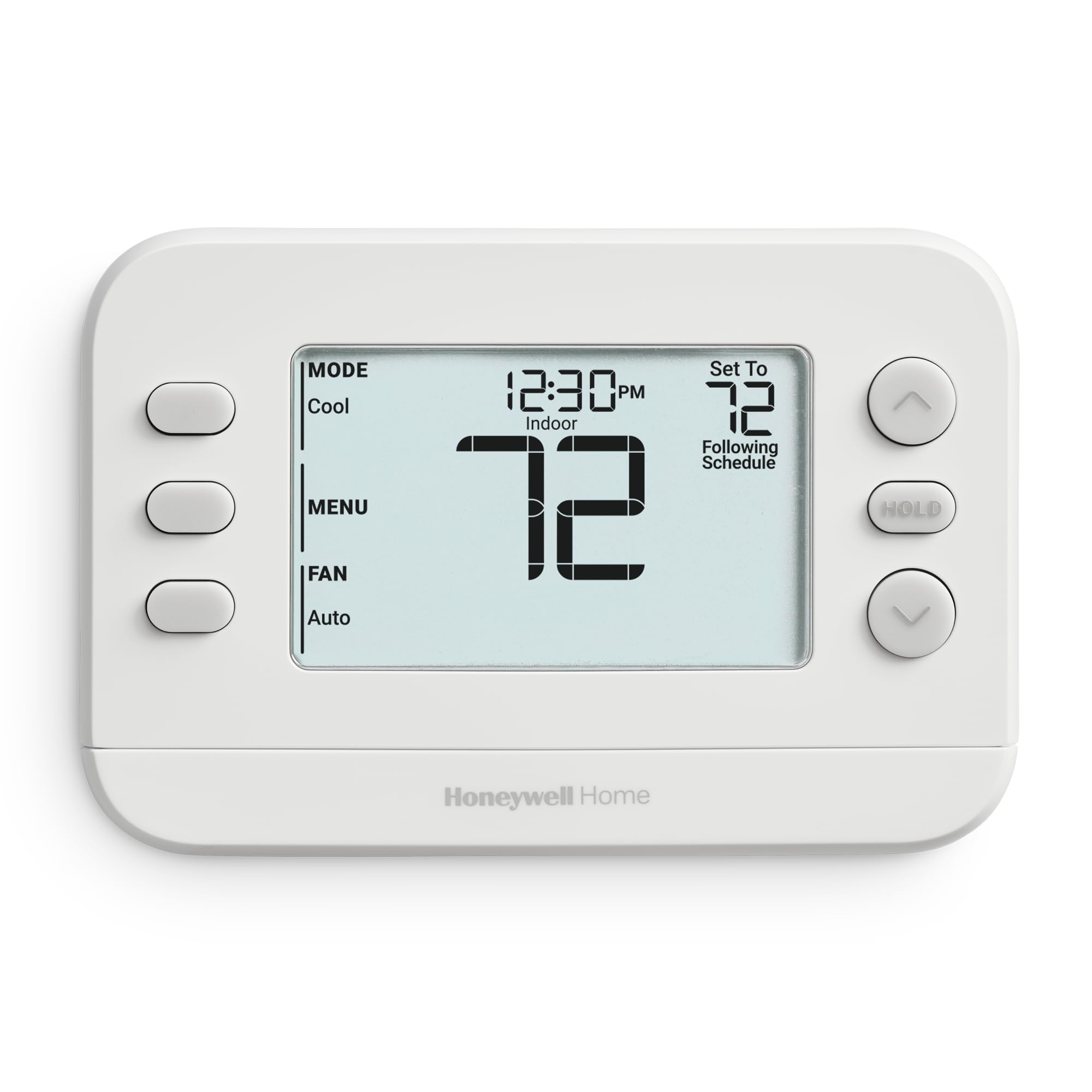
Type: Programmable thermostat
Scheduling: 5-2 day schedule
Compatibility: Single-stage, 1 heat/1 cool
Model: RTH20B
Color: White
The Honeywell Home X2P RTH20B is the straightforward scheduled option for buyers who do not need Wi-Fi at all. Its 5-2 day schedule sets one routine for weekdays and another for the weekend — the classic pattern most households actually follow — and single-stage 1 heat/1 cool compatibility covers common conventional systems. There is no app and no voice assistant here; the schedule lives on the unit. That simplicity is the point: fewer settings to configure and nothing to reconnect when the router reboots.
This pick suits buyers replacing an old dial thermostat on a conventional single-stage system, landlords furnishing a rental, and anyone who wants a set-and-forget weekday/weekend schedule without a smart-home account. It earns its place on reliability and low cost. The trade-off is that a non-Wi-Fi model cannot be adjusted remotely, so a change of plans means walking to the wall — buyers who travel or keep irregular hours should choose one of the connected picks instead.
Check the current price on Amazon
Before You Buy
- Compatibility: Confirm the existing system is conventional single-stage before choosing a 1 heat/1 cool model; heat pumps and multi-stage systems need a thermostat rated for them.
- Scheduling depth: A 5-2 schedule suits a regular week, while 7-day programming is the better fit for shift work and irregular routines.
- Connectivity: Wi-Fi models allow remote changes and app scheduling; a non-connected model keeps the schedule on the wall unit only.
- Voice ecosystem: Match the thermostat to the assistants already in the home — Alexa, Google Assistant, and Siri support varies by model.
- Installation: DIY-friendly models suit a confident homeowner replacing an existing thermostat; complex wiring is a job for a professional.
- Efficiency: Energy Star certification is a useful shorthand for a schedule built to reduce wasted runtime.
- Display: A color touchscreen makes on-wall editing easier, while a simpler display keeps cost and complexity down.
Frequently Asked Questions
-
What is a smart heating schedule setup?
It is a thermostat plus a programmed routine that raises and lowers heating automatically through the week, usually managed from an app or the wall unit. -
Do all five picks need Wi-Fi?
No. Four are Wi-Fi models, while the Honeywell Home X2P RTH20B runs its 5-2 day schedule entirely on the unit with no app. -
Which pick works with Apple Home?
Both ecobee models list Siri alongside Alexa and Google Assistant, making them the choices for Apple-centric households. -
Is 7-day programming worth it over 5-2?
It is worth it for irregular routines such as shift work; a household with a steady weekday pattern can save money with a 5-2 model. -
Can a renter install one of these?
A DIY model like the Sensi ST55 is the simplest swap, though landlord permission should be confirmed before replacing an existing thermostat. -
Does Energy Star certification matter here?
It signals a schedule designed to cut wasted runtime, which is the main way a smart setup pays back its cost.
Bottom Line
For most buyers, the Sensi Smart Thermostat ST55 is the best smart heating schedule setup to start with: it is the budget pick, installs DIY, runs an app-based schedule, and adds Alexa control without demanding a smart-home ecosystem. Buyers who want day-by-day control should move up to the Honeywell Home RTH9585WF1004, while Apple households and automation builders are better served by the ecobee pair. The Honeywell Home X2P remains the right call for anyone who simply wants a dependable weekday/weekend schedule with no Wi-Fi at all.