Why there are Amazon links here: Brave Review is paid a commission for qualifying Amazon purchases made through the links below. Your price does not change, and using our links is entirely optional. How this works
Best Smart Hub for a House With No Internet: 5 Picks That Keep Working
A house without internet is not a house without smart control. The best smart hub for a house with no internet keeps automations, schedules and local device links running on the home network alone, so lights and switches still answer when the cloud is gone. This roundup covers five hubs for three kinds of buyers: the tinkerer who wants deep local automation, the household that only needs rock-solid lighting control, and the starter who wants a switch and hub in one box. The overview table below shows every pick at a glance before the detailed reviews.
Overview of the Picks
| Product | Key Spec | Best Use | Price Tier |
|---|---|---|---|
| Home Assistant Green | Official Home Assistant hardware, advanced automation | Deep local automation for tinkerers | Premium |
| Lutron Caseta Smart Hub | Doesn’t rely on WiFi, works with Alexa, Apple, Google | Whole-home lighting control without cloud dependency | Mid |
| Lutron Caseta Smart Switch Starter Kit | Switch, hub and wallplate in one box | First smart switch plus hub for a small home | Mid |
| Lutron Caseta Smart Dimmer Starter Kit | Dimmer, Pico remote, bracket and hub | Dimming setup with a second control point | Mid |
| Aeotec Smart Home Hub2 V4 | SmartThings hub, Zigbee and Matter gateway | Mixed-brand devices on one local hub | Mid |
1. Home Assistant Green

Type: Smart home hub
Platform: Home Assistant
Automation: Advanced
Hardware: Official Home Assistant hardware
Best Use: Local-first automation
Home Assistant Green is the official hardware for the Home Assistant platform, a hub built for buyers who want automation logic to live on the device rather than in a vendor cloud. It is designed as a plug-in appliance, so the setup runs the software out of the box instead of requiring a separate server or a long install. The advanced automation engine is the point of the product: rules, schedules and device links are processed locally, which is exactly what a home without internet needs. It suits the buyer who is comfortable with an app-based setup and wants one hub to sit at the center of a mixed-device home.
This pick earns its place as the premium option because it is the only hub here built around a full local automation platform rather than a single lighting ecosystem. A household that wants conditional rules — motion triggers, time windows, device states — gets that depth without asking a cloud service for permission. The trade-off is that the platform rewards patience and a willingness to learn its logic; buyers who want a switch working in five minutes will find it heavy going.
Check the current price on Amazon
2. Lutron Caseta Smart Hub

Type: Smart lighting hub
Connection: Doesn’t rely on WiFi
Compatibility: Alexa, Apple Home, Google Home
Color: White
Best Use: Reliable lighting control
The Lutron Caseta Smart Hub is the brain for Lutron’s Caseta lighting line, and its headline claim is the one that matters here: the connection does not rely on WiFi. That means switches and dimmers talk to the hub over a dedicated low-power radio link, and the hub keeps those devices coordinated even when the broadband line is down. It works with Alexa, Apple Home and Google Home, so voice and app control can be layered on later when internet returns. The unit is a compact white bridge that sits on a shelf or mounts near a router.
This hub suits the household that mainly wants lights to behave — schedules, scenes, remote control — and does not want to rebuild its whole smart setup around a new platform. It is the mid-tier pick because it is sold as a hub only, so buyers need at least one compatible Caseta device to get value from it. The trade-off is ecosystem lock-in: it is excellent at Lutron lighting and not a general-purpose hub for every brand of sensor and plug.
Check the current price on Amazon
3. Lutron Caseta Smart Switch Starter Kit

Type: Smart switch starter kit
Includes: Smart light switch, hub, wallplate
Connection: Doesn’t rely on WiFi
Compatibility: Alexa, Apple Home, Google Home
Color: White
Best Use: First smart switch plus hub
The Lutron Caseta Smart Switch Starter Kit bundles the Caseta hub with a smart light switch and a wallplate, which makes it the simplest route into local lighting control for a home with no internet. The switch replaces a standard wall switch and communicates with the included hub over the same WiFi-independent link. Because the hub is in the box, there is no separate bridge purchase and no compatibility guesswork. The white finish and included wallplate keep the install looking like ordinary hardware.
This pick is for the buyer who has one room — or one hallway — that needs to work reliably and wants everything required in a single order. It earns its place as the practical starter because the hub inside is the same bridge sold on its own, so the kit is effectively a switch thrown in with the brain. The trade-off is scope: one switch covers one circuit, and a whole house will need additional devices purchased separately.
Check the current price on Amazon
4. Lutron Caseta Smart Dimmer Starter Kit

Type: Smart dimmer starter kit
Includes: Dimmer, Pico remote, bracket, hub
Connection: Doesn’t rely on WiFi
Wiring: No neutral required
Compatibility: Alexa, Apple Home, Google Home
Color: White
Best Use: Dimming with a second control point
The Lutron Caseta Smart Dimmer Starter Kit pairs the Caseta hub with a smart dimmer, a Pico remote and a mounting bracket. The no-neutral requirement is the detail that makes it useful in older homes, where switch boxes often lack the neutral wire that many smart dimmers demand. The Pico remote and bracket add a second control point on a wall or table without running new wiring. Like the rest of the line, the connection does not rely on WiFi, so dimming and schedules survive an outage.
This kit suits the buyer who wants dimming rather than plain switching, and who values a remote control point in a room with only one switch location. It earns its place because it solves two common installation problems — missing neutral wires and awkward switch placement — in one box. The trade-off is that the included remote is a battery-powered accessory that will eventually need a fresh cell, and the kit still covers only one lighting circuit.
Check the current price on Amazon
5. Aeotec Smart Home Hub2 V4
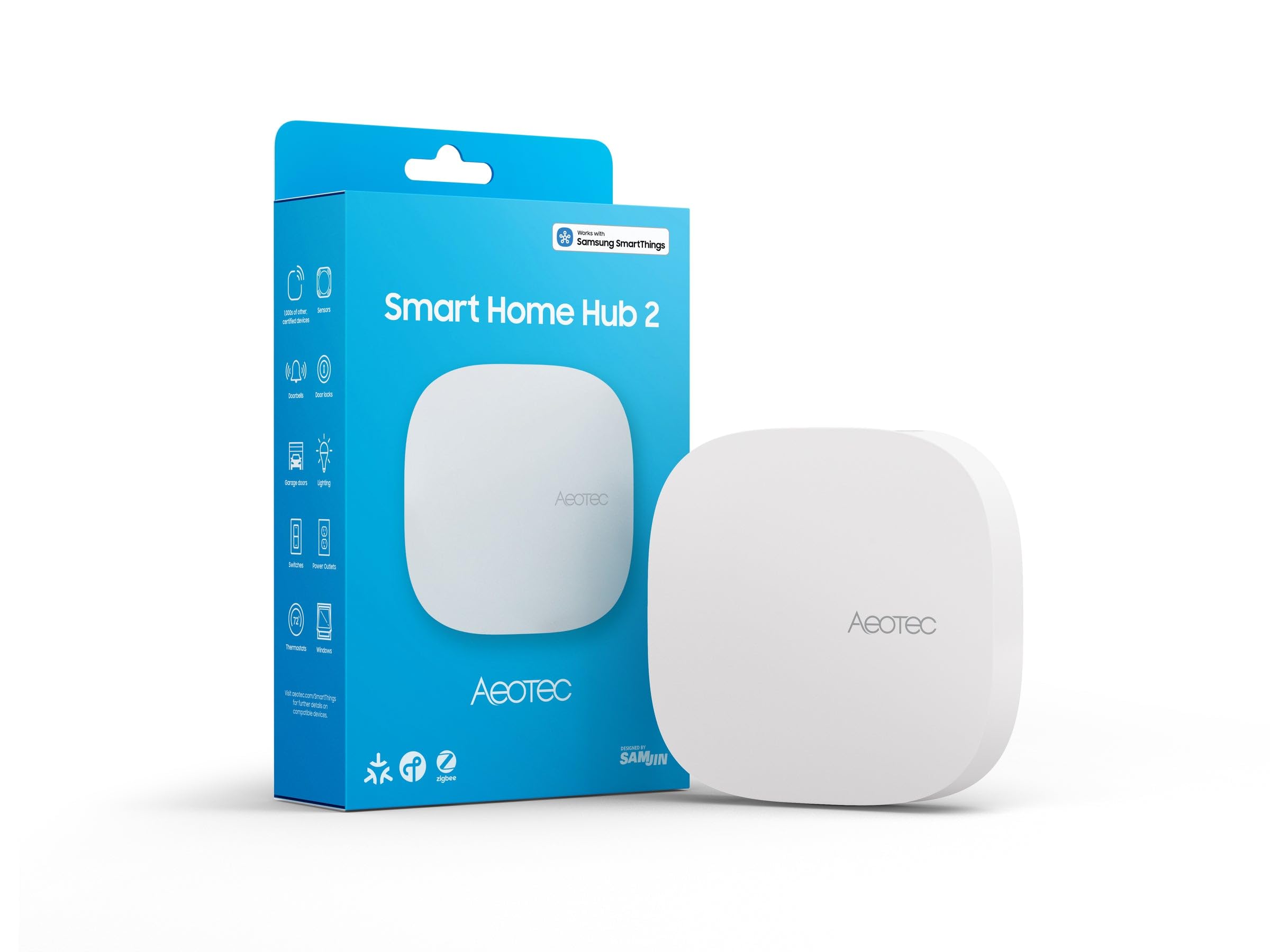
Type: Smart home hub
Platform: SmartThings
Radios: Zigbee, Matter gateway
Compatibility: Alexa, Google Assistant
Connectivity: WiFi
Best Use: Mixed-brand devices on one hub
The Aeotec Smart Home Hub2 V4 runs as a SmartThings hub and adds Zigbee and Matter gateway support, which lets it bring several device families under one roof. Matter matters for a no-internet home because it is a local-first standard, so paired devices can keep talking to the hub on the home network. Alexa and Google Assistant compatibility means voice control can be switched on when a connection is available. The unit is a compact white hub that connects over WiFi to the router.
This pick suits the buyer with a mix of Zigbee sensors and newer Matter devices who does not want a separate bridge for each brand. It earns its place as the flexible middle option, sitting between the deep tinkering of Home Assistant and the single-ecosystem focus of the Caseta line. The trade-off is stated plainly in the name — there is no Z-Wave radio here, so buyers with an existing Z-Wave device collection should look elsewhere.
Check the current price on Amazon
Before You Buy
- Connection type: A hub that does not rely on WiFi keeps device-to-device control working when broadband drops; a WiFi-dependent hub may lose cloud features.
- Ecosystem fit: Caseta hubs are excellent for Lutron lighting but narrow; SmartThings and Home Assistant cover more brands.
- Radios: Check for Zigbee, Matter or Z-Wave support against the devices already in the home — the Aeotec hub has no Z-Wave.
- Wiring: Dimmer kits that need no neutral suit older switch boxes; confirm the box before ordering.
- Included hardware: Starter kits bundle a hub with a switch or dimmer, which usually costs less than buying each piece separately.
- Scope: One switch or dimmer covers one circuit; a whole house needs a device count planned up front.
- Local processing: Automation that runs on the hub, not in a cloud account, is the feature that makes a no-internet setup viable.
Frequently Asked Questions
- Can a smart hub work with no internet at all?
Yes, for local control. Hubs that process automations on-device and use a non-WiFi radio link keep switches, dimmers and schedules running on the home network alone. - Which pick is best for a renter?
The Lutron Caseta Smart Dimmer Starter Kit, because the Pico remote and bracket add a control point without new wiring, and the no-neutral dimmer fits more switch boxes. - Do these hubs still work with Alexa and Google?
All five list compatibility with Alexa and Google Home or Google Assistant, but voice control depends on an internet connection being present at the time. - Is Home Assistant Green harder to set up than the others?
It asks more of the buyer. The platform is built for advanced automation, so expect a learning curve compared with a lighting hub that works from a simple app. - What is the difference between the two Lutron starter kits?
One bundles a standard smart switch, the other a dimmer with a Pico remote and bracket. Both include the same style of hub and the same WiFi-independent connection. - Does the Aeotec hub support every smart device?
No. It covers SmartThings, Zigbee and Matter devices, but it has no Z-Wave radio, so Z-Wave gear needs a different hub.
Bottom Line
For a house with no internet, the safest single choice is the Home Assistant Green: it runs advanced automation locally and does not depend on a vendor cloud to keep a home running. Buyers who mainly want lighting to stay reliable should take the Lutron Caseta Smart Hub, and anyone starting from zero gets the hub and a switch in one order with the Caseta starter kits.
