Why there are Amazon links here: Brave Review is paid a commission for qualifying Amazon purchases made through the links below. Your price does not change, and using our links is entirely optional. How this works
Best Smart Lock for a Door with a Letterbox: 5 Picks That Fit the Gap
A letterbox eats into the middle of a front door, which pushes most smart locks into the wrong spot or leaves no room for a handle set. This guide covers five models that solve that problem in different ways: a deadbolt-only unit for tight doors, full handle-and-deadbolt sets, and one budget fingerprint lock that keeps the footprint small. Renters, homeowners replacing a worn handle, and anyone who wants keyless entry without cutting new holes will all find a match below. The overview table comes first, so a pick can be made in under a minute.
The Picks at a Glance
| Product | Key Spec | Best Use | Price Tier |
|---|---|---|---|
| Philips WiFi Keypad Deadbolt with Handle | Fingerprint, voice, WiFi, lever handle | Doors needing a full handle replacement | Mid |
| Philips Wi-Fi Front Lock Set with 2 Handles | Fingerprint, app, WiFi, two handles | Front and back door pairing | Upper-mid |
| Schlage Encode Smart WiFi Deadbolt | Keypad, app, Alexa/Google/Ring, certified security | Buyers who want a proven brand name | Premium |
| Philips Wi-Fi Smart Front Door Lock Set | Keypad, app, auto-lock, anti-peeping code | Simple keypad entry with a handle | Mid |
| eufy Security Smart Lock C220 | Fingerprint, WiFi, IP53, 8-month battery | Tight doors and budget buyers | Budget |
1. Philips WiFi Keypad Deadbolt with Handle

Type: Keypad deadbolt with lever handle
Unlock Methods: Fingerprint, voice, code, app, key
Connectivity: Built-in WiFi
Key Features: Auto-lock, backlit keypad
Included: Door lever and deadbolt
This set replaces both the handle and the deadbolt in one go, which matters on a letterbox door where the original hardware is often old or mismatched. The fingerprint reader sits on the exterior and the backlit keypad keeps late-night entry readable. Built-in WiFi means no separate hub, and the app handles remote control and code changes.
The lever handle gives a proper grip for anyone who finds a bare deadbolt awkward, and auto-lock covers the door after entry. It suits a homeowner doing a full front-door refresh rather than a renter. The price lands mid-range for a two-piece set.
Trade-off: A full handle-and-deadbolt set needs the door’s existing cutouts to line up, so a door with unusual prep may need extra drilling or a professional fit.
2. Philips Wi-Fi Front Lock Set with 2 Handles
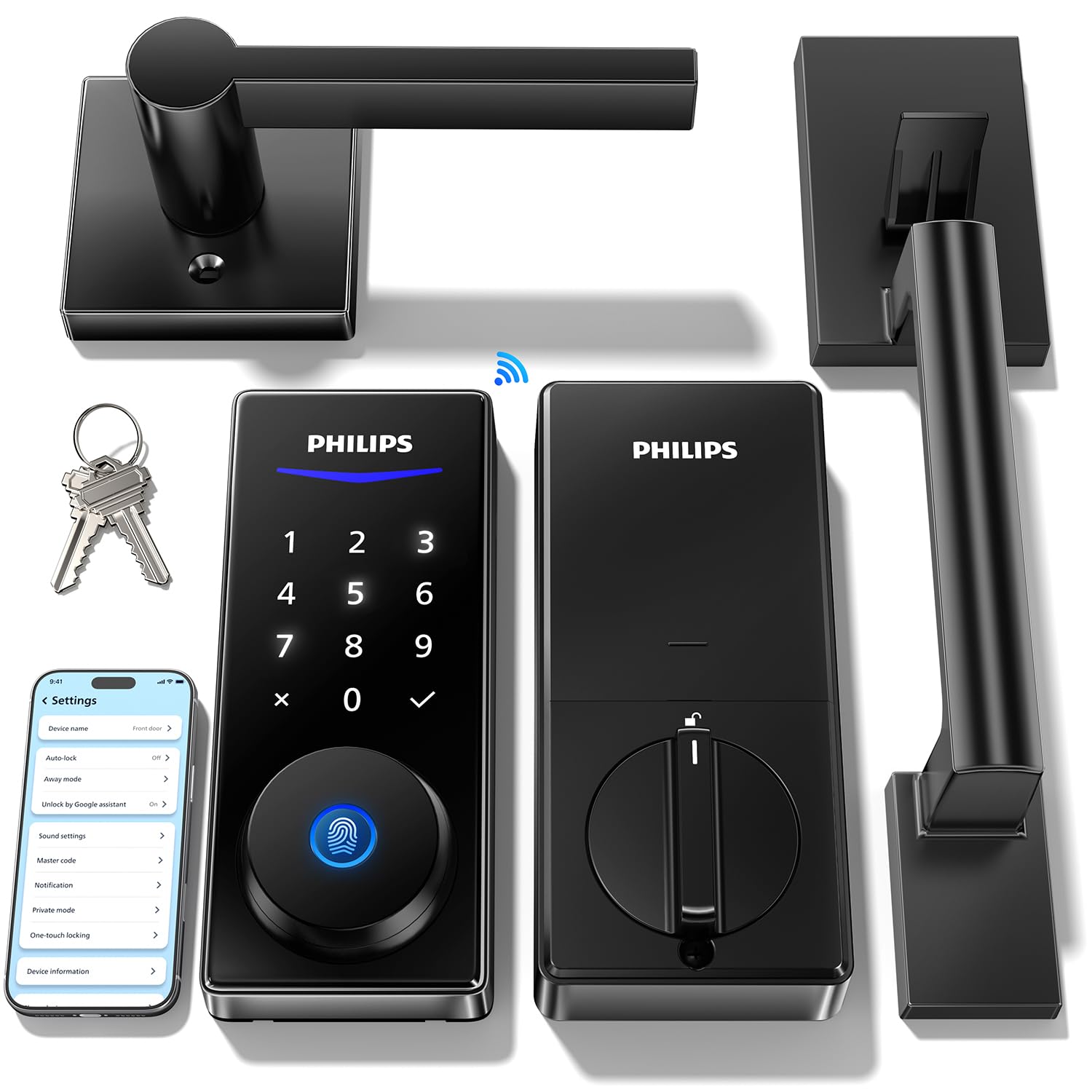
Type: Keypad deadbolt set with two handles
Unlock Methods: Code, fingerprint, app, voice
Connectivity: Built-in WiFi
Key Features: Auto-lock, backlit touchscreen
Included: Two handles and deadbolt
The two-handle package is the standout here: one set covers a front door and a second door, or gives a spare handle for a door that has one worn side. The backlit touchscreen replaces physical buttons, which keeps the exterior cleaner and easier to wipe down. Fingerprint, code, app and voice unlock all run over built-in WiFi.
Remote access through the app lets a code be issued while away from home, and auto-lock handles the forgetful moments. It fits a household that wants matching hardware across more than one entry. This is the upper-mid option and priced accordingly.
Trade-off: Two handles and a touchscreen push the cost up, so a single-door buyer pays for hardware that may sit unused in the box.
3. Schlage Encode Smart WiFi Deadbolt Lock with Century Trim

Type: WiFi deadbolt with touchscreen keypad
Unlock Methods: Keypad code, app
Connectivity: Built-in WiFi
Key Features: Alexa, Google Home, Ring and Airbnb compatible
Finish: Matte black with Century trim
Security: Certified security rating
Schlage is the name most buyers already recognise, and the Encode pairs that reputation with built-in WiFi and a touchscreen keypad. The Century trim in matte black gives a modern look that suits painted and composite doors. Ring and Airbnb compatibility make it a natural fit for a rental or a home with an existing smart-home setup.
Because it is a deadbolt only, the existing handle and letterbox stay exactly where they are, which is often the simplest route on a door with limited space. It is the premium pick and priced to match. Buyers who want a name they trust and broad platform support will see the value.
Trade-off: The premium price buys brand and ecosystem support rather than extra unlock methods, since there is no fingerprint reader here.
4. Philips Wi-Fi Smart Front Door Lock Set
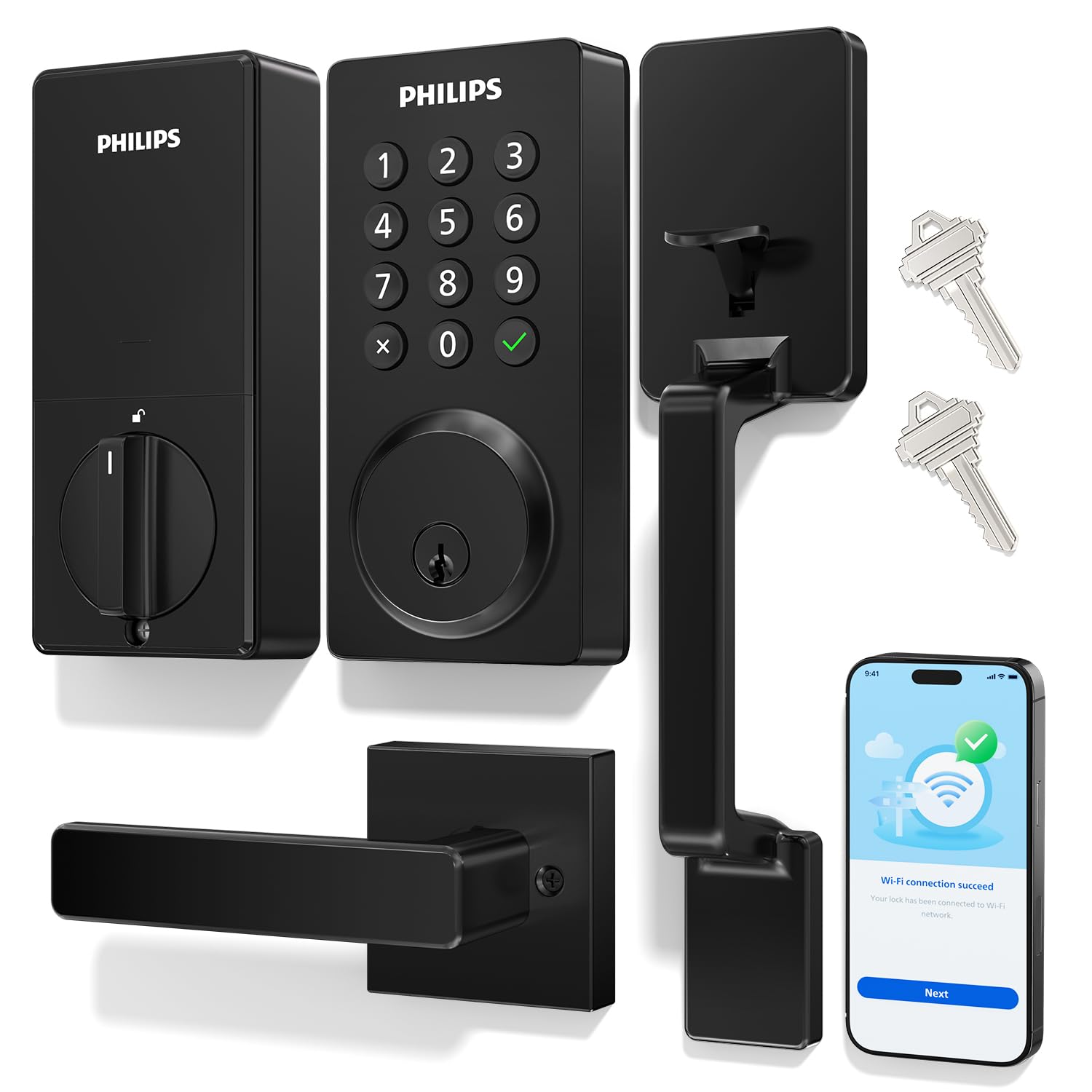
Type: Keypad deadbolt with handle
Unlock Methods: Keypad code, app
Connectivity: Built-in WiFi
Key Features: Auto-lock, anti-peeping password, Alexa and Google support
Included: Handle and deadbolt
Install: Easy install design
This set keeps things simple: a keypad, a handle, app control and auto-lock, with no fingerprint reader to complicate the exterior. The anti-peeping password feature lets a code be entered with extra digits around it so an onlooker cannot read the real sequence. Alexa and Google support slot it into an existing voice setup.
Easy install is the headline claim, and the handle-plus-deadbolt format means one box covers the whole door face. It suits a buyer who wants keypad entry without paying for biometrics. The price sits just above the entry-level pick.
Trade-off: Skipping the fingerprint reader keeps the cost down but means every entry depends on a code or the phone, which is slower with full hands.
5. eufy Security Smart Lock C220
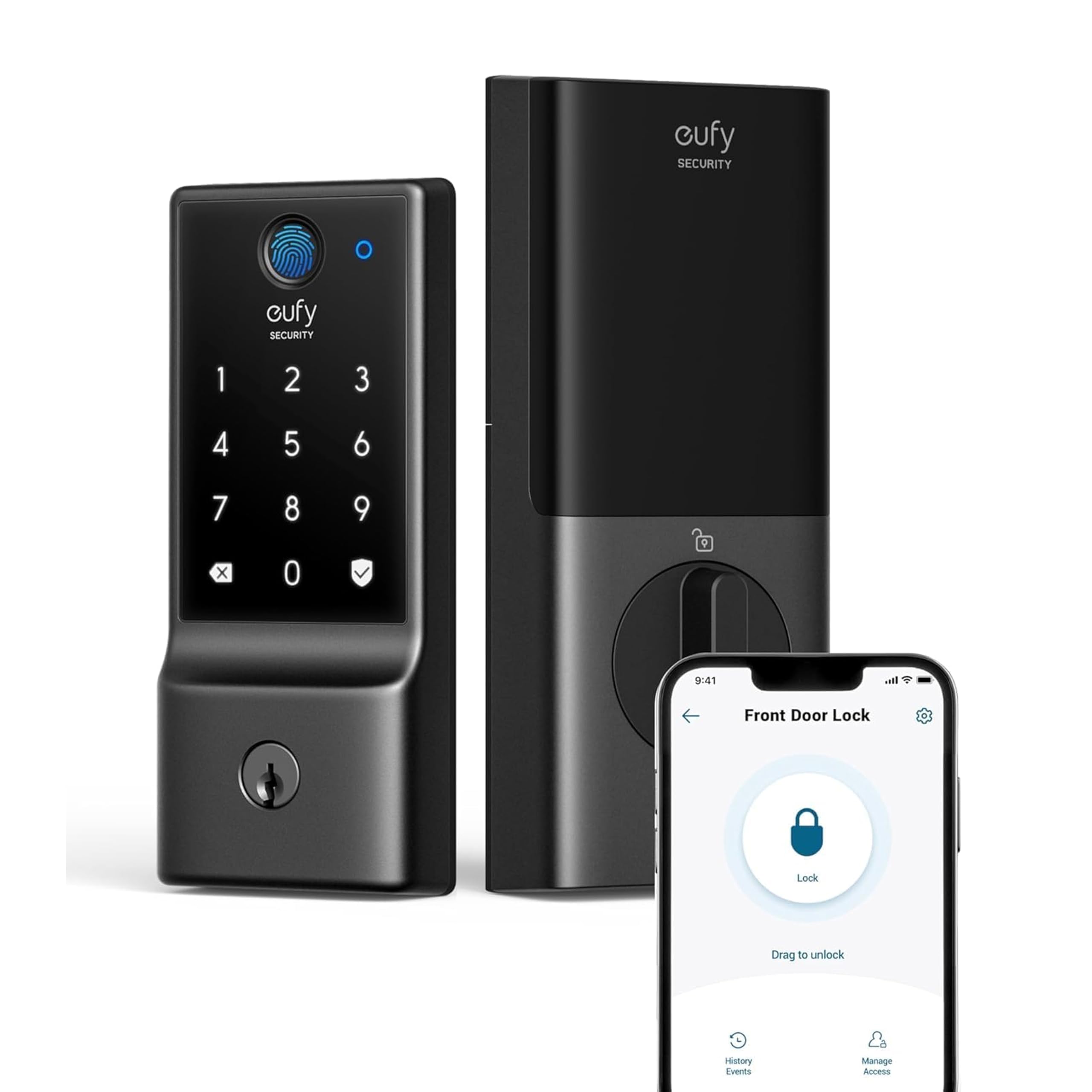
Type: Fingerprint deadbolt
Unlock Methods: Fingerprint, app
Connectivity: Built-in WiFi
Key Features: Up to 8-month battery, IP53 waterproof
Rating: BHMA Grade 3
Install: Deadbolt only
The C220 is a deadbolt-only unit, which is exactly what a letterbox door often needs: it slots into the existing deadbolt hole and leaves the handle and letterbox untouched. Fingerprint entry is fast, and built-in WiFi means remote control without a bridge. IP53 waterproofing and BHMA Grade 3 give it a sensible outdoor rating.
Battery life is quoted at up to eight months, which keeps maintenance low. It is the budget pick and the smallest footprint of the five. Renters and tight-door owners get the most from it.
Trade-off: There is no keypad and no key override listed, so a dead fingerprint sensor or a flat battery leaves the app as the main fallback.
Before You Buy
- Space: Measure the gap between the letterbox and the deadbolt before choosing; a deadbolt-only lock is the safest fit on a crowded door.
- Handle type: A handle-and-deadbolt set replaces the lever, so check the door’s existing cutouts match the new hardware.
- Connectivity: Built-in WiFi removes the need for a hub, but a door far from the router may need a booster.
- Unlock methods: Fingerprint suits fast, hands-full entry; keypad-only models are cheaper but slower.
- Battery: Check the quoted battery life and keep spare batteries on hand, especially on locks without a key override.
- Compatibility: Confirm the lock works with the existing smart-home platform before buying.
- Install: A deadbolt-only swap is a DIY job for most; a full handle set may need extra drilling.
Frequently Asked Questions
-
Can a smart lock be fitted above or below a letterbox?
Yes, provided there is enough flat space on the door face. A deadbolt-only lock is the easiest fit because it uses the existing hole and leaves the letterbox untouched. -
Does a letterbox weaken a smart lock’s security?
The letterbox is a separate opening in the door, so it does not affect the lock itself. The bigger factor is choosing a lock with a certified security rating and fitting it correctly. -
Which pick is best for a rented home?
The eufy C220 is the least invasive option, since it replaces only the deadbolt and leaves the handle and letterbox as they are. -
Do these locks need a hub?
All five have built-in WiFi, so no separate hub is required for remote access. -
What if the door has an unusual handle?
A deadbolt-only model avoids the issue entirely, while a handle set should be checked against the door’s existing cutouts first. -
How often do the batteries need changing?
It varies by model and use; the eufy C220 quotes up to eight months, and other locks should be checked against their stated battery life.
Bottom Line
For most letterbox doors, the safest and simplest choice is the eufy Security Smart Lock C220: it swaps only the deadbolt, keeps the handle and letterbox in place, and adds fingerprint entry at the lowest price of the five. Buyers who want a full hardware refresh should step up to the Philips WiFi Keypad Deadbolt with Handle, which covers the handle and the lock in one box.
