Why there are Amazon links here: Brave Review is paid a commission for qualifying Amazon purchases made through the links below. Your price does not change, and using our links is entirely optional. How this works
Best Smart Switch for a Hallway With No Neutral for a Simple, Hub-Free Upgrade
Hallways are the worst place to discover a missing neutral wire: the switch box is shallow, the light is often a single fixture, and pulling new cable is rarely worth the effort. The five picks below all work without a neutral, but they get there in different ways — some need a hub, some need a capacitor at the fixture, and one needs no wiring at all. Renters and first-time smart-home buyers should look at the Wi-Fi models, while Apple Home users and anyone building a larger automation system will get more from the hub-based options. The overview table below sorts every pick by what it needs and who it fits.
Overview of the Picks
| Product | Key Spec | Best Use | Price Tier |
|---|---|---|---|
| MOES 2.4GHz Single Pole Switch | Wi-Fi, no neutral, requires capacitors | Budget single-switch hallway | Budget |
| Aqara Smart Light Switch | Zigbee, no neutral, requires Aqara hub | Apple Home and automation setups | Mid-range |
| Leviton No-Neutral Decora Smart Switch | Wire-free 3-way, requires MLWSB bridge | Multi-switch hallways and stairwells | Premium |
| GE CYNC Smart Light Switch | 2.4 GHz Wi-Fi, no neutral, button style | Simple Alexa and Google hallways | Budget |
| Smart Wi-Fi Light Switch, RF433 | Wi-Fi plus RF433 remote, no neutral | Long hallways needing a second control point | Budget |
1. MOES 2.4GHz Single Pole Switch — Best Budget No-Neutral Pick

Type: Single pole wall switch
Connectivity: 2.4 GHz Wi-Fi
Neutral Wire: Not required
Installation Note: Requires capacitors
Voice Control: Alexa and Google Assistant
Price Tier: Budget
This is the straightforward entry point for a hallway that just needs one light to turn on by voice or phone. The switch connects directly to a 2.4 GHz Wi-Fi network, so no hub sits between the wall and the app, and it works with both Alexa and Google Assistant. The catch is written into the product name: capacitors are required, which means a small component goes in at the light fixture to keep the switch powered. That is a normal trade-off for no-neutral Wi-Fi switches, but it makes the job a two-point installation rather than a simple swap.
The MOES earns its place as the budget pick because it covers the basics without extra hardware. Buyers who want a single hallway light on a schedule and a voice command will find everything here. It is not the right choice for anyone uncomfortable working at the ceiling fixture, and it is not aimed at households that need a three-way setup or Apple Home support.
Trade-off: The required capacitors add a fixture-side step that many buyers do not expect from a switch replacement.
Check the current price on Amazon
2. Aqara Smart Light Switch — Best for Apple Home and Automations

Type: Single rocker wall switch
Connectivity: Zigbee
Neutral Wire: Not required
Hub: Requires Aqara hub
Ecosystems: HomeKit, Google, Alexa, SmartThings
Price Tier: Mid-range
The Aqara switch is the pick for buyers who already run an Aqara hub or plan to build one out. Zigbee is a low-power mesh protocol, so the switch responds quickly and stays off the Wi-Fi network entirely. The ecosystem list is the widest here — HomeKit, Google, Alexa and SmartThings — which makes it the only pick in this roundup that fits an Apple Home setup natively. The single rocker design keeps the wall looking conventional.
The hub requirement is the whole story. Buyers without an Aqara hub are paying for a switch plus a bridge, which pushes the real cost well above the sticker. For anyone already invested in the platform, though, it is the most flexible no-neutral option in this group, and the remote-control and automation features go beyond a simple on/off.
Trade-off: The Aqara hub is mandatory, so the switch is only a good value for households already inside that ecosystem.
Check the current price on Amazon
3. Leviton No-Neutral Decora Smart Switch — Best for Multi-Switch Hallways

Type: Wire-free 3-way Decora smart switch
Connectivity: Wi-Fi via MLWSB bridge
Neutral Wire: Not required
Bridge: Requires MLWSB Wi-Fi Bridge
Ecosystems: My Leviton, Alexa, Google Assistant, Apple Home/Siri
Price Tier: Premium
Hallways with a switch at each end are where most no-neutral projects fall apart, and this Leviton is built for exactly that. The wire-free design means the second switch location does not need a traveler wire run back to the light — a real advantage in finished walls. It pairs with the MLWSB Wi-Fi bridge for My Leviton, Alexa, Google Assistant and Apple Home/Siri control, and the Decora faceplate style matches standard multi-gang plates.
This is the premium pick and it behaves like one: the bridge is required, the setup is more involved, and the price tier reflects the engineering. Buyers with a single-switch hallway will be overpaying for capability they will never use. For a long hallway or a stairwell with two control points, though, it solves a problem the cheaper picks cannot.
Trade-off: The MLWSB bridge is required and adds both cost and setup time, which only pays off in a genuine multi-switch layout.
Check the current price on Amazon
4. GE CYNC Smart Light Switch — Best Simple Wi-Fi Option

Type: On/off button-style wall switch
Connectivity: 2.4 GHz Wi-Fi
Neutral Wire: Not required
Voice Control: Amazon Alexa and Google Home
Color: White
Price Tier: Budget
The CYNC switch takes the simplest possible approach: a button instead of a rocker, direct 2.4 GHz Wi-Fi, and no neutral wire needed. There is no hub in the chain, so the switch talks straight to Alexa or Google Home. The button style is a deliberate choice — it reads clearly as a smart switch and avoids the half-pressed look that some rockers get when they are tapped rather than flipped.
It is a sensible fit for a hallway where the goal is voice control and a schedule, nothing more. Buyers who want Apple Home, three-way wiring or deep automation should look elsewhere in this list. The other caution is the button itself: households used to a traditional toggle will need a moment to adjust, and guests may press it twice out of habit.
Trade-off: The button-style face and the absence of Apple Home or three-way support limit it to basic single-switch hallways.
Check the current price on Amazon
5. Smart Wi-Fi Light Switch, RF433 — Best for Adding a Second Control Point
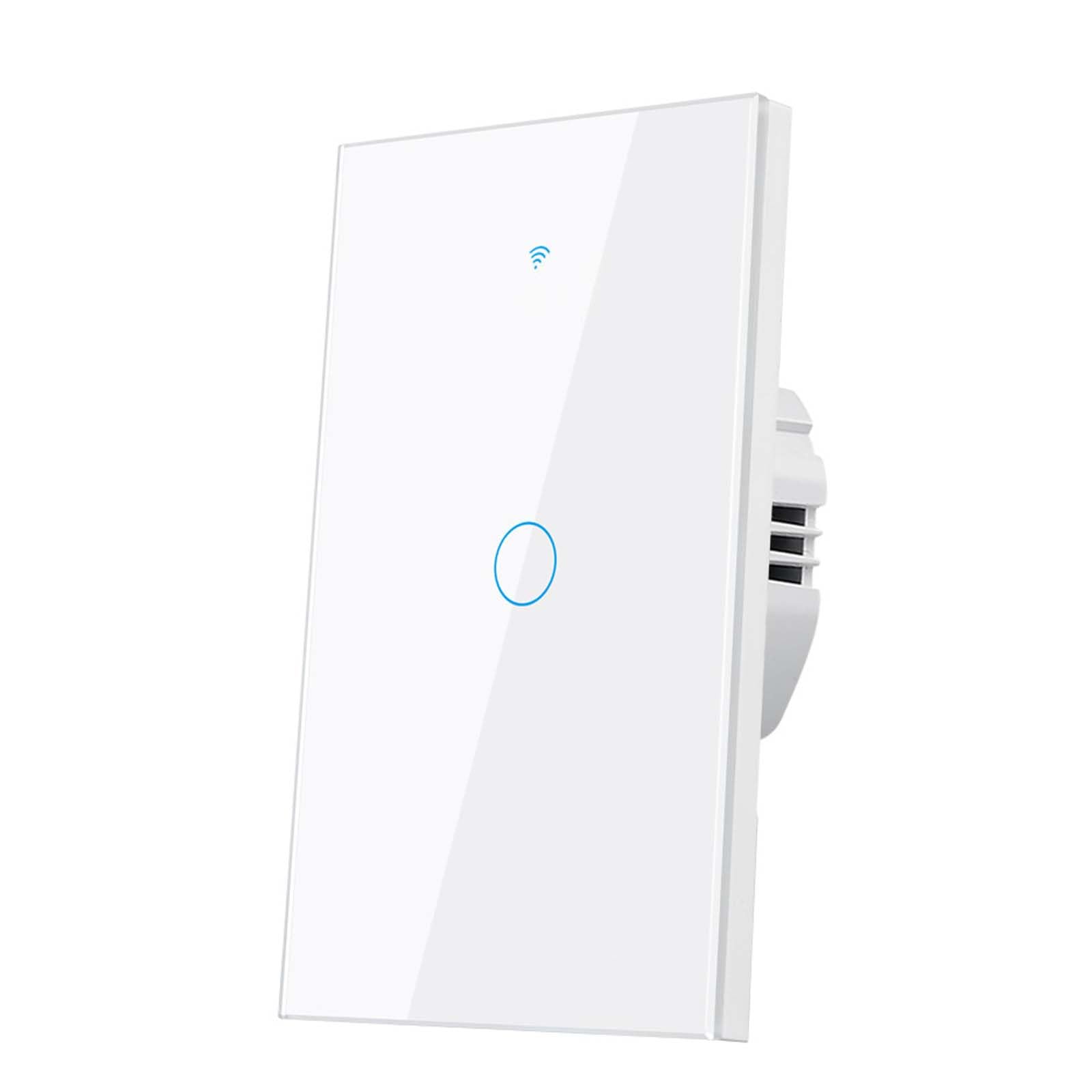
Type: 1-gang wall switch
Connectivity: Wi-Fi plus RF433
Neutral Wire: Not required
App: Smart Life
Voice Control: Alexa and Google Home
Price Tier: Budget
This switch pairs Wi-Fi with RF433, a radio band that supports inexpensive battery-free or battery-powered remote controls. In a long hallway, that means a second control point can go on the wall without any wiring back to the switch — a practical answer for a corridor with one switch at the wrong end. The Smart Life app handles schedules and scenes, and Alexa and Google Home cover voice.
The trade-off is ecosystem depth. Smart Life is a broad app that works well for basic routines, but buyers who want HomeKit or a tightly integrated platform will find it limited. RF433 remotes are usually sold separately, so the second control point is an extra purchase rather than part of the box.
Trade-off: The RF433 remote that makes this pick useful is typically a separate purchase, and the Smart Life app is basic compared with platform-native options.
Check the current price on Amazon
Before You Buy
- Neutral Wire: Confirm the switch box truly has no neutral before ordering — a no-neutral switch in a box that has one wastes the capacitor hardware.
- Hub or Bridge: Decide whether the household already owns an Aqara hub or Leviton bridge; if not, add that cost to the budget picks.
- Fixture Type: Capacitor-based switches generally need a compatible fixture, so check the light fitting before committing to the MOES.
- Ecosystem: Match the switch to the household’s voice assistant — Apple Home narrows the field to Aqara and Leviton.
- Switch Count: A hallway with two switch locations needs a three-way solution like the Leviton, not a single-pole switch.
- Wall Plate: Check whether the existing plate is a standard Decora cutout or a different shape before ordering a replacement.
- App Comfort: Hub-based picks involve more setup steps than direct Wi-Fi models; buyers who want a five-minute install should stay with Wi-Fi.
Frequently Asked Questions
-
Can a smart switch work without a neutral wire?
Yes. No-neutral switches draw a small amount of power through the light fixture instead, which is why some models need a capacitor installed at the light. -
Which pick is best for a hallway with two switches?
The Leviton No-Neutral Decora Smart Switch, because its wire-free three-way design handles a second control point without running a traveler wire. -
Do any of these switches work with Apple Home?
Two do: the Aqara switch through its hub, and the Leviton through the MLWSB bridge. -
Is a hub always required?
No. The MOES, GE CYNC and RF433 switches connect directly over Wi-Fi, while the Aqara and Leviton picks need their respective hubs or bridges. -
What is the cheapest way to smarten a hallway light?
A direct Wi-Fi switch like the MOES or GE CYNC avoids hub costs, though the MOES adds a capacitor at the fixture. -
Can these switches control more than one light?
They are single-pole or single-gang designs aimed at one circuit; buyers with multiple hallway circuits should plan one switch per circuit.
Bottom Line
For most hallways with no neutral, the GE CYNC Smart Light Switch is the easiest recommendation: direct Wi-Fi, no hub, no capacitor, and it covers Alexa and Google without extra hardware. Households with two switch locations should step up to the Leviton No-Neutral Decora Smart Switch, and Apple Home users should go straight to the Aqara with its hub. The GE CYNC Smart Light Switch remains the pick that gets a hallway working with the least fuss.
