Why there are Amazon links here: Brave Review is paid a commission for qualifying Amazon purchases made through the links below. Your price does not change, and using our links is entirely optional. How this works
Best Router for a House with a Basement Flat: 5 Mesh and Standalone Picks
A basement flat is one of the hardest layouts in home networking: signal has to travel through a floor slab, often past ductwork and insulation, and still reach phones, TVs and a work laptop. The five picks below cover the three buyer types that matter here — the budget household that just needs the basement connected, the family that wants one network name across both levels, and the power user running a home office or smart-home setup downstairs. The overview table shows the key spec and price tier for each, so the shortlist takes seconds.
Overview of the Picks
| Product | Key Spec | Best Use | Price Tier |
|---|---|---|---|
| TP-Link Archer AX21 V5 | Dual-band WiFi 6, Gigabit, EasyMesh | Budget standalone router for a small basement flat | Budget |
| TP-Link Deco S4 (3-Pack) | Mesh AC1900, up to 5,500 sq. ft., 3 units | Whole-house coverage on a budget | Budget |
| NETGEAR Orbi RBK752P | Tri-band WiFi 6 mesh, router + 1 satellite, AX5200 | Large homes with heavy device counts | Premium |
| NETGEAR Orbi RBK13 | Mesh system, router + 2 satellites, up to 4,500 sq. ft. | Simple multi-room coverage, value mesh | Mid-range |
| TP-Link BE6500 (BE400) | Dual-band WiFi 7, dual 2.5Gbps ports, 90 devices | Future-proof standalone for a wired basement | Premium |
1. TP-Link Archer AX21 V5 — Best Budget Standalone Router

Type: Dual-band WiFi 6 router
Ports: Gigabit
Mesh: EasyMesh compatible
Voice control: Works with Alexa
Certification: Certified for Humans
The Archer AX21 is a single-unit router, so it suits a basement flat that already has a network cable or a good signal path from upstairs. WiFi 6 handles congested households well, and the EasyMesh label means it can later be paired with compatible extenders rather than thrown out. Setup is pitched at non-technical buyers, and the Alexa support adds voice control on top.
This is the pick for a renter or a small household that wants one box and a low outlay. It is not for a large home with thick structural floors — a single router will struggle to push through a slab into a basement flat, and buyers in that position should look at a mesh kit instead.
Trade-off: One unit cannot guarantee coverage through a concrete floor, so a wired backhaul or a second node is often needed.
Check the current price on Amazon
2. TP-Link Deco S4 (3-Pack) — Best Budget Mesh for Two Levels

Type: Mesh WiFi system, 3 units
Standard: AC1900
Coverage: Up to 5,500 sq. ft.
Ports: Gigabit
Voice control: Works with Alexa
The Deco S4 is the value route to a single network name across a house and its basement flat. Three units give buyers a node for the main floor, one for the basement and one to bridge the gap, and the system replaces both the old router and any separate extender. Gigabit ports on the nodes let a basement TV or console use a cable where one is available.
This suits families on a tight budget who need coverage more than raw speed. It is not for buyers chasing the fastest possible throughput — AC1900 is a older WiFi standard, and heavy 4K streaming or large file transfers downstairs will feel the ceiling.
Trade-off: The older WiFi standard and modest per-unit speed make this a coverage-first choice rather than a performance one.
Check the current price on Amazon
3. NETGEAR Orbi RBK752P — Best Premium Mesh for Large Homes

Type: Tri-band WiFi 6 mesh, router + 1 satellite
Standard: AX5200 802.11ax
Speed: Up to 5.2Gbps
Coverage: Up to 5,000 sq. ft.
Devices: Up to 75
Security: Built-in security features
Orbi is the premium answer for a big house where the basement flat is one zone among several. The tri-band design gives the router-to-satellite link its own channel, which keeps backhaul traffic from eating into what the basement devices get. A dedicated satellite is the natural placement for the lower level, and the stated device count covers a busy family plus smart-home gear.
This is for buyers who want one system, one app and no fiddling, and who can justify the outlay. It is not for a small flat or a single-room setup — the extra satellite and tri-band hardware cost more than the layout needs.
Trade-off: The premium price buys coverage and backhaul headroom that a compact home will never use.
Check the current price on Amazon
4. NETGEAR Orbi RBK13 — Best Value Multi-Room Mesh
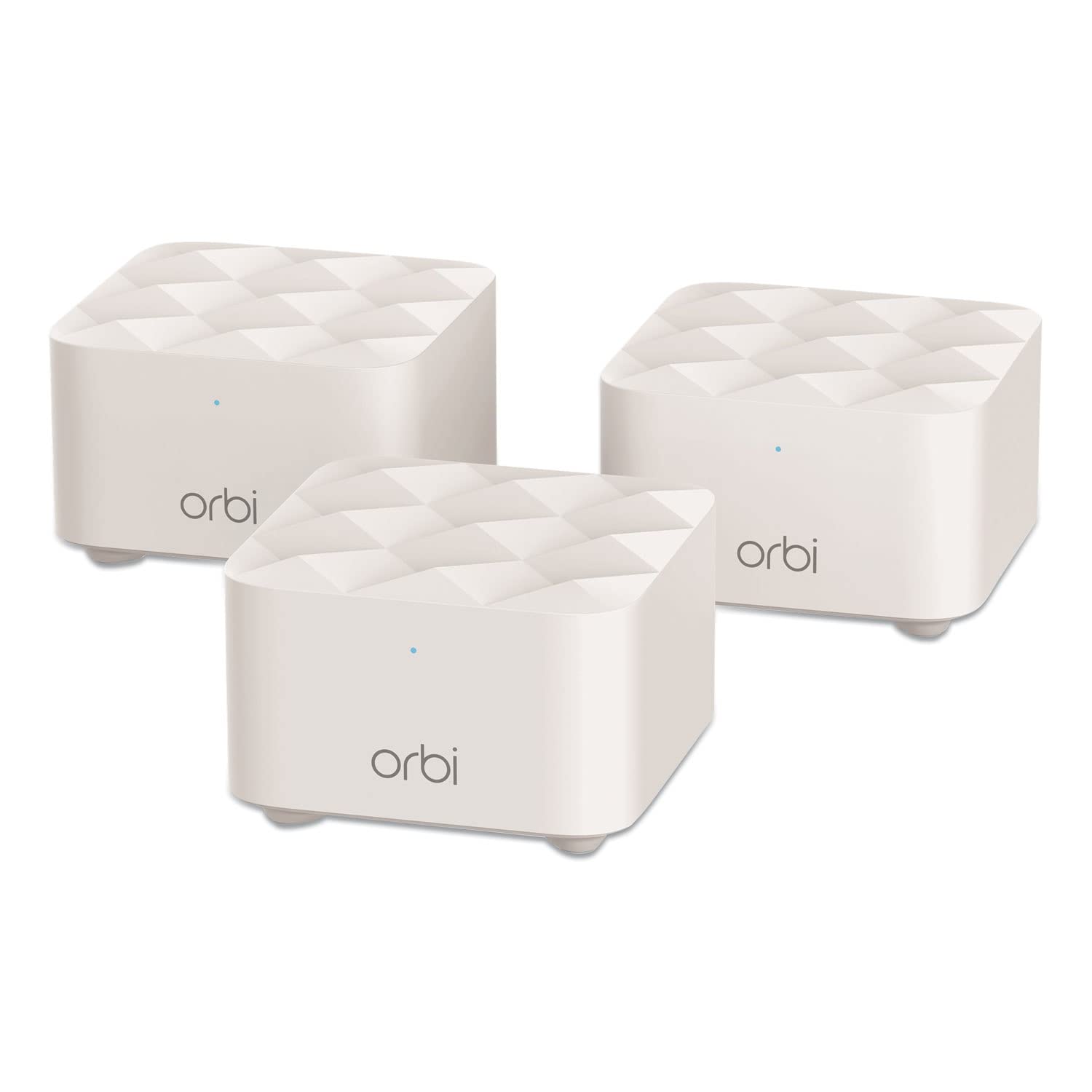
Type: Mesh WiFi system, router + 2 satellites
Coverage: Up to 4,500 sq. ft.
Setup: Router replacement
Units: 3 total
The RBK13 puts two satellites in the box, which is exactly the shape a house-with-basement job needs: one node on the main floor, one at the foot of the stairs and one inside the flat. It replaces the existing router outright, so there is no second network name to manage. The Orbi form factor is desk-friendly, and the system is aimed at buyers who want coverage without configuring anything technical.
This suits a mid-sized home that needs three rooms covered reliably. It is not for a very large property — the stated coverage tops out well short of a big detached house with thick walls, and buyers there should step up to the tri-band model.
Trade-off: Coverage is generous for the money but the system is a coverage tool, not a speed upgrade over a modern standalone router.
Check the current price on Amazon
5. TP-Link BE6500 (BE400) — Best Future-Proof Standalone

Type: Dual-band WiFi 7 router
Ports: Dual 2.5Gbps, USB 3.0
Coverage: Up to 2,400 sq. ft.
Devices: Up to 90
Processor: Quad-core CPU
Software: HomeShield, Private IoT
The BE400 is the newest standard in this group, and the dual 2.5Gbps ports plus USB 3.0 make it the pick for a basement flat used as a home office or media room. A quad-core CPU and a stated 90-device ceiling suit a household full of smart plugs, consoles and work laptops. HomeShield and the Private IoT feature add network-level security for the growing pile of connected devices downstairs.
This is for buyers who can run a cable to the basement and want the router to last. It is not for someone who needs coverage through a thick floor with no wiring — the stated coverage is the smallest here, and a mesh kit is the better tool for that job.
Trade-off: Top-tier specs on a single unit still cannot beat physics, so a wired run or a mesh node is the realistic fix for a sealed basement flat.
Check the current price on Amazon
Before You Buy
- Layout: Count the floors and walls between the router and the basement flat. One thick slab is a mesh job, not a single-router job.
- Wired or wireless backhaul: A network cable or coax run to the basement turns any mesh kit into a near-perfect setup. Check what exists before choosing.
- Standard: WiFi 6 and WiFi 7 handle crowded homes better than older AC gear. Buy the newest the budget allows.
- Ports: A basement office or media room benefits from Gigabit or 2.5Gbps ports on the node, not just wireless.
- Device count: Add up phones, TVs, consoles and smart-home kit. The stated device limits here range from modest to generous.
- Placement: Nodes need air and a central-ish position. A basement flat with a metal cabinet or thick ductwork may need the node moved a few feet.
- Expandability: EasyMesh or a satellite-based system lets the network grow later without replacing everything.
Frequently Asked Questions
- Will one router cover a house with a basement flat? Only if the basement is small and the signal path is clear. A single router through a concrete slab usually disappoints, and a mesh system is the safer buy.
- Is a mesh system better than an extender for a basement? Yes, in most cases. A mesh node hands devices off cleanly and keeps one network name, while an extender creates a second, weaker network.
- Does WiFi 7 matter for a basement flat? It helps in crowded homes and future-proofs the purchase, but coverage through a floor matters more than the standard on the box.
- Where should the basement node go? As close to the foot of the stairs as possible, ideally with a cable back to the main router. Central placement beats a corner.
- Can a budget mesh kit handle streaming downstairs? Generally yes for HD and most 4K viewing. Very heavy simultaneous use across many devices is where the cheaper kits show their limits.
- Do these systems replace the existing router? The mesh kits do. The standalone routers replace it too, but may need a modem alongside.
Bottom Line
For most houses with a basement flat, the TP-Link Deco S4 three-pack is the pragmatic choice: three nodes, one network name and a budget price tier that leaves room for a cable run if one is needed. Buyers with a large home and a heavy device load should go straight to the NETGEAR Orbi RBK752P, while anyone who can wire the basement and wants the newest standard should look at the TP-Link BE6500. Check the current price on the Deco S4 at Amazon before deciding.
