Why there are Amazon links here: Brave Review is paid a commission for qualifying Amazon purchases made through the links below. Your price does not change, and using our links is entirely optional. How this works
Best Thread Border Router for a Garden Office: 5 Picks That Actually Connect
A garden office sits far enough from the house that Wi-Fi often gives up before the smart gear does, so the right Thread border router matters more than the brand name on the box. This shortlist covers five very different options: a mainstream Matter hub for Apple and Alexa homes, a budget Ethernet gateway, a bare development board for tinkerers, a mesh Wi-Fi router that bridges the whole garden, and a DIN-rail industrial unit with a screen. Buyers running a HomeKit or Alexa setup, DIY builders comfortable with a soldering iron, and anyone who needs a hard-wired link back to the main house will each find a fit below. The overview table shows the key differences at a glance.
Overview of the Picks
| Product | Key Spec | Best Use | Price Tier |
|---|---|---|---|
| Aqara Smart Hub M100 | Matter Controller, HomeKit/Alexa/IFTTT | Mainstream Apple and Alexa homes | Budget |
| YEELIGHT E1 Smart Home Hub | Wi-Fi and Ethernet, Matter Controller | Wired backhaul in a simple setup | Budget |
| ESP Thread Border Router/Zigbee Gateway | Sub-Ethernet development board | Makers and firmware tinkerers | Entry |
| TP-Link Archer AX21 | AX1800 Wi-Fi 6, Easy Mesh | Whole-garden Wi-Fi coverage | Mid |
| M5Stack K149 Thread Border Router | DIN rail, 2" touch LCD, battery | Industrial or garage installs | Premium |
Aqara Smart Hub M100

Type: Thread border router and Matter controller
Ecosystems: Apple HomeKit, Amazon Alexa, IFTTT, Home Assistant
Zigbee: Aqara devices only
Connectivity: Wi-Fi
Price Tier: Budget
The M100 is the pick for anyone who wants Thread and Matter working out of the box without learning a command line. It runs on Wi-Fi, so placement in a garden office is a matter of a power socket and a decent signal from the house. It doubles as an Aqara Zigbee hub, which means the brand’s sensors and switches pair straight to it rather than needing a separate bridge. Home Assistant users get a clean local path, and Apple Home and Alexa owners get a Matter controller that pulls the garden gear into the same app as the house.
This is the hub that earns its place for the largest share of buyers: mainstream ecosystems, a small footprint, and a price that leaves room for actual devices. It is not the right pick for someone with a drawer full of third-party Zigbee sensors, because the Zigbee radio is walled off to Aqara hardware. Buyers who need a wired Ethernet backhaul to the garden should look elsewhere in this list.
Trade-off: The Zigbee side is Aqara-only, so mixed-brand sensor collections will need a second hub.
YEELIGHT E1 Smart Home Hub
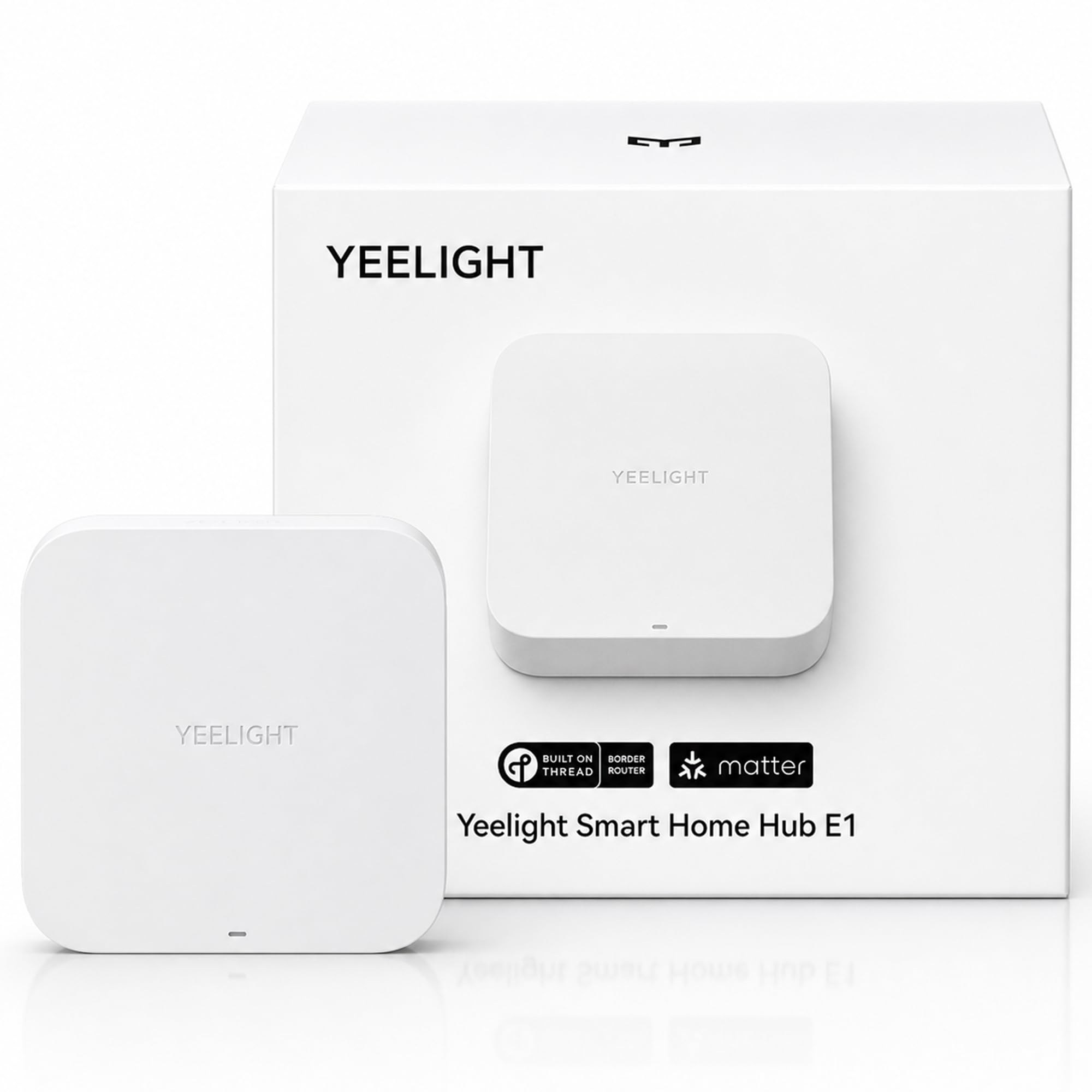
Type: Thread border router and Matter controller
Ecosystems: Apple Home, Alexa, Google Home, SmartThings
Connectivity: Wi-Fi and Ethernet
Device support: YEELIGHT Matter devices only
Price Tier: Budget
The E1 is the cheapest route to a wired Thread border router in this group, and the Ethernet port is the reason to care. A garden office with a cable run back to the main router gets a stable Thread backbone that does not compete with Wi-Fi for airtime. It covers all four major ecosystems, so the choice of phone or voice assistant does not lock the buyer in. The form factor is small enough to sit on a shelf or tuck behind a desk.
The catch is written into the product name: it supports YEELIGHT Matter devices only, which makes it a poor fit for a home already standardised on another brand’s bulbs and plugs. Buyers who want one hub for a mixed collection should skip it. Those building a garden office around YEELIGHT lighting will find it does the job for the least money here.
Trade-off: Device support is limited to YEELIGHT Matter hardware, so it is a poor match for mixed-brand setups.
ESP Thread Border Router/Zigbee Gateway Sub-Ethernet Board

Type: Development board, Thread border router and Zigbee gateway
Connectivity: Sub-Ethernet board
Intended use: DIY and firmware development
Enclosure: Bare board, no case
Price Tier: Entry
ESP Thread Border Router/Zigbee Gateway Sub-Ethernet Board.
This is a bare board, not a consumer hub, and it should be bought with that in mind. It combines Thread border router and Zigbee gateway functions on a sub-Ethernet board aimed at people who flash their own firmware and run something like Home Assistant or an ESP-based stack. The price is the lowest in the list by a wide margin, and for a competent tinkerer that is the whole appeal. It slots into a project box or a DIN enclosure and disappears.
There is no app, no ecosystem pairing flow, and no case in the box, so a buyer who wants to plug something in and have Apple Home find it will be frustrated within minutes. It also needs a power and network arrangement the buyer supplies. This pick suits the garden-office owner who already runs a home server and enjoys the build as much as the result.
Trade-off: It arrives as a bare board with no enclosure or app, so it only makes sense for buyers who can flash and house it themselves.
TP-Link AX1800 WiFi 6 Router (Archer AX21 V5)

Type: Dual-band Wi-Fi 6 router
Speed class: AX1800
Ports: Gigabit Ethernet
Mesh: Easy Mesh compatible
Voice: Works with Alexa
Price Tier: Mid
The Archer AX21 is not a Thread border router on its own, and it is in this list for a practical reason: it is the piece that makes the garden office’s Wi-Fi reliable enough for a Thread hub to live out there. Wi-Fi 6, gigabit ports and Easy Mesh support let it act as a mesh node or a wired access point fed by a cable from the house. Once the office has solid Wi-Fi, any of the Thread hubs above can sit in it and reach the rest of the home network.
Buyers who expect this box alone to speak Thread will be disappointed — it does not. It also costs more than the two budget hubs, so it only earns its place when Wi-Fi coverage is the actual problem. For a garden office more than a few metres from the house, that is usually the case.
Trade-off: It carries no Thread radio, so it solves coverage rather than protocol and must be paired with a separate hub.
M5Stack K149 Thread Border Router
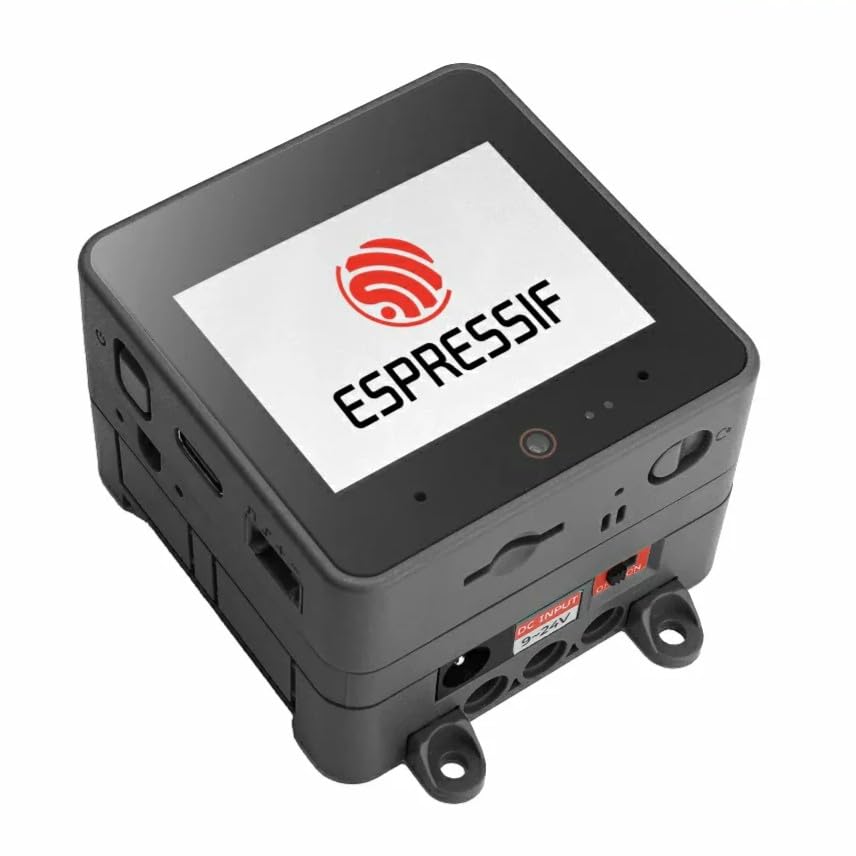
Type: DIN-rail Thread border router
Radio: 2.4 GHz Wi-Fi and IEEE 802.15.4
Display: 2" touch LCD
Processor: ESP32-S3
Power: DC 9V–24V, 500mAh battery
Extras: Camera, mic and speakers
Price Tier: Premium
The K149 is the industrial option: a DIN-rail unit with a 2" touch LCD, an ESP32-S3 at its core, and both 2.4 GHz Wi-Fi and IEEE 802.15.4 radios for Thread. The DC 9V–24V input and 500mAh battery mean it can ride out a short power interruption, and the camera, mic and speakers open up on-device status and intercom-style uses. In a garden office with a small equipment cabinet, it mounts properly instead of sitting loose on a shelf.
This is the most expensive pick here and the least plug-and-play for a general consumer. It assumes the buyer is comfortable with a development-oriented device and a DIN enclosure. Buyers who just want Apple Home to see a sensor should not start here; buyers wiring a proper cabinet in a workshop or garden studio will appreciate the mounting and the screen.
Trade-off: The price and development-board nature put it out of reach for casual buyers who want an app-driven setup.
Before You Buy
- Protocol: A Thread border router needs an IEEE 802.15.4 radio; a Wi-Fi router alone will not bridge Thread devices.
- Backhaul: A garden office more than a few metres from the house benefits from Ethernet or a mesh node before any hub is added.
- Ecosystem: Check that the hub works with Apple Home, Alexa, Google Home or SmartThings — and whether it limits device support to one brand.
- Power: Mains power in the office is essential; battery-backed units like the K149 only cover short interruptions.
- Enclosure: Bare boards need a case and a mounting plan; DIN-rail units need a cabinet to sit in.
- Skill level: Development boards save money but demand firmware and network know-how.
- Future devices: A Matter controller role matters as much as the Thread radio, since it decides which apps can see the garden gear.
Frequently Asked Questions
-
Does a Thread border router need Wi-Fi?
Most units use Wi-Fi to reach the rest of the home network, though Ethernet models like the YEELIGHT E1 offer a wired alternative that is more stable at distance. -
Can the TP-Link Archer AX21 run Thread on its own?
No. It is a Wi-Fi 6 router with no Thread radio, so it improves coverage and must be paired with a separate Thread border router. -
Which pick suits an Apple Home setup?
The Aqara M100 and YEELIGHT E1 both list Apple Home support, and the M100 also covers Alexa and IFTTT for mixed households. -
Is a development board a sensible first hub?
Only for buyers already comfortable flashing firmware and building an enclosure; everyone else should start with a consumer hub. -
Will one Thread border router cover a whole garden office?
Usually yes for a single room, but thick walls and metal cabinets can weaken the signal, so placement near the centre of the space helps. -
What does the M5Stack K149 add over the budget hubs?
DIN-rail mounting, a touch LCD, a battery backup and extra hardware — useful in a cabinet, unnecessary on a desk.
Bottom Line
For most garden offices, the Aqara Smart Hub M100 is the best Thread border router to buy: it covers Apple Home, Alexa, IFTTT and Home Assistant, acts as a Matter controller, and costs little enough to leave budget for actual devices. Buyers with a wired cable run should look at the YEELIGHT E1, and anyone whose real problem is Wi-Fi coverage should add the Archer AX21 first. Check the current price on Amazon before deciding.
