Why there are Amazon links here: Brave Review is paid a commission for qualifying Amazon purchases made through the links below. Your price does not change, and using our links is entirely optional. How this works
Best Local Backup for a Smart Home Configuration
A smart home is only as reliable as the hardware behind it. When the cloud goes down, the router loses power, or a camera hub fills up, automations stop and footage disappears. The five products below cover the two jobs a local backup has to do: keeping the system powered, and keeping the data on a drive in the house. They suit three types of buyer — the renter who wants plug-and-play protection, the homeowner building a private camera archive, and the tinkerer who wants a full media and file server. The overview table shows the key spec and best use for each.
Overview of the Picks
| Product | Key Spec | Best Use | Price Tier |
|---|---|---|---|
| Back-UPS Pro BX1000M | 1000VA/600W, 8 outlets, LCD, AVR | Protecting a home office rack and router | Mid |
| UGREEN NAS DH2300 | 2-bay, diskless, 4GB RAM, private cloud | Beginner phone and file backup | Mid |
| eufy HomeBase Professional S1 | 16TB expandable storage, local AI, battery backup | eufy camera households wanting local footage | Mid |
| Synology DS225+ | 2-bay diskless NAS, Intel CPU, hardware transcoding | Private cloud, media streaming, photo backup | Premium |
| APC BE850G2 | 850VA/450W, 9 outlets, 2 USB ports | Budget power backup for router and hub | Budget |
Back-UPS Pro BX1000M

Type: Uninterruptible power supply
Capacity: 1000VA / 600W
Outlets: 8
Display: LCD
Power conditioning: AVR and surge protection
Runtime: 42 minutes at 100W
The BX1000M is the pick for a home office that doubles as the smart home brain. Its automatic voltage regulation smooths out the small sags and spikes that upset hubs and routers, and the LCD gives a plain readout of load and battery state without a phone app. Eight outlets leave room for a router, a modem, a hub, a switch, and still a few spare. The 42-minute runtime at 100W is measured against light loads, which is roughly what networking gear draws.
This unit suits buyers who run a rack, a NAS, or a cluster of always-on devices and want the whole set to ride out short outages. It is not for anyone expecting to keep a desktop and monitor running for an hour — that load will drain it far faster than the headline figure suggests. The trade-off is that the battery is a consumable part, and replacement cells are an ongoing cost that buyers should budget for.
UGREEN NAS DH2300

Type: Two-bay network-attached storage
Drives: Diskless — drives purchased separately
Memory: 4GB RAM on board
Software: AI Album, private cloud, remote access
Backup targets: Phones and multiple devices
Sharing: File sharing and home entertainment
The DH2300 is aimed squarely at the first-time NAS owner. It arrives diskless, so two drives go in before first use, and the on-board 4GB of RAM is enough for photo indexing, file sharing and phone backups without the buyer having to spec memory themselves. The AI Album feature groups photos automatically, which matters to households that have years of camera roll to get off the cloud.
This is the right pick for a renter or a small household that wants photos and documents on a box in the living room rather than on someone else’s servers. It is not for a buyer who wants to transcode video for several screens at once — the hardware is built for personal use, not as a media powerhouse. The trade-off is the hidden cost: the diskless price is only the enclosure, and two drives of usable capacity push the real outlay well above the sticker.
eufy HomeBase Professional S1
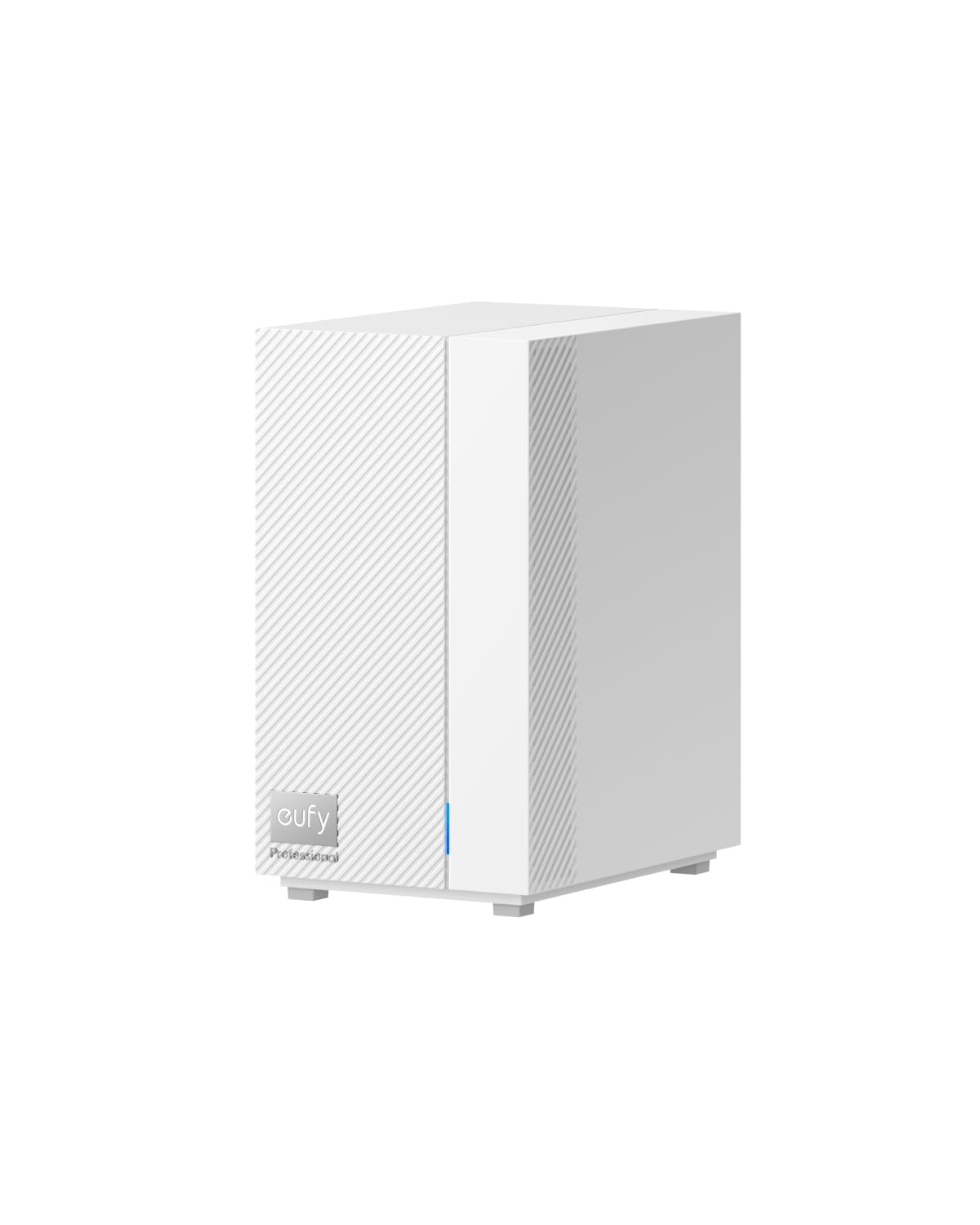
Type: Home security hub and local storage center
Storage: Expandable up to 16TB
Processing: Advanced local AI
Ecosystem: Works with eufy cameras
Connectivity: 4G LTE
Resilience: Battery backup and HDMI output
The HomeBase S1 is the only pick here built specifically for cameras. Footage lands on local storage instead of a subscription cloud, the on-board AI does detection work on the box, and the HDMI output lets a household put a live view on a spare television. The 4G LTE and battery backup mean the hub keeps recording through a power cut and a broadband outage, which is exactly when footage matters most.
This suits eufy camera owners who want their recordings kept in the house and who want the system to survive the events it is meant to record. It is not for anyone with cameras from another brand — the ecosystem lock is the whole point of the product. The trade-off is that the expandable storage headline is a ceiling, not a starting point, and the drive needed to reach it is a separate purchase.
Synology DS225+

Type: Two-bay network-attached storage
Drives: Diskless — drives purchased separately
Processor: Intel CPU
Media: Hardware transcoding for streaming
Software: Private cloud, photo backup, file sharing
Use case: Media server and personal cloud
The DS225+ is the premium choice and the one that behaves like a small server rather than an appliance. The Intel CPU with hardware transcoding means video is converted on the fly for phones and TVs, so a household can stream its own library without the NAS choking. Photo backup and file sharing cover the everyday jobs, and the two-bay layout allows a mirrored setup so one failed drive does not take the archive with it.
This is for the buyer who wants one box to be the private cloud, the media library and the family photo vault, and who is comfortable with a little setup. It is not for a buyer who wants to plug in and forget — the diskless enclosure and the software configuration ask for some patience. The trade-off is price: this is the most expensive pick here before a single drive is added, and the value only shows up if the transcoding and software are actually used.
APC BE850G2

Type: Uninterruptible power supply
Capacity: 850VA / 450W
Outlets: 9
Charging: 2 USB ports
Runtime: 35 minutes at 100W
Protection: Battery backup and surge protection
The BE850G2 is the budget route to keeping the network alive. Nine outlets cover a router, modem, hub, a couple of cameras’ power supplies and a NAS, and the two USB ports charge phones when the wall socket is dead. The 35-minute runtime at 100W is enough to bridge a short outage or to let a NAS shut down cleanly rather than lose power mid-write.
This suits a household that wants core networking protected without spending pro-grade money, and it is the sensible first UPS for a smart home that has grown past a single hub. It is not for a buyer with a large rack or a power-hungry desktop — the 450W ceiling is modest. The trade-off is that the outlets are shared between battery-backed and surge-only, so the buyer has to check which is which before plugging in the router.
Before You Buy
- Power vs. storage: A UPS keeps the system running; a NAS keeps the data. Most smart homes need one of each, and the budget should be split accordingly.
- Diskless means drives: Three of these picks ship without drives. Two compatible drives are an extra purchase and should be costed in before comparing prices.
- Ecosystem compatibility: The eufy hub only serves eufy cameras. A NAS serves anything that can reach a network share.
- Runtime figures: Quoted runtimes are measured at light loads. A router and hub draw far less than a desktop, so real uptime depends entirely on what is plugged in.
- Battery age: UPS batteries degrade and need replacing every few years. That is a maintenance cost, not a fault.
- Noise and placement: A NAS with spinning drives belongs somewhere it will not be heard at night. A UPS needs ventilation and should not be buried.
- Redundancy: For a NAS, mirrored drives protect against a disk failure. They do not protect against fire or theft, so an off-site copy still matters.
Frequently Asked Questions
-
Does a smart home need both a UPS and a NAS?
Usually yes. The UPS keeps hubs and routers alive through an outage, and the NAS holds the recordings and files that would otherwise live in a cloud subscription. -
Can a NAS back up phone photos automatically?
Yes. The UGREEN and Synology units both handle multi-device and phone backup, which is the main reason households move off cloud storage. -
Will the eufy hub work with cameras from another brand?
No. It is built for the eufy ecosystem, and that focus is what makes the local AI and storage work smoothly. -
How long will a UPS keep a router running?
The quoted figures are measured at 100W, and a router plus hub draws less than that, so short outages are comfortably covered. A long outage will still outlast any consumer unit. -
Are diskless NAS units cheaper overall?
Not necessarily. The enclosure is only part of the cost, and two drives can rival the price of the box itself. Buyers should compare the total, not the listing. -
Can a NAS stream video to a TV?
The Synology DS225+ is built for it thanks to hardware transcoding. The UGREEN unit is aimed at personal backup and file sharing rather than multi-screen streaming.
Bottom Line
For most smart homes the right starting point is the Back-UPS Pro BX1000M, which protects the router, hub and NAS together and gives the clearest picture of what is running on battery. Pair it with a NAS — the UGREEN DH2300 for a simple photo and file backup, or the Synology DS225+ if media streaming and a fuller private cloud are wanted — and the smart home keeps running and keeps its data when the cloud does not.
