Why there are Amazon links here: Brave Review is paid a commission for qualifying Amazon purchases made through the links below. Your price does not change, and using our links is entirely optional. How this works
Best Hub for a House With Unreliable Broadband: 5 Picks That Keep the Whole Home Online
Unreliable broadband rarely fails at the router — it fails at the edge of the house, where the signal dies before it reaches a back bedroom, a garage office, or a smart TV. The right hub for a house with unreliable broadband is not necessarily the fastest router; it is the one that spreads a stable connection across every room and keeps devices from dropping when the line wobbles. The five picks below cover three buyer types: renters who want a cheap fix, homeowners replacing a tired router, and large or multi-floor homes that need full mesh coverage. The overview table sums up each option in one line; full reviews follow.
Overview of the Picks
| Product | Key Spec | Best Use | Price Tier |
|---|---|---|---|
| TP-Link AC1200 WiFi Extender (RE315) | 1.2Gbps, up to 1,600 sq.ft, 32 devices | Cheap single-room fix | Budget |
| TP-Link Deco S4 Mesh (3-Pack) | AC1900, up to 5,500 sq.ft, replaces router | Whole-home mesh on a budget | Mid-range |
| TP-Link Archer AXE75 | AXE5400 tri-band, 6GHz, 2.5Gbps WAN | Fast standalone router for gaming | Mid-range |
| TP-Link BE6500 WiFi 7 Router (BE400) | Dual 2.5Gbps ports, up to 2,400 sq.ft, 90 devices | Future-proof single router | Upper mid-range |
| NETGEAR Orbi 370 Series WiFi 7 Mesh | Up to 5Gbps, 6,000 sq ft, router + 2 satellites | Large homes, top coverage | Premium |
1. TP-Link AC1200 WiFi Extender (RE315) — Best Budget Hub

Type: Dual-band WiFi extender
Speed: 1.2Gbps
Coverage: Up to 1,600 sq.ft
Devices: Up to 32
Ports: One Ethernet port
Mesh: EasyMesh compatible
TP-Link AC1200 WiFi Extender (RE315) is the cheapest way to push a weak signal into one dead zone, such as a bedroom or a home office at the far end of the house. It repeats the existing WiFi rather than replacing the router, so setup is a matter of placing it halfway between the router and the weak spot and letting it clone the network. The single Ethernet port is handy for wiring one device — a desktop or a printer — that needs a steadier link than WiFi can give.
This pick earns its place for renters and anyone who cannot run cable or swap the main router. It suits a small home with one problem area, not a whole-house overhaul. Trade-off: an extender repeats a signal it receives, so it cannot make a weak line faster and will halve throughput on the repeated band in many setups — it is a patch, not a cure.
Check the current price on Amazon
2. TP-Link Deco S4 Mesh System (3-Pack) — Best Whole-Home Value

Type: Mesh WiFi system, 3-pack
Speed: AC1900
Coverage: Up to 5,500 sq.ft
Ports: Gigabit Ethernet
Function: Replaces router and extender
Voice control: Works with Alexa
TP-Link Deco S4 Mesh AC1900 WiFi System, Deco S4(3-Pack) replaces the existing router outright and blankets a mid-size home with one network name. Three units talk to each other and hand devices off cleanly as people move room to room, which is exactly what a flaky line needs — fewer drops, fewer reconnects. Gigabit ports on each unit allow wired backhaul or a wired connection for a console or TV.
This is the pick for a homeowner who wants to stop nursing a single router and cover a whole floor plan without spending premium money. It suits families with a dozen or more devices spread across rooms. Trade-off: AC1900 is a previous-generation WiFi standard, so it will not exploit a very fast fibre plan and is a poor match for anyone planning heavy 6GHz or WiFi 7 upgrades.
Check the current price on Amazon
3. TP-Link Archer AXE75 — Best Router for Gaming and Streaming
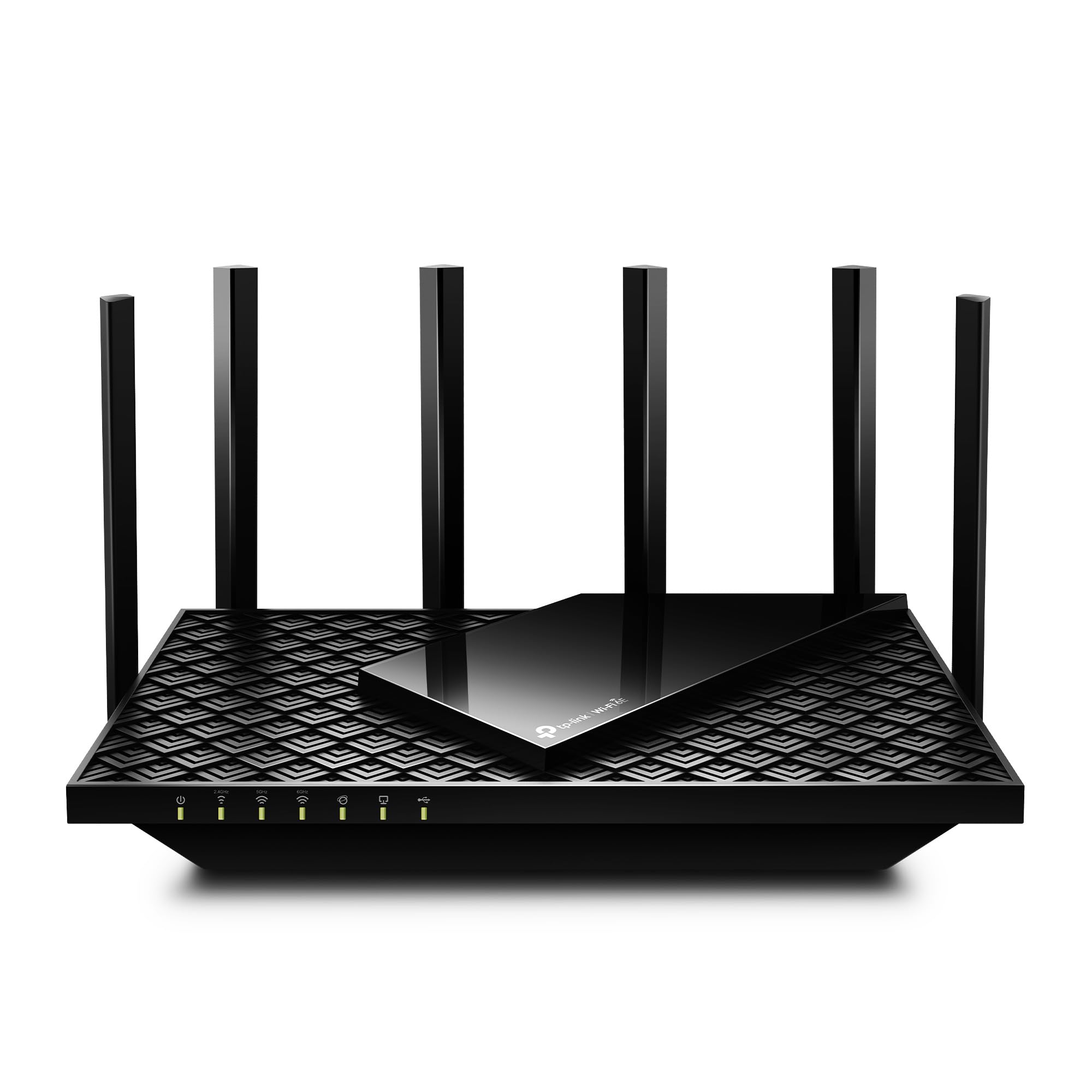
Type: Tri-band WiFi 6E router
Speed: AXE5400
Bands: 2.4GHz, 5GHz, 6GHz
WAN port: 2.5Gbps
Channel width: 160MHz
Mesh: OneMesh compatible
Security: VPN, WPA3
TP-Link AXE5400 Tri-Band WiFi 6E Router (Archer AXE75) is a standalone router rather than a mesh kit, built around a dedicated 6GHz band and a fast 2.5Gbps WAN port. The extra band keeps gaming and streaming traffic off the crowded 2.4GHz and 5GHz channels, which matters when the broadband itself is shaky and every bit of local efficiency counts. A dual-core CPU and WPA3 security round out a package aimed at demanding households.
This pick suits a gamer or heavy streamer in a single-floor home who wants one strong router instead of several nodes. It also works as the base of a OneMesh network if coverage needs to grow later. Trade-off: one router still cannot beat physics in a large or thick-walled house, and 6GHz range is shorter than 5GHz — buyers in big homes should expect to add nodes.
Check the current price on Amazon
4. TP-Link BE6500 WiFi 7 Router (BE400) — Best Future-Proof Single Router

Type: Dual-band WiFi 7 router
Speed: BE6500
Ports: Dual 2.5Gbps, USB 3.0
Coverage: Up to 2,400 sq.ft
Devices: Up to 90
CPU: Quad-core
Security: HomeShield, Private IoT
TP-Link BE6500 Dual-Band WiFi 7 Router (BE400) brings the newest WiFi generation into a mid-size home without a mesh kit’s price. Dual 2.5Gbps ports, a quad-core CPU and support for up to 90 devices make it the choice for a busy household that keeps adding smart-home gear. HomeShield and a Private IoT feature add network-level security, and the USB 3.0 port allows a shared drive.
This pick is for a buyer who wants one box that will not feel dated in a few years, in a home up to roughly 2,400 square feet. It suits work-from-home setups with many devices and a fast wired connection. Trade-off: WiFi 7 only pays off with WiFi 7 client devices, and a single unit still leaves far corners weak — large homes will want mesh coverage instead.
Check the current price on Amazon
5. NETGEAR Orbi 370 Series WiFi 7 Mesh System — Best for Large Homes

Type: WiFi 7 mesh system, 3-pack
Speed: Up to 5Gbps
Coverage: Up to 6,000 sq.ft
Devices: Up to 70
Ports: 2.5 Gig
Setup: Easy set up
Security: Built-in security features
NETGEAR Orbi 370 Series WiFi 7 Mesh System, 3 Pack is the premium answer for a big or multi-floor house where a single router never had a chance. A router plus two satellite extenders cover up to 6,000 square feet with one network name, and the 2.5 Gig port keeps wired backhaul fast. WiFi 7 hardware plus built-in security features make it the most future-ready option here.
This pick suits a large home, a converted loft, or a property with thick walls where coverage has always been the problem. It is also the best fit for households with dozens of devices and a fast fibre plan. Trade-off: it is the most expensive pick by a wide margin, and the WiFi 7 speed ceiling is wasted on slower broadband — buyers on a modest line pay for headroom they cannot use yet.
Check the current price on Amazon
Before You Buy
- Coverage: Match the rated square footage to the home, and add a node if walls are thick or the layout is split across floors.
- Broadband speed: A hub cannot exceed the incoming line — a premium WiFi 7 system will not fix a slow connection, only spread it further.
- Mesh vs extender: An extender patches one dead zone; a mesh system replaces the router and hands devices off cleanly across the whole home.
- Wired ports: Count the Ethernet ports needed for consoles, desktops, and TVs, and check whether the router supports wired backhaul.
- Device count: Smart-home gear adds up fast — pick a hub rated well above the current device count.
- Compatibility: Check that the hub works with the existing ISP modem and any EasyMesh or OneMesh devices already in the home.
- Setup effort: Mesh kits and app-guided routers are the simplest; extenders need careful placement halfway between router and dead zone.
Frequently Asked Questions
-
Will a new hub fix unreliable broadband?
A hub cannot fix a faulty line, but it can stop the signal dying inside the house — most "unreliable" home WiFi is a coverage problem, not a provider problem. -
Is a mesh system better than an extender for a flaky connection?
For a whole house, yes — mesh nodes hand devices off cleanly, while an extender repeats a weaker signal and can halve throughput. -
How much coverage is needed for an average home?
Match the rated square footage to the floor plan and add margin for walls and floors; a home near the rated limit will have weak corners. -
Does WiFi 7 help on a slow broadband line?
Not for internet speed, but it improves local traffic between devices and adds headroom for future plans — buyers on a modest line can save with WiFi 6 or AC. -
Can an extender be added to a mesh system?
Some mesh systems support adding compatible extenders, but mixing brands often breaks the seamless handoff — check compatibility before buying. -
Where should an extender or mesh node be placed?
Roughly halfway between the router and the weak spot, in open air — placing it in the dead zone itself repeats an already-weak signal.
Bottom Line
For most homes fighting a shaky line, the TP-Link Deco S4 Mesh System (3-Pack) is the best hub for a house with unreliable broadband: it replaces the router, covers a mid-size home with one network, and costs far less than a premium mesh kit. Buyers in a large or multi-floor house should step up to the NETGEAR Orbi 370, while renters with a single dead zone can start with the budget TP-Link RE315 extender.
