Why there are Amazon links here: Brave Review is paid a commission for qualifying Amazon purchases made through the links below. Your price does not change, and using our links is entirely optional. How this works
Best Keypad Door Lock for a Household with Children: 5 Family-Safe Picks
A keypad door lock removes the spare key under the mat and the frantic search for a lost fob, which matters most in a home with kids coming and going. This short roundup covers five locks that handle codes, auto-lock and keyless entry for families. It suits parents who want simple code access for older children, households juggling school runs and babysitters, and anyone fitting a first smart lock on a front door. The overview table below puts all five side by side; the reviews that follow explain who each one fits.
Overview of the Picks
| Product | Key Spec | Best Use | Price Tier |
|---|---|---|---|
| Child Proof PIN-code WiFi Keypad Deadbolt (B0H876QHC3) | 10000mAh battery, door sensor, app control | Full smart control and long battery life | Premium |
| Schlage FE575 Keypad Lock with Lever Handle (B001COEZTU) | Push-button keypad, lever handle, certified security | Main entry with a lever handle | Mid-range |
| Veise VE017 Fingerprint Smart Door Lock (B0DCJYTLFX) | Fingerprint, touchscreen keypad, app control | Budget smart entry with fingerprint | Budget |
| Schlage BE365 Keypad Deadbolt (B000NJJ1MQ) | Push-button keypad deadbolt, key backup | Simple, dependable deadbolt-only entry | Mid-range |
| Yamiry Keyless Entry Digital Knob (B0D73J4DZ5) | 20 user codes, backlit keypad, 2 backup keys | Busy households needing many codes | Budget |
1. Child Proof PIN-code WiFi Keypad Deadbolt — Best Overall for Smart Control
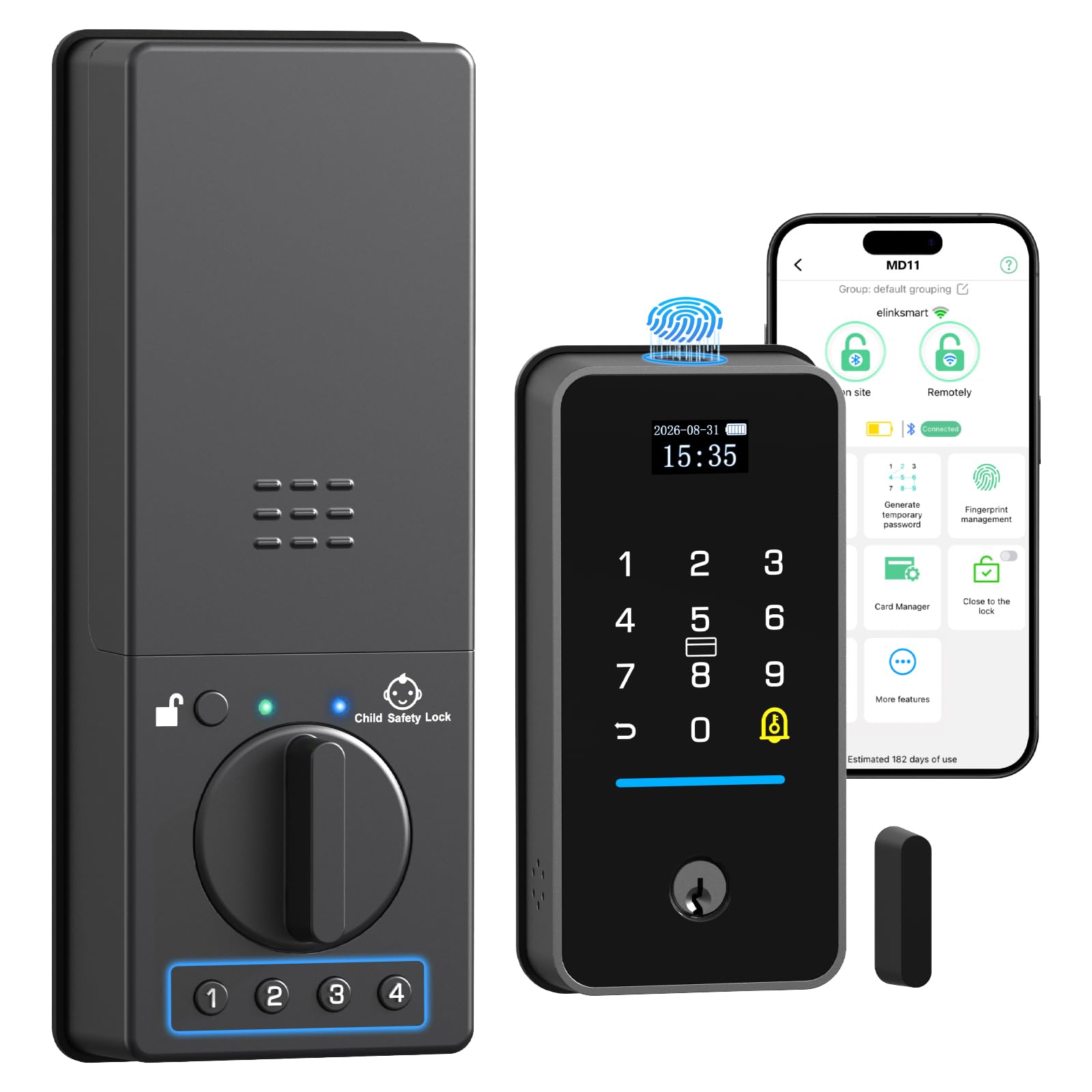
Type: WiFi keypad deadbolt
Keypad: Double-sided
Battery: 10000mAh
Extras: Door sensor, app remote control
Intended Use: Front gate and front door
Child-Safety Feature: Child proof PIN code
This is the most connected lock in the group, pairing a double-sided keypad with WiFi app control and a door sensor that reports open and closed status. The 10000mAh battery is the standout figure here, pointing to long stretches between charges compared with smaller keypad locks. App remote control means a parent can manage codes and check the door without standing at it, which helps when a child arrives home before an adult.
It earns its place as the top pick for families who want oversight, not just keyless entry. The child proof PIN code and door sensor suit parents who want to know a side gate or front door has actually closed behind a child. The trade-off is that all this connectivity is the most complex setup here and depends on a stable WiFi signal, so it is not the pick for a household that wants a lock set up once and forgotten.
2. Schlage FE575 Keypad Lock with Lever Handle — Best for Main Entry
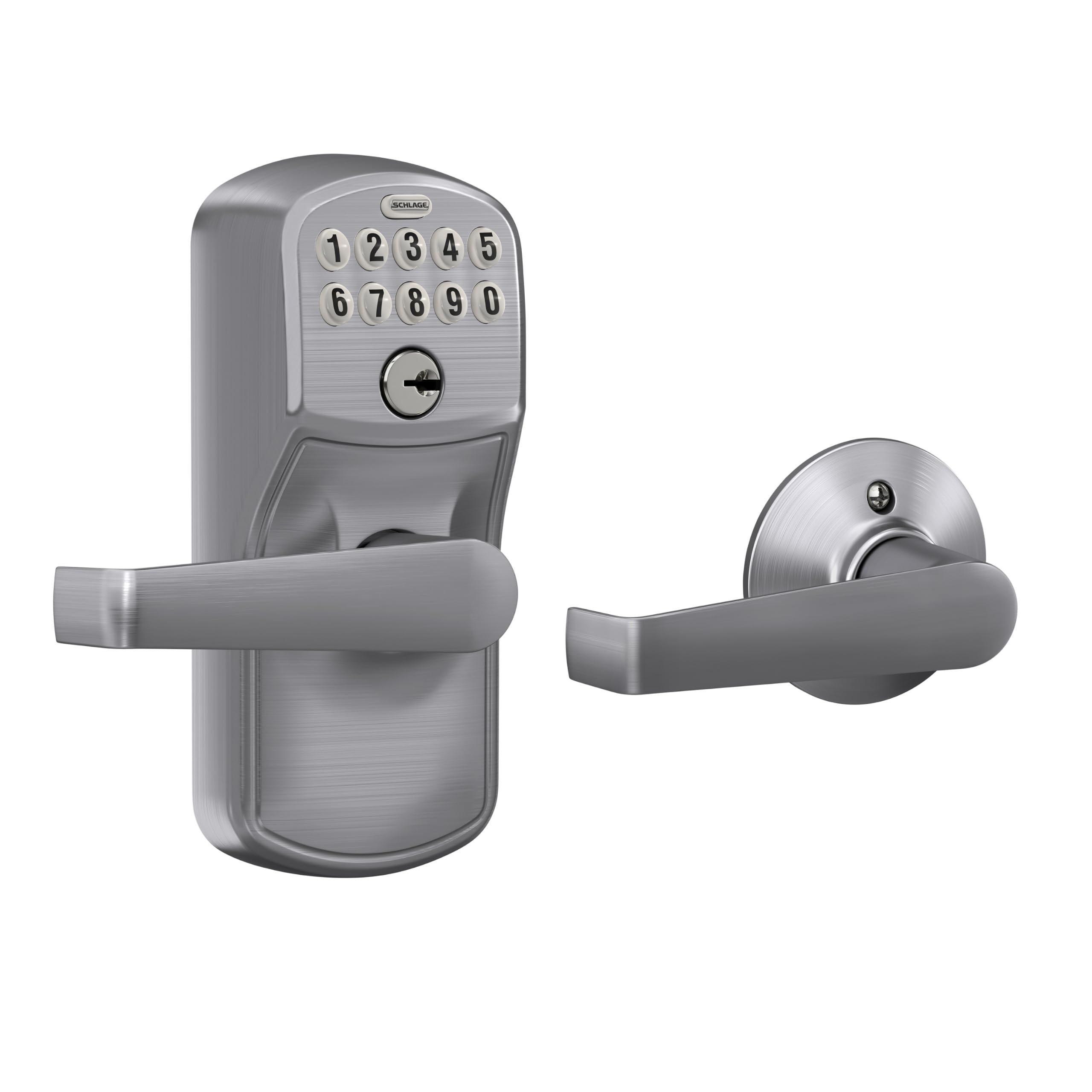
Type: Keypad lock with lever handle
Keypad: Push button
Entry: Keyless
Features: Auto-lock, certified security
Trim: Camelot, satin chrome
Installation: Easy install
The FE575 replaces the whole handle set rather than just the deadbolt, so the door gets a lever handle and a push-button keypad in one unit. The push-button keypad is easy to operate with one hand, and auto-lock re-secures the door after it closes, which is a useful default for a house where doors get left open. The satin chrome Camelot trim gives it a conventional, hardware-store look that blends into most front doors.
It fits parents who want a lever handle rather than a knob, and who value a well-known lock brand over app extras. The certified security rating and easy install make it a reasonable upgrade for a main entry door. The trade-off is that a push-button keypad shows wear on frequently used digits and this model leans on codes rather than the app convenience of the smart picks, so buyers wanting remote access should look elsewhere.
3. Veise VE017 Fingerprint Smart Door Lock — Best Budget Smart Pick

Type: Fingerprint smart deadbolt
Keypad: Electronic touchscreen
Entry: Fingerprint, keypad, app
Port: USB-C
Features: 8-in-1 keyless entry, auto-lock, smart user management
Finish: Matte black
The VE017 is the cheapest way into fingerprint and app entry in this group, and the 8-in-1 label points to multiple ways in: fingerprint, touchscreen code, app and more. Fingerprint entry is a strong fit for children, who can open the door without remembering or typing a code. The USB-C port is a practical touch for topping up power, and the matte black finish suits a modern door.
It earned its place for families who want smart features without the premium price, and the fingerprint reader is the standout for kids. Smart user management in the app lets a parent add and remove codes as needed. The trade-off is that an entry-level smart lock at this price is likely to feel lighter in the hand than the mid-range Schlage models, and fingerprint readers can be fussy with small or damp fingers, so a code backup stays important.
4. Schlage BE365 Keypad Deadbolt — Best Simple Deadbolt

Type: Keypad deadbolt
Keypad: Push button
Entry: Keyless, key backup included
Features: Certified security, easy install
Trim: Camelot, satin nickel
The BE365 is the deadbolt-only sibling of the FE575, keeping the existing handle and adding a push-button keypad deadbolt above it. It includes a key backup for the rare case of a flat battery, and the certified security rating and easy install match the rest of the Schlage line. The satin nickel Camelot trim is a neutral finish that suits most doors.
This pick suits a household that already has a handle it likes and only wants keyless entry on the deadbolt, or a parent who wants a lock with no app, no WiFi and nothing to configure beyond a code. It is the low-fuss choice in the roundup. The trade-off is that it offers no auto-lock and no remote management, so codes have to be changed at the door and the door is only as secure as the habit of locking it.
5. Yamiry Keyless Entry Digital Knob — Best for Many Users

Type: Keypad knob lock with handle
Keypad: Backlit
Codes: 20 user codes
Backup: 2 backup keys
Features: Auto-lock, easy installation
The Yamiry knob lock holds 20 user codes, the highest count here, which makes it the pick for a busy household with grandparents, sitters and regular visitors to manage. The backlit keypad helps with code entry after dark, and two backup keys cover a dead battery. Auto-lock is included, and installation is described as easy, so it suits a straightforward swap of an existing knob.
It fits large families and anyone who rents out a room or hosts help regularly, where many temporary codes are the point. The price tier puts it among the most affordable locks here. The trade-off is that a knob-style keypad lock is a step below a deadbolt for security, and a plastic-feeling keypad is likely at this price, so it is better suited to a back or side door than a main entry.
Before You Buy
- Door type: A deadbolt replaces an existing deadbolt; a handle set or knob lock replaces the whole fitting. Measure the door before ordering.
- Entry method: Fingerprint suits children who struggle with codes; push-button keypads are simple but show wear; touchscreens need clean, dry fingers.
- Power and backup: Check the battery type and whether a key backup or USB-C top-up is included, since a dead lock with a child outside is the worst case.
- User codes: Count the people who need access — family, sitters, grandparents — and match that to the code capacity.
- Auto-lock: A lock that re-secures itself is a real safety gain in a house where doors get left open, but confirm it can be turned off if needed.
- Connectivity: WiFi and app control add oversight but depend on a stable network; a code-only lock is simpler and needs no setup.
- Installation: Confirm the lock fits the existing door prep and that basic tools are enough for the swap.
Frequently Asked Questions
-
Is a keypad lock safe for a household with children?
Yes, when codes are kept private and a backup key or power source is available. The main risks are a forgotten code and a flat battery, so choose a lock with a key backup or easy charging. -
Can children use a keypad door lock?
Older children can manage a code, and a fingerprint reader is easier for younger ones. For very young children, keep the code to adults and use the lock’s child proof features where offered. -
What happens if the battery dies?
Most locks here include a key backup or a USB-C port for a temporary top-up. Check which applies before relying on the lock as the only way in. -
Do these locks need WiFi?
Only the app-controlled models do. Push-button keypad deadbolts work entirely at the door with no network, which is simpler and more reliable. -
How many codes does a family need?
Enough for each adult plus regular sitters and grandparents, with a spare. The Yamiry knob lock offers the most capacity here; simpler deadbolts hold fewer. -
Can a keypad lock be fitted without a locksmith?
The models here are described as easy to install and fit standard door prep. A deadbolt swap is the simplest; a full handle set takes a little more work.
Bottom Line
For most families, the Child Proof PIN-code WiFi Keypad Deadbolt is the strongest all-round choice: the 10000mAh battery, door sensor and app control give parents real oversight of a door a child uses. Households that want simplicity over smart features should look at the Schlage BE365, while budget buyers get fingerprint entry from the Veise VE017. Check the current price on the top pick before deciding.
