Why there are Amazon links here: Brave Review is paid a commission for qualifying Amazon purchases made through the links below. Your price does not change, and using our links is entirely optional. How this works
Best WiFi Extender for a House With a Dead Spot Upstairs
A dead spot upstairs is usually a coverage problem, not a speed problem, and the fix is a device that relays the router’s signal into the room where it drops. The five picks below cover three buyer profiles: renters who want a cheap plug-in fix for one bedroom, larger homes that need a stronger second hop, and households ready to replace the router entirely with a mesh system. The overview table shows each pick’s key spec and best use at a glance; full reviews and a buying checklist follow.
The Picks at a Glance
| Product | Key Spec | Best Use | Price Tier |
|---|---|---|---|
| TP-Link AC1200 WiFi Extender (RE315) | Up to 1600 Sq.ft, 32 devices, EasyMesh | Single small bedroom or landing | Budget |
| TP-Link AC1900 WiFi Range Extender (RE550) | Up to 2200 Sq. Ft., Gigabit Ethernet port | Larger upper floor, wired devices | Mid-range |
| 2026 Upgraded WiFi Extender for Home | Up to 18000 Sq.ft claim, Ethernet port | Budget buyers wanting blanket coverage claims | Budget |
| TP-Link Deco S4 Mesh AC1900 (3-Pack) | Replaces router and extender, Gigabit ports | Whole-house replacement | Premium |
| WiFi Extender Signal Booster (Pure White) | Up to 19999 Sq.ft claim, 125+ devices | Very cheap single-room relay | Budget |
1. TP-Link AC1200 WiFi Extender (RE315)

Type: Dual-band wall-plug range extender
Speed Class: AC1200, 5GHz and 2.4GHz
Coverage Claim: Up to 1600 Sq.ft
Device Load: Up to 32 devices
Ports: One Ethernet port
Mesh: EasyMesh compatible
TP-Link AC1200 WiFi Extender Dual Band 5GHz/2.4GHz (RE315)
This is the classic plug-in repeater shape: a compact body that goes straight into a wall socket on the landing or in the hallway outside the dead room, with a single Ethernet port on the underside for a TV or console. The dual-band radio repeats both the 2.4GHz and 5GHz networks, and EasyMesh compatibility means it can join a compatible TP-Link mesh network later instead of being thrown away. The 1600 Sq.ft figure describes the area one unit is meant to serve, not the size of house it can push through walls. It suits a household with one stubborn room and a router that is otherwise fine.
The RE315 earns its place as the default first purchase because it is cheap, small and simple to reposition — moving it a few feet often fixes a weak relay. It is not for a buyer whose upstairs dead spot spans several rooms, since one unit at this class will not blanket a whole floor. The trade-off is that a repeater at this price halves throughput on the repeated band, so the extended signal is stable rather than fast.
2. TP-Link AC1900 WiFi Range Extender (RE550)

Type: Dual-band range extender with stand
Speed Class: AC1900
Coverage Claim: Up to 2200 Sq. Ft.
Device Load: Up to 32 devices
Ports: Gigabit Ethernet port
Setup: App-based
Mesh: EasyMesh compatible
TP-Link AC1900 WiFi Range Extender RE550 Dual-Band Wireless Repeater
The RE550 steps up to a higher speed class and adds a Gigabit Ethernet port, which matters for anyone wiring a desktop, smart TV or games console in the room that used to be dead. It sits on a stand rather than hanging from the socket, so it can be placed on a shelf near a window or at the top of the stairs where reception from the router is cleaner. App setup walks through finding the right spot, which is the part most people get wrong with a repeater. The 2200 Sq. Ft. rating and 32-device load suit a busy upper floor with phones, laptops and a streaming box.
This is the pick for a buyer who wants a stronger relay than a budget plug-in and has at least one wired device upstairs. It is not for a very large home where the router itself is undersized — a repeater can only relay what it receives. The trade-off is that it still repeats rather than creates a new network, so placement near the router’s edge of coverage is essential.
3. 2026 Upgraded WiFi Extender for Home

Type: Wall-plug WiFi repeater
Speed Class: High-speed dual-band repeater
Coverage Claim: Up to 18000 Sq.ft
Ports: Ethernet port
Compatibility: Works with 99% of routers
Price Tier: Budget, with coupon
2026 Upgraded WiFi Extender for Home, Up to 18000Sq.ft Long Range Coverage WiFi Booster
This is a generic-brand plug-in extender sold on headline coverage numbers and a coupon price, with an Ethernet port for a single wired device. The 18000 Sq.ft claim should be read as marketing rather than physics: no single wall-plug repeater covers a space that size, and a buyer should judge it on the room it is placed in. What it does offer is a very low entry cost and router-agnostic setup, which appeals to renters who do not want to spend much on a fix. It works with the large majority of routers, so it slots into most existing setups.
It earns a place for the price-sensitive buyer who wants to test whether a repeater solves the problem before spending more. It is not for a household with many devices or a need for consistent speed, since a budget repeater at this tier is the weakest link in the chain. The trade-off is that the coverage figure is wildly optimistic and the hardware is basic, so expectations should be set at one room, not one house.
4. TP-Link Deco S4 Mesh AC1900 WiFi System (3-Pack)

Type: Mesh WiFi system, three units
Speed Class: AC1900
Coverage Claim: Up to 5,500 Sq.ft.
Ports: Gigabit ports
Role: Replaces WiFi router and extender
Voice: Works with Alexa
TP-Link Deco S4 Mesh AC1900 WiFi System, Deco S4(3-Pack)
The Deco S4 is a different category of purchase: three matching units that replace the existing router and extender with one mesh network that hands devices between nodes as the user moves upstairs. Gigabit ports on each unit allow wired backhaul or a wired connection for a desktop, and the system is managed as one network rather than as a router plus a repeater. The 5,500 Sq.ft. figure covers a whole house rather than one room. Alexa compatibility adds voice control on top.
This is the pick for a buyer whose dead spot is one symptom of an undersized router, and who would rather solve coverage for the whole house in one purchase. It is not for a renter who cannot replace the router, or for a household that only needs one bedroom fixed. The trade-off is cost and commitment: it is the most expensive route here, and the setup replaces the existing network rather than extending it.
5. WiFi Extender Signal Booster for Home (Pure White)
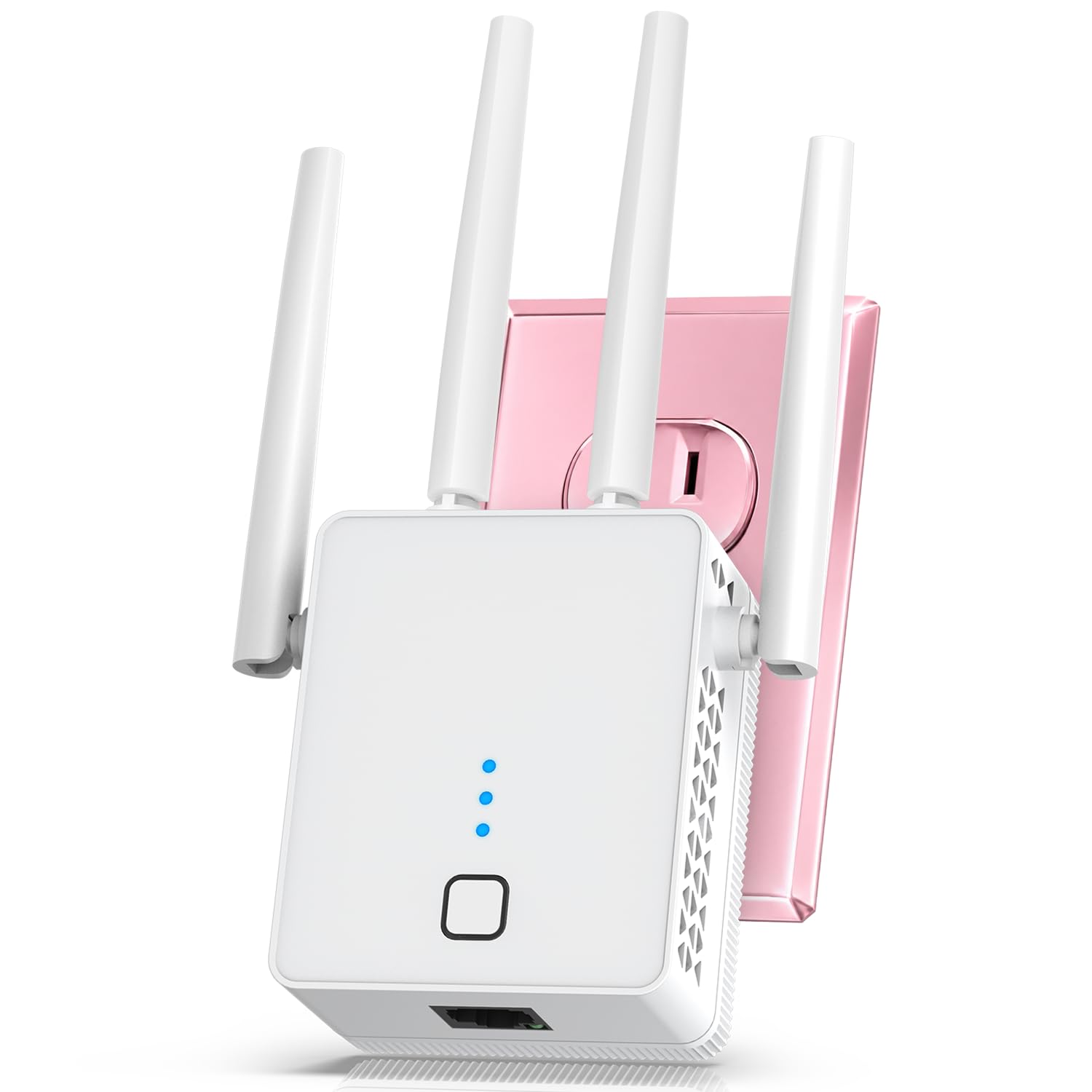
Type: Wall-plug dual-band extender
Speed Class: 1200Mbps, 5.8GHz and 2.4GHz
Coverage Claim: Up to 19999 Sq.ft
Device Load: 125+ devices
Ports: Ethernet port
Price Tier: Budget
WiFi Extender Signal Booster for Home with Ethernet Port Covers up to 19999sq.ft
A white plug-in repeater with dual-band radios, an Ethernet port and a device-count claim that far exceeds anything a unit of this size can realistically serve. The 1200Mbps class is the same tier as the entry-level pick above, so real-world throughput will be comparable, and the 125+ device figure is best read as a ceiling rather than a target. It is aimed at buyers who want the lowest possible spend on a single-room relay.
It suits a spare bedroom, a home office over a garage or any spot where one cheap unit is enough. It is not for a household that streams in several rooms at once or runs many smart devices, because the hardware cannot back the headline numbers. The trade-off is the same as every budget repeater: optimistic coverage claims, basic internals and a signal that is steadier than it is quick.
Before You Buy
- Placement: A repeater must sit where the router’s signal is still usable, ideally halfway between the router and the dead room — not in the dead room itself.
- Coverage claims: Treat Sq.ft figures as upper bounds in open space; walls, floors and masonry cut them sharply.
- Speed class: Match the extender to the router’s band; a budget AC1200 unit will cap the speed of a faster router on the repeated band.
- Wired needs: Choose a model with an Ethernet port if a TV, console or desktop upstairs needs a cable connection.
- Mesh compatibility: EasyMesh support preserves the option to build a mesh network later instead of buying twice.
- House size: One plug-in unit suits one room or one small floor; a whole-house dead zone calls for a mesh system.
- Setup method: App-guided placement is far easier than guessing where to plug in a repeater.
Frequently Asked Questions
-
Where should a WiFi extender be plugged in for an upstairs dead spot?
On the landing or in a hallway near the top of the stairs, where the router’s signal is still strong. Plugging it inside the dead room repeats an already weak signal. -
Will a WiFi extender fix a dead spot caused by thick walls?
It can, provided the extender is placed on the router’s side of the obstruction. The relay then serves the room beyond the wall rather than trying to push through it twice. -
Is a mesh system better than an extender for a whole house?
For a house with several weak rooms, yes. A mesh system replaces the router and hands devices between units, while an extender repeats one signal from one point. -
Does an extender reduce internet speed?
A repeater typically halves throughput on the band it repeats. A wired or dedicated-backhaul mesh node avoids most of that loss. -
Can a WiFi extender work with any router?
Most plug-in extenders work with standard routers regardless of brand. Mesh-specific features such as EasyMesh only work when both ends support them. -
How many extenders does an upstairs dead spot need?
One unit usually covers a single room or a short hallway. A whole floor with multiple weak rooms generally needs a mesh system rather than more repeaters.
Bottom Line
For most homes with one dead bedroom or landing, the TP-Link AC1200 WiFi Extender (RE315) is the fastest, cheapest decision: plug it in near the stairs, place it with the app, and the room gets a usable signal. Buyers with a wired device upstairs should step up to the RE550, and anyone whose whole house is patchy should skip extenders and go straight to the Deco S4 mesh system.
