Why there are Amazon links here: Brave Review is paid a commission for qualifying Amazon purchases made through the links below. Your price does not change, and using our links is entirely optional. How this works
TP-Link Deco X60 vs Netgear Orbi RBK13: Coverage or Simplicity?
The TP-Link Deco X60 and the Netgear Orbi RBK13 are both three-piece mesh Wi-Fi systems built to replace a single router in a larger home, and the choice between them comes down to two things: how much square footage needs covering and whether the newest Wi-Fi standard matters. The Deco X60 is the pick for big houses and fast devices. The Orbi RBK13 is the simpler, older-standard option that suits smaller spaces and lighter traffic. The sections below break down coverage, speed, ports, and setup so a buyer can decide quickly.
The Contenders at a Glance
| Product | Key Spec | Best Use | Price Tier |
|---|---|---|---|
| TP-Link Deco X60 (3-Pack) | AX3000 Wi-Fi 6, up to 6,500 sq. ft. | Large homes with many devices | Mid-range |
| Netgear Orbi RBK13 | Wi-Fi mesh, up to 4,500 sq. ft., 1 router + 2 satellites | Smaller homes, simple coverage | Budget |
The coverage gap is the headline: the Deco X60 claims 6,500 square feet against the Orbi’s 4,500, a difference of roughly a third more floor space. The Deco X60 also carries the AX3000 Wi-Fi 6 designation, which points to newer wireless hardware inside each unit. The Orbi RBK13 does not advertise a Wi-Fi generation in its name, which in practice means it targets older, slower client devices and lighter household loads.
TP-Link Deco X60 (3-Pack)

Coverage: Up to 6,500 sq. ft.
Wireless Standard: AX3000 Wi-Fi 6
Units: 3-pack mesh system
Ports: 3 Gigabit ports per unit
Backhaul: Supports Ethernet backhaul
Replaces: Wireless router and extender
The Deco X60 is a three-unit mesh kit where each node carries three Gigabit Ethernet ports, which is unusually generous for a consumer mesh system. That port count matters in a wired household: a node in a home office can feed a desktop, a printer, and a NAS without an extra switch, and the same node can accept an Ethernet backhaul run from the main unit. Ethernet backhaul is the feature that separates a good mesh deployment from a mediocre one, because it lets the nodes talk to each other over cable instead of burning wireless airtime on relay traffic.
Wi-Fi 6 hardware inside each unit is aimed at households with a lot of simultaneous connections — phones, laptops, streaming sticks, smart speakers, and game consoles all competing for airtime. The 6,500-square-foot coverage claim assumes open-ish conditions, as all mesh coverage claims do, so a home with thick plaster walls or multiple floors should expect the practical footprint to land below the marketing figure. Even so, three nodes at this coverage rating give a large house real headroom.
Trade-off: The Deco X60 is the pricier of the two and its app-driven setup offers fewer manual controls than a traditional router interface, so tinkerers who want granular settings may find it limiting.
Check the current price on Amazon
Netgear Orbi RBK13
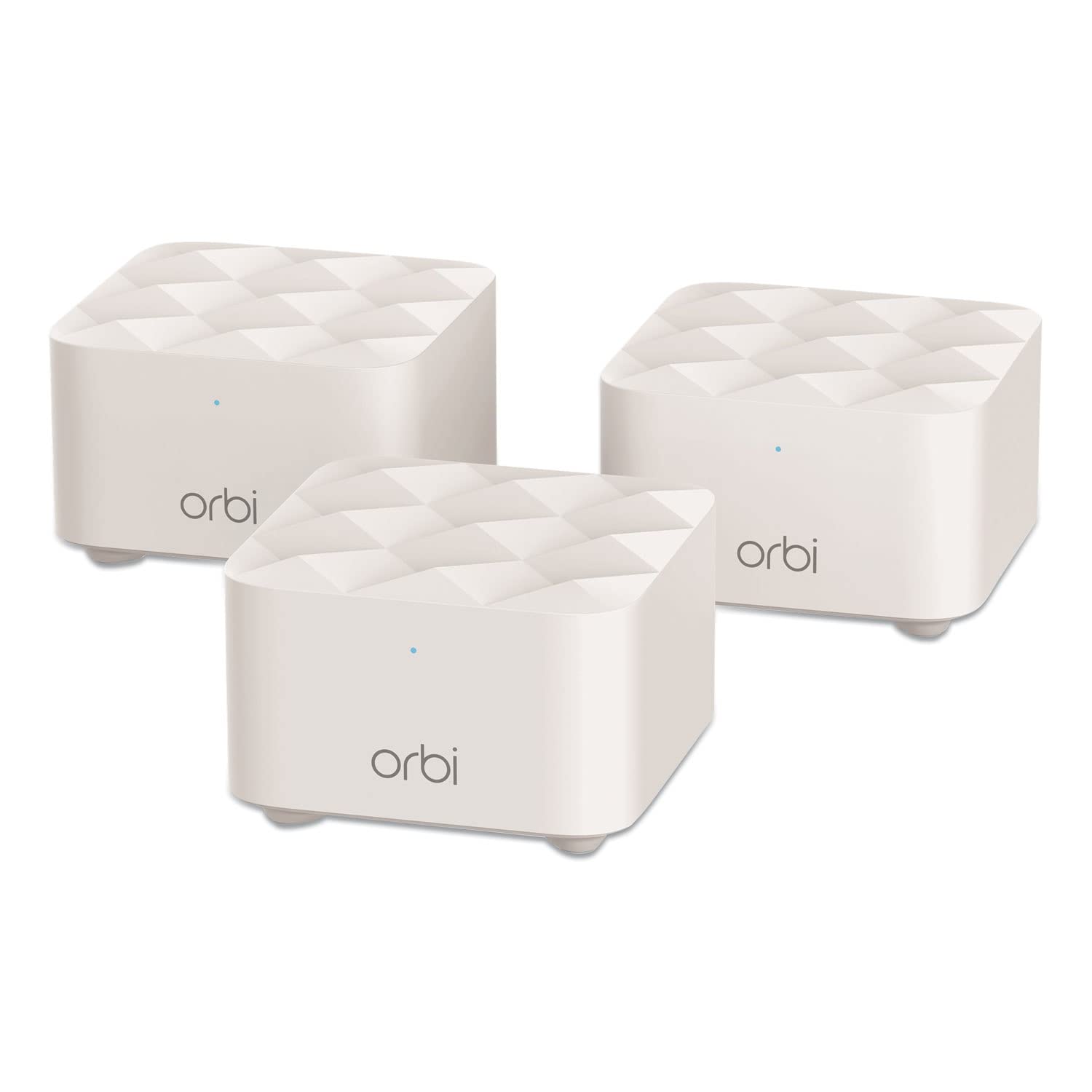
Coverage: Up to 4,500 sq. ft.
Configuration: 1 router + 2 satellites
Type: Whole home mesh Wi-Fi system
Replaces: Existing router
Units: 3 total
The Orbi RBK13 uses a dedicated router plus two satellites rather than three identical nodes, which is the older Orbi architecture and still a sensible one. The router handles routing and the satellites extend coverage, so the system behaves like a traditional router with two well-placed extenders that happen to share one network name. For a buyer who wants to set it and forget it, that structure is easy to reason about.
Coverage tops out at 4,500 square feet, which comfortably handles a typical two- or three-bedroom house and falls short of what a large open-plan home or a multi-story property with a detached garage would need. The Orbi name does not advertise a Wi-Fi generation, so buyers should expect performance tuned for everyday browsing, streaming, and video calls rather than for Wi-Fi 6 laptops pushing large files across the LAN. The system replaces an existing router outright, so there is no need to keep the old box in the chain.
Trade-off: The Orbi RBK13’s smaller coverage claim and older wireless hardware leave less room to grow, so a household adding devices or square footage will likely outgrow it before the Deco X60.
Check the current price on Amazon
Side-by-Side: What Actually Separates Them
| Dimension | TP-Link Deco X60 | Netgear Orbi RBK13 |
|---|---|---|
| Coverage claim | Up to 6,500 sq. ft. | Up to 4,500 sq. ft. |
| Wireless standard | AX3000 Wi-Fi 6 | Not stated in name; older generation |
| Node layout | 3 identical units | 1 router + 2 satellites |
| Ethernet ports | 3 Gigabit per unit | Standard router/satellite ports |
| Wired backhaul | Supported | Not advertised |
| Setup style | App-based | App-based |
| Best fit | Large homes, many devices | Smaller homes, lighter loads |
Coverage is the first separator and the easiest to apply. A home under roughly 4,000 square feet with standard construction sits inside the Orbi’s comfort zone, and paying more for the Deco’s extra reach buys nothing. A home above 5,000 square feet, or one with a detached structure or a long floor plan, needs the Deco’s larger claim and its three identical nodes, which can be placed more flexibly than a router-plus-satellite pair.
Wireless generation is the second separator and the one with the longest shelf life. Wi-Fi 6 in the Deco X60 is built for dense device environments, where many clients share the air and older hardware starts to queue. The Orbi RBK13 targets the ordinary case: a handful of streamers, a laptop or two, and phones. Neither system is future-proof forever, but the Deco starts from a newer baseline.
Ports and backhaul are the third separator, and they matter most in homes with wired drops. Three Gigabit ports per Deco unit plus Ethernet backhaul support means a buyer can build a fast wired backbone and let the mesh handle wireless clients. The Orbi’s port layout is more conventional, and wired backhaul is not part of its pitch.
Setup is close to a wash. Both systems are app-managed consumer mesh kits aimed at non-technical buyers, and neither is marketed at network administrators who want per-radio tuning.
Which Should You Buy?
Choose the TP-Link Deco X60 if: the home is large, the device count is high, Wi-Fi 6 laptops and phones are common, or there are Ethernet runs available to feed the nodes. It is the better long-term buy for a household that expects to add devices rather than subtract them.
Choose the Netgear Orbi RBK13 if: the home is a standard size, the network mostly serves streaming and browsing, and the priority is a straightforward router replacement at the lower price tier. It covers a normal house without extra hardware and does not ask the buyer to think about backhaul.
Buyers who are unsure should measure the floor plan first. If the answer lands well under 4,500 square feet and the device list is short, the Orbi is enough. If either number is close to the limit or growing, the Deco X60 is the safer pick.
FAQ
-
Does the TP-Link Deco X60 support wired backhaul?
Yes. The product name explicitly lists Ethernet backhaul support, and each unit carries three Gigabit ports, so nodes can be linked by cable for a faster, more stable mesh. -
How much square footage does the Netgear Orbi RBK13 cover?
The RBK13 is rated for up to 4,500 square feet with one router and two satellites. Real-world coverage depends on wall materials, floor count, and node placement. -
Which system is better for a large house?
The Deco X60, on coverage alone. Its 6,500-square-foot claim and three identical nodes give more placement flexibility than a router-plus-two-satellites layout. -
Is Wi-Fi 6 worth paying more for?
For a household with many simultaneous devices, yes. Wi-Fi 6 hardware handles dense client loads better than older generations, and the Deco X60 is the only one of the two that advertises it. -
Do both systems replace an existing router?
Yes. Both are sold as router replacements, so the old router comes out of the chain rather than staying in front of the mesh. -
How many Ethernet ports does each Deco X60 unit have?
Three Gigabit ports per unit, according to the product name. That is enough to hardwire a desk, a console, or a NAS at any node location. -
Can the Orbi RBK13 handle gaming and streaming?
It covers ordinary household streaming and browsing, but its older wireless hardware and smaller coverage claim make it the weaker choice for a home full of latency-sensitive devices.
Bottom Line
The TP-Link Deco X60 wins this comparison for most buyers because it covers more ground, runs newer Wi-Fi 6 hardware, and offers three Gigabit ports per node with Ethernet backhaul support. The Netgear Orbi RBK13 remains a reasonable budget-tier pick for a standard-sized home with modest demands, but it leaves less room to grow. Buyers with a large floor plan or a long device list should start with the Deco X60 and check its current price before deciding.
