Why there are Amazon links here: Brave Review is paid a commission for qualifying Amazon purchases made through the links below. Your price does not change, and using our links is entirely optional. How this works
Philips Wi-Fi Smart Front Door Lock Set: Keyless Entry Without the Locksmith
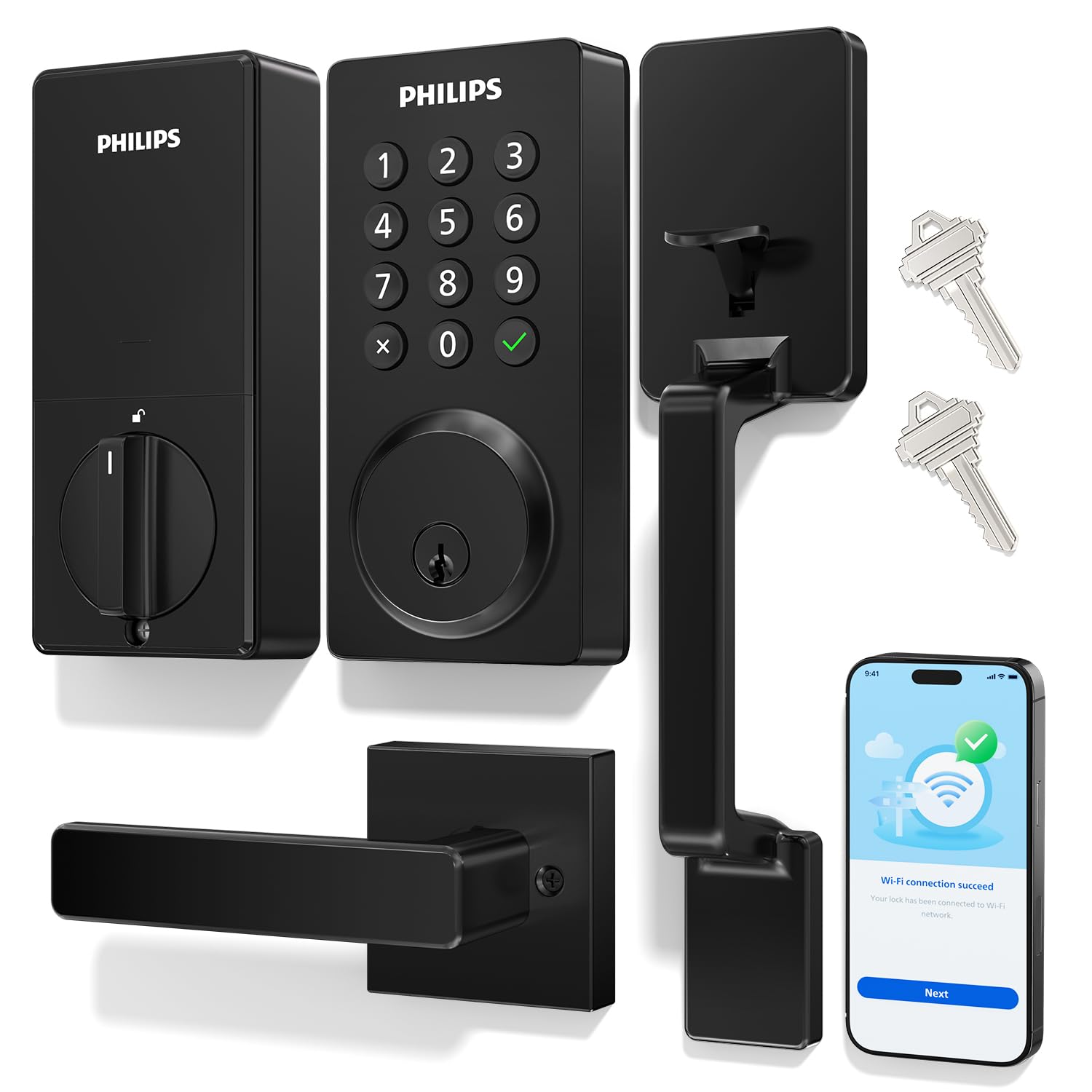
The Philips Wi-Fi Smart Front Door Lock Set is a handle-and-deadbolt package that replaces a traditional front door lock with a keypad, an app, and voice control. It suits homeowners who want keyless entry for family and guests without wiring a new system or hiring a locksmith for a full overhaul. This review covers what the set includes, how the smart features fit into daily use, and where a lock at this price tier asks for patience.
Features and Specifications
Type: Front door lock set with handle and electronic keypad deadbolt
Connectivity: Wi-Fi, with app remote control
Voice Control: Supports Alexa and Google
Entry Methods: Keypad code, keyless entry
Security Feature: Anti-peeping password entry
Automation: Auto lock
Installation: Easy install, standard door hardware replacement
The headline here is that this is a complete set, not just a deadbolt. The handle and the keypad deadbolt arrive together, so the front door gets a matched look instead of a smart bolt bolted above an old handle. That matters for curb appeal as much as for function.
Wi-Fi is built in rather than sold as a separate bridge, which keeps the setup to one app and one network connection. The anti-peeping password feature lets a code be entered with extra digits around it so an onlooker cannot read the real sequence from the keypad wear or the finger pattern. Auto lock closes the bolt on its own after the door shuts, which is the feature most buyers end up relying on daily.
Build and Hardware
The set is designed as a direct replacement for standard front door hardware, which is why Philips markets it as easy to install. A homeowner with a screwdriver and a free afternoon can typically swap the old handle and deadbolt for this one without cutting new holes, provided the door already has standard bores.
The handle carries the mechanical weight of the door, while the keypad deadbolt carries the security. Keeping those two jobs in one matched set means the finish and the styling line up across the whole door, something mismatched aftermarket parts rarely manage.
Trade-off: A keypad deadbolt with a built-in Wi-Fi radio draws more power than a dumb bolt, so battery changes arrive on a schedule rather than as a surprise to be ignored.
Connectivity and App Control
Wi-Fi plus app control is the feature that separates this lock from a plain keypad deadbolt. The app handles remote locking, code management, and checking whether the door is secured — useful for anyone who has driven away and cannot remember whether they turned the bolt.
Alexa and Google support extends that to voice: locking the door from a smart speaker, or including the lock in a routine that secures the house at night. The lock does not need a separate hub, which keeps the smart home setup simple.
The caution is that Wi-Fi locks depend on the home network. A router that drops, a power cut, or a weak signal at the front door all affect remote features, and the keypad becomes the fallback rather than the app.
Trade-off: Remote control is only as reliable as the home Wi-Fi signal reaching the front door, so a weak spot at the entryway undercuts the app’s main selling point.
Keypad, Codes, and Daily Use
The keypad is the part of the lock most people touch every day. The anti-peeping password entry is a thoughtful addition for anyone who enters codes in view of the street or a shared hallway — it lets the real code hide inside a longer string of digits.
Keyless entry is the practical benefit: family members, a dog walker, or a contractor can be given a code instead of a physical key that gets lost or copied. Auto lock then removes the daily question of whether the door got locked behind them.
The limitation is familiar to anyone who has used a keypad lock. Codes need managing — old ones removed when they are no longer needed — and the keypad itself is the part most exposed to weather and to fingers, so it deserves occasional cleaning and a glance now and then.
Trade-off: Keyless convenience shifts responsibility onto code management, and a code that is never deleted stays valid until someone remembers to remove it.
Installation and Maintenance
Philips pitches this as an easy install, and the set is built around replacing existing hardware rather than modifying the door. Standard tools and the included instructions cover the job for most front doors; a door with non-standard bores or unusual thickness is the case where a professional is worth calling.
Maintenance is mostly batteries and housekeeping. The deadbolt and handle benefit from the same occasional lubrication any exterior lock gets, and the keypad benefits from a wipe-down. The app is where codes get added, changed, and removed, so a household that shares access needs one person to own that job.
Where this lock is not the right fit: renters who cannot change the door hardware, and anyone who wants a lock that works entirely offline with no app at all. A keypad-only deadbolt would serve those buyers better and cost less.
Trade-off: The full set and the Wi-Fi radio push this above the price of a basic keypad deadbolt, so buyers who only want keyless entry pay for smart features they may never use.
Who Should Buy It
This set fits a homeowner replacing front door hardware who wants keyless entry, remote locking, and voice control in one matched package. It suits families who hand out codes instead of keys, and anyone who has left the house wondering about the door.
It is a weaker match for renters, for anyone on a tight budget who just wants a keypad, and for households where the front door sits far from the router. Those buyers should look at a simpler deadbolt or budget for a network fix first.
Check the current price on Amazon
FAQ
-
Does the Philips Wi-Fi Smart Front Door Lock Set need a hub?
No. Wi-Fi is built into the lock, so it connects to the home network directly and works with the app, Alexa, and Google without a separate bridge. -
Can this lock be used without the app?
The keypad and the physical key work independently of the app, so the door can be locked and unlocked if the network or the phone is unavailable. The smart features are the part that needs Wi-Fi. -
What is anti-peeping password entry?
It lets a user type extra digits before and after the real code so the actual sequence is harder to spot. The lock recognizes the correct code inside the longer string. -
Will auto lock lock the door behind me every time?
Auto lock engages the deadbolt after the door closes. It is the feature that removes the daily habit of checking the door, but it also means the door locks itself whether or not that is wanted at that moment. -
Is this lock hard to install?
Philips markets it as easy install, and it is designed to replace standard front door hardware. A door with standard bores is a straightforward swap; unusual doors may need a professional. -
Does it work with Alexa and Google?
Yes. Both voice assistants are supported, so the lock can be controlled by voice and included in routines alongside other smart devices. -
What happens when the batteries run out?
A keypad deadbolt needs power for the electronic side. Buyers should expect scheduled battery changes and keep a physical key accessible as the backup. -
Can several people have their own codes?
The app manages codes, which is the point of keyless entry for a household. Each person or visitor can get a code, and codes can be removed when access is no longer needed. -
Is it good for a rental property?
Only if the owner approves the hardware change. Renters who cannot swap the front door lock should look at a different solution. -
Does the Wi-Fi need to be strong at the front door?
Yes. Remote control and voice features depend on the signal reaching the lock, so a weak spot at the entryway limits the app’s usefulness.
Bottom Line
The Philips Wi-Fi Smart Front Door Lock Set is the pick for a homeowner who wants keyless entry, app control, and voice commands in one matched handle-and-deadbolt package, installed without a locksmith. The trade-offs are real — battery upkeep, dependence on home Wi-Fi, and a price above a plain keypad — but for a household that hands out codes instead of keys, the convenience is the point. Check the price on Amazon before deciding.
