Why there are Amazon links here: Brave Review is paid a commission for qualifying Amazon purchases made through the links below. Your price does not change, and using our links is entirely optional. How this works
Reolink Home Hub: The No-Monthly-Fee Brain for Battery Cams
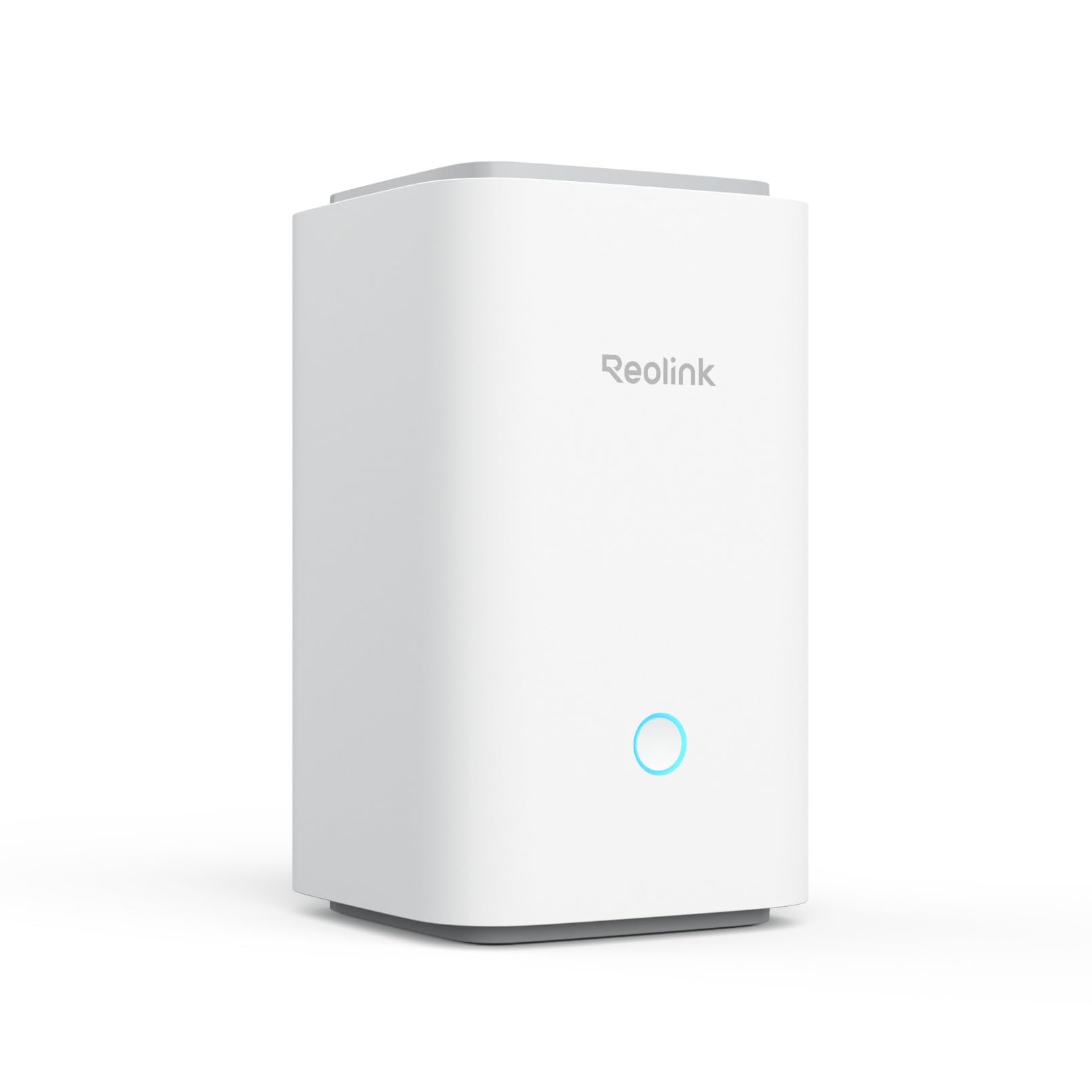
The Reolink Home Hub is a small control box that pulls up to eight Reolink battery or WiFi cameras onto one encrypted local system, so recordings and alerts live on the hub instead of a cloud subscription. It suits households that already own — or plan to buy — several Reolink wireless cams and want one place to manage them without a monthly bill. This review covers what the hub does, how its specs translate into daily use, and where it falls short. Readers ready to buy can jump straight to the price check.
Features and Specifications
Type: Centralized hub for Reolink battery and WiFi cameras
Camera Capacity: Up to 8 cameras
Connectivity: 2.4/5GHz WiFi 6
Privacy: Local encryption
Subscription: No monthly fee required
Reporting: Daily security summary
Support: No third-party support
The headline here is capacity. Eight cameras is enough for a typical house perimeter — front door, driveway, back garden, side gate, plus a couple of indoor units — without splitting the system across two apps or two accounts. Buyers who start with two cameras and add more over a year or two will likely never hit that ceiling.
The connectivity spec matters as much as the count. WiFi 6 on both the 2.4GHz and 5GHz bands is the newer, less congested standard, and it gives the hub more headroom to keep several streams flowing at once. A hub that stutters when four cameras trigger together is worse than useless, so the wireless standard is worth reading as a stability feature rather than a marketing line.
The privacy and no-fee claims sit at the center of the pitch. Local encryption means footage is protected on the device rather than shipped off to a server, and the absence of a monthly fee means the hub pays for itself against a cloud plan over time. The daily security summary is the convenience layer on top — a digest rather than a feed of individual clips.
Trade-off: This is a Reolink-only hub in a market where many buyers own a mix of brands, so it cannot unify cameras from other manufacturers.
Build, Capacity, and What They Mean in Practice
The hub is a compact, set-and-forget box rather than a device anyone interacts with daily. Its job is to sit near the router, hold the camera pairing, and stay out of the way. Buyers should expect a small unit that needs a power outlet and a stable spot for wireless reception — placement near the router is the sensible default.
Capacity is the number that decides the purchase. Eight cameras covers most single-family homes, but large properties with outbuildings, long driveways, or multi-zone coverage may want more headroom than the hub offers. Buyers planning a nine-camera system should look at Reolink’s larger NVR options instead; the hub is built for the mid-size wireless setup.
The camera type matters too. The hub is designed for battery and WiFi cameras, which is the segment most renters and retrofit buyers choose because it avoids running cable. Buyers with wired PoE cameras are in a different product category entirely and should not expect this hub to manage them.
Power, Connectivity, and the WiFi 6 Advantage
WiFi 6 is the most forward-looking part of the spec sheet. It handles crowded airwaves better than older standards, which matters in a home where phones, TVs, and laptops are all competing for bandwidth. For a security hub, that translates to fewer dropped events when the network is busy.
Dual-band support gives buyers a placement choice. The 5GHz band is faster and less congested but shorter-range; 2.4GHz reaches further through walls. A hub placed centrally can often use 5GHz, while one tucked in a back room may need 2.4GHz to stay reliable. Having both options is a genuine convenience rather than a checkbox.
The hub still depends on the home network for remote viewing, so a weak router will undermine even a good hub. Buyers with dead zones should fix the WiFi before blaming the hardware — this is true of every hub in this class, not just this one.
Privacy, Fees, and the Daily Summary
The no-monthly-fee model is the hub’s strongest selling point for cost-conscious buyers. Cloud camera plans typically charge per camera or per tier, and those costs recur for as long as the system is in use. A hub that stores footage locally removes that line item entirely, which changes the total cost of ownership over a few years.
Local encryption addresses the other common worry: who can see the footage. Keeping recordings on the device rather than in a vendor cloud reduces the number of parties involved. Buyers who are uncomfortable with cloud storage — or who live somewhere with unreliable internet — will find the local-first approach appealing.
The daily security summary is a small quality-of-life feature that deserves a mention. Rather than pushing every motion alert, the hub can compile a digest, which suits households that want awareness without a phone buzzing all day. It is not a replacement for live alerts when something matters, but it is a sensible default for most days.
Trade-off: Buyers who want professional monitoring, third-party integrations, or app support from outside vendors will find the ecosystem closed — the hub is built to work with Reolink, not to be a universal platform.
Who the Reolink Home Hub Suits — and Who It Does Not
The hub fits households standardizing on Reolink wireless cameras. Buyers who already own two or three Reolink battery cams and are tired of juggling separate cloud plans will get the most immediate benefit. It also suits anyone planning a phased rollout — start with a couple of cameras, add more as budget allows, and let the hub grow with the system.
It does not suit buyers with cameras from multiple brands. A mixed setup needs either a universal platform or separate apps, and this hub will not unify them. It also does not suit large properties needing more than eight cameras, or buyers with wired PoE systems who need a different class of recorder.
Renters and retrofit buyers are a strong fit because battery and WiFi cameras avoid drilling and cabling. Homeowners with existing wired infrastructure should look elsewhere. The hub’s value scales with the number of Reolink wireless cameras in the home — one camera alone does not justify it.
Trade-off: The closed ecosystem is the price of the no-fee model; buyers who value flexibility across brands will find the trade uncomfortable.
FAQ
-
What is the Reolink Home Hub used for?
It centralizes control of up to eight Reolink battery or WiFi cameras, storing footage locally and providing a daily security summary without a monthly subscription. -
Does the Reolink Home Hub require a monthly fee?
No. The hub is designed to work without a monthly fee, which is one of its main selling points against cloud-based camera plans. -
How many cameras can the Reolink Home Hub support?
Up to eight battery or WiFi cameras, which covers most single-family home setups. -
Does the Reolink Home Hub work with cameras from other brands?
No. It is built for Reolink cameras and does not serve as a universal hub for other manufacturers. -
Is the Reolink Home Hub compatible with wired PoE cameras?
The hub is specified for battery and WiFi cameras, so buyers with wired PoE systems should look at Reolink’s NVR options instead. -
What does WiFi 6 add to the Reolink Home Hub?
WiFi 6 on both 2.4GHz and 5GHz bands gives the hub more headroom for multiple simultaneous camera streams and better performance on crowded home networks. -
Is footage stored locally on the Reolink Home Hub?
Yes. The hub uses local encryption, keeping recordings on the device rather than relying on a vendor cloud. -
What is the daily security summary?
It is a compiled digest of activity from connected cameras, intended to give households a quick overview rather than a stream of individual alerts. -
Does the Reolink Home Hub need to be near the router?
Placement near the router is the sensible default for reliable wireless reception, though dual-band support gives some flexibility. -
Who should not buy the Reolink Home Hub?
Buyers with mixed-brand cameras, more than eight cameras, or wired PoE systems should consider a different product.
Bottom Line
The Reolink Home Hub is the right buy for households building a Reolink wireless camera system and wanting to avoid a recurring cloud bill. Eight-camera capacity, WiFi 6, local encryption, and a daily summary cover the practical needs of most mid-size home setups, and the no-fee model keeps long-term costs down. Buyers with mixed brands, large properties, or wired systems should look elsewhere — but for the Reolink-only household, this hub is the sensible center of the system.
