Why there are Amazon links here: Brave Review is paid a commission for qualifying Amazon purchases made through the links below. Your price does not change, and using our links is entirely optional. How this works
GNCC 5G Cameras for Home Security Indoor: Four-Camera Coverage on a Budget
The GNCC 5G camera set is a four-pack of indoor PTZ cameras aimed at households that want eyes on several rooms — pets, a nursery, a front hallway — without buying four separate devices at premium prices. This review covers what the hardware does, how the auto-tracking and motion alerts work in practice, and where a budget four-pack like this one asks for patience. Buyers who need one reliable camera for a single room should look elsewhere; buyers covering a whole home on a tight budget will find the math here compelling.
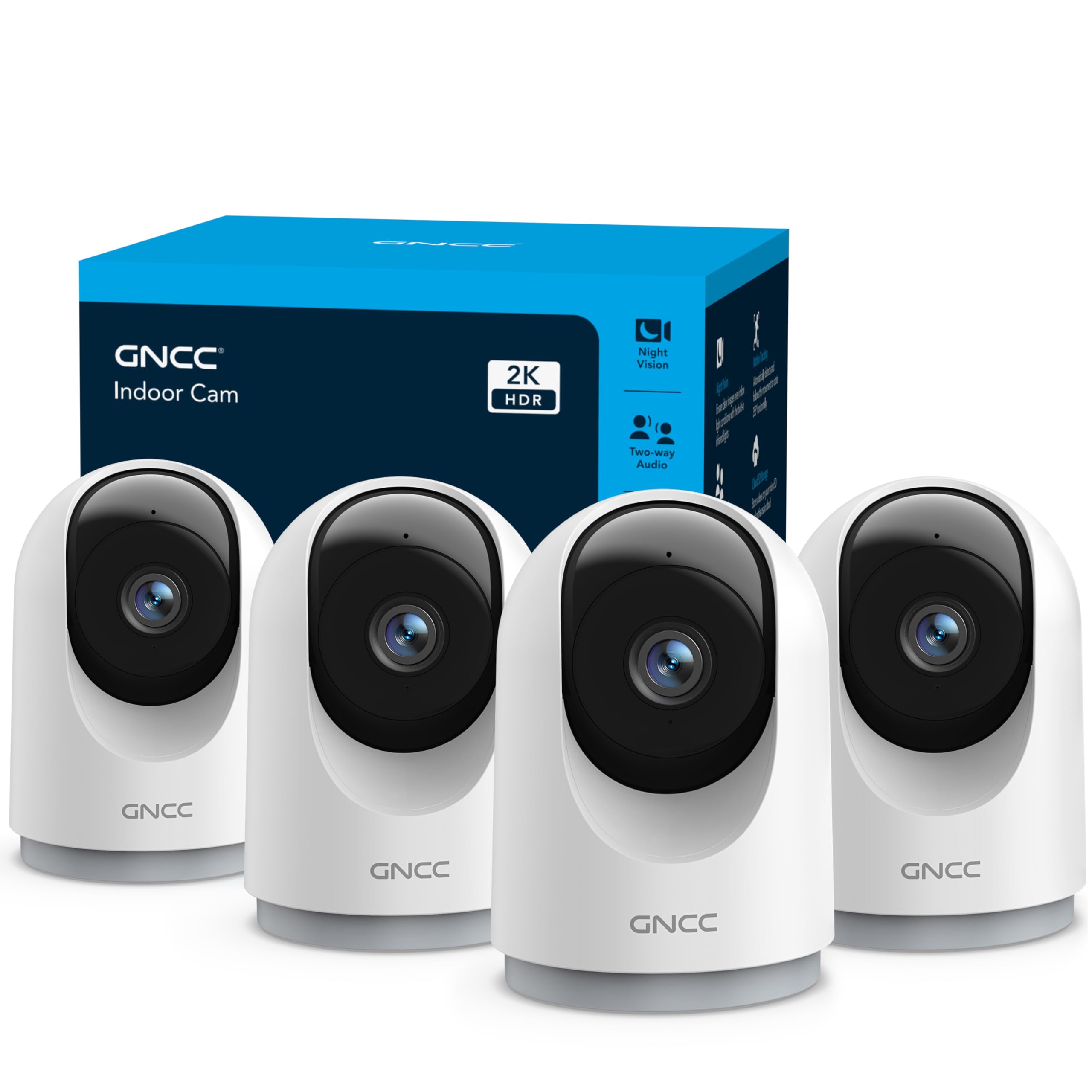
Features and Specifications
Product: GNCC Dual-Band Wi-Fi 360 PTZ Auto-Tracking Camera, 4-Pack
Connectivity: Dual-band Wi-Fi with 5G support
Movement: 360° pan-tilt-zoom with auto-tracking
Alerts: Motion detection with phone notifications
Storage: microSD card or paid cloud subscription
Intended Use: Indoor home security, pet, dog, cat, puppy, baby and nanny monitoring
App Control: Live view and control via phone app
Quantity: Four cameras per set
The headline feature is the 360° pan-tilt-zoom head combined with auto-tracking. Rather than staring at one fixed slice of a room, the camera physically turns to follow whatever moves — a pet crossing the floor, a toddler wandering out of frame. That is the single biggest reason to choose this set over a stack of static indoor cams, and it is what separates the GNCC from the cheapest fixed-lens options on the market.
Dual-band Wi-Fi with 5G support matters more than it sounds. Indoor cameras live or die on connection stability, and a camera that can use the less crowded 5G band has a better chance of holding a clean live feed in a home full of phones, laptops and streaming sticks. The four-camera count is the other core spec: this is a coverage purchase, not a single-viewpoint purchase.
Build and Design
These are compact indoor units, the kind that sit on a shelf, a bookcase or a windowsill and blend into a room. The PTZ mechanism is the defining physical trait — a motorized head that swivels through a full turn means the camera needs a little clearance around it, so tucking one tight into a corner or behind a curtain undermines the whole point of the 360° range.
Buyers should expect plastic housings and a lightweight feel at this price tier. That is normal for the category and not a fault, but it does mean the cameras are indoor devices in the strict sense: humidity, dust and temperature swings in a garage or porch are outside what this hardware is built for. Placement indoors, away from direct sun and moisture, is the sensible approach.
Coverage and Tracking
Four cameras is the real story. A single PTZ camera can only be in one room at a time no matter how far it turns, so the practical value of this set is spreading the units across the rooms that matter — one in the living area, one in a nursery, one covering the entry hall, one wherever the pets spend their day. That arrangement gives near-whole-home indoor visibility for the price of one mid-range standalone camera.
Auto-tracking is the feature that will delight some buyers and annoy others. Following motion keeps a moving subject centered, which is genuinely useful for pet and baby monitoring. The trade-off is that a tracking camera can be distracted by ordinary movement — a ceiling fan, a pet pacing, light shifting through a window — and swing away from the spot the buyer actually cares about. Buyers who want a fixed, predictable view of a doorway may prefer to leave tracking off and use the manual pan control through the app.
Power and Connectivity
The dual-band Wi-Fi with 5G support is the connectivity backbone, and it is worth being clear about what that means in practice. These are Wi-Fi cameras, not cellular cameras: they need a strong router signal in the home, and they do not run on a mobile data plan of their own. A camera at the far end of a large house from the router will struggle regardless of which band it uses, so buyers in big or thick-walled homes should plan placement around signal strength.
Setup runs through the phone app, which handles live viewing, pan and tilt control, and motion alert configuration. App quality varies widely at this price point, and buyers should expect a functional rather than polished experience — the kind of app that does the job once configured but may take a few attempts to get notifications tuned to a comfortable level.
Storage and Alerts
Storage is a fork in the road: a microSD card in each camera, or a paid cloud subscription. The SD card route keeps ongoing costs at zero and keeps footage local, which many buyers prefer for privacy and for the simple reason that four cloud subscriptions add up. The cloud route buys off-site backup and easier clip sharing, at a recurring cost.
Motion alerts arrive as phone notifications, and this is where budget indoor cameras most often need dialing in. Four cameras all firing alerts at every passing pet or shifting shadow can turn a phone into a nuisance within a day. The realistic expectation is a first week of adjustment — narrowing detection zones, lowering sensitivity, or disabling alerts on cameras in high-traffic rooms — before the system settles into something useful rather than noisy.
Trade-off: Four cameras for the price of one premium unit means the money went into quantity and features rather than build quality and app polish, so buyers should expect plastic housings, a basic app and some tuning before the alerts behave.
Check the current price on Amazon
Who It Suits and Who It Does Not
This set suits buyers who need indoor coverage across several rooms and have a firm budget. Pet owners who want to check in on dogs or cats during the day, parents monitoring a nursery alongside a living area, and households that want a basic indoor security layer without a professional install are the natural audience. The four-camera count is the whole argument: coverage per dollar is where this product wins.
It does not suit buyers who need one excellent camera rather than four adequate ones. Anyone wanting crisp low-light image quality, advanced AI person detection, or a polished app experience should budget for a single premium indoor camera instead. Nor is it the right pick for outdoor use, for large homes with weak Wi-Fi at the edges, or for buyers who refuse a subscription under any circumstances and also dislike managing memory cards — though the SD card route does keep the ongoing cost at zero.
Buyers comparing this against a two-camera set from a bigger brand should weigh coverage against refinement. The GNCC wins on how many rooms get watched; the established brands typically win on app maturity and image processing. Neither answer is wrong — it depends on whether the priority is seeing more of the home or seeing it more beautifully.
FAQ
-
What does "5G" mean on these GNCC cameras?
It refers to the 5 GHz Wi-Fi band, not cellular 5G. The cameras connect to a home router on the dual-band network, which typically offers a less crowded signal than the 2.4 GHz band in homes with many connected devices. -
Do the GNCC cameras need a subscription?
No. Footage can be stored on a microSD card in each camera, which keeps ongoing costs at zero. A paid cloud plan is optional and adds off-site storage and easier clip sharing. -
Can these cameras be used outdoors?
They are built and marketed for indoor home security. Outdoor placement exposes the hardware to moisture, dust and temperature extremes it is not designed for, so indoor use is the sensible choice. -
How does the auto-tracking actually work?
The motorized head pans and tilts to follow movement in the room, keeping a moving subject in frame. It works best in a room with clear sightlines and can be distracted by repetitive motion like fans or curtains. -
Is four cameras too many for a small apartment?
Possibly. A small apartment may only need one or two units, and the spare cameras can be placed in a second location or kept as replacements. Buyers with a single small room to watch should consider a single-camera product instead. -
Can the cameras be viewed remotely when away from home?
Yes, through the phone app, provided the home Wi-Fi and internet connection are working. The cameras do not have their own cellular connection, so they depend on the home network being online. -
How many people can view the cameras at once?
The app supports shared access so multiple household members can check in, which is useful for families coordinating pet care or baby monitoring. The exact number of simultaneous viewers depends on the app’s account settings. -
What happens to recordings if the Wi-Fi goes down?
With microSD cards installed, the cameras can continue recording locally even if the remote connection drops. Cloud-only setups lose that continuity until the network returns. -
Are the cameras easy to move between rooms?
Yes. They are compact indoor units that sit on a surface rather than requiring permanent mounting, so repositioning one to a different room is a matter of unplugging and reconnecting it to power and Wi-Fi. -
Is this set a good choice for monitoring a pet alone at home?
It is a reasonable fit. The auto-tracking keeps a moving pet in frame, motion alerts flag activity, and the four-camera count allows coverage of the rooms a pet uses most. Buyers wanting two-way audio conversations with a pet should confirm that feature in the app listing before buying.
Bottom Line
The GNCC 5G cameras for home security indoor make their case on arithmetic: four pan-tilt-zoom cameras with auto-tracking and dual-band Wi-Fi for roughly what one premium indoor camera costs. Buyers who need broad indoor coverage on a budget — pets, a nursery, an entry hall, a living room — get the most rooms watched per dollar, and the SD card option keeps ongoing costs at zero. The trade-offs are real but predictable at this price: plastic build, a basic app, and motion alerts that need a week of tuning. For a household that wants to see more of the home rather than see it in the highest fidelity, this set is the practical pick.
