Why there are Amazon links here: Brave Review is paid a commission for qualifying Amazon purchases made through the links below. Your price does not change, and using our links is entirely optional. How this works
Best Router Placement for a Dead Spot Upstairs: 5 Fixes That Actually Work
A dead spot upstairs is rarely a router problem — it is almost always a placement or coverage problem. The best router placement for a dead spot upstairs starts with getting the signal out of the basement, closet, or corner where the router currently sits, then adding a second node or extender only if repositioning alone fails. This guide covers five products that solve the problem in different ways: a budget router, a mesh router, a long-range extender, a three-pack mesh system, and a cheap single extender. The overview table below lets most readers pick in under a minute.
The Picks at a Glance
| Product | Key Spec | Best Use | Price Tier |
|---|---|---|---|
| TP-Link Archer AX21 V5 | WiFi 6, dual band, EasyMesh | Replacing an old router as the main unit | Budget |
| Amazon eero 6 | Mesh, up to 1,500 sq. ft., 75+ devices | Small homes wanting one simple node | Mid |
| WiFi Extender Signal Booster | Up to 18,000 sq. ft. claim, 65+ devices | Large homes needing maximum reach | Mid |
| TP-Link Deco S4 (3-Pack) | Mesh AC1900, up to 5,500 sq. ft. | Whole-home coverage, multi-floor houses | Mid |
| TP-Link RE315 | AC1200, up to 1,600 sq. ft., 32 devices | Cheap single-room fix | Budget |
1. TP-Link AX1800 WiFi 6 Router (Archer AX21 V5) — Best Main Router Replacement

Type: Dual-band WiFi 6 router
Speed class: AX1800
Ports: Gigabit Ethernet
Mesh: EasyMesh compatible
Voice: Works with Alexa
Certification: Certified for Humans
TP-Link AX1800 WiFi 6 Router (Archer AX21 V5)
The Archer AX21 is the pick for a household still running an aging router that cannot push signal through a floor. WiFi 6 handles congested airwaves better than older standards, and the gigabit ports keep wired backhaul fast if a second node is added later. EasyMesh compatibility means this router can pair with other EasyMesh hardware instead of locking the buyer into one ecosystem. Setup is pitched at non-technical users, so the barrier to entry is low.
This is the right first move for a renter or homeowner who wants to try better placement with a modern router before spending on mesh. It suits a single-family home where the router can be moved to a central, elevated spot. The trade-off is that one router, however modern, still cannot beat physics — a thick floor and a far corner will need a second node. Check the current price on Amazon.
Trade-off: A single unit will not cover a large multi-floor home on its own, so buyers with a serious upstairs dead spot should plan on adding a mesh node.
2. Amazon eero 6 Mesh WiFi Router — Best Simple Mesh Starter

Type: Mesh WiFi router, 1-pack
Plan support: Up to 900 Mbps internet plans
Coverage: Up to 1,500 sq. ft.
Devices: 75+
Form: Single node
Amazon eero 6 mesh wifi router
The eero 6 is the least intimidating way into mesh. One node covers a small home or apartment, and the design is meant to sit out in the open rather than hide in a closet — which is exactly the placement habit that fixes dead spots. The 75-device headroom covers a busy household of phones, laptops, and smart home gear. Adding a second eero later is the natural upgrade path when upstairs still struggles.
This pick suits apartment dwellers and small-home owners who want a clean app-managed network and are willing to place the node centrally. It is not the answer for a large house on day one — 1,500 square feet of coverage assumes open space, and floors eat signal. Buyers with a big multi-story home should look at the three-pack below instead. See today’s price on Amazon.
Trade-off: A single node is sized for a small home, so a genuinely large or multi-floor house will need at least one more eero to reach upstairs reliably.
3. WiFi Extender Signal Booster for Home — Best for Maximum Claimed Reach
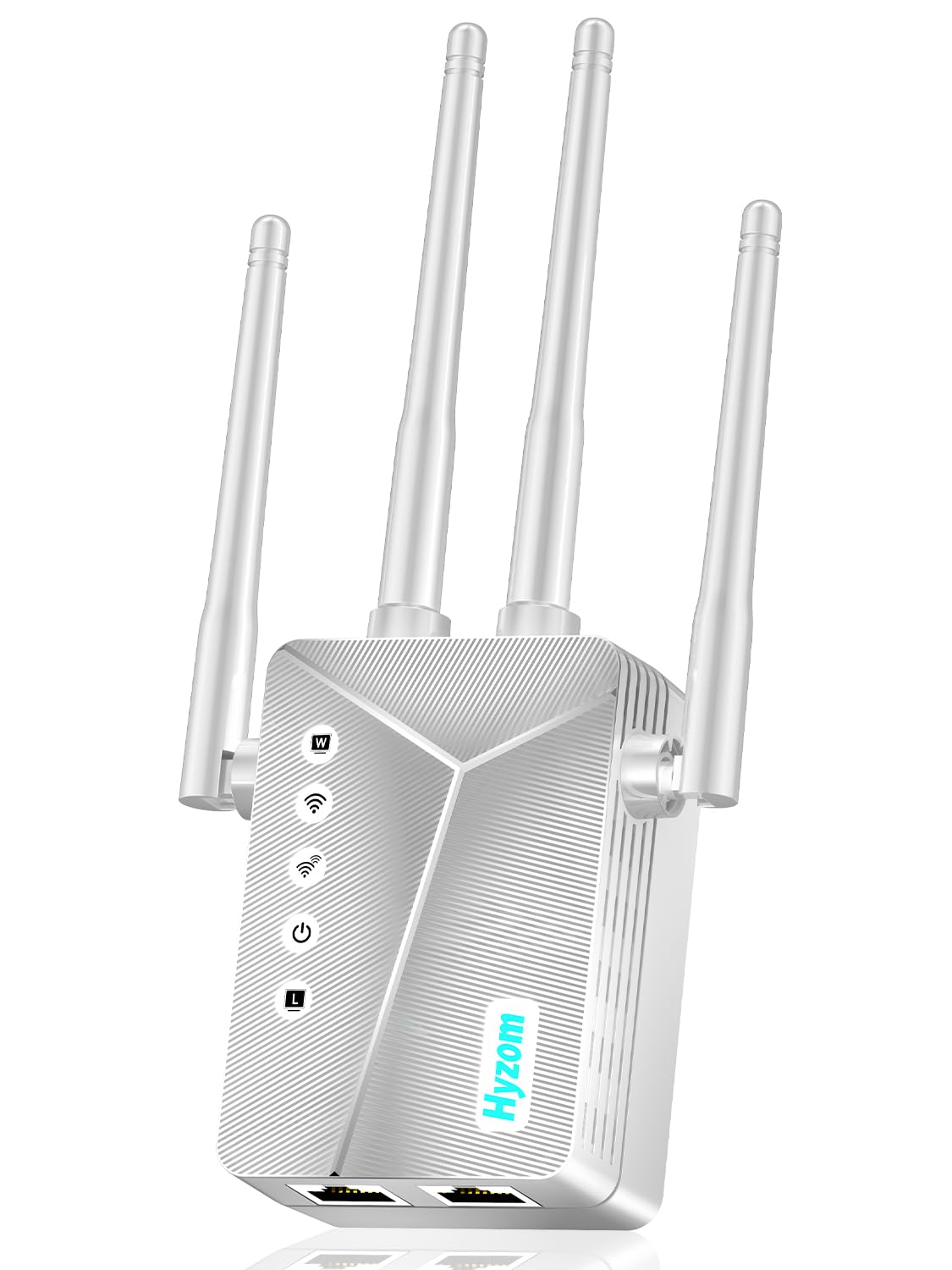
Type: Wireless extender / repeater
Coverage claim: Up to 18,000 sq. ft.
Devices: 65+
Port: Ethernet
Setup: 1-tap
WiFi Extender Signal Booster for Home
This extender is aimed at buyers who want the biggest possible coverage number without replacing the router. It repeats the existing signal, so placement is everything: it must sit halfway between the router and the dead spot, not in the dead spot itself. The Ethernet port is the useful detail — it lets a wired device, like a desktop or TV, join the extended network. One-tap setup keeps configuration short.
The 18,000-square-foot figure is a marketing ceiling measured under ideal conditions; real homes with walls and floors will see far less. That makes this a reasonable pick for a large open-plan house or a detached garage, and a poor one for anyone expecting a repeater to punch through two concrete floors. Buyers should treat it as a range booster, not a mesh replacement. Check availability on Amazon.
Trade-off: A repeater halves throughput on the extended band and cannot fix a weak source signal, so it works best when the router already reaches partway upstairs.
4. TP-Link Deco S4 Mesh AC1900 WiFi System (3-Pack) — Best Whole-Home Coverage

Type: Mesh WiFi system, 3-pack
Standard: AC1900
Coverage: Up to 5,500 sq. ft.
Ports: Gigabit Ethernet
Replaces: Router and extender
Voice: Works with Alexa
TP-Link Deco S4 Mesh AC1900 WiFi System (3-Pack)
The Deco S4 three-pack is the most direct fix for a multi-floor home with a stubborn upstairs dead spot. Three nodes mean one can sit near the modem downstairs, one mid-house, and one upstairs — the classic placement pattern that actually solves floor-to-floor coverage. It replaces both the router and any extender, simplifying the network to a single name. Gigabit ports on each node allow wired backhaul where cabling exists.
This is the pick for a house of roughly 3,000 to 5,000 square feet where the goal is one seamless network rather than a patchwork of extenders. It suits families with many devices and a mix of floors. The trade-off is that AC1900 is a step behind WiFi 6, so buyers on a fast modern plan may want to weigh a newer mesh kit. See the current price on Amazon.
Trade-off: The AC1900 standard caps real-world throughput below what WiFi 6 mesh offers, so very fast internet plans will not be fully used.
5. TP-Link AC1200 WiFi Extender (RE315) — Best Budget Single-Room Fix

Type: Dual-band WiFi extender
Speed class: AC1200
Coverage: Up to 1,600 sq. ft.
Devices: 32
Mesh: EasyMesh compatible
Port: One Ethernet
TP-Link AC1200 WiFi Extender Dual Band 5GHz/2.4GHz (RE315)
The RE315 is the cheapest sensible fix for one bedroom or office upstairs that keeps dropping. It repeats the dual-band signal and adds a single Ethernet port for a wired device. EasyMesh compatibility means it can join a compatible TP-Link mesh network rather than sit as a standalone repeater. At this price, it is the low-risk experiment before committing to a full mesh system.
This pick suits a buyer with a single problem room and a router that already reaches the top of the stairs. It is not for a whole-floor dead zone or a large house — 32 devices and 1,600 square feet are modest limits. Placement still matters: it belongs roughly midway between router and dead spot, ideally in a hallway or on a landing. Check the price on Amazon.
Trade-off: A single small extender struggles with multiple rooms and can create a second network name unless configured carefully.
Before You Buy
- Placement first: Move the router to a central, elevated, open spot before buying anything — this alone fixes many upstairs dead spots.
- Home size: Match coverage claims to real square footage, and discount marketing numbers for walls and floors.
- Floors: Signal struggles most through concrete and metal; a mesh node on the stairs beats a repeater in a far bedroom.
- Compatibility: EasyMesh and mesh ecosystems only mix within their own brand family in most cases.
- Wired backhaul: If Ethernet cabling exists between floors, use it — it outperforms any wireless extender.
- Device count: Count phones, TVs, laptops, and smart home gear before choosing a device limit.
- Budget path: Try a cheap extender first; move to a mesh system only if one room is not the whole problem.
Frequently Asked Questions
-
Where is the best place to put a router for an upstairs dead spot?
Centrally and high up, away from floors, metal, and appliances. If the router must stay downstairs, place it near the staircase so signal travels up the open stairwell rather than through a slab. -
Does a WiFi extender fix an upstairs dead spot?
It can fix one room if placed midway between the router and the dead zone. It will not fix a whole floor, and it halves throughput on the repeated band. -
Is mesh better than an extender for a two-story house?
Yes, for whole-floor coverage. A three-pack mesh system creates one network name and hands devices off cleanly between nodes. -
How many mesh nodes does a two-story home need?
Typically two to three, depending on square footage and wall materials. One downstairs, one upstairs is the minimum useful setup. -
Does router height matter?
Yes. WiFi radiates outward and slightly downward, so an elevated, unobstructed spot beats a low corner or a closed cabinet. -
Can a WiFi 6 router alone solve an upstairs dead spot?
Sometimes, if the old router was the weak link and placement improves. If the floor is the obstacle, a second node is still needed.
Bottom Line
The fastest, most reliable fix for a dead spot upstairs is the TP-Link Deco S4 Mesh AC1900 WiFi System (3-Pack), which puts a node on each floor and replaces the router and extender in one move. Buyers on a tight budget should start with the Archer AX21 and better placement, then add a node only if the dead spot survives.
