Why there are Amazon links here: Brave Review is paid a commission for qualifying Amazon purchases made through the links below. Your price does not change, and using our links is entirely optional. How this works
Best Smart Lock for a Door with a Dog Flap and Letterbox
A front door with a dog flap and a letterbox is a busy piece of hardware: it takes constant traffic from pets, post and people, and a smart lock has to work around all of it. The five picks below cover three buyer profiles — pet owners who want scheduled access, households that want camera and video at the door, and budget buyers who just want keyless entry that lasts. The overview table shows every pick side by side, and each review names who it fits and who it does not.
The Picks at a Glance
| Product | Key Spec | Best Use | Price Tier |
|---|---|---|---|
| PetSafe SmartDoor Connected Pet Door | App-controlled selective entry | Pet owners replacing a flap | Premium |
| WiFi Video Smart Lock | Live 2-way talk and video | Doorbell-plus-lock replacement | Mid |
| Philips Wi-Fi Smart Deadbolt Lock | Fingerprint, code and app unlock | Main entry with a keypad | Mid |
| myQ Secure View 3-in-1 Smart Lock | 2K HDR doorbell camera | High-traffic front doors | Premium |
| Wyze Auto-Lock Bolt v2 | Fingerprint scanner, auto-lock | Budget keyless entry | Budget |
1. PetSafe SmartDoor Connected Pet Door
Type: App-controlled pet door
Access: Selective entry and exit
Scheduling: Custom schedules via My PetSafe App
Notifications: Remote lock and phone alerts
Households: Multi-pet friendly
Size: Medium

PetSafe SmartDoor Connected Pet Door — check price on Amazon
This is the pick for a door where the flap itself is the problem. The SmartDoor replaces a standard pet flap with an app-controlled panel that can be locked remotely, scheduled by time of day, and set to let specific pets in and out. The My PetSafe App pushes notifications when an animal passes through, which matters on a street-facing door where a loose dog is a real risk. The medium size suits most dogs and the multi-pet support keeps one animal from following another out.
It earns its place because the dog flap and the lock are the same decision here — a smart deadbolt above a dumb flap leaves the door half-secured. The trade-off: this is a pet door, not a deadbolt, so a household that also wants keyless human entry still needs a separate lock.
2. WiFi Video Smart Lock, 5-in-1 Keyless Entry
Type: Video smart lock with keyless entry
Access: Fingerprint, keypad, app remote unlock
Video: Live 2-way talk and video
Automation: Auto-lock timer
Voice: Works with Alexa and Google
Intended use: Front door
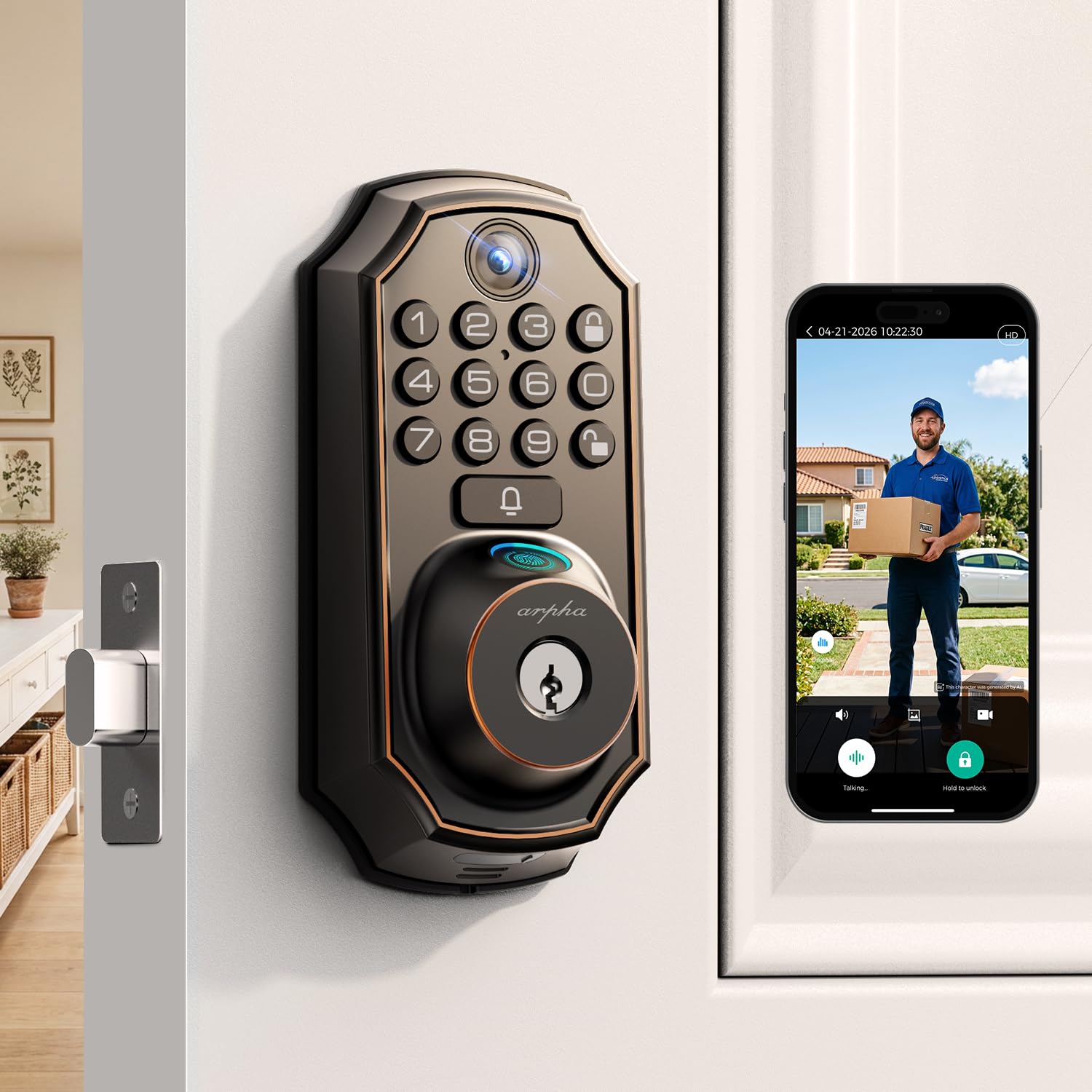
WiFi Video Smart Lock, 5-in-1 Keyless Entry — check price on Amazon
This unit combines a deadbolt, a doorbell camera and five access methods in one piece of hardware, which is the appeal on a door that already has a letterbox cut into it — one less gadget to mount. Live two-way talk and video let a homeowner see and speak to a visitor before unlocking, and the auto-lock timer removes the "did I lock it?" loop. Fingerprint and keypad entry cover the everyday cases, while app unlock handles remote guests.
It suits households that want to watch the doorstep as well as lock it. The trade-off: video locks draw more power than a plain deadbolt, so expect to recharge or replace batteries more often than with a keypad-only model.
3. Philips Wi-Fi Smart Deadbolt Lock with 2 Handles
Type: Wi-Fi smart deadbolt with handle set
Access: Code, fingerprint and app unlock
Remote: Remote access over Wi-Fi
Voice: Alexa and Google voice unlock
Automation: Auto lock
Keypad: Backlit touchscreen
Included: Two handles
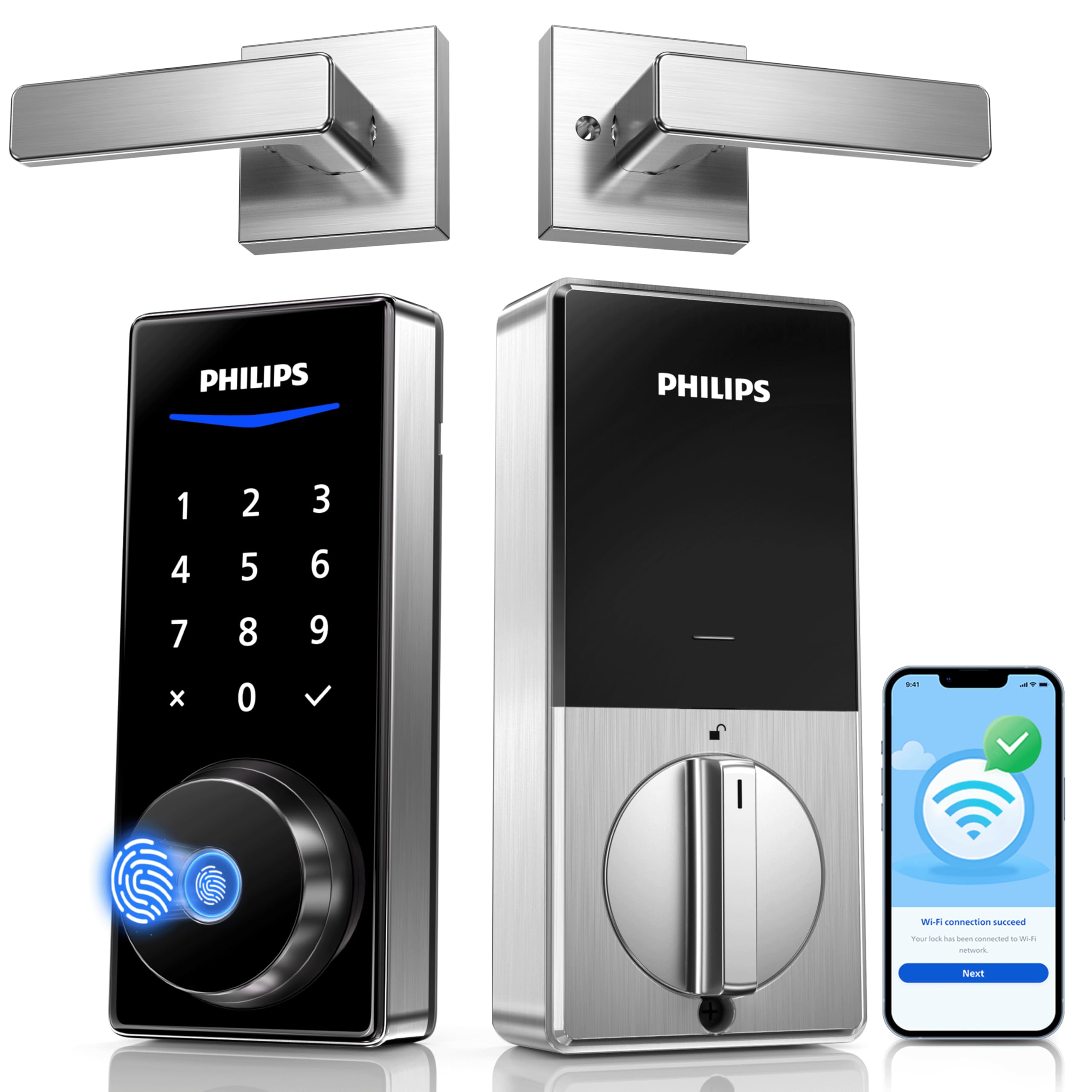
Philips Wi-Fi Smart Deadbolt Lock with 2 Handles — check price on Amazon
The Philips set is the one to look at when the whole door furniture is being replaced rather than just the deadbolt. Two handles ship in the box, so the lock and the lever match, and the backlit touchscreen stays readable on a dark porch. Built-in Wi-Fi means remote access and voice unlock work without a separate hub, and the fingerprint reader gives a fast option for muddy or gloved hands.
It fits a main entry that gets a lot of family traffic and wants one consistent finish. The trade-off: the paired handle set commits the buyer to that door’s existing cutouts, so it is a poor fit for a door already drilled for a different backset.
4. myQ Secure View 3-in-1 Smart Lock Deadbolt
Type: Smart deadbolt with doorbell camera
Camera: 2K HDR with color night vision
Access: Face, fingerprint and PIN
Audio: Two-way audio
App: Remote control and monitoring
Included: Extra battery
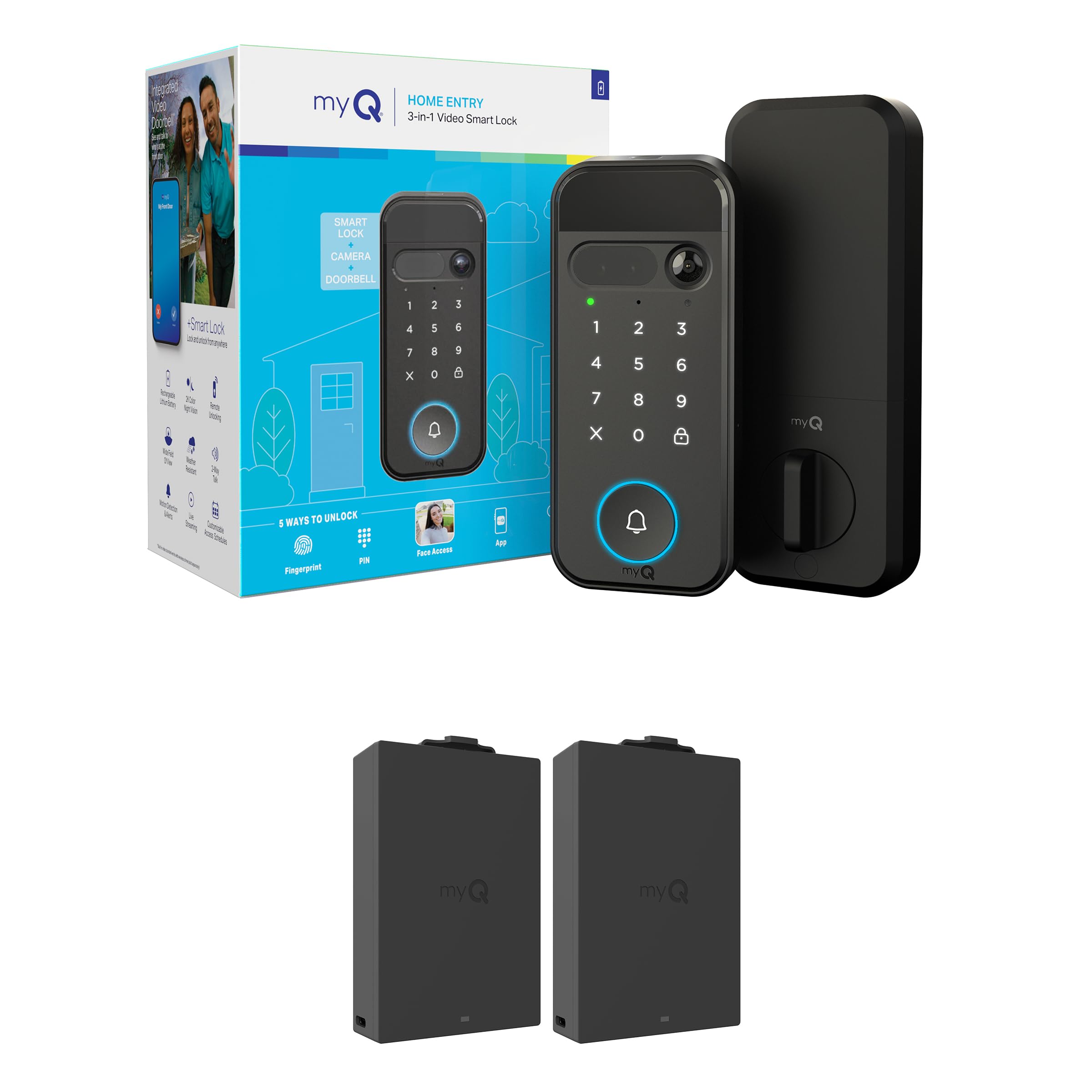
myQ Secure View 3-in-1 Smart Lock Deadbolt — check price on Amazon
This is the premium option for a front door that doubles as the parcel drop. The 2K HDR camera with color night vision gives a clear look at whoever is at the door, and face, fingerprint and PIN access mean nobody has to dig for keys with an armful of post. Two-way audio handles couriers and visitors remotely, and the spare battery in the box softens the downtime that camera-equipped locks are known for.
It suits a household that wants the doorstep watched and is willing to pay for the camera. The trade-off: face recognition is the fussiest access method on the market — lighting, hats and glasses all affect it, so the PIN and fingerprint should stay the everyday route.
5. Wyze Auto-Lock Bolt v2
Type: Fingerprint keyless entry deadbolt
Access: Fingerprint, keypad, backup keys
Learning: AI learning fingerprint scanner
Automation: Auto-lock
Battery: 8 months
Ratings: BHMA2, IP53
Keypad: Anti-peep

Wyze Auto-Lock Bolt v2 — check price on Amazon
The Bolt v2 is the budget pick and the one most buyers should start with. The AI learning fingerprint scanner improves with each use, the anti-peep keypad keeps a code private from anyone standing behind, and the IP53 rating plus BHMA2 grading suggest a lock built to shrug off weather and daily wear. Eight months of battery life is generous for a Wi-Fi lock, and backup keys cover a dead battery.
It suits renters and first-time smart lock buyers who want keyless entry without a camera subscription. The trade-off: at this price the finish and handle feel are basic, and there is no camera or video, so the letterbox still gets no eyes on it.
Before You Buy
- Door thickness and backset: A deadbolt has to match the door’s existing bore and backset, so measure before ordering rather than after.
- Flap position: A dog flap low in the door limits where a bulky interior lock body can sit — check clearance on the inside face.
- Letterbox clearance: An exterior keypad or camera needs a flat patch of door; a letterbox directly below the handle can crowd it.
- Power source: Camera locks drain faster than keypad-only models, so weigh battery life against the video features actually needed.
- Connectivity: Built-in Wi-Fi skips a hub; locks without it need a bridge for remote access.
- Weather rating: An exposed door benefits from an IP rating and a graded deadbolt rather than a bare interior-grade unit.
- What’s in the box: Handle sets, spare batteries and backup keys change the real cost of a lock more than the headline price suggests.
Frequently Asked Questions
-
Can a smart lock be fitted to a door that already has a dog flap?
Yes, provided the interior lock body clears the flap frame. The flap itself is the bigger security gap, which is why an app-controlled pet door is often the better first purchase. -
Does a letterbox interfere with a smart lock?
It can, if the letterbox sits where the keypad or camera needs to go. Measuring the flat space around the existing cutouts before ordering avoids a return. -
Which access method is most reliable?
Fingerprint and PIN are the most consistent day to day; face recognition is convenient but sensitive to lighting and headwear. -
Do video smart locks need a subscription?
Live viewing and two-way talk usually work without one, while recorded clips often sit behind a paid plan — worth checking before buying. -
How often do smart lock batteries need changing?
A keypad-only lock can run most of a year; a lock with camera and video draws far more and will need attention sooner. -
Is a smart lock worth it on a door with a pet flap?
It is, because the lock secures the people-sized opening. Pairing it with a controlled pet door covers the other gap.
Bottom Line
For a door with a dog flap and a letterbox, the PetSafe SmartDoor Connected Pet Door is the top pick because it secures the opening most locks ignore, and it can be scheduled and monitored from a phone. Households that want the doorstep watched should look at the myQ Secure View, while budget buyers get most of the everyday benefit from the Wyze Auto-Lock Bolt v2.
