Why there are Amazon links here: Brave Review is paid a commission for qualifying Amazon purchases made through the links below. Your price does not change, and using our links is entirely optional. How this works
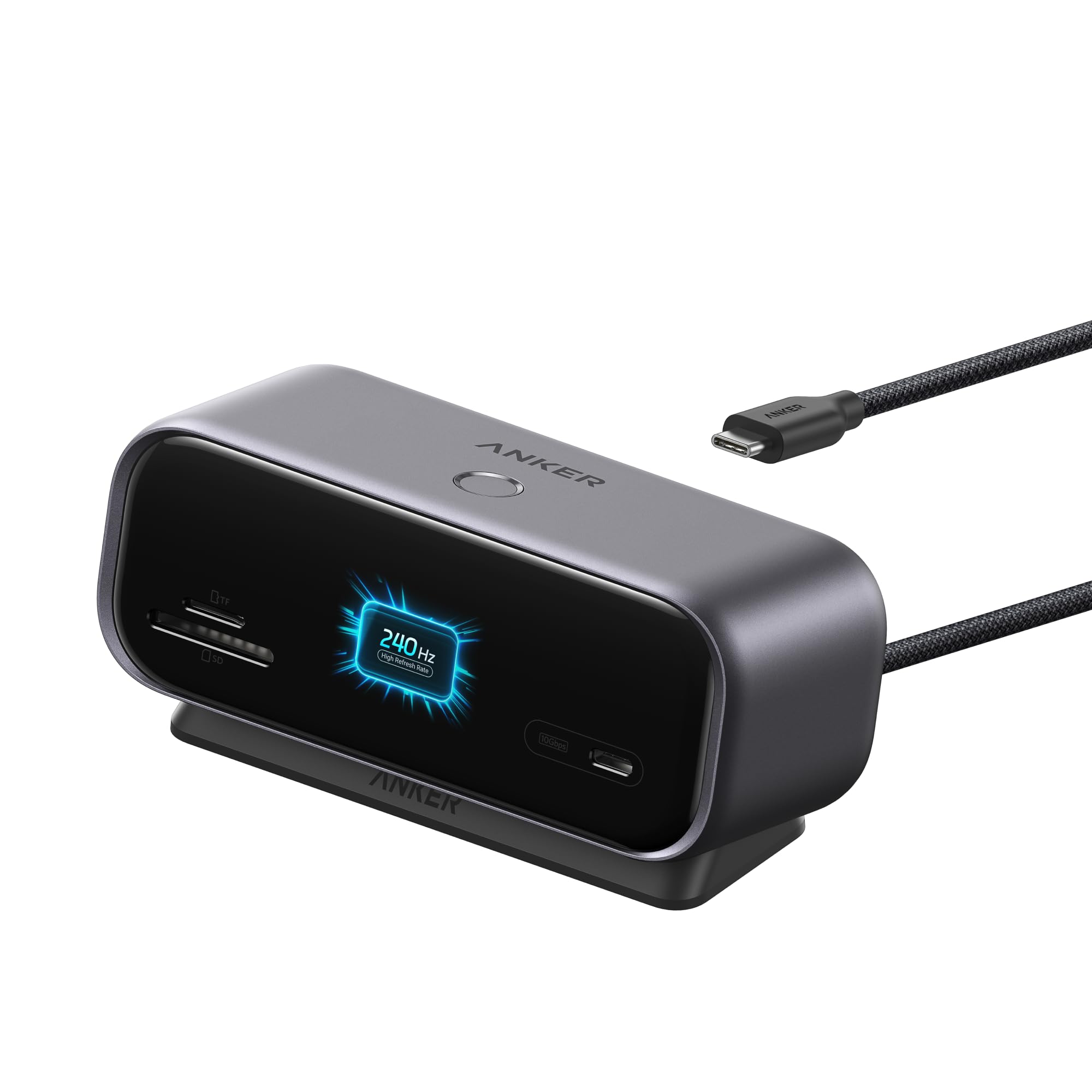
Anker Nano Docking Station: Dual-Display Hub for Windows
The Anker Nano docking station is a compact USB-C hub built to add two external monitors, wired networking, and extra ports to a laptop through a single cable. It suits Windows users who want a dual-display desk setup without buying a powered dock, and Mac owners who only need one extra screen. This review covers the specifications, how the hub is built, what the connectivity means in practice, and where the design falls short, so a buyer can decide quickly whether it belongs on the desk.
Check the current price on Amazon
Features and Specifications
Product Type: USB-C hub and docking station
Display Outputs: HDMI and DisplayPort
Maximum Resolution: Dual 2K at 240Hz on Windows
Mac Support: Single external display
Networking: Ethernet port
Cable: 2.3ft built-in
Color: Grey
Power: No charger included
The headline feature is the dual-display support on Windows. HDMI and DisplayPort outputs run side by side, and the hub is rated for dual 2K at 240Hz, which is a high refresh rate for a bus-powered dock at this price. That combination matters for buyers who run two monitors for work and want the motion on both screens to stay smooth.
The 2.3ft built-in cable is a deliberate design choice rather than an afterthought. It means the hub travels with its own connection, so there is no separate USB-C cable to lose or replace. The catch is reach: a short cable suits a laptop sitting right next to the hub, not a machine parked across the desk.
Ethernet is the other practical addition. Wired networking is still the most reliable way to hold a stable connection during long calls or large file transfers, and it is the port most thin laptops drop first. The grey housing keeps the look neutral on a desk, and the compact footprint leaves room for a keyboard and mouse.
Build and Design
The hub is a small, bus-powered unit that draws what it needs from the laptop’s USB-C port. That keeps the desk clean, but it also means the hub has no power supply of its own. The listing is explicit on this point: no charger is included, and the dock is not a charging hub. Buyers who expect a dock to top up the laptop while driving two monitors should look at a powered model instead.
The 2.3ft cable sets the working geometry. The hub needs to sit close to the laptop, which is fine for a laptop stand or a riser setup but awkward for a tower-style desk where the machine sits on the floor. The built-in cable is also the one part that cannot be swapped if it wears, so the hub’s lifespan is tied to that lead.
The grey finish and compact body read as practical rather than premium. There is no metal chassis language in the name and no indication of a rugged build, so the hub belongs on a desk, not in a bag tossed into a backpack every day. Buyers who move between offices regularly should treat it as semi-portable at best.
Display Performance and Connectivity
Dual 2K at 240Hz is the spec that separates this hub from the budget crowd. Most compact hubs cap out at 60Hz, which is fine for spreadsheets but visibly choppy for scrolling, video work, or anything with fast motion. A 240Hz ceiling on two 2K panels gives Windows users headroom that most hubs in this class do not offer.
The Windows and Mac split is the detail buyers need to read twice. On Windows, both displays work together. On Mac, the hub drives a single external display. That is a platform limitation rather than a fault in the hub, but it changes who should buy it: a Mac user with two monitors will not get the dual setup the product name advertises.
The HDMI and DisplayPort pairing gives buyers flexibility in which monitors they can connect without adapters. Ethernet sits alongside for wired networking, and the USB-C connection carries everything over one cable. The hub does not include a charger, so the laptop’s own power supply stays in play, and buyers should confirm their machine can run two external displays while bus-powered before committing.
Trade-off: The hub is bus-powered and ships without a charger, so it expands connectivity but does not charge the laptop, and Mac owners get only one external display.
Who It Suits and Who It Does Not
This hub fits Windows laptop owners building a two-monitor desk on a budget. The combination of dual 2K output, a high refresh ceiling, Ethernet, and a built-in cable covers the core needs of a home office or a small workstation without the cost or bulk of a powered dock. Buyers who keep the laptop on a stand next to the monitors will find the short cable a good match.
It does not suit Mac users who need two external displays, because the hub only drives one on that platform. It also does not suit buyers who want the dock to charge the laptop, since no charger is included and the hub is not a charging station. Anyone who needs long cable runs, a metal chassis, or a hub that survives daily commutes should look elsewhere.
FAQ
-
Does the Anker Nano docking station support two monitors on Windows?
Yes. The hub is built for dual displays on Windows through its HDMI and DisplayPort outputs, rated for dual 2K at 240Hz. -
Does it work with a Mac?
It works, but only with a single external display. Mac support is limited to one screen, so the dual-monitor setup does not apply. -
Does the hub charge the laptop?
No. No charger is included, and the hub is bus-powered. The laptop’s own power supply is still needed. -
What is the maximum refresh rate?
The hub is rated for dual 2K at 240Hz on Windows, which is high for a compact bus-powered dock. -
How long is the cable?
The cable is built in and measures 2.3ft, so the hub needs to sit close to the laptop. -
Does it have Ethernet?
Yes. An Ethernet port is included for wired networking alongside the display outputs. -
Can it connect to monitors with either HDMI or DisplayPort?
Yes. The hub provides both an HDMI output and a DisplayPort output, so either cable type works. -
Is it good for travel?
It is compact and has a built-in cable, but the short lead and desk-oriented design make it better suited to a fixed setup than daily commuting. -
Does it need a separate power adapter?
No adapter is required to run the hub, but the laptop still needs its own charger since the hub does not supply power. -
Who should buy it?
Windows users who want two external monitors, wired networking, and a clean single-cable connection without paying for a powered dock.
Bottom Line
The Anker Nano docking station is the right pick for a Windows laptop owner who wants two smooth 2K displays and Ethernet from one compact hub at a budget-tier price. The built-in cable and bus-powered design keep the desk tidy, and the 240Hz ceiling is generous for the class. Mac users needing dual monitors, and buyers who expect the dock to charge the laptop, should pass; everyone else gets a focused, affordable expansion hub that does its main job well.
