Why there are Amazon links here: Brave Review is paid a commission for qualifying Amazon purchases made through the links below. Your price does not change, and using our links is entirely optional. How this works
Geeni Smart Plug Mini 15A Wi-Fi Outlet: A No-Hub Starter Plug
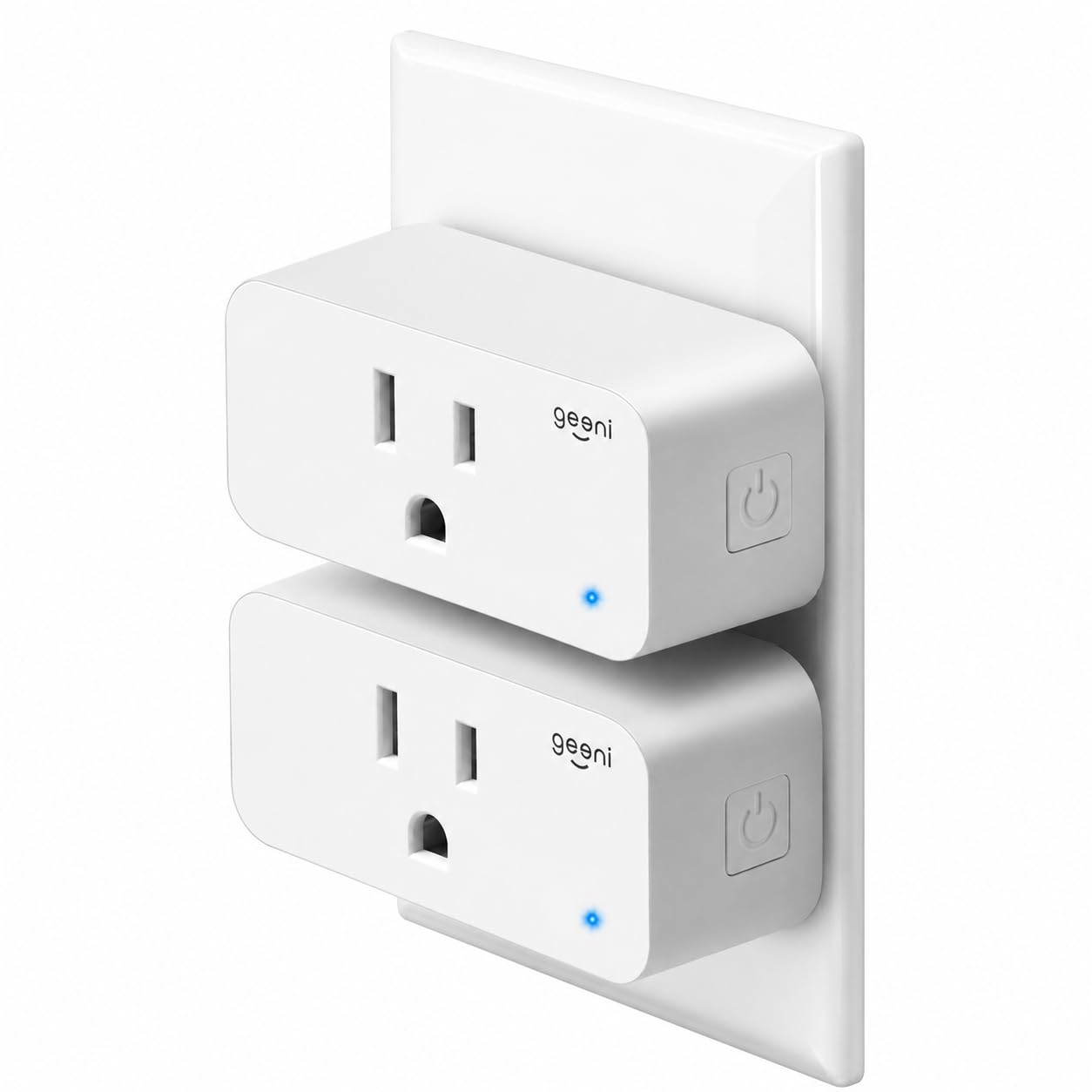
The Geeni 15A Wi-Fi mini smart plug is a two-pack aimed at households that want app-controlled outlets without buying a hub or rewiring anything. It fits a standard US wall outlet, connects over Wi-Fi, and works with Alexa and Google Home for voice control and schedules. This review covers what the plug does, how the setup typically works, where a budget mini plug like this one falls short, and which buyers should skip it. Readers who just want the short answer can jump to the bottom line.
Features and Specifications
Product Type: Wi-Fi smart plug, mini form factor
Pack Size: 2-pack
Electrical Rating: 15A outlet
Voice Assistants: Alexa and Google Home compatible
Hub Required: No
Safety Listing: UL
Color: White
Key Functions: Scheduling and power automation
The headline number here is the 15A rating. A standard household outlet circuit is typically built for 15 amps, so a plug with that rating is meant to sit on the same circuit as the appliance rather than be the weak link. In practice that makes this pair suitable for a lamp, a fan, a coffee maker, a space heater on a dedicated circuit, or a window air conditioner — the kind of load a cheaper 10A plug would force buyers to think twice about.
The "mini" label matters more than it sounds. Mini plugs are designed to leave the second socket on a duplex outlet usable, which is the whole reason the category exists. A bulky plug that covers both receptacles defeats the purpose of a two-pack. The trade-off with a compact body is that the internal relay and antenna share a small housing, so the plug is built for convenience rather than for heavy continuous duty in an enclosed space.
The "No Hub Required" line is the other selling point. The plug talks to the home Wi-Fi router directly, so there is no separate bridge to buy, power, or place. For a first smart-home purchase, that removes the most common point of confusion.
Trade-off: The compact housing and budget price mean this is a convenience-grade plug, not a heavy-duty controller for high-draw appliances running unattended for hours.
Check the current price on Amazon
Build, Setup, and the App
What the Hardware Is Like
The plug is a white plastic body with a three-prong pass-through and a single button for manual on/off and pairing. That button matters: when the Wi-Fi is down or the app is misbehaving, a physical override keeps the connected lamp or fan usable. Buyers who have lived with smart plugs know the manual button is not a luxury.
The UL listing is worth calling out because it is not universal in this price bracket. UL is a safety certification, and for a device that sits plugged into a wall socket carrying current around the clock, it is the single most reassuring line on the packaging. The 15A rating plus the listing is the combination that makes this pair reasonable for real household loads rather than only phone chargers and fairy lights.
The mini shape also means the plug sits close to the wall. That looks tidy, but it can be awkward behind furniture where fingers need room to grip the body. Buyers planning to use one behind a heavy dresser should expect to reach for it from the side.
How Setup Usually Works
Setup on a plug of this type follows a familiar pattern: install the Geeni app, create an account, put the plug in pairing mode with the button, and enter the home Wi-Fi credentials. The plug connects on the 2.4 GHz band, which is standard for this class of device — 5 GHz-only networks will not work, and a router that broadcasts both bands under one name sometimes needs the bands split during pairing.
Voice control comes after the app account exists. Alexa and Google Home both link to the Geeni account rather than to the plug directly, so the assistant sees whatever names the user assigns. Naming a plug "Living Room Lamp" rather than leaving it as the default is the difference between voice control that works and voice control that frustrates.
Scheduling and automation live in the app. A plug like this can turn a lamp on at sunset, run a fan for a set window, or put a coffee maker on a morning timer. Buyers should set expectations accordingly: these are timers and routines, not sensors. The plug does not know whether anyone is home.
Where the Limits Show
The honest weakness of a budget Wi-Fi plug is dependence on the cloud. Commands route through the manufacturer’s servers, so when the internet drops, the app and voice control stop responding even though the wall outlet still has power. The manual button keeps the load switchable, but schedules stored in the cloud may not fire. Buyers who need local control should look at hub-based systems instead.
The second limitation is the 2.4 GHz-only radio. That is normal for the category, but it is the number one reason a new plug fails to pair on the first try. A router with band steering enabled can silently push the phone onto 5 GHz during setup and cause a loop of failed connections.
Trade-off: Cloud-dependent control and 2.4 GHz-only Wi-Fi keep the price low but mean the plug is only as reliable as the home network and the vendor’s servers.
Who This Plug Suits, and Who It Does Not
This two-pack suits renters and first-time smart-home buyers. There is no hub, no wiring, and no permanent installation — the plug goes into an existing outlet and comes out just as easily. Two plugs for a budget price let a household test the idea on a lamp and a fan before committing to a whole-house setup.
It also suits anyone who already uses Alexa or Google Home and wants a cheap way to add a couple of voice-controlled outlets. The pairing is account-based, so the plugs appear alongside existing devices without extra hardware.
It does not suit buyers who need local, internet-independent automation. Nor does it suit anyone planning to run a high-draw appliance unattended for long stretches in a closed space — a 15A rating covers the circuit, but a compact budget plug is still the wrong tool for that job. Buyers with a mesh network that cannot separate bands should also expect a rougher setup.
See the Geeni 2-pack on Amazon
FAQ
-
Does the Geeni smart plug need a hub?
No. The plug connects directly to the home Wi-Fi router, so no bridge or hub is required. The only account needed is the one created in the Geeni app. -
Does the Geeni dot plug work with Alexa and Google Home?
Yes. Both assistants are supported through account linking. The plug is added to the Geeni app first, then the assistant is connected to that account and the plug is assigned a name for voice commands. -
What can a 15A smart plug handle?
A 15A rating matches a standard household circuit, so the plug is built for ordinary appliances — lamps, fans, coffee makers, space heaters on a suitable circuit. Buyers should still check the appliance’s own current draw and never exceed the plug’s rating. -
Why will the plug not connect to Wi-Fi?
The most common cause is the network band. This type of plug works on 2.4 GHz only, so a 5 GHz-only network or a router that merges both bands under one name can block pairing. Splitting the bands during setup usually resolves it. -
Does the plug keep working when the internet goes down?
The physical button still switches the outlet, but app control, voice commands, and cloud-stored schedules stop until the connection returns. Buyers who need offline automation should consider a hub-based system. -
Is the plug safe to leave plugged in?
The plug carries a UL safety listing, which is the certification to look for on any device that stays in a wall socket. It should still be kept away from moisture and not overloaded beyond its 15A rating. -
Can two plugs be controlled separately?
Yes. Each plug in the two-pack pairs as its own device in the app, so each gets its own name, schedule, and voice command. That is the main reason a two-pack makes sense over a single plug. -
Does the mini size block the second outlet?
The mini form factor is designed to leave the neighboring socket usable, which is the point of the design. Fit can still vary with outlet covers and furniture placement, so a quick check of the wall position before committing is worthwhile. -
Can the plug be controlled away from home?
Yes, as long as the plug is online and the phone has an internet connection. Control routes through the vendor’s cloud, so remote access depends on both the home network and the service being up. -
Is this plug a good first smart-home purchase?
For a renter or a first-time buyer who wants app and voice control without a hub, it is a sensible low-risk entry point. Buyers who need local control or heavy-duty switching should look elsewhere.
Bottom Line
The Geeni 15A Wi-Fi mini smart plug two-pack is the right buy for a household that wants voice-controlled, scheduled outlets without a hub, and it earns its place with a 15A rating and a UL listing at a budget price. The limits are the ones the category imposes: cloud-dependent control, 2.4 GHz-only Wi-Fi, and a compact body that is not built for unattended heavy loads. Buyers who accept those terms get two usable smart outlets for the price of a single premium plug. Check the current price on Amazon.
