Why there are Amazon links here: Brave Review is paid a commission for qualifying Amazon purchases made through the links below. Your price does not change, and using our links is entirely optional. How this works
Best Separate Network for IoT for Isolating Smart Devices
A separate network for IoT keeps smart plugs, cameras, and sensors off the same segment as phones and laptops. This roundup covers five picks — a UniFi device bridge, a hands-on OpenWrt security book, a Wi-Fi HaLow gateway, a cheap multi-WAN router, and an industrial LTE router — and each suits a different buyer. Home lab tinkerers, small-business network admins, and industrial integrators will each find one that fits. The overview table below puts the differences side by side.
The Picks at a Glance
| Product | Key Spec | Best Use | Price Tier |
|---|---|---|---|
| Ubiquiti UDB-IoT-US Device Bridge | UniFi IoT bridge | Extending an existing UniFi network to IoT gear | Budget |
| IOT SECURITY WITH OPENWRT | OpenWrt/VLAN guide | Learning segmentation before buying hardware | Free |
| ELECROW ThinkNode G4 WiFi HaLow Bridge | 802.11ah, 915 MHz | Long-range, low-power sensor links | Mid-range |
| TP-Link ER605 Wired Gigabit VPN Router | 3 WAN + 1 USB WAN, SPI firewall | Cheap wired core for a VLAN-segmented IoT net | Budget |
| InHand Networks IR315 | 4G LTE CAT 6, dual SIM, DIN rail | Remote or industrial sites without wired internet | Premium |
1. Ubiquiti UDB-IoT-US Device Bridge IoT US
Type: IoT device bridge
Ecosystem: UniFi
Region: US model
Connectivity role: Bridges IoT devices onto a managed network

Ubiquiti UDB-IoT-US Device Bridge IoT US
The UDB-IoT is a small bridge built to pull IoT devices onto a UniFi-managed network rather than a consumer router’s flat LAN. It is designed for buyers who already run UniFi gear and want smart devices on their own segment without re-cabling the house. The compact housing suits shelf or wall placement near a cluster of sensors. It is a niche add-on, not a standalone router.
This pick earns its place because it extends an existing UniFi deployment instead of duplicating it. The US designation matters: buyers outside the US should confirm regional compatibility before ordering. It suits home lab owners with a UniFi console and a growing pile of smart devices.
Trade-off: It only makes sense inside the UniFi ecosystem, so anyone without UniFi hardware is paying for a bridge that cannot manage itself.
2. IOT SECURITY WITH OPENWRT
Type: Technical book
Topics: VLANs, firewall4, nftables, WireGuard, MQTT, Matter, Thread, Home Assistant, zero-trust segmentation
Format: Print/ebook
Price tier: Free at time of writing

This is the planning pick: a book that walks through building and securing a segmented smart-home or edge network on OpenWrt. It covers VLANs, firewall4, nftables, WireGuard, MQTT, Matter, Thread, Home Assistant, and zero-trust segmentation in one place. Buyers who have never configured a VLAN will get the most from it before spending on hardware. It pairs naturally with a cheap OpenWrt-capable router.
It earned its place because the hardest part of a separate IoT network is the design, not the box. The book is aimed at readers comfortable with router firmware and command-line work. It suits tinkerers and small-site admins planning a network from scratch.
Trade-off: It is a guide, not gear — buyers wanting a plug-in solution will still need to buy and configure hardware afterward.
3. ELECROW ThinkNode G4 WiFi HaLow Bridge 802.11ah
Type: Wi-Fi HaLow gateway/bridge
Standard: 802.11ah
Band: 915 MHz
Ports/links: Wi-Fi, Wi-Fi HaLow, Ethernet
Intended use: Robotics, industrial control, smart home, IoT
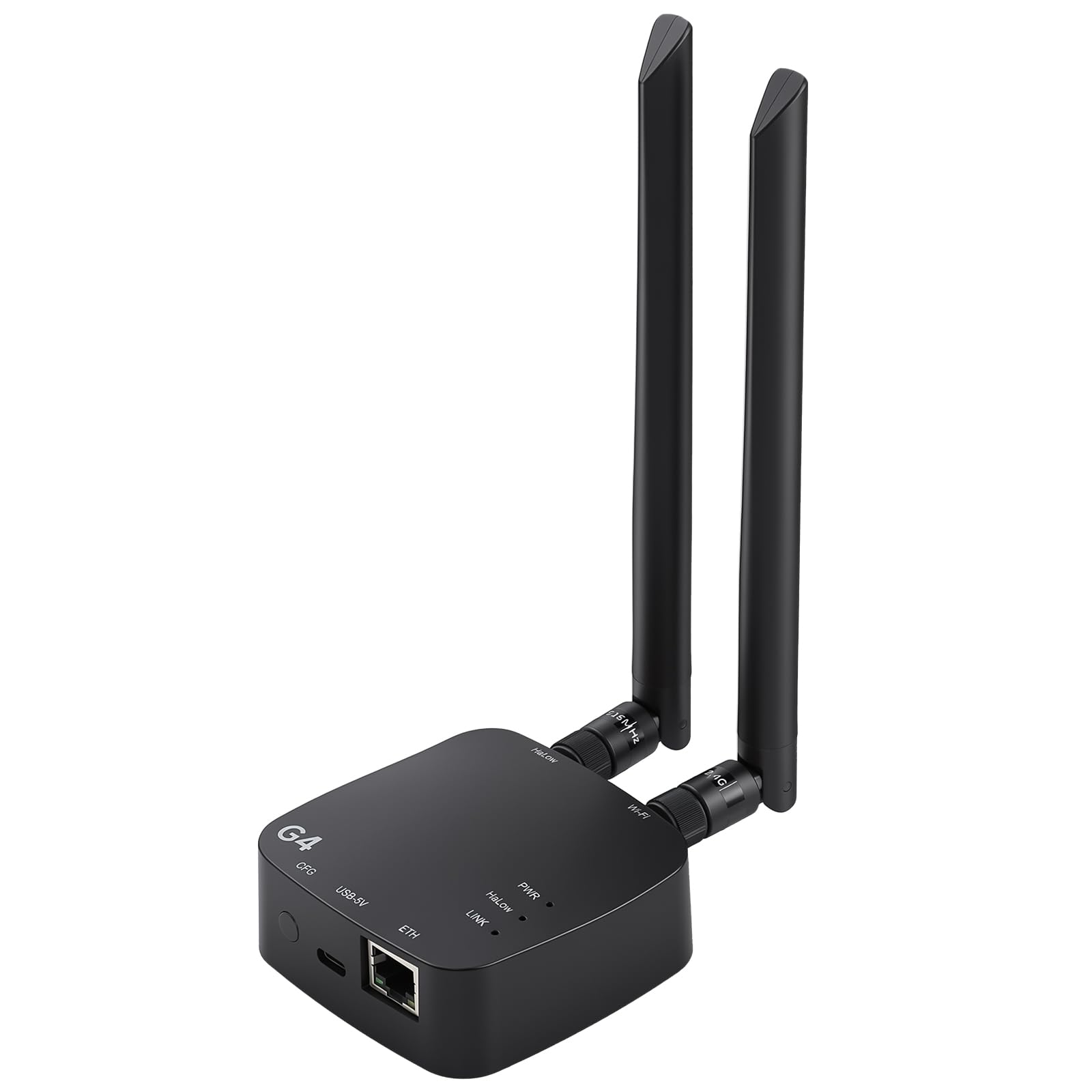
ELECROW WiFi HaLow Gateway – ThinkNode G4 WiFi HaLow Bridge 802.11ah
The ThinkNode G4 is a gateway built around Wi-Fi HaLow on the 915 MHz band, with Wi-Fi, HaLow, and Ethernet connections in one unit. HaLow trades raw speed for reach and penetration, which makes it a fit for sensors spread across a yard, warehouse, or farm. The Ethernet link lets it tie back to a wired core network. It is aimed at robotics, industrial control, and smart-home deployments.
This pick suits buyers whose IoT devices sit far from the main router. It earns its place as the long-range option in this list. Buyers should expect to check device-side HaLow support, since not every sensor speaks 802.11ah.
Trade-off: HaLow is a narrow ecosystem, so the gateway is only useful if the end devices actually support 802.11ah.
4. TP-Link ER605 Wired Gigabit VPN Router
Type: Wired gigabit VPN router
WAN: Up to 3 Ethernet WAN + 1 USB WAN
Security: SPI firewall
Management: Omada SDN integrated
Features: Load balance, lightning protection

TP-Link ER605, Wired Gigabit VPN Router
The ER605 is a wired-only gigabit router with up to three Ethernet WAN ports plus a USB WAN, an SPI firewall, and Omada SDN management. Multiple WAN ports and load balancing make it a sensible core for a small network that needs failover. Omada integration is the key feature for a separate IoT network: it gives a management layer for VLANs across Omada switches and access points. There is no built-in Wi-Fi, so wireless IoT gear needs a separate access point.
It earns its place as the cheapest way to build a proper segmented wired core. It suits small-business admins and home lab builders who already run or plan to run Omada gear. Lightning protection is a practical bonus for rooftop or outbuilding runs.
Trade-off: With no radios onboard, buyers must budget for an access point to get IoT devices onto the wireless side.
5. InHand Networks IR315 Industrial IoT 4G LTE VPN Router
Type: Industrial IoT cellular VPN router
Cellular: 4G LTE CAT 6, 300 Mbps, dual SIM slots
Wi-Fi: Included
Ports: 5 Ethernet, serial port
Mounting: DIN rail
Carriers: AT&T, T-Mobile, Verizon
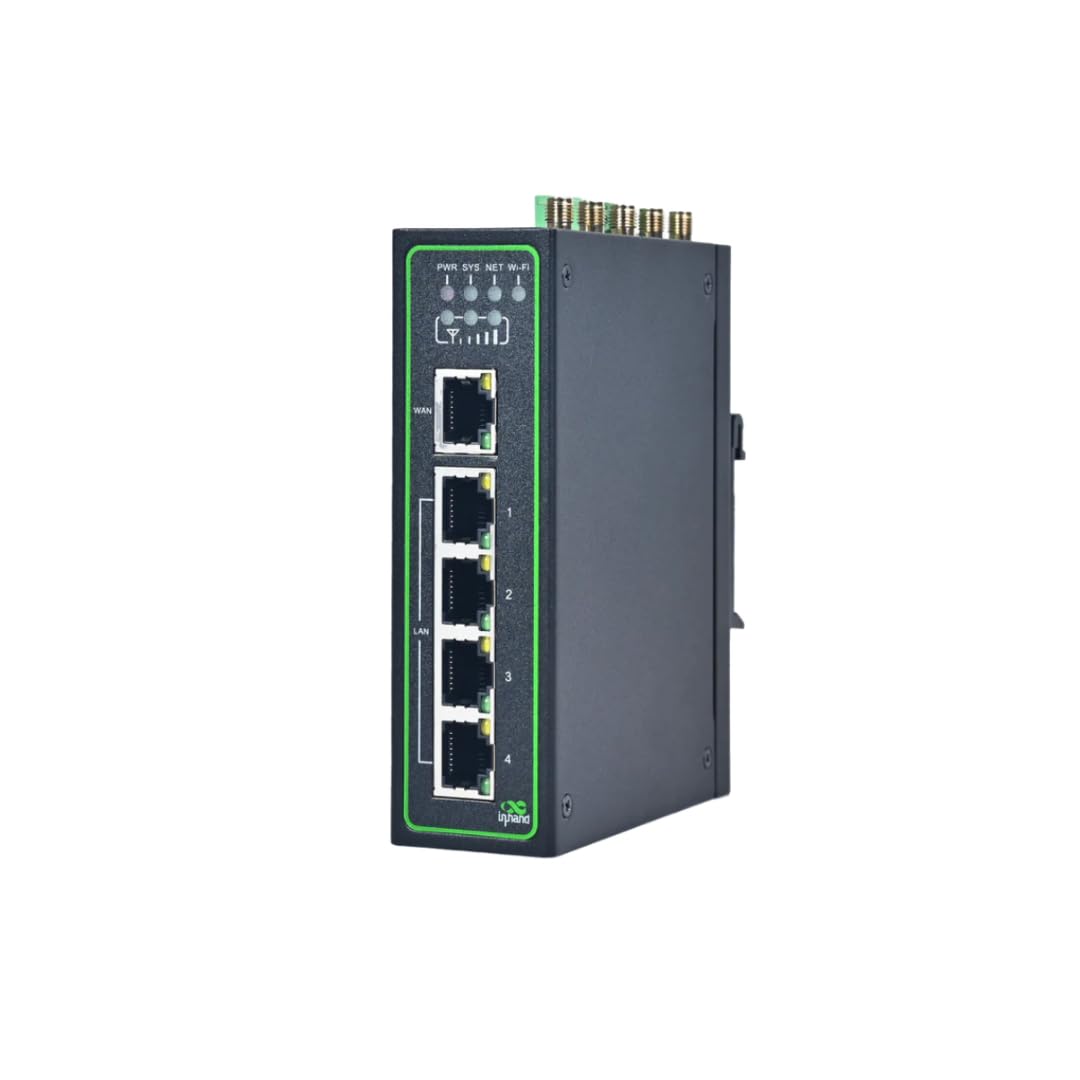
InHand Networks IR315, Industrial IoT 4G LTE VPN Router
The IR315 is a rugged industrial router that puts IoT gear on a cellular link instead of a home or office LAN. It carries 4G LTE CAT 6 cellular at 300 Mbps, Wi-Fi, dual SIM slots, five Ethernet ports, and a serial port, with DIN-rail mounting for control cabinets. Dual SIM slots give a fallback path when one carrier drops. It is built for remote sites, kiosks, and industrial control where wired internet is not available.
This pick suits integrators and site operators who need a separate IoT network at a location with no broadband. It earns its place as the premium, purpose-built option here. Carrier support for AT&T, T-Mobile, and Verizon makes provisioning in the US straightforward.
Trade-off: The price is several times the wired picks, and buyers also carry an ongoing cellular data plan.
Before You Buy
- Compatibility: Confirm the pick matches the existing ecosystem — UniFi for the UDB-IoT, Omada for the ER605, HaLow on the device side for the ThinkNode.
- Wired vs. wireless: The ER605 has no radios; budget for an access point if IoT devices connect over Wi-Fi.
- Range: Standard Wi-Fi and HaLow differ sharply in reach; long yards and warehouses favor the 915 MHz gateway.
- Internet source: Sites without broadband need the cellular IR315 and a data plan, not a wired router.
- Management layer: VLAN segmentation needs a controller or managed switches to be useful; factor that into the total cost.
- Skill level: The OpenWrt book is the cheapest starting point, but it assumes comfort with firmware and command-line work.
- Regional models: The Ubiquiti bridge is a US model; buyers elsewhere should verify compatibility first.
Frequently Asked Questions
- What is a separate network for IoT? It is a dedicated network segment — usually a VLAN or separate SSID — that keeps smart devices isolated from phones and computers, limiting what a compromised device can reach.
- Do I need special hardware to build one? Not always. A router with VLAN support, like the ER605, plus managed switches or access points is enough for most homes and small offices.
- Which pick is best for a beginner? The OpenWrt book, because it explains segmentation before any hardware is bought and costs nothing at the time of writing.
- Can the ER605 handle wireless IoT devices? Not on its own — it is wired-only, so an access point is required for Wi-Fi sensors and plugs.
- When does the HaLow gateway make sense? When sensors are spread over long distances or through walls where standard Wi-Fi struggles, and the devices support 802.11ah.
- Is the industrial router overkill for a home? Usually yes. The IR315 is aimed at remote and industrial sites that lack wired internet and need DIN-rail mounting.
Bottom Line
The TP-Link ER605 is the top pick for most buyers building a separate network for IoT: it is the cheapest route to a segmented wired core with multi-WAN failover and Omada management. Buyers already inside UniFi should take the Ubiquiti UDB-IoT instead, and anyone planning the design first should start with the OpenWrt book. Check the current price on the ER605 before committing.
