Why there are Amazon links here: Brave Review is paid a commission for qualifying Amazon purchases made through the links below. Your price does not change, and using our links is entirely optional. How this works
Best Schedule Based Internet Cut Off for Automatic Router Reboots
A schedule based internet cut off is a small piece of hardware that powers a router or modem off and back on at set times, or whenever the connection drops. This guide covers five devices that do exactly that, from a bare-bones timer cable to a cloud-controlled dual-outlet switch. It suits home users tired of manual reboots, small offices that need unattended recovery, and anyone running a remote camera or smart device on a flaky line. The overview table below sorts all five by spec and use case, so most readers can pick in under a minute.
Overview Of The Picks
| Product | Key Spec | Best Use | Price Tier |
|---|---|---|---|
| MSNSwitch2 UIS722b | 2 outlets, cloud/web/API control, auto reboot on internet loss | Small office or multi-device setups | Premium |
| ezOutlet5 EZ-72b | 1 outlet, WiFi and cloud control, Google Home | Single router, smart-home households | Mid-range |
| MSNswitch2 UIS-722 | 2 outlets, 10A fuse, ping auto reboot, app control | Budget dual-outlet monitoring | Premium |
| WiFi Restart Device Cable | Timer-based cut off, cable form factor | Tight budgets, single-device setups | Budget |
| Router Wi-Fi Reset Device | Automatic rebooter with SMS text alerts | Unattended remote locations | Mid-range |
MSNSwitch2 UIS722b Internet Enabled IP Remote Power Switch
Outlets: 2
Control Methods: iOS, Android, cloud, web, API
Auto Reboot: On internet loss
Scheduling: Yes
Form Factor: Standalone switch unit

This is the most capable unit in the group. Two independently controlled outlets mean a router and a modem can sit on the same switch, and the auto-reboot logic watches for internet loss rather than just following a clock. Control runs through iOS, Android, the cloud portal, a web interface and an API, which makes it the pick for anyone who wants to script or integrate the device rather than just tap an app. The scheduling function covers routine reboots, while the internet-loss trigger handles the unexpected ones.
It suits small offices, home labs and anyone running more than one piece of network gear that needs periodic cycling. The API access is the feature that separates it from the cheaper models here, and it is the reason it earns the top slot. The trade-off is that all that flexibility comes at the highest price in the group, and buyers who only need one outlet rebooted on a timer are paying for capability they will not use.
ezOutlet5 EZ-72b Internet Enabled IP & WiFi Remote Power Switch
Outlets: 1
Control Methods: iOS, Android, cloud, web, Google Home
Auto Reboot: On internet loss
Connectivity: WiFi and IP
Form Factor: Single-outlet switch

The ezOutlet5 trims the concept down to a single outlet and adds Google Home support, which matters for households already running a voice assistant. WiFi is built in alongside the wired IP path, so placement is less dependent on where the network cable reaches. Auto reboot on internet loss works the same way as the larger unit, and the mobile apps cover remote toggling when the user is away from home.
It fits a single-router household or a smart-home setup where one device needs reliable cycling. The Google Home integration is the standout feature at this price, and the single-outlet design keeps the unit compact. The trade-off is the obvious one: one outlet means the modem and router cannot both be switched, so a full-stack reboot needs a second device or a power strip behind this one.
MSNswitch2 UIS-722 IP Enabled Remote Power
Outlets: 2
Fuse Rating: 10A
Auto Reboot: Ping-based
Control Methods: Cloud and app
Form Factor: Standalone switch unit

This variant keeps the dual-outlet layout and swaps in ping-based reboot detection, which watches for a failed response from a target address rather than a general internet drop. That is a more precise trigger for anyone who cares about one specific host staying reachable. A 10A fuse adds a layer of protection for the connected gear, and cloud plus app control covers the day-to-day management.
It suits users who want the two-outlet format but prefer ping monitoring over a blanket connection check. The fuse is a genuine plus for expensive networking equipment, and the app keeps setup within reach of non-technical users. The trade-off is that ping-based logic needs a target configured correctly to be useful, so buyers unfamiliar with network addressing may find the first setup more fiddly than a simple timer.
WiFi Restart Device Cable For Constant Internet Drop Monitor
Type: Timer cut-off cable
Function: Automatic cut off and restart
Compatibility: Modem, router, camera, tablet, PC
Form Factor: Inline cable
Control: Timer based
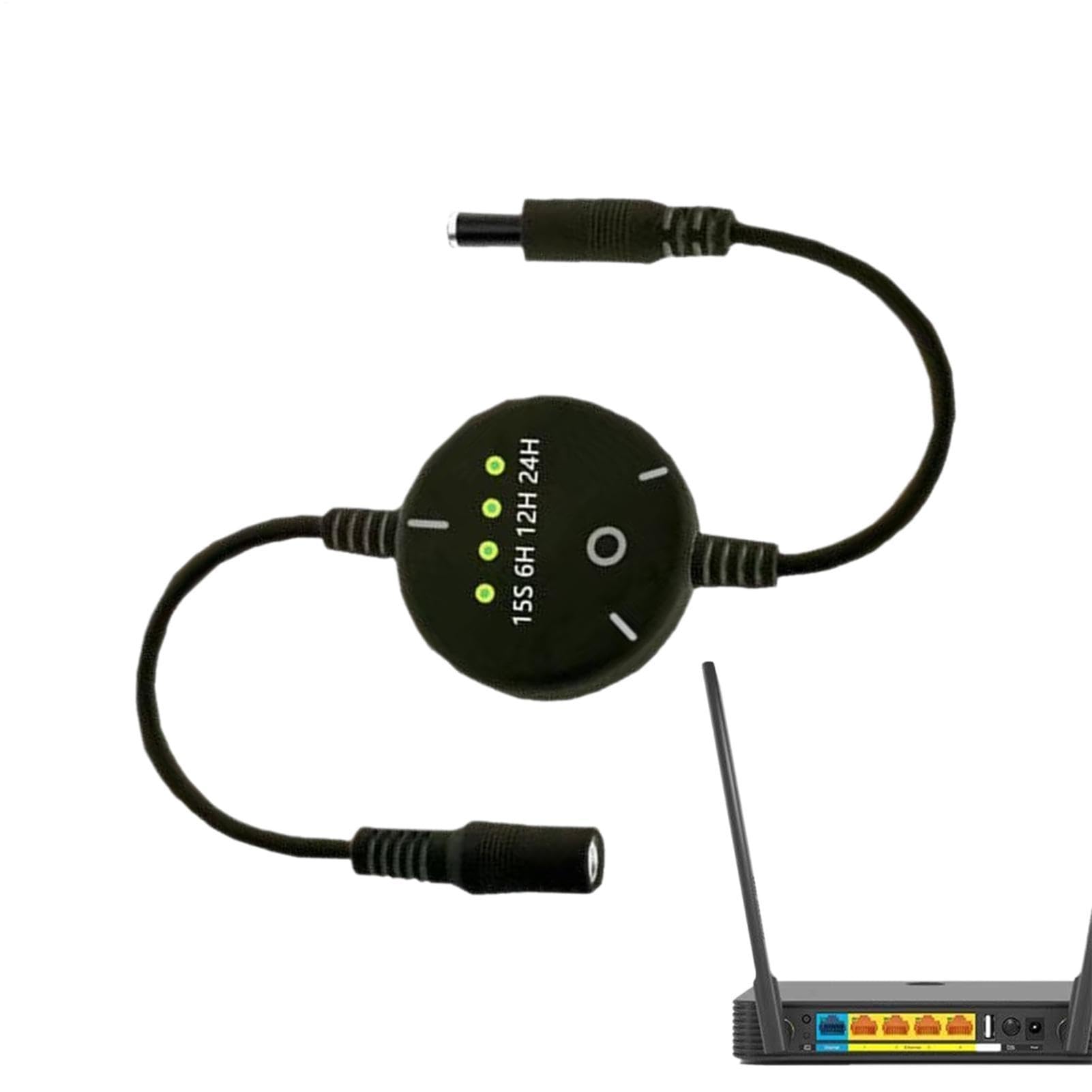
This is the simplest and cheapest route to a schedule based internet cut off. It is an inline cable that cuts power on a timer and restores it, cycling whatever is plugged into it. The name lists modems, routers, cameras, tablets and PCs as targets, which reflects the low power handling of a cable-format device. There is no app, no cloud and no monitoring logic — just a repeating schedule.
It suits budget-conscious users with one device and a predictable daily reboot need. The price makes it the obvious entry point, and the cable format means no separate enclosure to mount. The trade-off is that a timer cable cannot detect an actual outage; it reboots on schedule whether the connection is healthy or not, and it is not built for high-draw equipment.
Router Wi-Fi Reset Device Automatic Router Rebooter
Type: Automatic router rebooter
Alert Function: SMS text on reset
Trigger: Automatic reset
Form Factor: Standalone unit
Control: Phone number registration for alerts

This unit focuses on one job: rebooting the router automatically and telling someone when it happens. A phone number can be registered so a text message goes out each time a reset fires, which turns a silent recovery into a visible event. That alerting angle is unusual at this price and makes the device useful in places where nobody is on site to notice a reboot.
It suits remote cabins, rental properties, small shops and anyone who wants a record of how often the line drops. The SMS alert is the reason it earns a place here over a plain timer. The trade-off is that the alerting depends on the mobile network being reachable at the moment of reset, and the unit is built around a single router rather than a multi-device rack.
Before You Buy
- Outlets: Count the devices that need cycling. A router and modem together need a dual-outlet unit; a single router is fine on one.
- Trigger type: Timer-only devices reboot on a fixed schedule, while internet-loss and ping-based units react to an actual failure. Match the trigger to the problem being solved.
- Connectivity: WiFi and cloud control allow remote management; a plain inline cable does not. Buyers who travel should weight this heavily.
- Power handling: Check the rating against the connected equipment. A cable-format timer is not the right home for a full network rack.
- Alerting: SMS or app notifications turn silent reboots into visible events, which matters for unattended locations.
- Setup complexity: Ping monitoring and API access need more configuration than a simple schedule. Buyers who want plug-and-play should stay with the simpler units.
- Fuse protection: A fused outlet adds a safeguard for expensive networking gear and is worth the small premium.
Frequently Asked Questions
-
What does a schedule based internet cut off actually do?
It removes power from a router or modem at set times, or when the connection fails, then restores it. That forces a clean reboot without anyone pressing a button. -
Can one device reboot both a modem and a router?
Yes, if it has two outlets. The dual-outlet models here can host both, while single-outlet units handle one device each. -
Is a timer cable enough for a home router?
For a single router with a predictable daily reboot need, yes. It cannot detect an outage, though, so it reboots on schedule regardless of connection health. -
Do these devices need an app to work?
Not all of them. The cable-format timer runs without any app, while the cloud and WiFi models use mobile apps for setup and remote control. -
What is the advantage of SMS alerts?
They confirm that a reset actually happened, which is useful when the equipment sits somewhere without anyone present to check. -
Will a reboot fix a slow connection?
It can clear a stalled session, but it will not fix a line fault or an overloaded network. The devices here automate the reboot, not the diagnosis.
Bottom Line
For most buyers, the MSNSwitch2 UIS722b is the pick that covers the widest range of situations: two outlets, internet-loss detection, scheduling and API access in one unit. Buyers with a single router and a tighter budget can step down to the ezOutlet5, and anyone who only needs a scheduled cycle can start with the timer cable.
