Why there are Amazon links here: Brave Review is paid a commission for qualifying Amazon purchases made through the links below. Your price does not change, and using our links is entirely optional. How this works
Best Scene Control for Lights and Blinds for One-Touch Room Automation
Scene control for lights and blinds turns a cluttered pile of remotes into a single button press that dims the lamps, drops the shades and sets the mood at once. The five picks below cover three buyer profiles: renters who want motorized blinds without an electrician, hub owners building a Z-Wave or Zigbee button panel, and budget shoppers who just need a bridge to tie existing motors into an app. The overview table compares them side by side; full reviews follow.
Overview of the Picks
| Product | Key Spec | Best Use | Price Tier |
|---|---|---|---|
| SwitchBot Motorized Blinds Kit (3-Pack) | Solar powered, 2.4G WiFi remote, Alexa/Google/Siri | Whole-window motorization without wiring | Mid |
| MOES 12 Scene Controller (4 Gang) | Zigbee, battery powered, Home Assistant ready | Multi-button scene panel on a budget | Budget |
| Zooz ZEN32 800LR Scene Controller | Z-Wave Long Range, wall-mounted | Replacing a wall switch with five scene buttons | Mid |
| Zooz ZEN37 Wall Remote & Scene Controller | Z-Wave Long Range, battery powered | Portable or wall-stuck scene remote | Mid |
| Smart Bridge Hub for Motorized Blinds | Alexa/Google/Tuya bridge for blind motors | Adding app and voice control to existing motors | Budget |
SwitchBot Smart Electric Motorized Blinds Kit (3-Pack)
Type: Motorized blind retrofit kit with remote
Power Source: Solar panel
Connectivity: 2.4G WiFi, Alexa, Google Home, Siri
Control Features: Light sensing, unlimited group control
Pack Size: 3 motors
Hub Required: No

This kit is the fastest route to scene control for lights and blinds in a home that has no smart hub at all. The three motors retrofit onto existing blind chains or cords, and the included solar panels keep them charged without a run of wiring or a ladder every few months. A 2.4G WiFi remote handles the day-to-day, while the light-sensing control lets the blinds react to ambient brightness on their own. Group control is unlimited in the app, so a single scene can move every covered window at once.
It suits renters and homeowners who want motorized shades today and voice control through Alexa, Google Home or Siri without buying a separate bridge. The 2.4G WiFi radio is the weak point: it is a crowded band in dense apartment buildings, and a mesh or 5GHz-heavy network can make the app feel sluggish. Buyers with very wide or heavy blinds should also confirm the motor’s pull rating before committing to a three-pack.
Trade-off: The kit commits the buyer to one ecosystem and three windows at once, so a single-window test is not an option.
MOES Wireless Smart Scene Switch Button (4 Gang)
Type: Battery-powered Zigbee scene controller
Gangs: 4
Battery: Included
Compatibility: MOES Zigbee hub, Home Assistant, Zigbee2MQTT
Mounting: Wireless, wall or surface
Hub Required: Yes

This is the budget entry into scene control for lights and blinds, and it asks the least of a wall. The four-gang panel runs on an included battery, sticks anywhere, and fires up to twelve scenes through short and long presses. Home Assistant and Zigbee2MQTT support means it slots into an existing local automation stack rather than locking the buyer into a single vendor app.
It fits tinkerers who already run a Zigbee hub and want a physical button panel beside the sofa or the bed. The catch is the hub dependency: without a MOES Zigbee hub or a compatible coordinator, the switch is a plastic brick. Buyers who want plug-and-play control should look at the WiFi-based options instead.
Trade-off: The switch needs a Zigbee hub to do anything, and the button labels are fixed rather than customizable.
Zooz 800 Series Z-Wave Long Range Scene Controller ZEN32 800LR
Type: Wall-mounted Z-Wave scene controller
Series: 800 Series, Long Range
Color: White
Form Factor: In-wall switch replacement
Hub Required: Yes
Scene Buttons: Central scene control plus main relay

The ZEN32 is the pick for a household already living in Z-Wave. It replaces an existing wall switch and adds a cluster of scene buttons around the main paddle, so the ceiling light keeps working normally while the small buttons trigger blind positions, lamp scenes or an all-off routine. The 800 Series radio with Long Range support reaches detached garages and far corners of a large house that older Z-Wave gear struggles to cover.
It is aimed at buyers with a Z-Wave hub and a neutral wire in the box, and it rewards them with a controller that looks like a normal switch to guests. The installation is the downside: this is line-voltage wiring, and anyone not comfortable shutting off a breaker should budget for an electrician. Buyers in a rental or without a neutral wire should skip it.
Trade-off: It requires both a Z-Wave hub and in-wall mains wiring, which rules out renters and simple retrofits.
Zooz 800 Series Z-Wave Long Range Wall Remote & Scene Controller ZEN37
Type: Battery-powered Z-Wave wall remote
Series: 800 Series, Long Range
Color: White
Mounting: Wall mount or portable
Hub Required: Yes
Power Source: Battery

The ZEN37 solves the problem the ZEN32 creates: it delivers Z-Wave scene control without touching a single wire. The battery-powered remote mounts to a wall with adhesive or sits loose on a nightstand, and it talks to the same 800 Series Long Range network as the rest of a Zooz setup. Multiple buttons can each hold a scene, so one press can close the blinds and dim the lamps together.
It is the right choice for renters, for rooms with no switch box in a convenient spot, and for anyone who wants a second control point without a second electrician visit. The trade-off is battery maintenance and the same hub requirement as every Z-Wave device here. Buyers without a Z-Wave hub should not start with this remote.
Trade-off: It still needs a Z-Wave hub, and the batteries will need replacing on a schedule the buyer has to track.
Smart Bridge Hub for Motorized Blinds Shades
Type: Bridge hub for motorized blinds
Compatibility: Alexa, Google Home, Tuya App
Function: App and voice control for blind motors
Color: White
Hub Required: No — this is the hub
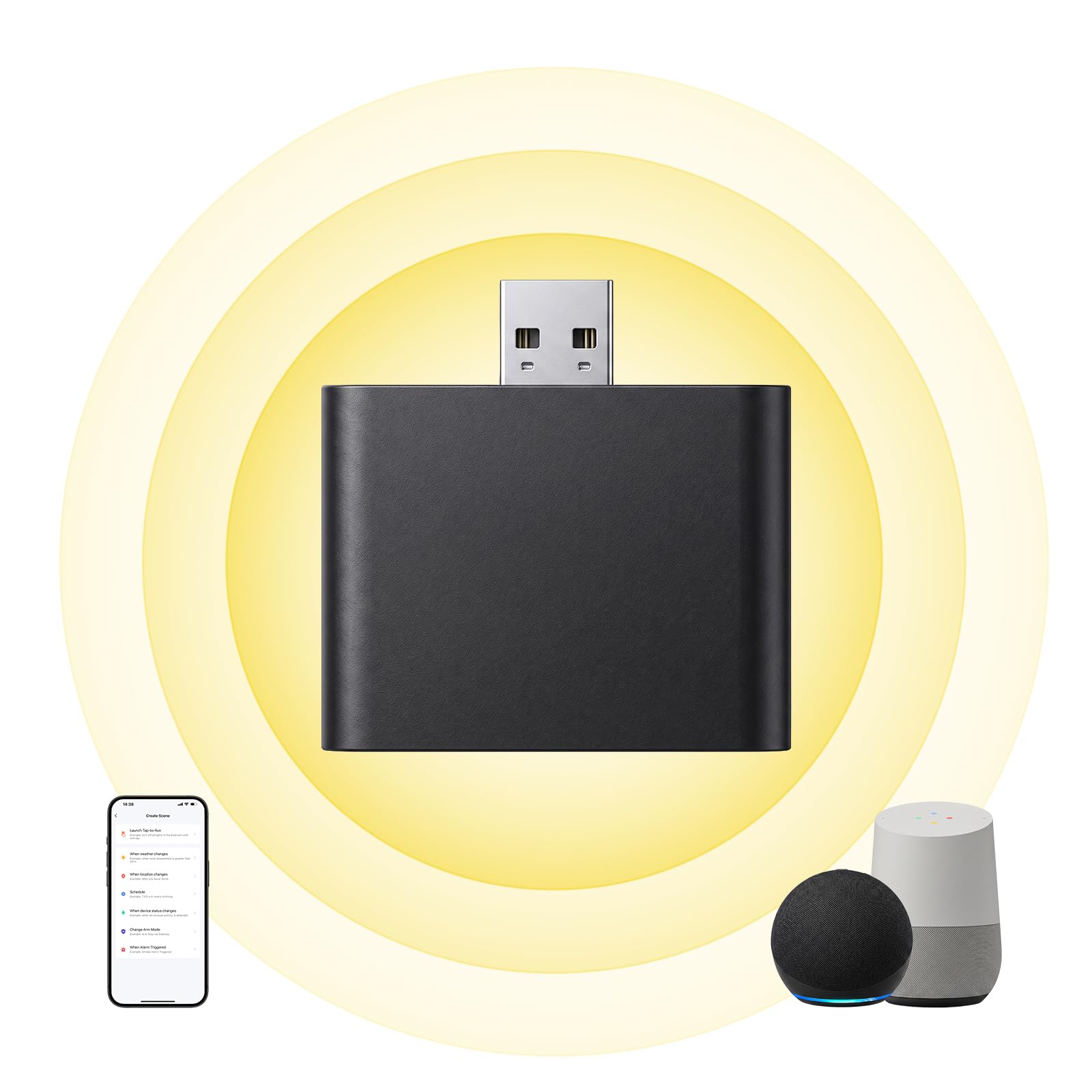
This bridge is the missing link for a home that already has motorized blinds but no way to schedule them. It connects Tuya-compatible blind motors to the Tuya app, Alexa and Google Home, which turns a drawer full of remotes into timed routines and voice commands. Grouping motors in the app is what makes scene control for lights and blinds possible on the blind side of the equation.
It suits budget buyers who bought motorized shades first and smart-home control second, and who want the cheapest path to app scheduling. The limitation is ecosystem scope: this is a bridge, not a controller, so it does not add buttons or replace a hub for Zigbee or Z-Wave devices. Buyers starting from scratch should pair it with a scene controller rather than expecting it to run the whole room.
Trade-off: The bridge only speaks Tuya, so it is useless with blind motors from other ecosystems.
Before You Buy
- Hub Compatibility: Z-Wave and Zigbee controllers need their matching hub; WiFi kits and bridges usually do not.
- Wiring: In-wall controllers like the ZEN32 need a neutral wire and comfort with breaker-level work.
- Power: Solar and battery devices avoid wiring but add a maintenance schedule.
- Motor Rating: Confirm a blind motor can handle the weight and width of the actual shade before buying a multi-pack.
- Ecosystem Lock-In: Tuya, Z-Wave and Zigbee devices do not cross-talk without a hub that speaks both.
- Mounting: Adhesive remotes suit rentals; screw-in wall plates suit permanent installs.
- Scene Capacity: Count how many separate routines the room needs before choosing a button count.
Frequently Asked Questions
-
What is scene control for lights and blinds?
It is a single button, app tile or voice command that triggers several devices at once, such as dimming lamps and lowering shades together. -
Do these controllers work without a smart hub?
The SwitchBot kit and the Tuya bridge work over WiFi without a separate hub. The MOES and Zooz controllers require a Zigbee or Z-Wave hub respectively. -
Can renters use scene control?
Yes. Battery-powered remotes and the SwitchBot motor kit install without permanent wiring, which makes them rental-friendly. -
Which pick is best for a Z-Wave household?
The Zooz ZEN32 for a wired wall location and the ZEN37 for a portable or adhesive-mounted control point. -
Will one bridge control blinds and lights together?
Not by itself. The bridge handles blind motors; lights need their own smart bulbs, switches or a scene controller that triggers both. -
How many scenes can one button hold?
It varies by device, but multi-gang panels typically map short and long presses to separate scenes, multiplying the routines per button.
Bottom Line
For most households, the SwitchBot Motorized Blinds Kit is the top pick: it delivers scene control for lights and blinds through voice assistants and a remote without a hub, wiring or an electrician. Z-Wave owners should take the Zooz ZEN32, and budget Zigbee tinkerers get the best value from the MOES panel.
