Why there are Amazon links here: Brave Review is paid a commission for qualifying Amazon purchases made through the links below. Your price does not change, and using our links is entirely optional. How this works
Amazon eero Pro 7 Tri-Band Mesh Wi-Fi 7 Router: Whole-Home Wi-Fi 7 for Large Houses
The Amazon eero Pro 7 is a three-unit mesh Wi-Fi 7 system built for big homes and fast internet plans. This review covers what the hardware does, how the tri-band design and 6,000 sq. ft. coverage claim translate into real-world use, and where the system falls short. It is written for buyers deciding whether a premium mesh kit is the right upgrade over a single router or an older eero generation.
Check the current price on Amazon
Features and Specifications
Product: Amazon eero Pro 7 tri-band mesh Wi-Fi 7 router (newest model)
Pack Size: 3-pack
Wireless Standard: Wi-Fi 7
Band Configuration: Tri-band
Stated Coverage: Up to 6,000 sq. ft.
Supported Internet Speed: Plans up to 5 Gbps
Brand / Ecosystem: Amazon eero
The headline numbers here are coverage and throughput. A three-pack rated for 6,000 sq. ft. is aimed at multi-floor houses, long layouts, and properties with detached rooms or a garage that a single router cannot reach. The 5 Gbps ceiling means the system is not the bottleneck for most modern fiber and cable plans.
Wi-Fi 7 is the newest wireless standard, and tri-band means the system runs three separate radio bands rather than two. That extra band gives the mesh units more room to talk to each other and to devices at the same time, which matters in a house with many phones, laptops, TVs, and smart-home gear competing for airtime.
Build and Design
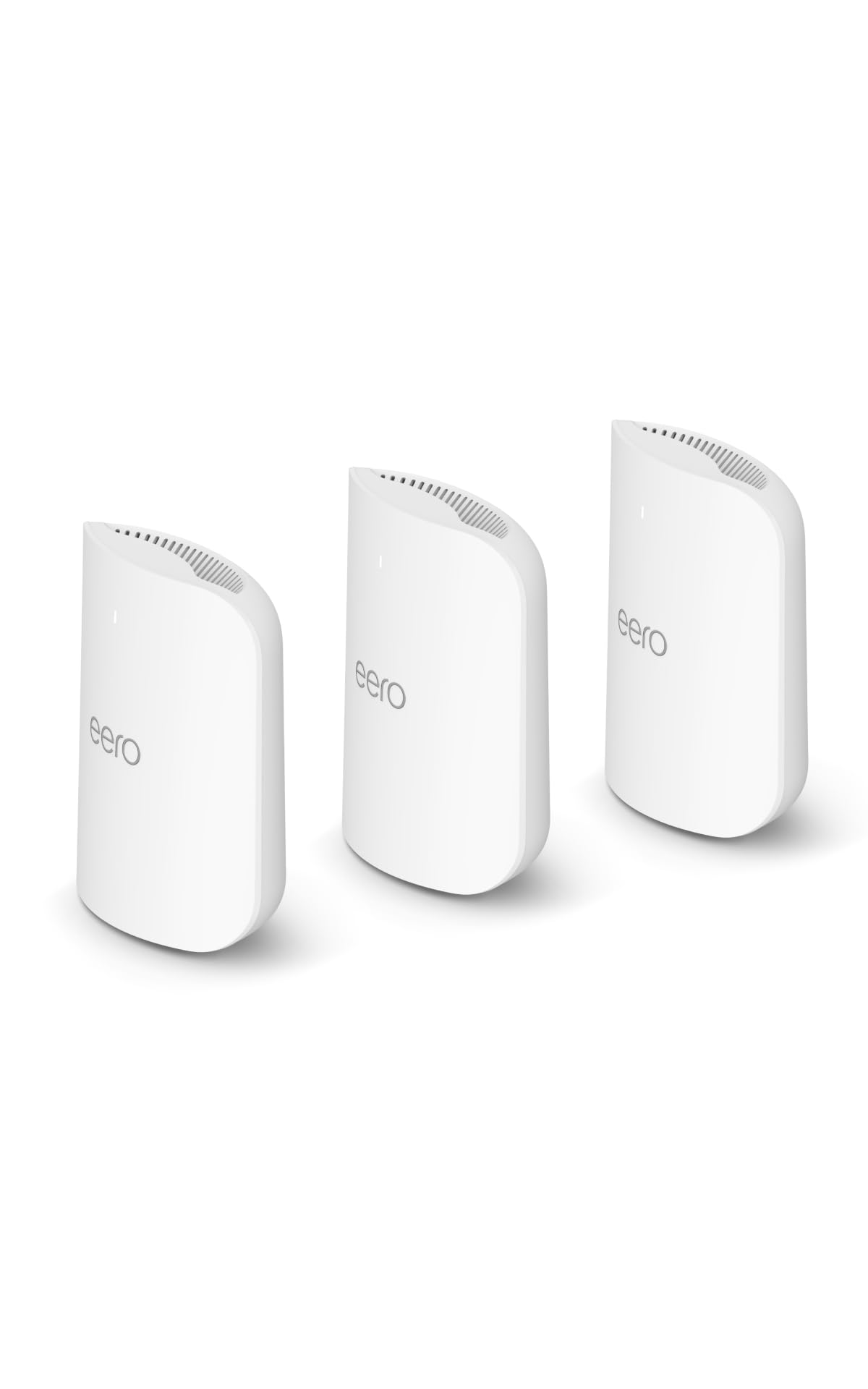
eero hardware has always been deliberately plain: small white boxes with no external antennas, meant to sit on a shelf or blend into a wall rather than announce themselves. The Pro 7 follows that pattern. Buyers who want a router that looks like networking equipment will find it understated; buyers who want something that disappears into a living room will find it easy to place.
The three-unit kit is the practical part of the design. Each unit is a full mesh node, so the pack is not one router plus two cut-down extenders — the coverage claim depends on all three being placed around the home. That means three power outlets and three spots with reasonable airflow, which is worth planning before purchase.
Placement is the real installation decision. Mesh systems work best when nodes sit roughly midway between the main router and the weak-signal area, not at the far edge of the house. A 6,000 sq. ft. rating assumes sensible placement; cramming all three units into one room will not deliver it.
Capacity and Performance
The 5 Gbps support figure is the number that separates this from budget mesh kits. Most households do not have a 5 Gbps plan today, but the point is headroom: the system will not need replacing when the ISP ups the tier. For buyers on gigabit fiber or a fast cable plan, the eero Pro 7 is comfortably above the line.
Tri-band Wi-Fi 7 is where the capacity story lives. Splitting traffic across three bands lets the mesh units dedicate a path for backhaul while still serving client devices, which is the usual weak point in older dual-band mesh systems. In a busy household, that translates to steadier performance during video calls, streaming, and gaming at the same time rather than raw peak speed on a single device.
Trade-off: A three-pack at this price tier is a serious outlay, and buyers in a small apartment or a one-bedroom will pay for coverage and capacity they cannot use — a single-unit system or an older generation would do the same job for far less.
Setup and Maintenance
eero systems are managed through the eero app, and the Pro 7 continues that approach. Setup is guided, the network is managed from a phone, and there is no browser-based admin page to wrestle with. For buyers who want networking to be a background utility rather than a hobby, that is the main appeal.
The trade-off is control. eero’s app exposes the settings Amazon considers mainstream — guest network, device profiles, parental controls, basic security features — but not the deep configuration pages that power users expect from traditional routers. Buyers who want VLANs, detailed logging, or per-radio tuning will find the system restrictive.
Maintenance is largely automatic. Firmware updates arrive through the app, and the mesh handles band steering and node handoff without input. The practical upkeep is physical: keeping the units powered, ventilated, and roughly where they were placed.
Who It Suits and Who It Does Not
This system suits large homes, multi-floor layouts, and households with a fast internet plan and a lot of connected devices. It also suits buyers already inside the Amazon ecosystem who want the router to be one more managed device rather than a separate project.
It does not suit small homes, buyers on a tight budget, or anyone who wants granular control over their network. Buyers with a modest internet plan will also see no benefit from the 5 Gbps support.
Trade-off: The closed eero app is the real limitation — the hardware is capable, but buyers who want to configure their own network will hit a wall.
FAQ
-
What is the Amazon eero Pro 7?
It is a three-unit mesh Wi-Fi 7 router system from Amazon’s eero line, rated for coverage up to 6,000 sq. ft. and internet plans up to 5 Gbps. -
Is Wi-Fi 7 worth it over Wi-Fi 6?
Wi-Fi 7 adds capacity and efficiency for households with many devices and fast internet. Buyers on a basic plan with few devices will see less difference. -
How much square footage does the 3-pack cover?
Amazon rates the 3-pack at up to 6,000 sq. ft., assuming the units are placed sensibly around the home rather than clustered together. -
Does the eero Pro 7 work with internet plans faster than 5 Gbps?
The system supports plans up to 5 Gbps. Faster plans would exceed what the hardware is rated to deliver. -
Can the eero Pro 7 be managed without the app?
No. eero systems are set up and managed through the eero app, which is also where updates and controls live. -
Is the eero Pro 7 good for gaming?
Tri-band Wi-Fi 7 and mesh handoff suit gaming alongside other household traffic. Buyers who need wired console connections should check the port layout on the units. -
Does the 3-pack include three full routers?
Yes. Each unit in the pack is a mesh node, so all three contribute to coverage. -
Who should not buy the eero Pro 7?
Small-home buyers, budget-focused shoppers, and anyone who wants advanced router configuration should look elsewhere. -
Does the eero Pro 7 replace an existing router?
Yes. The system connects to the modem and replaces the existing router, with the additional units extending coverage.
Bottom Line
The Amazon eero Pro 7 tri-band mesh Wi-Fi 7 router 3-pack is the right pick for a large home with a fast internet plan and a household that wants networking handled quietly in the background. The coverage rating, the 5 Gbps headroom, and the tri-band Wi-Fi 7 design all point at the same buyer: someone with space to cover and devices to feed. Buyers in a small home or anyone who wants to tinker with their network should spend less or look at a more open platform.