Why there are Amazon links here: Brave Review is paid a commission for qualifying Amazon purchases made through the links below. Your price does not change, and using our links is entirely optional. How this works
Best Rotary Dimmer for a Smart System for Smooth, App-Controlled Lighting
A rotary dimmer for a smart system combines the familiar twist-to-dim feel with app, voice, and automation control. This guide covers five verified picks: two budget-friendly Wi-Fi options, two screen-equipped ELEGRP models, and one mesh-based premium dial. It suits homeowners wiring a single switch, remodelers replacing a bank of dimmers, and smart-home tinkerers who want physical knobs alongside Alexa or Google routines. The overview table below shows the key differences at a glance.
Overview of the Picks
| Product | Key Spec | Best Use | Price Tier |
|---|---|---|---|
| Smart Rotary Dimmer Switch (LDR10) | 1.8" TFT screen, Apple Home/Alexa/Google | Apple Home users wanting a display | Premium |
| Feit Electric Smart WiFi Rotary Dimmer | Single-pole/3-way/4-way, TRIAC | Multi-way circuits on a budget | Budget |
| ELEGRP Wi-Fi Smart Rotary Triac Dimmer (3-Way) | 1.8" TFT, 3-way, UL Listed | Stairwells and hallway switching | Mid-range |
| ELEGRP Wi-Fi Smart Rotary Triac Dimmer (Single Pole) | 1.8" TFT, single pole, black finish | Dark-finish single-switch rooms | Mid-range |
| Insteon i3 Dial Smart Dimmer | Dual-band mesh, configurable dim/on-off | Whole-home mesh installs | Premium |
1. Smart Rotary Dimmer Switch, Single Pole, LDR10
Type: Single-pole smart dimmer
Display: 1.8" curved TFT screen
Wireless: 2.4 GHz Wi-Fi
Ecosystems: Apple Home, Alexa, Google Home
Wiring: Requires neutral wire
Listing: UL Listed
Finish: White
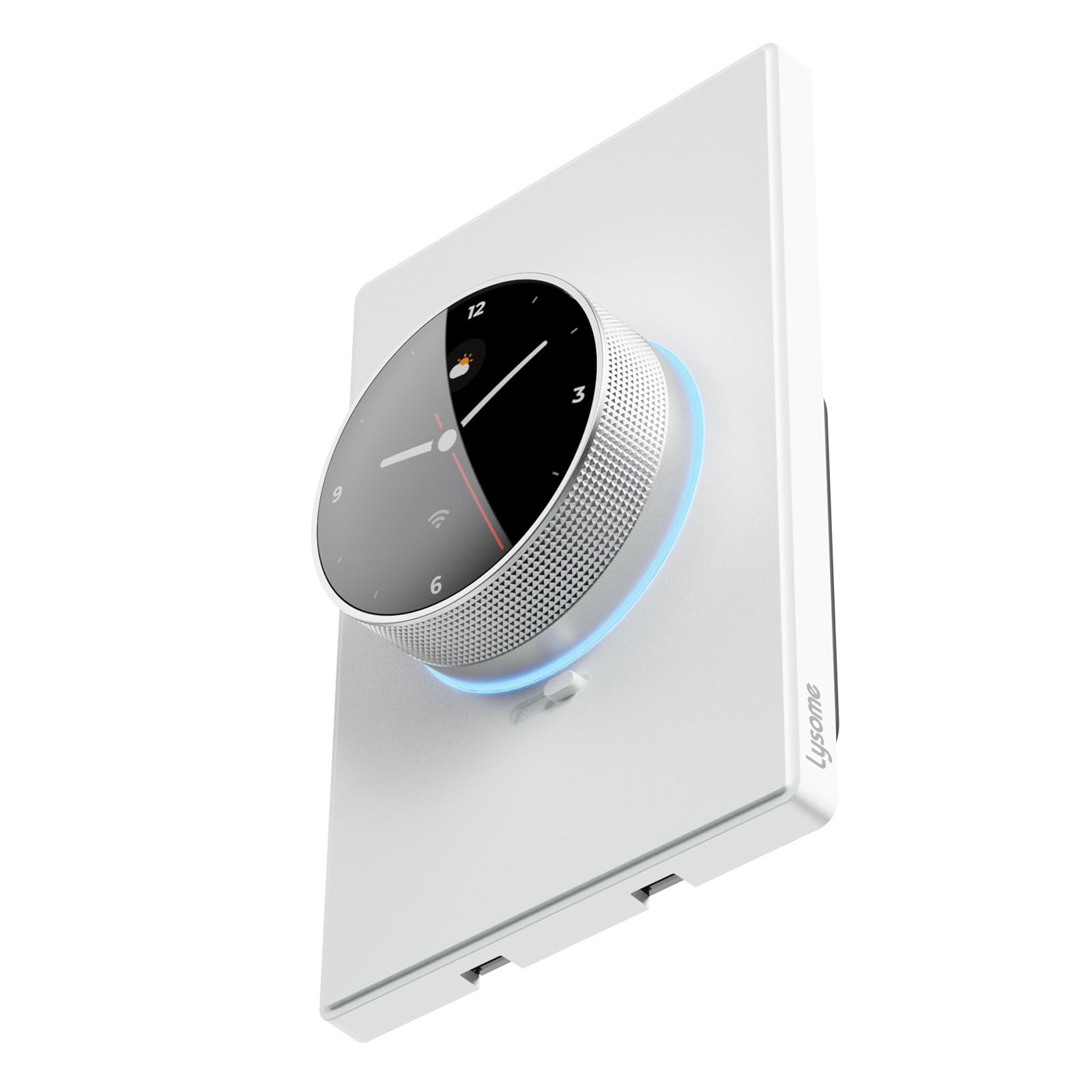
This is the only pick in the roundup with native Apple Home support, which matters for households already running HomeKit scenes. The curved TFT screen gives on-device feedback for brightness level and status, and the rotary ring keeps a physical control that works without pulling out a phone. The white finish and single-pole configuration suit a standard wall box with a neutral wire present.
Buyers who want a display plus HomeKit compatibility will find the feature set worth the premium tier. The trade-off is that Apple Home support and the screen push it to the top of the price range, and it will not work in homes without a neutral wire in the switch box.
2. Feit Electric Smart WiFi Rotary Dimmer Switch
Type: Single-pole/3-way/4-way smart dimmer
Dimming: TRIAC
Wireless: Wi-Fi with EZ Bluetooth pairing
Ecosystems: Alexa, Google Assistant
Wiring: Neutral wire required
Controls: Dim, rotary, app
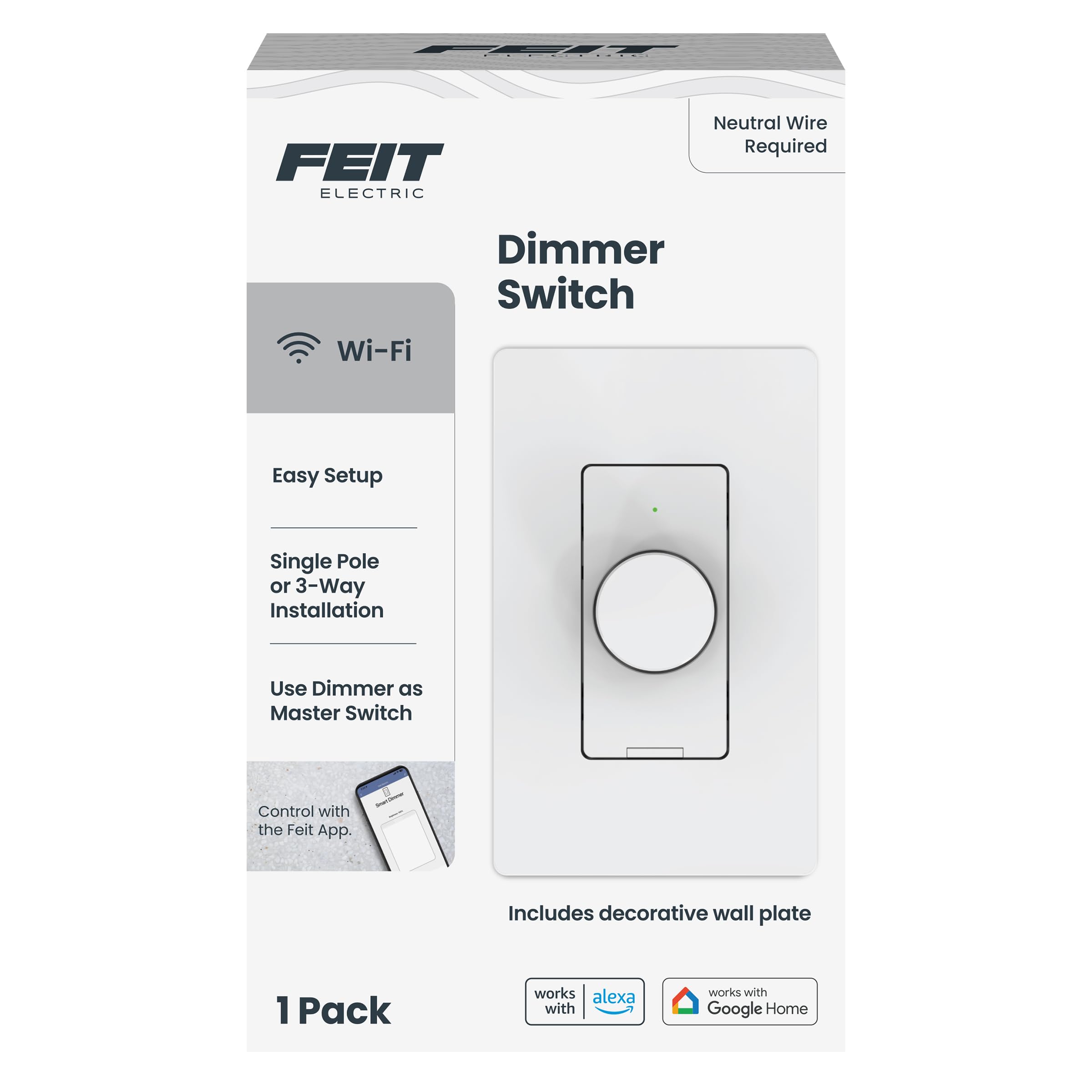
The Feit is the value pick and the most flexible on circuit design, since it handles single-pole, 3-way, and 4-way setups in one unit. TRIAC dimming is the standard approach for LED and incandescent loads, and EZ Bluetooth pairing speeds up the initial Wi-Fi handoff before app control takes over. The rotary knob and dim button give two physical ways to adjust light.
This is the pick for budget-conscious buyers with multi-way switching, such as a hallway lit from two ends. The trade-off is that the lower price tier usually means a plainer interface with no display, and it skips Apple Home in favor of Alexa and Google Assistant only.
3. ELEGRP Wi-Fi Smart Rotary Triac Dimmer, 3-Way
Type: 3-way smart dimmer
Display: 1.8" TFT screen
Wireless: 2.4 GHz Wi-Fi, no hub required
Ecosystems: Alexa, Google Home
Wiring: Neutral wire required
Listing: UL Listed
Finish: White

This ELEGRP pairs a 1.8-inch TFT display with 3-way capability, so a stairwell or long hallway can be controlled from two locations while still showing brightness on screen. No hub is required, and the 2.4 GHz Wi-Fi radio connects directly to Alexa and Google Home. UL listing and TRIAC dimming round out a solid mid-range feature set.
It suits buyers who want the screen experience but need multi-location switching rather than a single switch. The trade-off is that the 3-way wiring is more involved to install than a single-pole unit, and the mid-range price sits above the Feit without adding Apple Home.
4. ELEGRP Wi-Fi Smart Rotary Triac Dimmer, Single Pole, Black
Type: Single-pole smart dimmer
Display: 1.8" TFT screen
Wireless: 2.4 GHz Wi-Fi, no hub required
Ecosystems: Alexa, Google Home
Wiring: Neutral wire required
Listing: UL Listed
Finish: Black

This is the same ELEGRP platform as the 3-way model, trimmed to a single-pole configuration and finished in black for darker wall plates and modern interiors. The 1.8-inch TFT screen and rotary control carry over, as does hub-free 2.4 GHz Wi-Fi and Alexa/Google compatibility. It is the straightforward choice for a single switch location that needs a display.
Buyers matching a black switch plate or finishing a room in dark hardware get the same screen features without paying for 3-way wiring they cannot use. The trade-off is the single-pole limit: it cannot be paired with a second switch on the same circuit, and it still requires a neutral wire.
5. Insteon i3 Dial Smart Dimmer
Type: Rotary dial smart dimmer, dim or on/off modes
Wireless: Dual-band mesh
Ecosystems: Alexa, Google Assistant (hub required)
Hub: Required for voice assistants
Modes: Software-configurable dim or on/off
Model: DS01
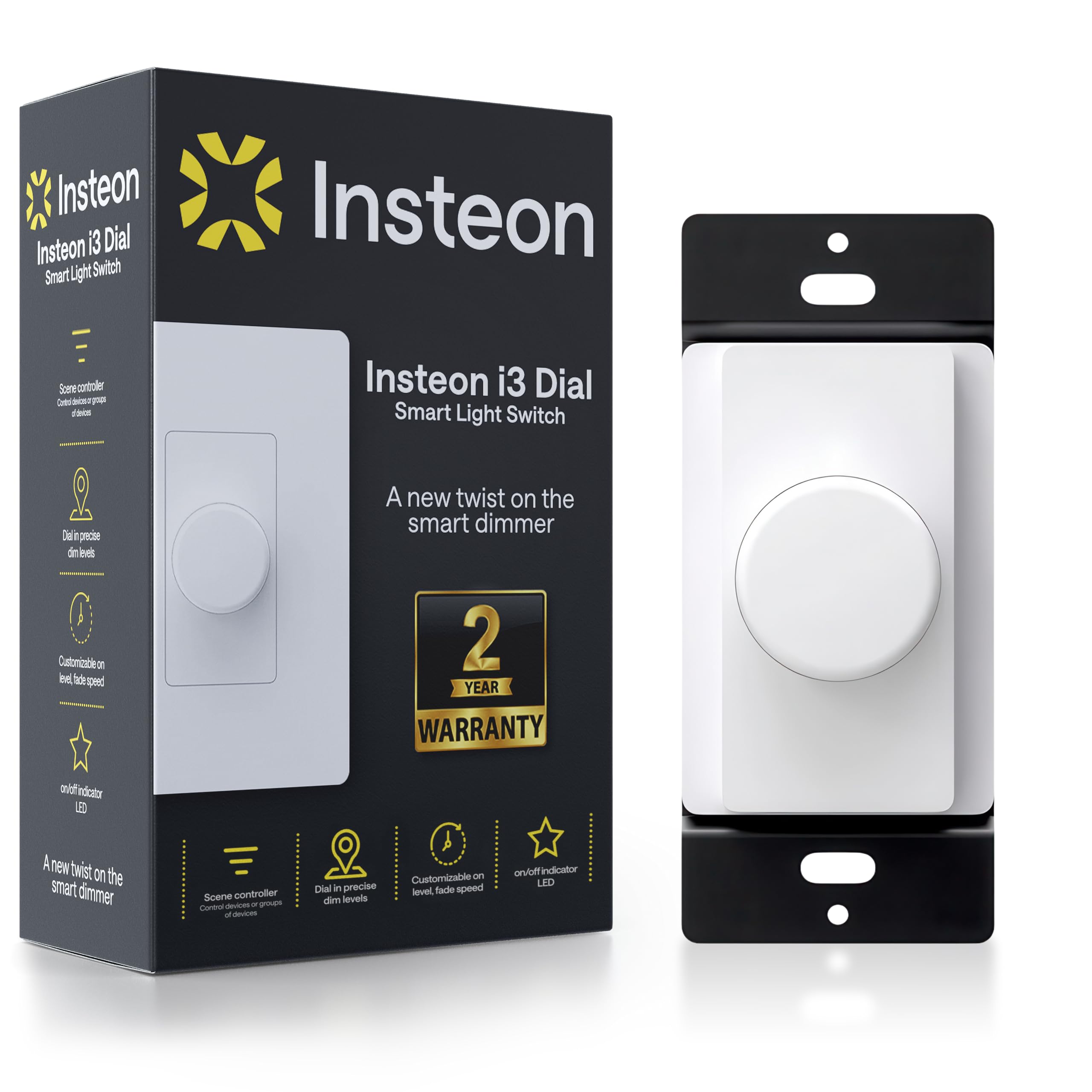
The Insteon i3 is the odd one out and the most versatile: software configures the dial as either a dimmer or a plain on/off switch, so one model can cover rooms where dimming is unwanted. Dual-band mesh networking is designed for reliability across larger installs, and the rotary dial keeps control tactile. It is aimed at buyers already invested in or willing to add an Insteon-style mesh hub.
This is the pick for whole-home mesh setups and for anyone who wants a switch that can be repurposed between dimming and non-dimming loads. The trade-off is that voice assistants need a hub, adding cost and setup steps that the Wi-Fi picks avoid, and the premium price reflects the mesh hardware.
Before You Buy
- Neutral wire: Four of the five picks require a neutral wire in the switch box; check the wiring before ordering, since older homes often lack it.
- Circuit type: Confirm whether the location is single-pole, 3-way, or 4-way — only the Feit and the ELEGRP 3-way cover multi-way switching.
- Ecosystem: Match the switch to the household’s assistant; only the LDR10 supports Apple Home, while the others target Alexa and Google.
- Hub needs: The Insteon i3 needs a hub for voice control; the Wi-Fi models connect directly to the router.
- Load compatibility: TRIAC dimming works with standard dimmable LED and incandescent bulbs, but check bulb compatibility for low-wattage LEDs.
- Finish: White and black options exist across the picks, so match the wall plate before buying.
- Listing: Look for UL listing on any dimmer, as seen on the LDR10 and both ELEGRP models.
Frequently Asked Questions
-
Does a rotary dimmer work with a smart system?
Yes. All five picks combine a physical rotary control with Wi-Fi or mesh connectivity for app and voice control, so the twist-to-dim feel stays intact. -
Do these dimmers need a neutral wire?
The LDR10, Feit, and both ELEGRP models require a neutral wire. The Insteon i3 uses mesh wiring per its install guide; check the box wiring before buying any of them. -
Which pick works with Apple Home?
Only the LDR10 lists Apple Home support. The others cover Alexa and Google Assistant, and the Insteon i3 needs a hub for voice control. -
Can a rotary dimmer handle 3-way switching?
The Feit handles single-pole, 3-way, and 4-way, and the ELEGRP 3-way covers two-location control. The other three are single-pole only. -
Is a hub required?
No hub is needed for the Wi-Fi picks. The Insteon i3 requires a hub for Alexa and Google Assistant, which adds cost and setup time. -
What is TRIAC dimming?
TRIAC is a standard dimming method for LED and incandescent loads, used on the Feit and both ELEGRP models for smooth brightness control.
Bottom Line
For most buyers, the Smart Rotary Dimmer Switch (LDR10) is the strongest all-around choice: it adds Apple Home support, a curved TFT screen, and UL listing on top of the rotary control. Budget buyers with multi-way circuits should look at the Feit, while mesh-based whole-home installs will get the most from the Insteon i3.
