Why there are Amazon links here: Brave Review is paid a commission for qualifying Amazon purchases made through the links below. Your price does not change, and using our links is entirely optional. How this works
Mysa Smart Thermostat V2 for Electric Baseboard Heaters: Smart Control for a Heating System Most Smart Thermostats Ignore
Most smart thermostats are built for forced-air furnaces and central heat pumps. The Mysa Smart Thermostat V2 is built for the other half of the heating market: homes running on electric baseboard heaters and line-voltage systems. This review covers what the V2 does, how it fits the wiring in a baseboard-heated home, and where it falls short — so a buyer can decide quickly whether it belongs on the wall.
It suits homeowners with electric baseboard heat who want scheduling, remote control and voice commands without a monthly fee. It is not the right pick for gas furnaces, central air, or anyone who wants a thermostat they can install without touching a breaker panel. The sections below break down the specifications, the build, the power requirements and the maintenance picture.
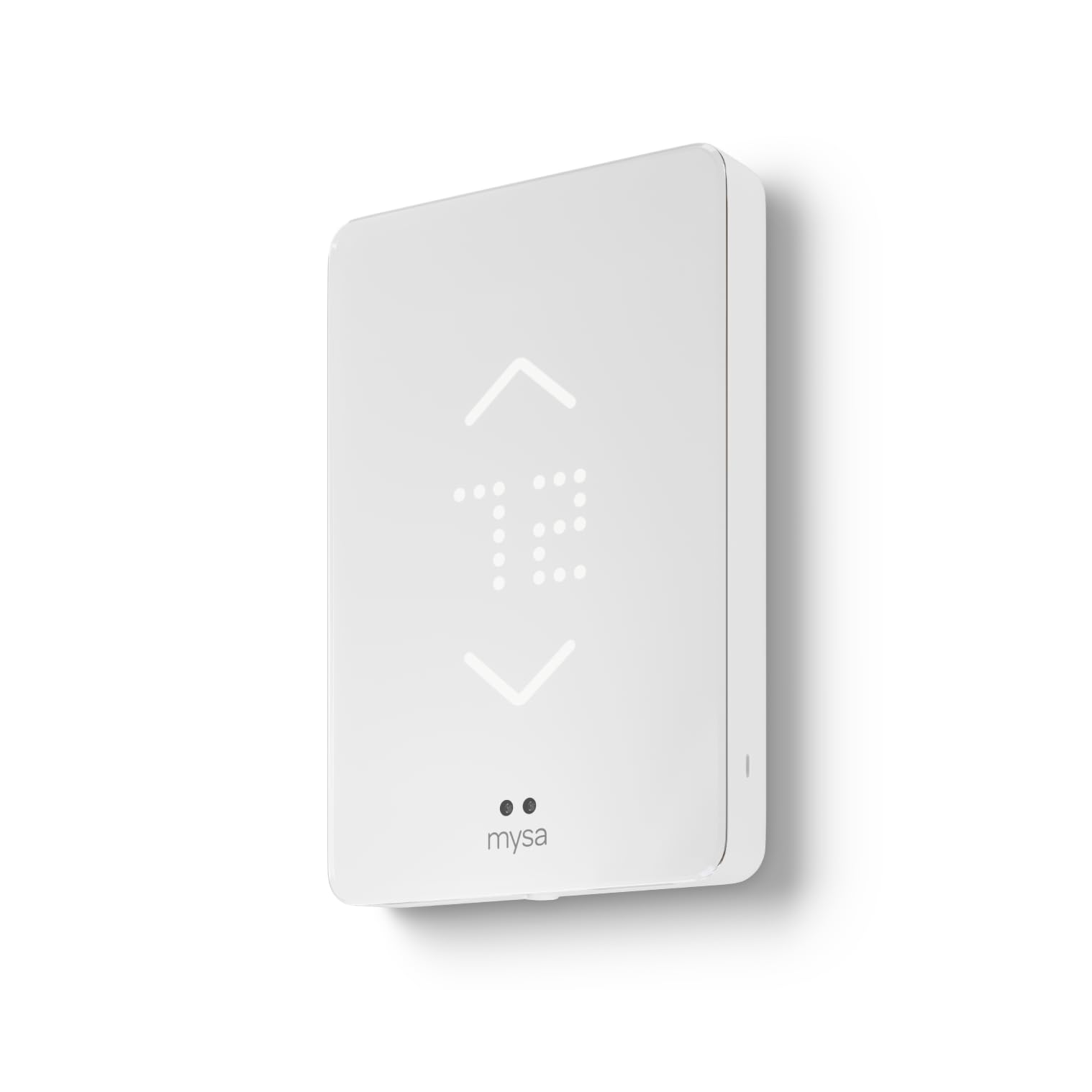
Features and Specifications
Type: Smart thermostat for electric baseboard heaters (line-voltage)
Compatibility: 120V–240V electric heating systems
Connectivity: WiFi, programmable
Smart Home: Apple Home, Alexa, Google
Display: Touchscreen
Sensors: Humidity sensor
Subscription: None required
The headline here is compatibility. Standard low-voltage thermostats run on a thin control wire and switch a furnace or air handler elsewhere in the house. Electric baseboard heaters work differently: the thermostat sits directly in the high-voltage circuit and switches the full load of the heater itself. That is why the V2 is rated for 120V–240V rather than the low-voltage wiring a Nest or an Ecobee expects.
The second headline is the absence of a subscription. Scheduling, geofencing and remote access all work out of the box, which matters over the life of the device — a thermostat that charges monthly quietly costs more than its sticker price within a couple of years. Buyers comparing the V2 against subscription-based rivals should weigh the total cost, not just the upfront number.
Check the current price on Amazon
Build and Design
The V2 is a wall-mounted unit with a touchscreen front and a slim profile that sits closer to the wall than the mechanical dial or bimetallic thermostat it usually replaces. The touchscreen replaces the physical dial entirely, so temperature changes happen by tap and swipe rather than by turning a knob.
That design choice cuts both ways. A glass-front touchscreen is easier to clean than a dial with ridges, and it shows the set temperature and schedule clearly. But it also means the thermostat depends on a working display and firmware, and any household member used to grabbing a dial will need a moment to adjust.
The humidity sensor is a useful addition for baseboard homes specifically. Electric resistance heat dries indoor air noticeably in winter, and a thermostat that reports humidity gives the homeowner a reason to run a humidifier or crack a window rather than guessing. It does not control a humidifier — it reports the reading.
Trade-off: The touchscreen and connected firmware make this a more complex device than the dial it replaces, so buyers who want a thermostat that works identically in ten years with no app, no updates and no WiFi should look at a plain line-voltage unit instead.
Power and Wiring
The 120V–240V rating is the specification that decides whether this product can be installed at all. A baseboard heater circuit carries mains voltage, and the thermostat has to interrupt that circuit directly. Buyers should confirm their heater’s voltage and the circuit’s amperage before ordering, because a mismatch is not a software problem — it is an installation blocker.
Installation itself is a step up from a battery-powered thermostat swap. The circuit has to be switched off at the breaker, the old thermostat removed, and the line and load wires identified and connected correctly. Homeowners comfortable with basic electrical work can handle it; everyone else should budget for an electrician. That is not a flaw in the V2 so much as the nature of line-voltage heating.
Once wired and connected to WiFi, the V2’s value shows up in scheduling and geofencing. Baseboard heaters are slow to respond and expensive to run continuously, so a schedule that drops the temperature during work hours and restores it before arrival is where the savings live. Geofencing adds a second layer by reacting to whether anyone is actually home.
Trade-off: The V2 needs a neutral-free line-voltage connection and a stable WiFi signal at the wall, so homes with weak coverage in a hallway or bedroom may need a mesh node before the smart features are reliable.
Smart Home and App Control
The V2 works with Apple Home, Alexa and Google, which covers the three major ecosystems and means buyers are not locked into one assistant. Voice control is convenient for quick adjustments, but the deeper value is in routines — tying the thermostat to an away scene or a morning schedule alongside lights and other devices.
The app handles scheduling, remote temperature changes and geofencing setup. Remote control is genuinely useful for baseboard heat: a homeowner who leaves for a weekend can drop the setpoint from the road rather than paying to hold temperature in an empty house.
Buyers should expect the usual connected-device caveats. Features and app layout can change with firmware updates, and a thermostat that depends on WiFi is a thermostat that depends on the router. The V2 still functions as a local thermostat if the network drops, but the remote and voice features go with it.
Trade-off: The feature set is broad enough that setup takes longer than a basic thermostat — accounts, ecosystem pairing and geofence permissions all have to be configured before the device earns its price.
Maintenance and Long-Term Ownership
Day-to-day maintenance is minimal: wipe the touchscreen, keep the vents clear of dust and curtains, and leave the wiring alone. Baseboard heaters themselves need occasional dusting, and a thermostat mounted above one should not be obstructed by furniture or drapes, or it will read the wrong temperature.
The no-subscription model is the strongest long-term argument for the V2. There is no recurring fee to unlock scheduling or remote access, so the ownership cost after purchase is essentially electricity and the occasional firmware update. Buyers should still factor in professional installation if they are not doing the wiring themselves.
Trade-off: The upfront price sits well above a basic line-voltage thermostat, so the payback depends on actually using schedules and geofencing rather than leaving the V2 at one fixed temperature.
Who It Suits and Who It Does Not
The V2 is a strong fit for a house or apartment heated by electric baseboard units where the owner wants app control, voice commands and a schedule without a monthly bill. It also suits anyone already invested in Apple Home, Alexa or Google who wants heating to join the rest of the smart home.
It is a poor fit for gas furnaces, central heat pumps and low-voltage systems, which need a different class of thermostat entirely. It is also a poor fit for renters who cannot modify wiring, or for anyone unwilling to hire an electrician for a line-voltage install.
FAQ
-
Does the Mysa Smart Thermostat V2 work with electric baseboard heaters?
Yes. It is designed specifically for line-voltage electric heating and is rated for 120V–240V systems, which is the voltage range baseboard heaters use. -
Does the Mysa V2 require a subscription?
No. Scheduling, geofencing and remote access are included with no recurring fee, which separates it from subscription-based smart thermostats. -
Will it work with a gas furnace or central air conditioner?
No. Those systems use low-voltage control wiring, and the V2 is built for high-voltage electric heating circuits instead. -
Does it work with Apple Home, Alexa and Google?
Yes. The V2 supports all three ecosystems, so buyers are not locked into a single voice assistant or app. -
Is professional installation required?
It is not strictly required, but the install involves mains voltage at the breaker panel. Homeowners without electrical experience should hire an electrician. -
Does the humidity sensor control a humidifier?
No. The sensor reports indoor humidity so the homeowner can adjust ventilation or humidification manually; it does not switch a humidifier on and off. -
What happens if the WiFi goes down?
The thermostat continues to operate locally at its set temperature, but app control, voice commands and geofencing pause until the connection returns. -
Can it be used in a rental apartment?
Only with the landlord’s permission, since installation means modifying the heater’s electrical circuit. Renters should check before buying. -
Does it work with a heat pump?
No. Heat pumps use low-voltage control and different switching logic; the V2 is intended for resistive electric baseboard heating. -
How does geofencing help lower heating costs?
Geofencing detects when the home is empty and drops the setpoint automatically, which avoids heating an unoccupied house — a meaningful saving with slow, power-hungry baseboard heat.
Bottom Line
The Mysa Smart Thermostat V2 is the thermostat to buy if the house runs on electric baseboard heat and the goal is scheduling, remote control and voice commands without a subscription. The 120V–240V rating, the three-ecosystem support and the humidity sensor cover the practical bases, and the no-fee model keeps long-term costs predictable. Buyers with gas or central systems should look elsewhere, and anyone uneasy with breaker-panel wiring should budget for an electrician — but for the right home, this is the straightforward pick.
