Why there are Amazon links here: Brave Review is paid a commission for qualifying Amazon purchases made through the links below. Your price does not change, and using our links is entirely optional. How this works
Best Home Server for Smart Home Software for a Private, Always-On Hub
The best home server for smart home software keeps Home Assistant, Docker containers, and a media library running around the clock without a monthly cloud bill. This roundup covers five picks that suit three buyer profiles: first-time smart home builders who want an app-guided setup, tinkerers who want Docker and a third-party OS, and power users who need 10GbE transfers and hardware transcoding. The overview table below lines up the key specs so a decision is possible in under a minute. Each product block then explains who it fits and where it falls short.
Overview of the Top Picks
| Product | Key Spec | Best Use | Price Tier |
|---|---|---|---|
| Smart Home Data Hub (UGREEN DXP4800 GT) | Ryzen R2514, 8GB DDR4, 2x 10GbE, 2x M.2 NVMe | High-speed NAS editing and office teams | Premium |
| UGREEN DXP4800 Plus | Intel 8505, 8GB DDR5, 10GbE + 2.5GbE, 128G SSD | 4K media and hardware transcoding | Premium |
| Synology DS225+ | Intel CPU, 2-bay, hardware transcoding | Private cloud, photos, streaming | Mid-range |
| 2 Bay DIY NAS Kit | Intel quad-core, 16GB RAM, PCIe x4, Docker | Enthusiasts building a custom server | Budget |
| Yxk Zero1 Pro | Intel N100, 8GB RAM, 2x M.2, app setup | Beginners and private cloud | Budget |
1. Smart Home Data Hub (UGREEN DXP4800 GT) — Best for High-Speed Transfers
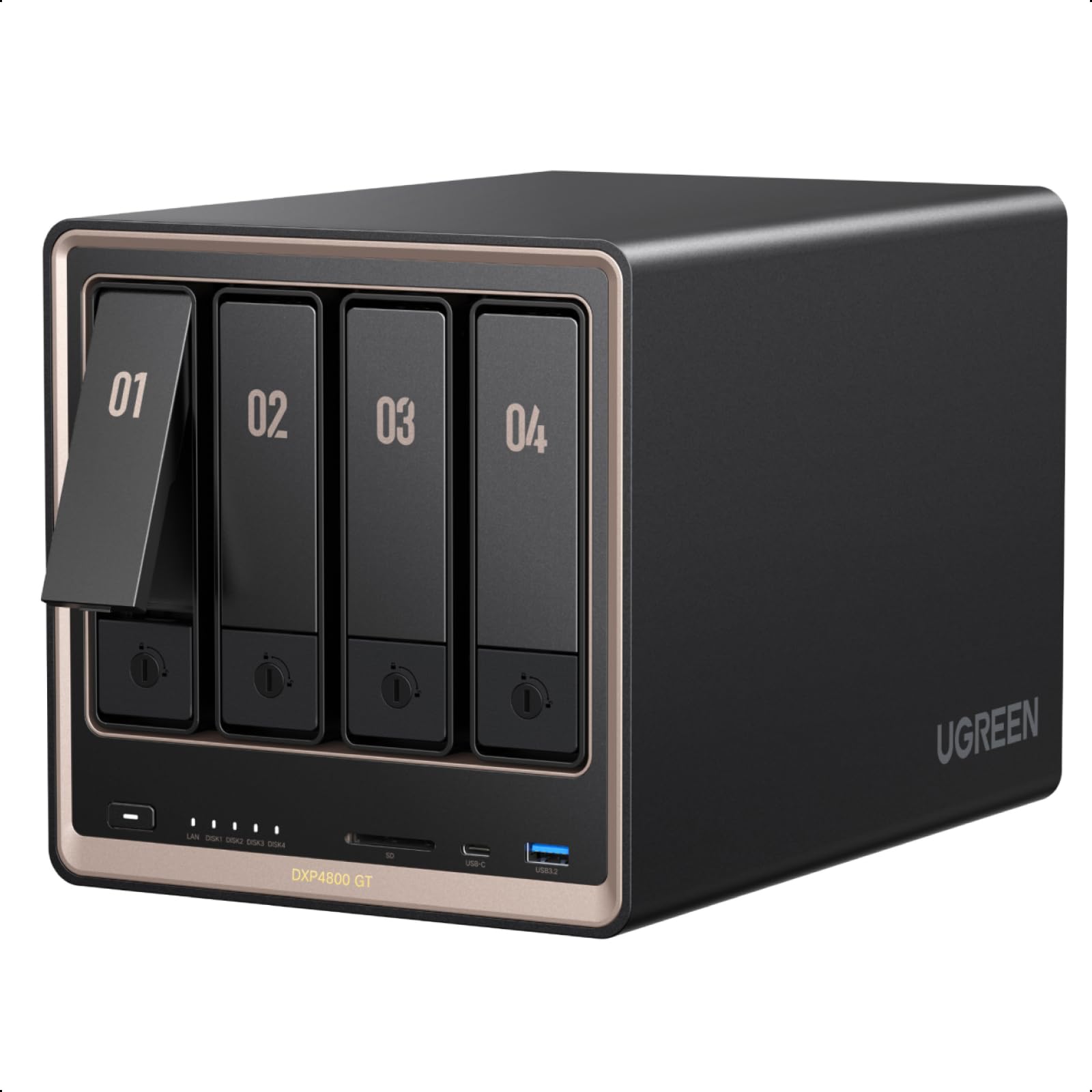
Type: 4-bay diskless NAS
Processor: Ryzen R2514
Memory: 8GB DDR4
Network: 2x 10GbE
Expansion: 2x M.2 NVMe slots
Intended use: Creators, tech enthusiasts, office teams
This four-bay unit is built around direct NAS editing, so video and photo projects can sit on the server and be worked on over the network rather than copied to a desktop first. Dual 10GbE ports give it headroom for several people pulling large files at once, and the two M.2 NVMe slots let a buyer add fast cache or a separate pool for smart home databases. The Ryzen R2514 and 8GB of DDR4 are aimed at steady multi-user workloads rather than bursty transcoding. It is the pick for a household or small office that treats the server as shared storage first and a smart home brain second.
The DXP4800 GT earns its place for anyone who regularly moves big files and wants Home Assistant, Frigate recordings, and a media library on one box. The dual 10GbE links are the standout feature and the reason it sits at the top of the range. Buyers who only need a quiet hub for a handful of sensors will be paying for network speed they never use.
Trade-off: The diskless package means drives are an extra cost, and the premium price is hard to justify for a light smart home setup.
Check the current price on Amazon
2. UGREEN DXP4800 Plus — Best for 4K Media and Transcoding
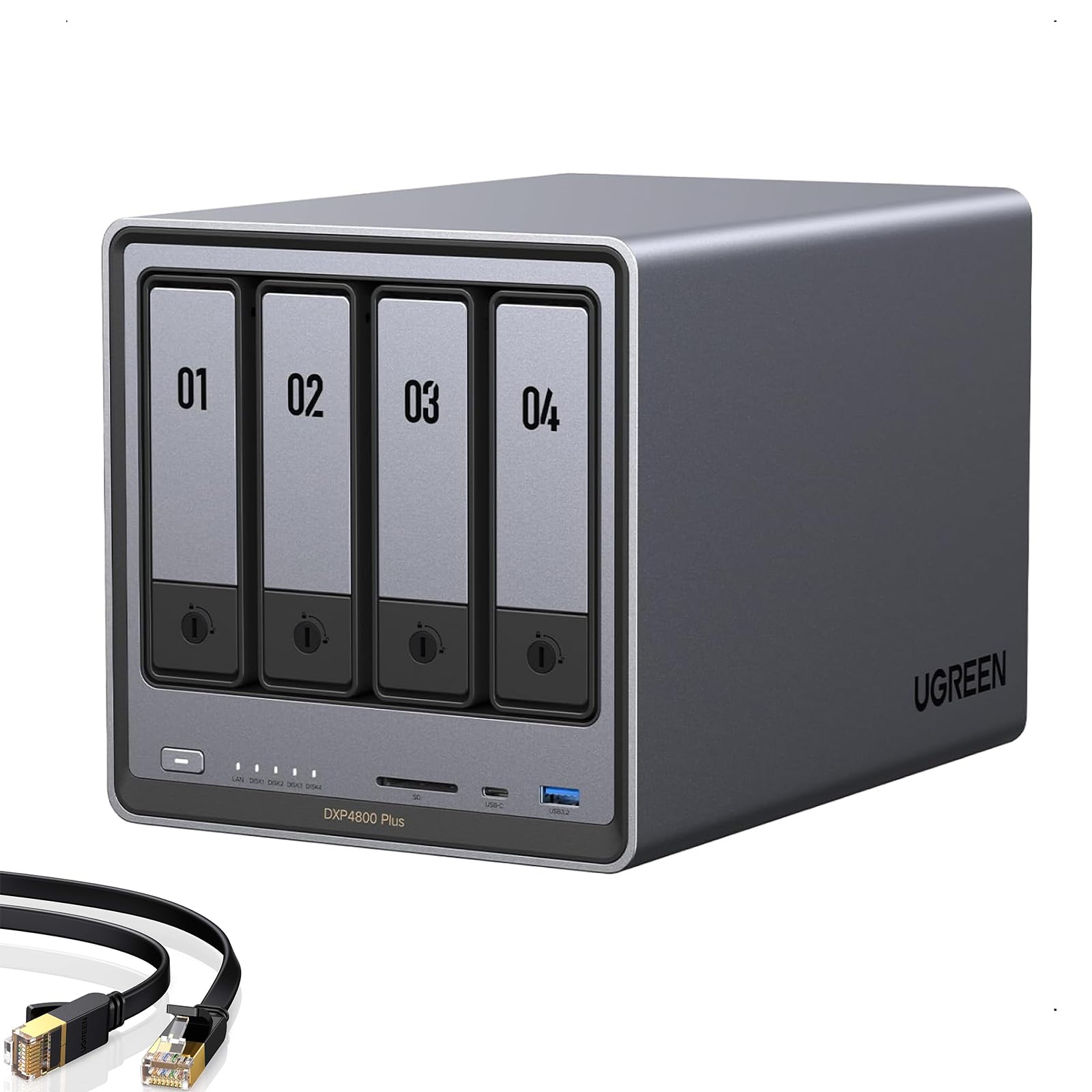
Type: 4-bay diskless NAS
Processor: Intel 8505
Memory: 8GB DDR5
Network: 10GbE and 2.5GbE
Storage: Built-in 128G SSD, 2x M.2 NVMe
Intended use: Families, creators, small teams
The DXP4800 Plus pairs an Intel 8505 with hardware transcoding, which is the combination that matters for a Plex or Jellyfin library serving 4K video to several screens. DDR5 memory and a built-in 128G SSD give the system drive and container workloads a faster footing than a spinning-disk-only install. The 10GbE and 2.5GbE ports cover both a fast backbone and ordinary home switches, and the two M.2 slots leave room for cache. It is a family and small-team server that handles media and smart home software on the same machine.
This is the pick for a household that streams a lot of video and wants Home Assistant running alongside it without stutter. Hardware transcoding is the feature that separates it from the Ryzen model above, and the built-in SSD saves a drive bay on day one. Buyers with no interest in media streaming will find the transcoding hardware goes to waste.
Trade-off: Like all diskless NAS units here, the drives push the real cost well above the sticker, and the transcoding focus is overkill for a sensor-only setup.
Check the current price on Amazon
3. Synology DS225+ — Best for Private Cloud and Photos

Type: 2-bay diskless NAS
Processor: Intel CPU with hardware transcoding
Intended use: Private cloud, photo backup, media streaming
Form factor: Compact two-bay desktop
The DS225+ is a compact two-bay server aimed at private cloud duties: backing up photos from phones, sharing files, and streaming media. The Intel CPU with hardware transcoding keeps video playback smooth without leaning on the main processor, and the two-bay layout keeps the footprint small enough for a shelf or cabinet. It is the most approachable brand-name option in this group for a buyer who wants a known ecosystem and a tidy setup. The trade-off of the two-bay design is that storage grows in pairs.
This pick suits a household that wants photo backup and a private cloud first, with smart home software as a secondary job. It earned its place because the software ecosystem and compact size make it easy to live with. Buyers planning a large Docker stack or heavy virtual machines should look at the four-bay units instead, since two bays and a modest CPU leave less room to grow.
Trade-off: Two bays mean limited capacity and no room for a large drive pool, so expansion comes early for anyone storing years of video.
Check the current price on Amazon
4. 2 Bay DIY NAS Kit — Best Budget x86 Home Server
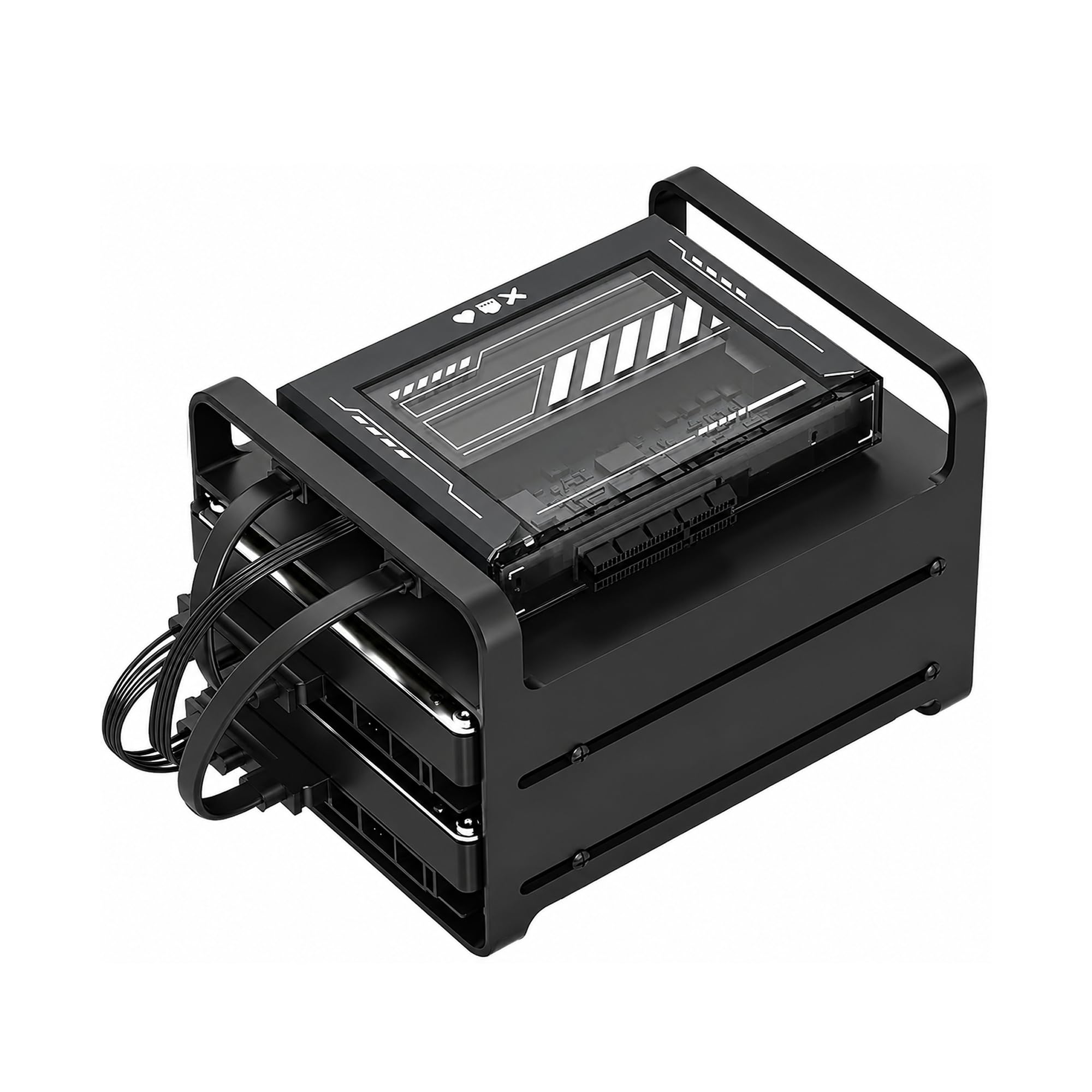
Type: 2-bay DIY NAS kit
Processor: Intel quad-core
Memory: 16GB RAM
Storage: Dual SATA
Expansion: PCIe x4
Software: Docker ready, Plex, Home Assistant
Intended use: Enthusiasts building a custom server
2 Bay DIY NAS Kit, x86 Home Server, Intel Quad-Core, 16GB RAM,
This kit is the tinkerer’s option: an x86 quad-core board with 16GB of RAM, dual SATA for drives, and a PCIe x4 slot for a network card or controller. It arrives as a kit rather than a finished appliance, so the buyer supplies drives and installs the operating system. Docker, Plex, and Home Assistant are all listed as targets, which makes it a natural fit for someone who wants to run the smart home stack on their own terms. The 16GB of memory is generous for the price tier and leaves room for containers.
The kit earns its place as the budget pick for buyers who enjoy assembly and configuration. It suits a Home Assistant user who wants full control over the OS and a PCIe slot for future upgrades. Buyers who want a plug-in-and-go appliance should skip it, because setup, drive choice, and software install all fall on the owner.
Trade-off: As a kit, it demands real setup time and technical comfort, and the two-bay limit caps storage growth.
Check the current price on Amazon
5. Yxk Zero1 Pro — Best for Beginners
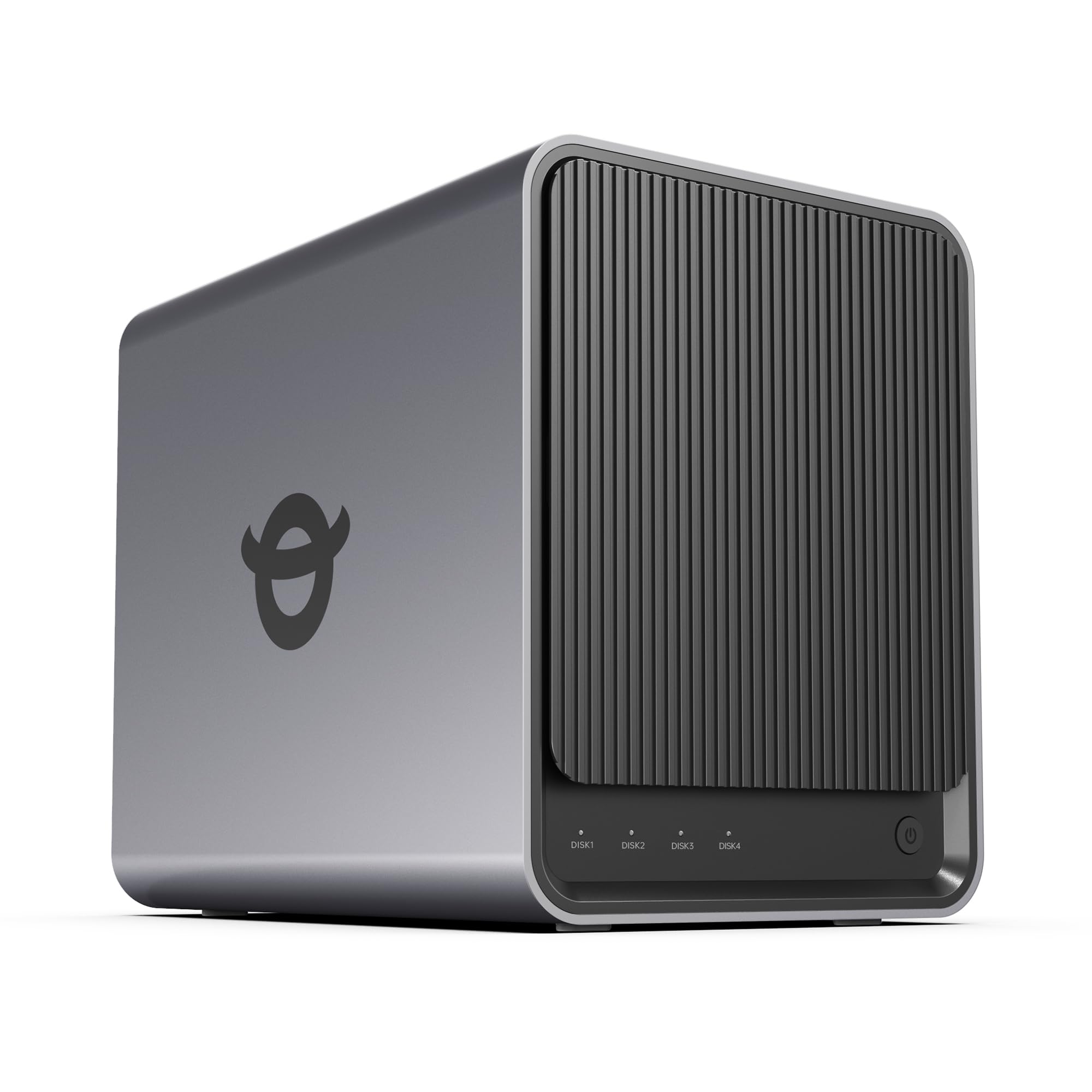
Type: 4-bay diskless NAS
Processor: Intel N100
Memory: 8GB RAM
Storage: 2x M.2 SSD slots
Software: Beginner-friendly app setup, Docker, third-party OS
Intended use: Private cloud and home media server
The Zero1 Pro leads with beginner-friendly app setup, which is the right pitch for a first home server. The Intel N100 and 8GB of RAM are modest but efficient, well matched to Home Assistant, a photo album, and light Docker use. Two M.2 SSD slots let a buyer add fast storage without filling the four main bays, and third-party OS support means the box is not locked to one ecosystem. The AI photo album is a nice extra for a household that wants phone backups organized automatically.
This pick suits a first-time smart home builder who wants guided setup and room to grow into Docker later. It earned its place as the easiest on-ramp in this group, with four bays for future drives. Buyers planning heavy transcoding or many simultaneous users should step up to the Intel 8505 model, since the N100 is built for efficiency rather than load.
Trade-off: The N100 and 8GB of RAM are entry-level, so a large container stack or 4K transcoding for several viewers will strain it.
Check the current price on Amazon
Before You Buy
- Processor: An Intel chip with hardware transcoding matters for media; a Ryzen or N100 is fine for sensors and containers.
- Memory: 8GB handles Home Assistant and a few containers; 16GB leaves room for Plex, Frigate, and databases.
- Bays and storage: Two bays are compact but limit growth; four bays cost more up front and save a rebuild later.
- Network: 2.5GbE covers most homes; dual 10GbE only pays off with matching switches and clients.
- Software: Check Docker support and third-party OS options if the plan is to run Home Assistant in a container.
- Drives: Every pick here is diskless, so budget for drives on top of the server price.
- Setup time: A DIY kit saves money but costs evenings; an app-guided NAS trades cash for convenience.
Frequently Asked Questions
-
What is the best home server for smart home software overall?
The UGREEN DXP4800 Plus is the strongest all-rounder, pairing hardware transcoding with DDR5 memory and dual network ports for media and Home Assistant on one box. -
Can a NAS run Home Assistant?
Yes. Any of these x86 units can run Home Assistant in Docker or a virtual machine, and the DIY kit and Zero1 Pro explicitly list Docker support. -
How much RAM does a smart home server need?
8GB is a workable starting point for Home Assistant and a few add-ons, while 16GB gives headroom for media servers and camera processing. -
Do these servers include hard drives?
No. All five are diskless, so drives are a separate purchase and should be factored into the total budget. -
Is a two-bay NAS enough for a smart home?
For sensors, backups, and light media it is sufficient, but four bays give more room for growth and a larger drive pool. -
Which pick is best for a beginner?
The Yxk Zero1 Pro, because its beginner-friendly app setup reduces the configuration work compared with a DIY kit.
Bottom Line
For most households, the UGREEN DXP4800 Plus is the best home server for smart home software: hardware transcoding, DDR5 memory, and dual network ports cover Home Assistant, Docker, and 4K media without compromise. Beginners should start with the Yxk Zero1 Pro, while tinkerers and tight budgets are better served by the DIY kit. Check the DXP4800 Plus price on Amazon and confirm current availability before ordering.