Why there are Amazon links here: Brave Review is paid a commission for qualifying Amazon purchases made through the links below. Your price does not change, and using our links is entirely optional. How this works
Best Smart Lock With a Physical Key Backup for Everyday Entry
A smart lock is only as useful as its fallback, and that is why a physical key backup still matters. This guide covers five smart locks that all keep a traditional key as a backup, from a cheap keypad knob to a premium WiFi deadbolt. It suits renters and first-time smart-lock buyers, busy households that want keyless entry without losing the spare key, and anyone who wants app control but refuses to be locked out by a dead battery. The overview table below puts the differences side by side, then each pick gets a short review.
Overview Of The Picks
| Product | Key Spec | Best Use | Price Tier |
|---|---|---|---|
| Smart Locks for Front Door, Voice & Fingerprint Unlock | Fingerprint + WiFi + door lever | Hands-free fingerprint entry | Mid |
| Wyze Auto-Lock Bolt v2 | Fingerprint, 8-month battery | Fingerprint on a budget | Budget |
| Voice Control Philips WiFi Smart Keypad Deadbolt | Backlit keypad, no hub needed | Simple app control | Budget |
| Assure Lock 2 Smart Door Lock with WiFi Bridge | Extended-range WiFi bridge | Premium remote access | Premium |
| Yamiry Keyless Entry Digital Lock with Handle | Electronic code knob, 2 keys | Cheap keypad upgrade | Budget |
1. Smart Locks for Front Door, Voice & Fingerprint Unlock

Type: WiFi keypad deadbolt with handle
Unlock Methods: Fingerprint, voice, code, app
Connectivity: Built-in WiFi, no hub
Extras: Auto-lock, backlit keypad
Included: Door lever and handle set
Smart Locks for Front Door, Voice & Fingerprint Unlock is the most feature-dense pick here, combining a fingerprint reader, voice unlock, flexible codes and built-in WiFi in one deadbolt-and-handle set. Because the WiFi is built in, there is no separate bridge to buy or plug in, and app remote control works out of the box. The included lever means the whole entry hardware can be replaced in one go, which suits a front door that still has an old mismatched handle. Auto-lock and a backlit keypad round out the everyday basics, and the fingerprint reader is the headline feature for anyone who hates typing a code with full hands.
Trade-off: A fingerprint reader and WiFi radio both draw power, so expect more frequent battery attention than a plain keypad lock.
2. Wyze Auto-Lock Bolt v2

Type: Fingerprint keyless deadbolt
Scanner: AI learning fingerprint scanner
Connectivity: Wi-Fi
Battery Life: 8 months
Ratings: BHMA2, IP53
Extras: Anti-peep keypad, auto-lock, backup keys
Wyze Auto-Lock Bolt v2 is the value fingerprint pick, and the BHMA2 and IP53 ratings in its name signal it is built for real exterior use rather than a sheltered hallway. The AI learning scanner is designed to improve recognition over time, and the anti-peep keypad lets a code be entered with decoy digits so nobody watching learns it. An 8-month battery claim is generous for a WiFi lock, and auto-lock handles the "did I lock it?" worry. Backup keys are included, so a dead battery never means a locksmith.
Trade-off: Wyze’s ecosystem is the draw here, so buyers outside it get less from the app than committed Wyze households do.
3. Voice Control Philips WiFi Smart Keypad Deadbolt
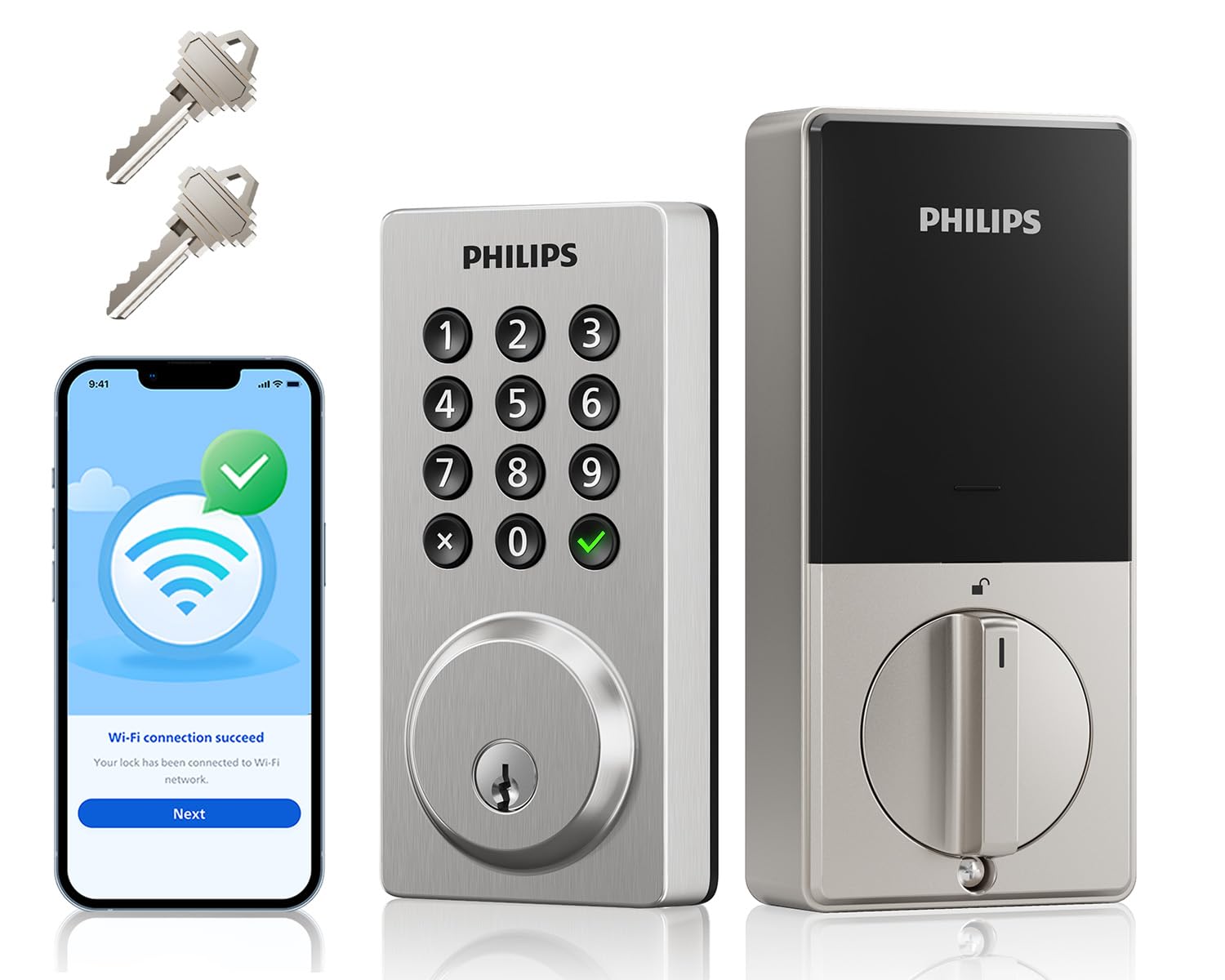
Type: WiFi smart keypad deadbolt
Unlock Methods: Code, app, voice
Connectivity: WiFi, no hub needed
Extras: Auto-lock, one-touch lock, activities log
Keypad: Backlit
Included: 2 physical keys
Voice Control Philips WiFi Smart Keypad Deadbolt is the sensible middle option: a keypad deadbolt with app remote control and no hub required. Flexible codes let the household set temporary or guest codes, and the activities log shows who came and went, which is useful for a rental or a home with regular visitors. One-touch lock and auto-lock cover the leaving-the-house routine, and the backlit keypad keeps late-night entry readable. Two physical keys ship in the box as the backup.
Trade-off: There is no fingerprint reader at this price, so entry is code or app only, which is slower with hands full.
4. Assure Lock 2 Smart Door Lock with WiFi Bridge
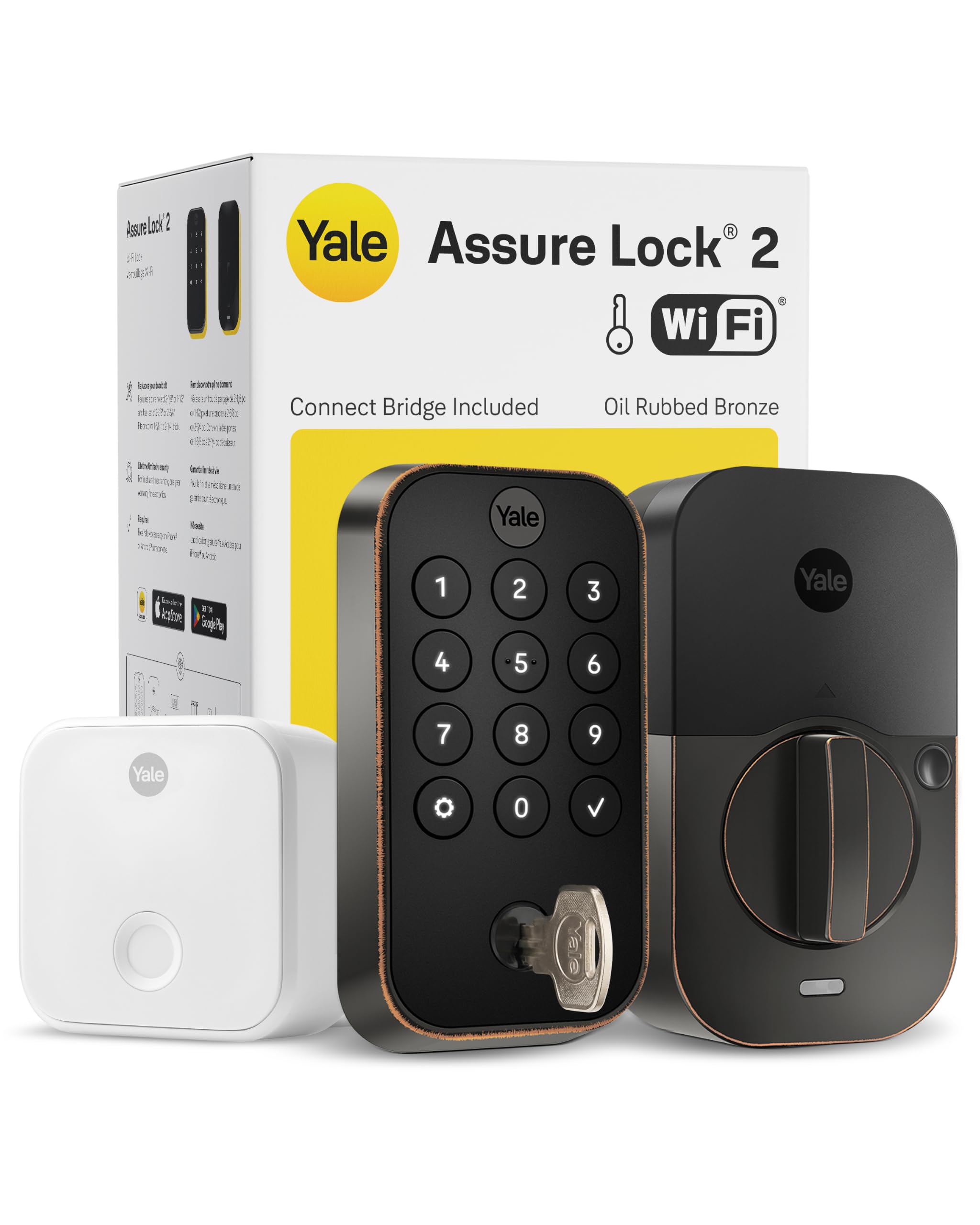
Type: Smart deadbolt with WiFi bridge
Connectivity: Extended-range WiFi bridge
Control: Remote app control (US & Canada only)
Finish: Oil rubbed bronze
Battery: Extended battery life via bridge
Backup: Physical backup key
Assure Lock 2 Smart Door Lock with WiFi Bridge is the premium pick, and its selling point is the separate WiFi bridge that keeps the lock itself on a low-power radio for longer battery life. Remote app control works across the US and Canada, so checking or unlocking the door from elsewhere is straightforward. The oil rubbed bronze finish suits traditional front doors better than the plastic-looking housings on cheaper locks. A physical backup key is included, which keeps the premium lock honest if the electronics or battery give out.
Trade-off: The premium price buys polish and range rather than more unlock methods, and the bridge takes up an outlet and some setup patience.
5. Yamiry Keyless Entry Digital Lock with Handle

Type: Electronic code knob with handle
Capacity: 20 user codes
Extras: Auto-lock, backlit keypad
Included: 2 backup keys
Installation: Easy installation
Entry: Keyless code entry
Yamiry Keyless Entry Digital Lock with Handle is the cheapest route into keypad entry, and it is a knob-and-handle replacement rather than a full deadbolt swap. Twenty user codes is plenty for a family plus a cleaner or dog walker, and auto-lock means the door locks behind the last person out. The backlit keypad keeps codes visible at night, and two backup keys cover a flat battery. Easy installation makes it the most renter-friendly pick here, since a knob swap is less invasive than a deadbolt cut.
Trade-off: A code knob is a step down in physical security from a deadbolt, so it suits a secondary door better than a main front door.
Before You Buy
- Backup type: Confirm the lock ships with physical keys rather than a hidden keyport or a battery-only fallback, and store a spare key off-site.
- Door prep: Deadbolt models need an existing deadbolt bore, while knob models replace the handle set — measure before ordering.
- Connectivity: Built-in WiFi needs no hub, but a bridge model like the Assure Lock 2 uses an outlet and adds setup steps.
- Battery life: Fingerprint and WiFi features drain faster; check the battery level monthly and keep spare cells on hand.
- Climate: An exterior rating like IP53 matters on an exposed door; a sheltered porch is more forgiving.
- Codes and access: Count how many people need entry, then check the user-code limit and whether temporary codes are supported.
- Finish and fit: Match the finish to existing hardware, and check the lock fits the door thickness and backset.
Frequently Asked Questions
- Do all smart locks keep a physical key backup? No — many keypad-only models drop the key cylinder entirely. Every pick on this list includes physical backup keys, which is why they made the cut.
- What happens when the battery dies on a smart lock with a key backup? The physical key still opens the door, so a dead battery is an inconvenience rather than a lockout.
- Is a keypad knob as secure as a deadbolt? No. A deadbolt is the stronger primary lock; a code knob works best on a secondary or interior door.
- Do these locks need a hub or bridge? The Philips, Wyze and fingerprint picks connect over built-in WiFi, while the Assure Lock 2 uses its own WiFi bridge for longer battery life.
- Can a smart lock be used without the app? Yes — the keypad, fingerprint reader and physical key all work locally, so the app is optional for day-to-day entry.
- Are these locks suitable for renters? The Yamiry knob is the easiest to fit and reverse, while deadbolt models may need landlord approval.
Bottom Line
For most front doors, the Smart Locks for Front Door, Voice & Fingerprint Unlock is the best smart lock with a physical key backup: fingerprint entry, built-in WiFi and a matching handle in one set. Budget buyers who want a fingerprint reader should look at the Wyze Bolt v2, while the Assure Lock 2 earns its price on finish and battery-friendly remote access.