Why there are Amazon links here: Brave Review is paid a commission for qualifying Amazon purchases made through the links below. Your price does not change, and using our links is entirely optional. How this works
Best Voice and Switch Control for Limited Mobility: 5 Picks for Hands-Free Living
Voice and switch control for limited mobility turns ordinary lights, appliances, and devices into something a person can operate with a word, a nudge, or a bite. This guide covers five adaptive picks, from a budget smart relay to a professional-grade wireless switch interface, and explains who each one fits. Three buyer profiles drive the list: someone who wants Alexa or Google to handle household appliances, someone who needs a large touch-free switch for a wheelchair or bed, and someone who needs an alternative input method for a communication device. The overview table below sorts all five by key spec and best use.
Overview of the Picks
| Product | Key Spec | Best Use | Price Tier |
|---|---|---|---|
| AbleNet PowerLink 4 | Wireless switch control unit for home automation | Multi-appliance switch control | Premium |
| Switch Adapted Remote Control Power Outlet | Switch-adapted power outlet | Single-appliance switch access | Budget |
| AbleNet Big Candy Corn | Touch-free proximity sensor switch | No-contact switch activation | Premium |
| Glassouse Adaptive Bite Switch | Hands-free bite switch | Wheelchair, rehab, and gaming input | Mid-range |
| TONGOU 2.4GHz WiFi Timer Switch | Voice control with energy monitor | Voice-controlled circuits | Budget |
1. AbleNet PowerLink 4 – Assistive Technology Wireless Switch Control Unit

Type: Wireless switch control unit
Intended use: Home automation and accessibility
Compatibility: Adaptive switches
Brand: AbleNet
Part number: 10010701
The PowerLink 4 is the most capable switch interface on this list. It is built to take input from an adaptive switch and route it to household appliances wirelessly, which means a single accessible switch can run lamps, fans, or small electronics without any rewiring. The AbleNet name carries weight in schools and therapy settings, and the unit is designed for repeated daily use rather than occasional tinkering.
This is the pick for a household that already has an adaptive switch and wants to extend it across several appliances. It suits caregivers setting up a room for independent control. Trade-off: the premium price is hard to justify for a single appliance, and buyers with no existing switch have nothing to plug into it.
2. Switch Adapted Remote Control Power Outlet

Type: Switch-adapted power outlet
Intended use: Adaptive device control
Compatibility: Adaptive switches
Form factor: Plug-in outlet
Category: Special needs device
Switch Adapted Remote Control Power Outlet | Adaptive Device | Special Needs Device | Switch Device
This outlet is the simplest entry point into switch control. It plugs into a standard wall socket and accepts an adaptive switch, so a lamp, fan, or small appliance can be turned on and off with whatever switch the user already operates comfortably. The plug-in format means no wiring, no electrician, and no permanent installation.
It suits a first-time adaptive setup or a single room where one appliance needs switch access. The low cost makes it easy to add a second unit later. Trade-off: it controls one outlet at a time, so a multi-appliance setup gets expensive and cluttered fast.
3. AbleNet Big Candy Corn 2 Proximity Sensor Switch

Type: Proximity sensor switch
Intended use: Accessibility and adaptive communication
Activation: Touch-free
Brand: AbleNet
Product number: 10000077
The Big Candy Corn 2 activates on proximity rather than pressure, so a hand, arm, or head only has to come near it. That removes the force and precision a mechanical switch demands, which matters for users with limited strength or tremors. AbleNet designs this class of switch for communication aids and environmental control, and the large target area makes it forgiving of imprecise movement.
It suits users who cannot reliably press a physical button but can still move a limb toward a target. It pairs naturally with the PowerLink 4 for appliance control. Trade-off: proximity switches can trigger on accidental passes, and the premium price is steep for a single-input device.
4. Glassouse Adaptive Bite Switch
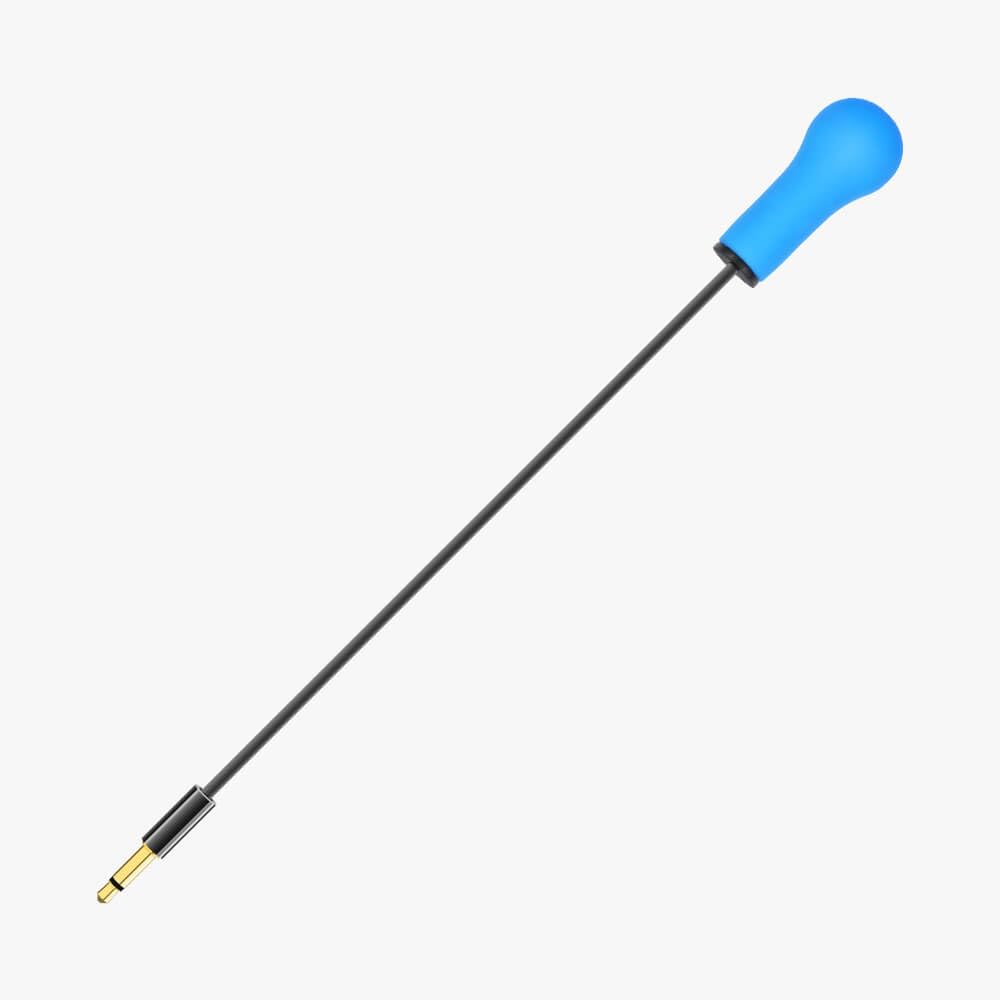
Type: Adaptive bite switch
Intended use: Assistive technology, rehab, wheelchair, communication, and gaming devices
Activation: Hands-free bite input
Build: Durable construction
Brand: Glassouse
The Glassouse bite switch is for users with very limited limb movement who can still bite or clench. It mounts near the mouth and converts a bite into a switch input for communication devices, wheelchair controls, rehab equipment, or gaming setups. The durable build suits daily wear, and the hands-free activation covers a gap that hand and head switches cannot.
It suits users with conditions affecting arm and hand function but preserving jaw control, and it works across several device categories rather than one. Trade-off: bite switches demand good dental health and fit adjustment, and they are not suitable for users with jaw pain or involuntary clenching.
5. TONGOU 2.4GHz WiFi Timer Switch with Voice Control

Type: DIN rail WiFi switch
Intended use: Voice and app control of wired circuits
Control: Smart Life/Tuya app, voice control
Features: Timer, energy monitor
Certification: FCC certified
Wiring: 1P+N, requires neutral wire
Rating: 6A
This is the voice-control pick. The TONGOU relay installs on a DIN rail and puts a wired circuit under Smart Life or Tuya app control, with voice commands handled through the linked assistant. The energy monitor shows what the circuit is drawing, and the timer automates lights or appliances without anyone touching a switch.
It suits a household willing to have an electrician wire it in, and it is the cheapest route to genuine voice control of fixed lighting. Trade-off: installation requires a neutral wire and mains work, so it is not a plug-and-play option, and the 6A rating limits it to lighter circuits.
Before You Buy
- Activation method: Match the switch to the user’s most reliable movement — hand press, proximity, or bite — before comparing anything else.
- Compatibility: Confirm the switch works with the target device, whether that is a communication aid, wheelchair, or appliance interface.
- Wiring: Plug-in outlets need no installation; DIN rail relays need a neutral wire and a qualified electrician.
- Power rating: Check the load rating on any relay before connecting appliances, especially anything with a motor or heater.
- Mounting: Proximity and bite switches need stable positioning near the user, so plan the mount before purchase.
- Ecosystem: Voice control depends on the app and assistant a household already uses; verify support before buying.
- Expansion: A single-outlet device is cheap to start but costly to scale; a multi-appliance interface costs more upfront.
Frequently Asked Questions
-
What is voice and switch control for limited mobility?
It is a combination of adaptive switches and voice-controlled smart devices that let a person operate lights, appliances, and communication equipment without fine hand movement. -
Do these devices need professional installation?
Plug-in outlets and standalone switches do not. DIN rail relays like the TONGOU require mains wiring and a neutral wire, so an electrician should handle installation. -
Which pick works with an existing adaptive switch?
The AbleNet PowerLink 4 and the Switch Adapted Power Outlet both accept input from a switch the user already owns. -
Can a bite switch replace a hand switch entirely?
For users with no reliable hand movement, yes. The Glassouse bite switch feeds the same kind of input, though it needs a comfortable, well-fitted mount. -
Is voice control reliable for someone with slurred speech?
Voice assistants vary in how well they recognize atypical speech, so testing the assistant before committing to a whole-home setup is worthwhile. -
Can these devices be used together?
Yes. A proximity or bite switch can feed a PowerLink 4, while a voice-controlled relay handles fixed lighting in the same room.
Bottom Line
The AbleNet PowerLink 4 is the top pick for voice and switch control for limited mobility when a household already owns an adaptive switch and wants to run several appliances from it. Buyers starting from scratch should begin with the Switch Adapted Power Outlet, and anyone who needs true voice control of wired lighting should look at the TONGOU relay.
