Why there are Amazon links here: Brave Review is paid a commission for qualifying Amazon purchases made through the links below. Your price does not change, and using our links is entirely optional. How this works
Best Cable Free Device Placement Ideas for a Clutter-Free Setup
Cable clutter is usually a placement problem, not a cord problem. When routers, streaming boxes, phones, and chargers have no dedicated home, their cables end up draped across counters and pooled behind desks. The five products below solve that by giving devices a fixed, cable-free spot to sit — on a wall, a TV top, a desk edge, or a nightstand. Renters, small-apartment dwellers, and anyone tidying a media wall or home office will find a match. The overview table below shows every pick side by side before the detailed reviews.
Overview of the Picks
| Product | Key Spec | Best Use | Price Tier |
|---|---|---|---|
| Retractable 4-in-1 USB C Wall Charger | 40W, dual 35.5in retractable cables | Charging multiple devices with no loose cords | Budget |
| JOYROOM 9 Pack Magnetic Cable Clips | 9-pack, adhesive, adjustable | Routing cords along desks and walls | Budget |
| No-Drill Wall Mount for Dot 3rd Gen | Built-in cable management, no tools | Wall-mounting a smart speaker in kitchen or bath | Budget |
| TV Top Shelf, 2 Pack | 2-pack, no-drilling, top-mount | Holding a cable box or streamer on the TV | Budget |
| Cable Clips, Desk Cable Drop, 6pcs | 6-pack, desk-edge drop clips | Keeping charging and mouse cords from falling | Budget |
Retractable Charger, Foldable Plug, Dual 35.5in Cables

Type: 4-in-1 retractable USB C wall charger
Power: 40W fast charging
Cables: Dual 35.5in retractable cables
Plug: Foldable
Compatibility: iPhone, Galaxy, Pixel and other USB C devices
This charger attacks cable clutter at the source. The two cables retract into the body, so nothing trails across a nightstand or counter when devices are unplugged, and the foldable plug keeps the whole unit flat enough to drop in a bag. The 4-in-1 design covers several device types at once, and the 40W output is aimed at phones and small accessories rather than laptops.
It suits travelers and anyone with a crowded charging station who wants one wall block instead of a tangle of separate cables. The trade-off is capacity: 40W split across multiple devices means each one charges slower than it would on a dedicated brick, so it is not the pick for power-hungry laptops.
JOYROOM 9 Pack Magnetic Cable Clips
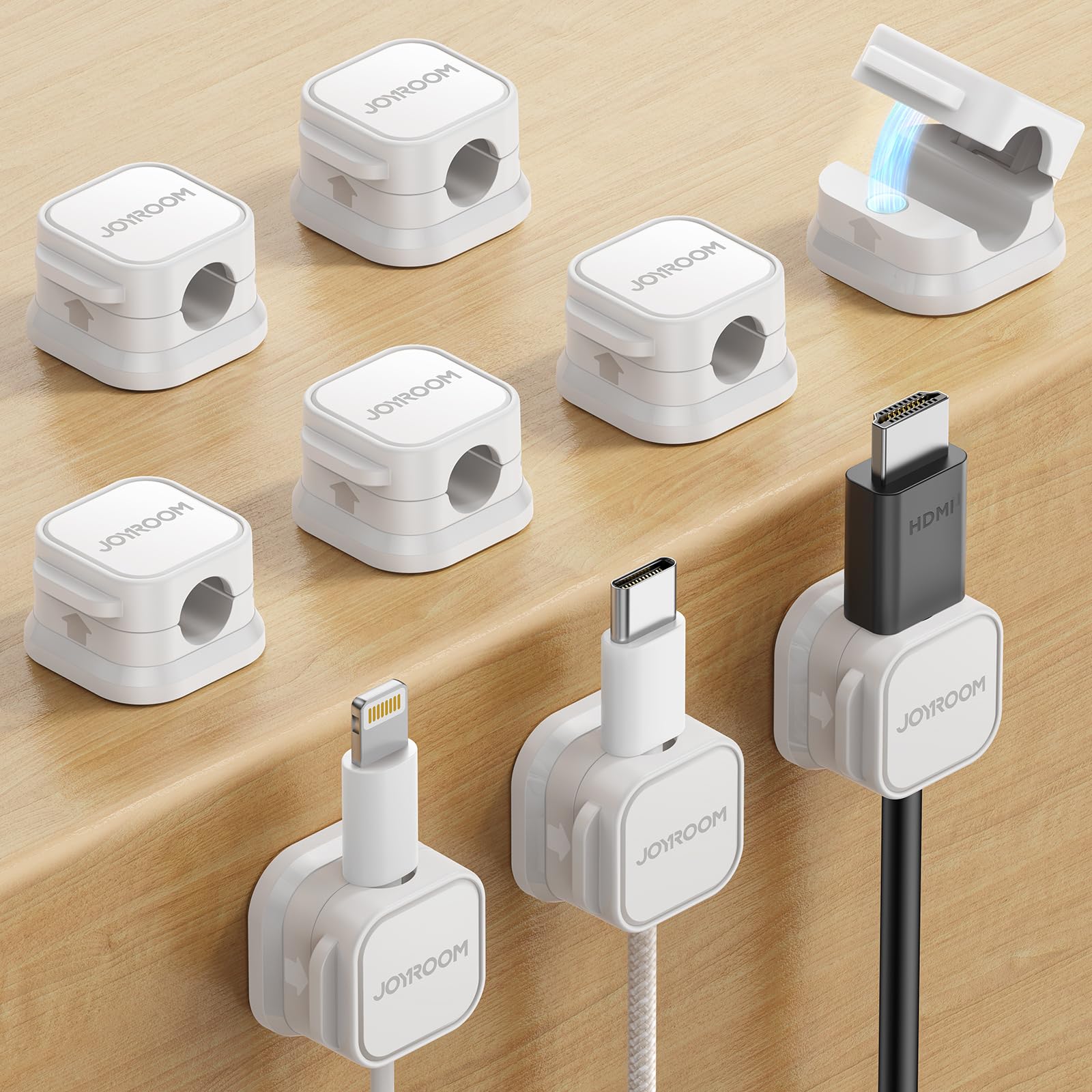
Type: Magnetic cable clips with adhesive backing
Pack size: 9 pieces
Mounting: Adhesive, no drilling
Adjustment: Smooth, adjustable hold
Intended use: Desk, nightstand, car, wall organization
JOYROOM 9 Pack Magnetic Cable Clips, Cord Organizer Adhesive Wire Holder
These clips give cords a fixed route instead of letting them fall where they hang. The magnetic hold lets a cable be pulled out and snapped back without fighting a clip, and the adhesive backing means no holes in a desk or wall. A 9-pack covers a full desk run, a nightstand, and a car mount with spares left over.
They suit renters and desk workers who want cables to stay put but still move freely during use. The trade-off is adhesion: adhesive clips depend on a clean, smooth surface, and on textured or dusty walls they are likely to let go sooner than a screwed-in mount.
No-Drill Wall Mount for Dot 3rd Gen
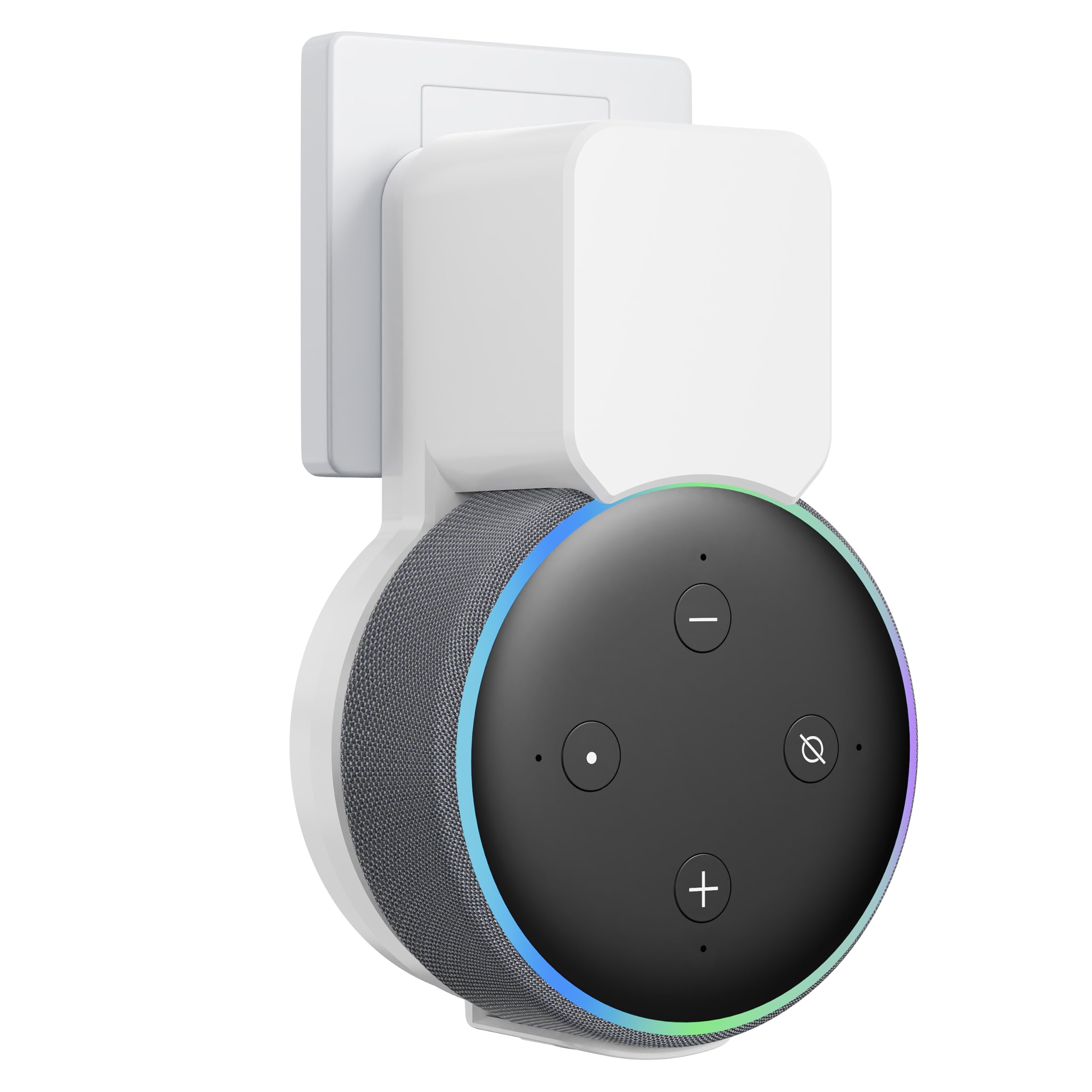
Type: No-drill wall mount
Color: White
Cable handling: Built-in cable management and cord hider
Installation: No tools required
Design: Space-saving
Intended use: Kitchen, bathroom, wall placement
No-Drill Wall Mount for Dot 3rd Gen, Cord Hider & Space Saver
This mount lifts a smart speaker off the counter and puts it on the wall, which is the cleanest cable-free placement idea for a kitchen or bathroom where counter space is scarce. The built-in cable management hides the power cord against the wall rather than letting it dangle, and installation needs no tools, so it comes back off without damage.
It suits renters and small-space dwellers who want a speaker within reach but out of the way. The trade-off is fit: it is shaped for one specific speaker generation, so a buyer with a different model or a newer generation should confirm compatibility before ordering.
TV Top Shelf, 2 Pack
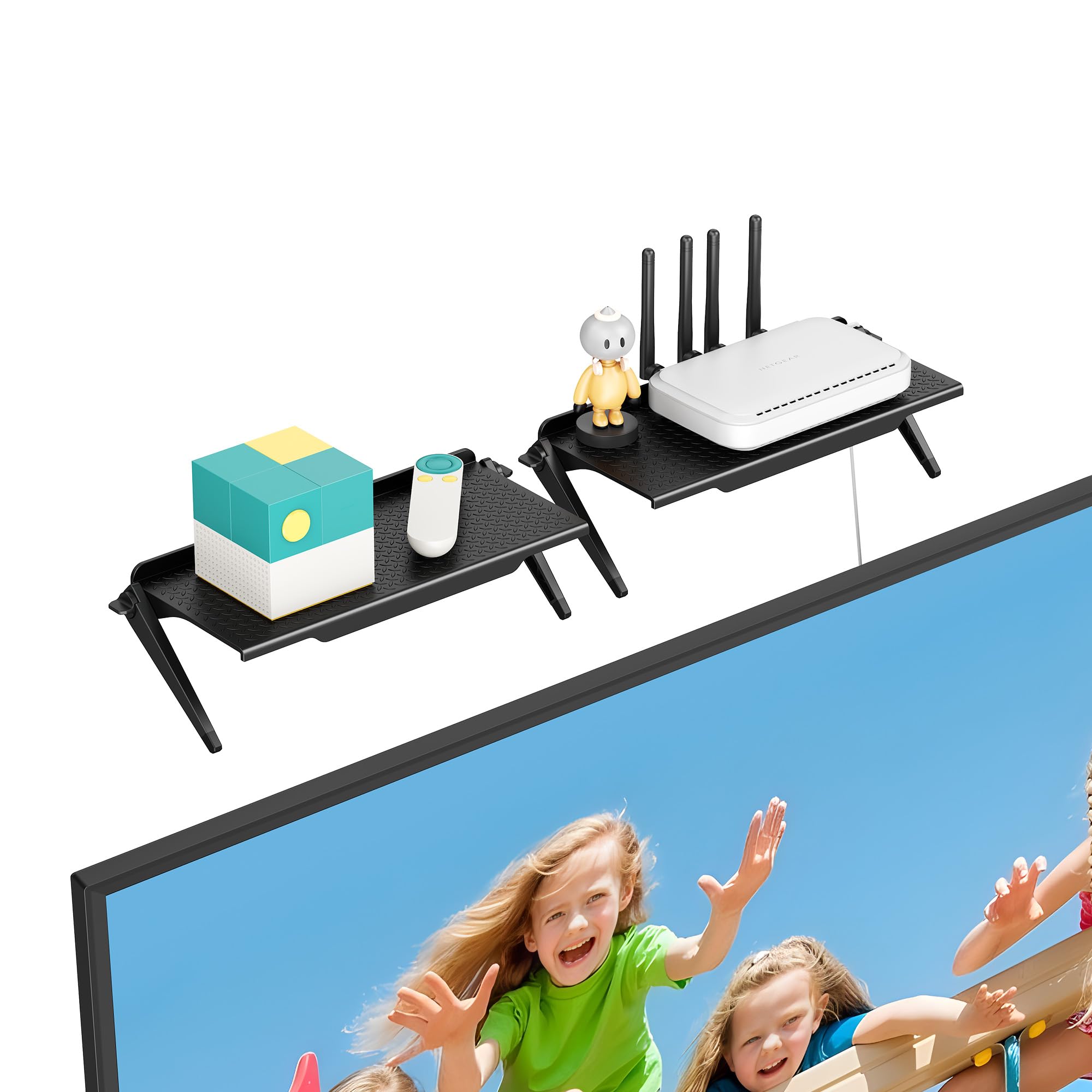
Type: TV and monitor top shelf
Pack size: 2 pieces
Installation: No drilling
Intended use: Cable box, router, streaming device, game console, remote
Compatibility: Apple TV and similar small devices
This shelf uses the dead space on top of a TV or monitor, which is often the best cable-free spot in a media setup. A streaming box, small router, or remote sits up there instead of on the TV stand, and the no-drilling mount means nothing is screwed into the set. The 2-pack covers a TV and a monitor, or splits between two rooms.
It suits media-room owners and desk users who want devices visible but off the furniture. The trade-off is load and balance: a top-mounted shelf depends on the TV’s own stability, so a heavy device on a lightweight set can make the whole thing feel less secure.
Cable Clips, Desk Cable Drop, 6pcs

Type: Desk cable drop clips
Pack size: 6 pieces
Color: Colorful
Intended use: Computer, electrical, charging, and mouse cords
Mounting: Adhesive desk-edge clip
These clips hold a cord at the desk edge so it drops straight down instead of sliding off the back. That single change keeps a charging cable or mouse cord reachable without a loop of slack on the desktop. The 6-pack covers a keyboard, mouse, phone charger, and a couple of spares, and the colorful set makes it easy to match or code different cables.
They suit desk workers with a fixed setup who want cords to stay in one place. The trade-off is grip strength: small adhesive drop clips hold light charging and mouse cables well but are not built for thick or heavily tugged cords, which can pull free.
Before You Buy
- Mounting method: Adhesive and no-drill options protect walls and furniture but depend on a clean, smooth surface; drilled mounts hold firmer but leave holes.
- Device fit: Wall mounts and top shelves are shaped for specific device sizes and generations, so confirm the device matches before ordering.
- Cable routing: Built-in cable management and cord hiders matter most in kitchens and bathrooms where a dangling cord is both ugly and in the way.
- Load and balance: A top-mounted shelf or wall mount shifts weight onto the furniture or wall it attaches to, so match the device to what the mount can carry.
- Surface type: Textured walls, dusty shelves, and painted furniture reduce adhesion, which shortens the life of any stick-on clip.
- Room to grow: Multi-packs of clips and 2-pack shelves cover more devices per purchase and leave spares for a second room.
Frequently Asked Questions
-
What is the best cable-free placement idea for a router or streaming box?
A TV or monitor top shelf is the strongest option because it uses empty space above the screen and keeps the device off the furniture below. -
Do no-drill wall mounts damage paint or drywall?
Most no-drill mounts rely on adhesive or pressure, so they generally come off without holes, though the finish underneath should be checked before removal. -
Can cable clips hold a thick charging cable?
Small desk drop clips are best for light charging and mouse cords; thick or stiff cables need a larger clip or a different routing method. -
Is a retractable charger worth it over a normal wall charger?
It is worth it when portability and a tidy bag matter, since the cables store inside the body and the plug folds flat. -
Where should a smart speaker go in a small kitchen?
A wall mount with built-in cable management keeps the speaker off the counter and hides the cord, which is usually the cleanest option in tight spaces. -
How many clips are needed for a full desk setup?
A 6-pack typically covers a keyboard, mouse, phone charger, and a spare or two, while a larger pack suits a desk with more devices.
Bottom Line
The fastest way to cut cable clutter is to give every device a fixed home, and the Retractable 4-in-1 USB C Wall Charger does that for charging by removing loose cords entirely. For buyers whose clutter is on a desk or wall rather than at the outlet, the JOYROOM 9 Pack Magnetic Cable Clips is the most flexible starting point. Start with the charger, then add clips or a top shelf to finish the setup.
