Why there are Amazon links here: Brave Review is paid a commission for qualifying Amazon purchases made through the links below. Your price does not change, and using our links is entirely optional. How this works
Best Router for Someone Who Wants No Configuration for a Fuss-Free Home Network
A router that wants no configuration is one that comes out of the box, asks for the bare minimum, and gets a household online without a manual. This roundup covers five models that fit that brief, from a budget starter to a mesh-ready WiFi 6 unit. Three buyer profiles matter here: the renter who wants a five-minute swap, the family adding a second node later, and the light user who just needs steady coverage for phones and a TV. The overview below sorts the picks by key spec, best use and price tier so a decision can be made in under a minute.
Overview of the Picks
| Product | Key Spec | Best Use | Price Tier |
|---|---|---|---|
| TP-Link Archer AX21 V5 | WiFi 6, AX1800, EasyMesh | Main router for a connected home | Mid-budget |
| TP-Link Archer A54 | AC1200, 4 x 10/100 Mbps ports | Cheapest plug-and-play swap | Budget |
| LNN-AX3000 | WiFi 6, up to 1800 Mbps, no app required | App-averse buyers | Mid-budget |
| TP-Link Archer A6 | AC1200, Gigabit, OneMesh | Wired devices on a budget | Mid-budget |
| NETGEAR Nighthawk R6700AX | WiFi 6, AX1800, 4 x Gigabit | Single-router coverage up to 1,500 sq ft | Mid-budget |
TP-Link Archer AX21 V5

Type: Dual-band WiFi 6 router
Speed class: AX1800
Ports: Gigabit
Mesh: EasyMesh compatible
Voice control: Works with Alexa
Setup claim: Certified for Humans
Check the current price on Amazon
The Archer AX21 V5 is the pick for a household that wants modern WiFi 6 without a setup ritual. Its "Certified for Humans" label is the selling point: the box is built around a guided, phone-driven setup that walks through naming the network and setting a password. Gigabit ports keep wired devices at full speed, and EasyMesh support means a second compatible unit can be added later without rebuilding the network.
Buyers with a house full of laptops, phones and a streaming stick get the most from this one, and Alexa households get a small bonus in voice-friendly control. The caution is that WiFi 6 only pays off on devices that support it, so an older phone or laptop will fall back to the previous standard and see no speed gain.
Trade-off: The app-first setup is simple for most people but assumes a smartphone is on hand, which is a snag for anyone who prefers a browser-only configuration.
TP-Link Archer A54

Type: Dual-band WiFi router
Speed class: AC1200
Ports: 4 x 10/100 Mbps Fast Ethernet
Mesh: EasyMesh compatible
Modes: Router and access point
Extras: Guest WiFi, IPv6, parental controls
Check the current price on Amazon
The Archer A54 is the cheapest way into a no-fuss network, and it earns its place by doing the basics without drama. The setup is short, the guest network keeps visitors off the main one, and parental controls cover the household basics. Access point mode makes it useful as a second unit for extending a network rather than replacing it.
This is the right pick for a small apartment, a student room or a backup router kept for when the main unit fails. The trade-off is real, though: the Ethernet ports are 10/100 Mbps rather than Gigabit, so wired devices are capped well below what a modern internet plan can deliver.
Trade-off: The slower Ethernet ports make this a poor fit for anyone who plugs in a desktop, console or NAS and expects full wired speed.
LNN-AX3000
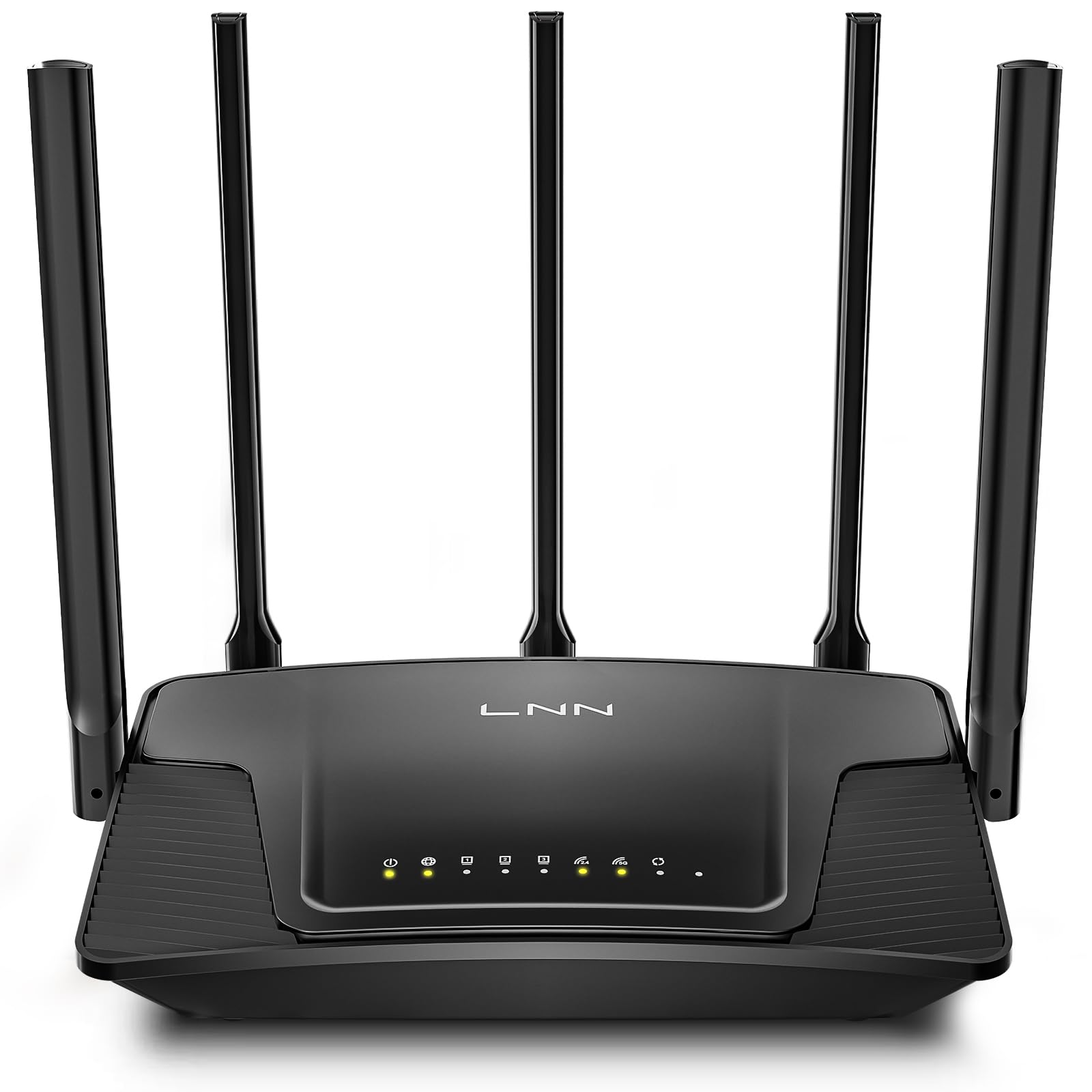
Type: Dual-band WiFi 6 router
Speed class: Up to 1800 Mbps
Capacity: 20+ devices
Antennas: 5
Setup claim: 5 steps, no app required
Certification: FCC certified
Check the current price on Amazon
The LNN-AX3000 is the pick for buyers who resent being pushed into an app. Its headline claim is a five-step setup with no app required, which means a browser-based configuration that a laptop can handle. Five antennas and a stated capacity of 20+ devices point to a router built for a busy but not enormous household.
Families with a mix of phones, tablets, a TV and a couple of smart devices fit the target profile well, and the FCC certification is a reassuring checkbox for anyone wary of an unfamiliar brand. The caution is that a lesser-known brand means less polished firmware and a thinner support trail than the big names offer, so a buyer who wants hand-holding may prefer a mainstream option.
Trade-off: The no-app setup is a genuine convenience, but the brand carries less long-term firmware and support track record than the established names in this list.
TP-Link Archer A6

Type: Dual-band WiFi router
Speed class: AC1200
Ports: Gigabit
Antennas: 4
Mesh: OneMesh compatible
Modes: Router and access point
Check the current price on Amazon
The Archer A6 sits between the budget A54 and the WiFi 6 models, and its case rests on Gigabit ports at a modest price. Four antennas and MU-MIMO handle several devices at once without obvious stutter, and OneMesh support means a compatible extender can be added later. Setup follows the same short, guided routine as the rest of the TP-Link line.
This is the sensible pick for a household with a wired console or desktop plus a normal load of wireless devices, where the A54’s slower ports would be the bottleneck. The limitation is the older WiFi standard: it is fine for everyday browsing and streaming, but it will not keep pace with a WiFi 6 network once more devices join.
Trade-off: The AC1200 standard is a step behind WiFi 6, so this router makes more sense as a value buy than as a future-proof one.
NETGEAR Nighthawk R6700AX

Type: Dual-band WiFi 6 router
Speed class: AX1800, 1.8 Gbps
Coverage claim: Up to 1,500 sq ft
Ports: 4 x Gigabit
Capacity: 20 devices
Setup claim: Easy set up
Check the current price on Amazon
The Nighthawk R6700AX is the pick for a single-router setup in a mid-sized home, with a stated coverage figure of up to 1,500 sq ft doing most of the persuading. Four Gigabit ports cover wired gear, AX1800 speeds handle WiFi 6 devices, and the setup is pitched as straightforward rather than technical. The Nighthawk name also carries a reputation for steady throughput under load.
Buyers in a house or a large flat who want one box and no mesh nodes should start here. The caution is that a coverage claim is measured in open space, so thick walls, a second floor or a brick chimney breast will eat into it, and a mesh system may still be needed in an awkward layout.
Trade-off: The single-unit design has no mesh option in this model, so a sprawling or multi-floor home may find the coverage claim optimistic.
Before You Buy
- Setup style: Decide whether a phone app or a browser-only setup is preferred, since the two are not interchangeable and one of these picks exists specifically for app-averse buyers.
- WiFi standard: WiFi 6 only benefits devices that support it; a household of older phones and laptops will not notice the difference over a good AC1200 router.
- Port speed: Gigabit ports matter for wired consoles, desktops and NAS boxes; 10/100 Mbps ports quietly cap a fast internet plan.
- Coverage: Match the router to the floor plan, and treat stated square footage as a best case rather than a guarantee through walls and floors.
- Mesh plans: EasyMesh and OneMesh support only pays off with compatible units, so check the second node is from the same family before relying on it.
- Device count: A stated capacity of 20 or 20+ devices is comfortable for a typical family, but a smart-home-heavy household should plan for more headroom.
Frequently Asked Questions
-
What does "no configuration" actually mean for a router?
It means the router arrives with a guided setup that asks for a network name and password and little else, rather than requiring manual IP, DNS or port settings. -
Can a router be set up without a smartphone app?
Yes. Some models, including the LNN-AX3000 in this list, are built around a browser-based setup with no app required, which suits buyers who prefer a laptop. -
Is WiFi 6 worth it for a simple home network?
It is worth it if the household has newer phones, laptops or a TV that support it; otherwise a good AC1200 router delivers the same everyday experience for less. -
Do these routers work with any internet provider?
These are standard routers that connect to a modem, so they work with most cable, fiber and DSL setups, though a provider-supplied gateway may need to be put into bridge mode first. -
How many devices can one of these routers handle?
The WiFi 6 models here state support for 20 or 20+ devices, which covers a typical family; a smart-home-heavy household should look for more headroom or add a mesh node. -
Can a second unit be added later for better coverage?
On the EasyMesh and OneMesh models, yes — a compatible unit can be added without rebuilding the network, which is the main reason to prefer those models over a plain router.
Bottom Line
For most households, the TP-Link Archer AX21 V5 is the best router for someone who wants no configuration: WiFi 6, Gigabit ports, EasyMesh room to grow and a setup built around a guided app routine. Buyers who refuse an app should take the LNN-AX3000 instead, and the Archer A54 remains the cheapest way to get online with minimal fuss. Check the Archer AX21 V5 price on Amazon to confirm the current deal before ordering.
