Why there are Amazon links here: Brave Review is paid a commission for qualifying Amazon purchases made through the links below. Your price does not change, and using our links is entirely optional. How this works
Best Router for a House with a Loft Conversion
A loft conversion adds a floor, and often a floor the original router was never bought to cover. The picks below cover the whole range: a cheap WiFi 6 workhorse, two WiFi 7 models, a tri-band WiFi 6E option for heavy streaming, and a mesh kit for awkward layouts. Buyers on a tight budget should start with the TP-Link AX21, while anyone future-proofing a busy household should look at the WiFi 7 pair. The overview table shows the differences at a glance before the full reviews.
Overview of the Picks
| Product | Key Spec | Best Use | Price Tier |
|---|---|---|---|
| TP-Link Archer AX21 V5 | WiFi 6, dual band, EasyMesh | Budget whole-house upgrade | Budget |
| TP-Link BE400 | WiFi 7, dual 2.5Gbps ports, 2,400 sq. ft. | Future-proof family home | Mid-range |
| NETGEAR Nighthawk RS90 | WiFi 7, 2,000 sq ft, 50 devices | Smaller households going WiFi 7 | Mid-range |
| TP-Link Archer AXE75 | WiFi 6E, tri-band, 6GHz band | Streaming and gaming upstairs | Mid-range |
| TP-Link Deco S4 (3-Pack) | Mesh AC1900, 5,500 sq. ft. | Long or thick-walled houses | Budget |
TP-Link Archer AX21 V5
 ](https://www.amazon.com/dp/B08H8ZLKKK/?tag=wdowd-20)
Type: Dual-band WiFi 6 router
Ports: Gigabit Ethernet
Mesh: EasyMesh compatible
Voice: Works with Alexa
Certification: Certified for Humans
TP-Link AX1800 WiFi 6 Router (Archer AX21 V5)
The AX21 is the sensible entry point for a converted loft that mainly needs reliable everyday WiFi. It runs WiFi 6 on both bands with gigabit ports, so a wired backhaul to the loft or a small switch upstairs works without bottlenecking. EasyMesh support means it can be paired with other EasyMesh hardware later if one router turns out to be short of the top floor. The "Certified for Humans" label points at a setup process built for people who do not want to fiddle with settings.
This one suits renters, smaller homes and anyone who wants the loft covered without spending much. It earned its place as the budget pick because WiFi 6 at this tier is genuinely enough for streaming and video calls. The catch is range: a single unit in a hallway will not push a strong signal through a loft floor and two walls, so buyers with a long house should plan on mesh or a wired access point.
Trade-off: Coverage is the weak point, so a single AX21 may leave the loft with a usable but not fast connection.
Check the current price on Amazon
TP-Link BE400
 ](https://www.amazon.com/dp/B0DVBP5L6Y/?tag=wdowd-20)
Type: Dual-band WiFi 7 router
Ports: Dual 2.5Gbps, USB 3.0
Coverage: Up to 2,400 sq. ft.
Devices: 90
Processor: Quad-core CPU
Security: HomeShield, Private IoT
TP-Link BE6500 Dual-Band WiFi 7 Router (BE400)
The BE400 is the pick for a household that intends to keep the router for years. WiFi 7 brings the newer standard into the loft, and the dual 2.5Gbps ports mean a fast fibre line is not throttled at the router. The quad-core CPU and stated device count of 90 point at a busy home with phones, TVs, consoles and smart kit all connected at once. HomeShield and a private IoT network add a layer of management for people who care where smart devices sit on the network.
This is the future-proof choice for families and home workers who stream in the loft and downstairs at the same time. It earned its place on headroom rather than price. The caution is that WiFi 7 only pays off with compatible client devices, and older laptops and phones will fall back to older standards, so the benefit arrives gradually.
Trade-off: The premium is only worth paying if the household owns or plans to buy WiFi 7 devices.
Check the current price on Amazon
NETGEAR Nighthawk RS90
 ](https://www.amazon.com/dp/B0DW27FNG3/?tag=wdowd-20)
Type: Dual-band WiFi 7 router
Ports: 1× 2.5G + 3× Gigabit
Coverage: Up to 2,000 sq ft
Devices: 50
Speed: 3.6 Gbps
NETGEAR Nighthawk WiFi 7 Router RS90
The RS90 is the more compact route into WiFi 7. It covers a stated 2,000 sq ft and 50 devices, which lines up with a typical three-bedroom house plus a loft room. The single 2.5Gbps port is enough for a fast incoming line, while the three gigabit ports handle wired devices. Setup is pitched as straightforward, which matters for buyers who are replacing a router rather than building a network.
This pick suits smaller households, couples and anyone who wants WiFi 7 without paying for capacity they will not use. It earns its spot as the tidy middle option between the budget AX21 and the busier BE400. The limitation is scale: a large, extended house with a loft at the far end will likely want more coverage than one unit provides.
Trade-off: The stated coverage is modest, so a long house may still need a second unit or a mesh system.
Check the current price on Amazon
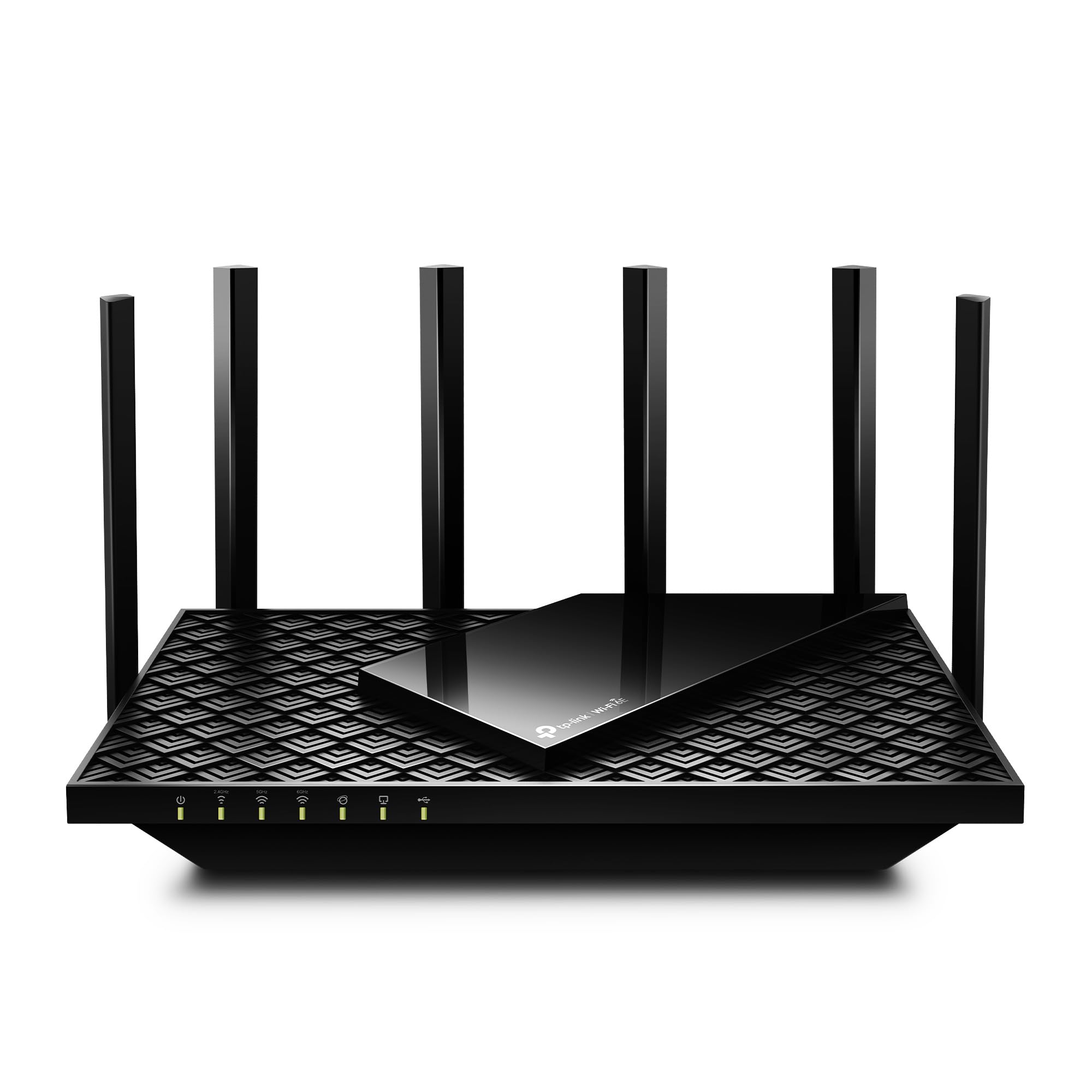
TP-Link Archer AXE75
 ](https://www.amazon.com/dp/B0B3SQK74L/?tag=wdowd-20)
Type: Tri-band WiFi 6E router
Bands: Includes 6GHz band
Port: 2.5Gbps WAN
Channel width: 160MHz
Mesh: OneMesh compatible
Security: VPN and WPA3
TP-Link AXE5400 Tri-Band WiFi 6E Router (Archer AXE75)
The AXE75 is built around the 6GHz band, which is the cleanest airspace in most homes and the reason this model suits gaming and streaming in a converted loft. A 2.5Gbps WAN port keeps a fast connection from being the bottleneck, and 160MHz channels give compatible devices more room to breathe. OneMesh support means it can be extended later with matching hardware, and WPA3 plus VPN support cover the security basics.
This one suits gamers, remote workers and households where several people stream at once, particularly if the loft is the media room. It earned its place because tri-band separates busy devices instead of making them share. The caution is that 6GHz has a shorter reach than 2.4GHz, so the loft needs to be reasonably close to the router for the fastest band to help.
Trade-off: The 6GHz band rewards proximity, so a distant loft may see more benefit from a mesh node than from a single router.
Check the current price on Amazon
TP-Link Deco S4 (3-Pack)
 ](https://www.amazon.com/dp/B084GTH5LL/?tag=wdowd-20)
Type: Mesh WiFi system, 3-pack
Standard: AC1900 dual band
Coverage: Up to 5,500 sq. ft.
Ports: Gigabit Ethernet
Replaces: Router and extender
Voice: Works with Alexa
TP-Link Deco S4 Mesh AC1900 WiFi System, Deco S4(3-Pack)
The Deco S4 takes a different approach: three units placed around the house rather than one router trying to reach the loft. That layout suits conversions with thick walls, odd angles or a loft at the end of a long landing. It replaces both the router and any extender, and the gigabit ports allow a wired link between units where cabling exists. Setup runs through the Deco app, and the units work with Alexa.
This is the pick for buyers whose main problem is reach rather than raw speed. It earned its place because mesh handles spread-out homes better than a single box. The trade-off is the older AC standard: this is a coverage fix, not a speed upgrade, and heavy users should expect lower throughput than the WiFi 6 and WiFi 7 picks above.
Trade-off: AC1900 is a step behind the other picks, so this kit solves dead zones rather than delivering top speeds.
Check the current price on Amazon
Before You Buy
- Coverage vs speed: A single fast router suits a compact house; a spread-out home with a loft at the far end usually needs mesh.
- Construction: Thick walls, foil-backed insulation and old chimneys all weaken signal, which pushes buyers toward multi-unit systems.
- Standard: WiFi 6 is ample for most homes; WiFi 7 is a longer-term buy that only pays off with compatible devices.
- Ports: A 2.5Gbps WAN port matters if the broadband line is fast; plain gigabit ports are fine for slower connections.
- Wired backhaul: An Ethernet run to the loft turns any mesh node or access point into a near-perfect connection.
- Device count: Busy households with many smart devices should check the stated device capacity before choosing.
- Placement: Central, elevated placement still matters, even with mesh; a router hidden in a cupboard wastes its range.
Frequently Asked Questions
-
Does a loft conversion need a different router?
Not a different type, but usually more coverage. The extra floor adds distance and often a ceiling the signal must pass through, so mesh or a second unit is common. -
Is WiFi 7 worth it for a loft room?
It is worth it for households planning to keep the router for years and buying newer devices. Older devices still work but will not see the full benefit. -
Will one router cover a house and loft?
Sometimes, in a compact house with the router centrally placed. Long houses and thick walls usually need a mesh system or a wired access point upstairs. -
What is the cheapest way to fix a weak loft signal?
The budget mesh kit is usually the simplest fix, since it replaces the router and extender in one go and spreads coverage across the house. -
Does a wired connection to the loft help?
Considerably. An Ethernet cable to a mesh node or access point upstairs gives the loft a stable, fast link instead of relying on signal through floors. -
Can these routers be extended later?
Several of the picks support mesh or OneMesh, so matching hardware can be added if one unit turns out to be insufficient.
Bottom Line
For most homes with a loft conversion, the TP-Link BE400 is the best router for a house with a loft conversion: WiFi 7, dual 2.5Gbps ports and enough device capacity to cover a busy household for years. Buyers on a tight budget should take the TP-Link Archer AX21, and anyone fighting dead zones rather than speed should choose the Deco S4 mesh kit.
