Why there are Amazon links here: Brave Review is paid a commission for qualifying Amazon purchases made through the links below. Your price does not change, and using our links is entirely optional. How this works
Omada EAP650 vs Omada EAP720: WiFi 6 Value Against WiFi 7 Headroom
The Omada EAP650 vs Omada EAP720 decision comes down to one question: does the network need WiFi 6 at the lowest sensible price, or WiFi 7 with a faster uplink for a little more money? The EAP650 is the budget pick for buyers building a managed Omada network today. The EAP720 is the forward-looking pick for buyers who want the newer wireless standard and a 2.5G port. Both are business-class access points from the same Omada family, so the choice is about budget and lifespan, not brand.
Omada EAP650 vs Omada EAP720 at a Glance
| Product | Key Spec | Best Use | Price Tier |
|---|---|---|---|
| Omada EAP650 | WiFi 6 dual band, AX3000, PoE | Budget managed WiFi for homes and small offices | Budget |
| Omada EAP720 | WiFi 7 dual band, BE5000, 2.5G port, PoE | New builds wanting WiFi 7 and a faster wired uplink | Mid-range |
Omada EAP650 AX3000 Wireless Access Point

Wireless Standard: WiFi 6
Class: AX3000 dual band
Management: Omada managed, mesh and roaming support
Security: WPA3
Power: PoE powered (PoE160S, PoE4824G) with DC adapter included
Warranty: 5 years
The EAP650 is the workhorse of the Omada line. It runs WiFi 6 on both bands at AX3000 class, which is enough throughput for a home office, a small retail floor or a handful of rental units. The PoE design means one cable carries both data and power when paired with a compatible PoE switch or injector, and the included DC adapter covers buyers who do not have PoE yet.
Because it is Omada managed, the EAP650 slots into the same controller as the rest of the network. Mesh, roaming and WPA3 come standard, so a multi-AP deployment hands devices off cleanly and keeps the wireless encrypted with the current standard. The five-year warranty is the sort of coverage a business buyer expects at this tier.
Trade-off: The EAP650 is WiFi 6 only and its uplink is the older gigabit-class port, so it will not exploit multi-gig internet or a 2.5G backbone, and buyers planning a long hardware life may outgrow it before the warranty ends.
Check the current price on Amazon
Omada EAP720 BE5000 Wireless Access Point
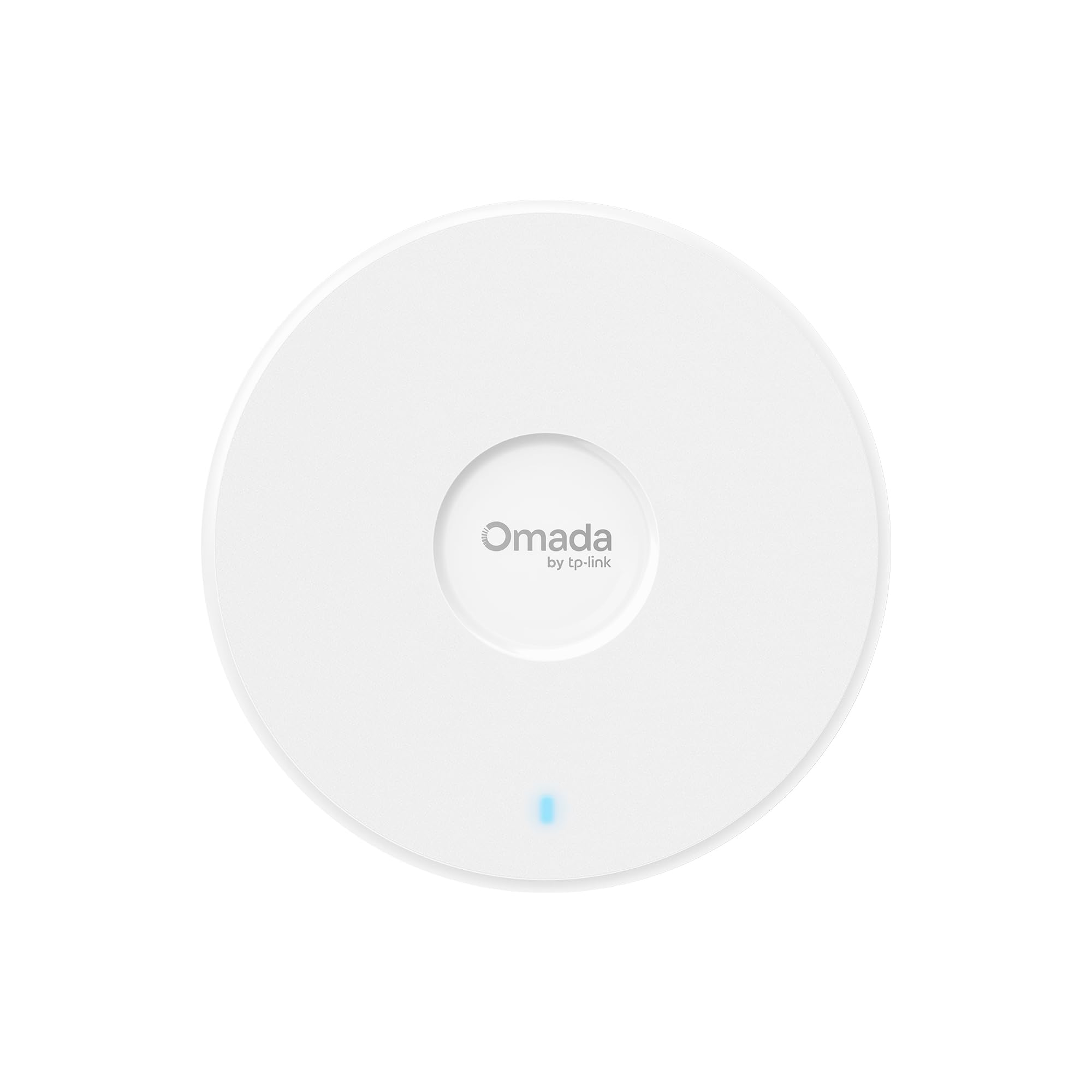
Wireless Standard: WiFi 7
Class: BE5000 dual band
Management: Omada managed, mesh and roaming support
Security: WPA3
Port: 2.5G
Power: PoE powered (PoE160s, PoE5430G-M2) with DC adapter included
Warranty: 5 years
The EAP720 is the newer of the two and the one built for a network that expects to last. It runs WiFi 7 at BE5000 class, which puts it a generation ahead of the EAP650 and gives buyers the newer standard’s efficiency and capacity benefits on both bands. The 2.5G port is the practical difference: it lets the access point push more than a gigabit of wireless traffic back to the switch, which matters on a busy network or a multi-gig connection.
It shares the Omada management platform, so mesh, roaming and WPA3 behave the same way across a mixed deployment. PoE support covers the PoE160s and PoE5430G-M2, and a DC adapter is in the box for buyers without PoE. The same five-year warranty applies.
Trade-off: The EAP720 costs more and only pays that back if the switch or injector can actually deliver PoE and the wired backbone can feed the 2.5G port; on a plain gigabit switch the faster port sits idle, and WiFi 7 clients are still a minority of devices.
Check the current price on Amazon
Side-by-Side Specifications
| Attribute | Omada EAP650 | Omada EAP720 |
|---|---|---|
| Wireless standard | WiFi 6 | WiFi 7 |
| Class | AX3000 | BE5000 |
| Bands | Dual band | Dual band |
| Uplink port | Gigabit-class | 2.5G |
| Management | Omada managed | Omada managed |
| Mesh and roaming | Yes | Yes |
| Security | WPA3 | WPA3 |
| Power | PoE (PoE160S, PoE4824G) + DC adapter | PoE (PoE160s, PoE5430G-M2) + DC adapter |
| Warranty | 5 years | 5 years |
How the Two Access Points Actually Differ
The first separation is the wireless generation. The EAP650 runs WiFi 6 at AX3000, which is a mature, well-supported standard that every modern phone and laptop can use. The EAP720 runs WiFi 7 at BE5000, a generation newer, with the capacity and efficiency improvements that come with it. For a network being built now and expected to stay in service for years, the EAP720’s standard is the longer-lived choice.
The second separation is the wired side. The EAP720 carries a 2.5G port; the EAP650 is gigabit-class. That port only matters if the rest of the network can feed it — a multi-gig switch and a backbone that is not the bottleneck. On a standard gigabit PoE switch, the EAP720’s faster port has nowhere to send the extra throughput, and the EAP650’s port is not the limiting factor.
The third separation is price tier. The EAP650 sits at the budget end and is the cheaper way into a managed Omada network. The EAP720 asks more per unit, which multiplies across a multi-AP deployment. A buyer fitting out several rooms or a whole office will feel that difference, while a buyer adding one or two access points may not.
The fourth separation is power compatibility. Both are PoE powered and both ship with a DC adapter, but the injector and switch models listed differ. A buyer with existing PoE hardware should confirm the switch delivers the power the chosen model expects before ordering, especially when mixing the two in one network.
Everything else lines up. Both are Omada managed, both support mesh and roaming, both use WPA3, and both carry a five-year warranty. In a mixed deployment they share a controller and hand devices off between each other, so the decision is per-location, not all-or-nothing.
Which Should You Buy?
Choose the Omada EAP650 if:
- The budget is the deciding factor and the network is being built now.
- The PoE switch on hand is standard gigabit and unlikely to change soon.
- WiFi 6 already covers every device in use and the plan is a modest, reliable deployment.
- The network serves a home office, small shop or a handful of rental units where AX3000 is plenty.
Choose the Omada EAP720 if:
- The network is a new build expected to stay in service for years.
- A multi-gig switch or a 2.5G backbone is already in place or planned.
- WiFi 7 devices are arriving and the buyer wants the newer standard from day one.
- The per-unit premium is acceptable for the extra headroom and longer relevance.
FAQ
-
Is the Omada EAP720 worth the extra cost over the EAP650?
It is worth it when the wired network can support the 2.5G port and WiFi 7 clients are part of the plan. On a plain gigabit switch with WiFi 6 devices only, the EAP650 delivers the same practical result for less. -
Do both access points need PoE?
Both are PoE powered and both include a DC adapter. A buyer without a PoE switch or injector can power either one from the adapter, but the listed PoE models differ, so the hardware on hand should be checked first. -
Can the EAP650 and EAP720 be mixed in one network?
Yes. Both are Omada managed and both support mesh, roaming and WPA3, so they share a controller and hand devices off between each other. The decision can be made per location. -
Which one is better for a home network?
The EAP650 is the easier fit for most homes, where gigabit internet and WiFi 6 devices are the norm. The EAP720 suits a home with multi-gig internet or a plan to add WiFi 7 devices soon. -
Does the EAP720’s 2.5G port matter on a gigabit switch?
Not much. The port can only pass what the switch and backbone can deliver, so on a standard gigabit switch the extra speed has nowhere to go and the EAP650’s port is not the bottleneck. -
How long is the warranty on each?
Both carry a five-year warranty, so coverage is not a reason to pick one over the other. -
Which one should a small business buy?
A small business fitting out several access points on a tight budget should start with the EAP650. A business building a network for the long term, with a 2.5G backbone planned, should standardize on the EAP720.
Bottom Line
The Omada EAP650 is the top pick for most buyers: it delivers managed WiFi 6, PoE, WPA3 and a five-year warranty at the budget tier, and it fits the gigabit hardware most networks already have. The EAP720 is the better buy only when the wired side can feed its 2.5G port and WiFi 7 is part of the plan. Buyers who want the safer long-term bet should check the price on the Omada EAP720; everyone else should start with the Omada EAP650.
