Why there are Amazon links here: Brave Review is paid a commission for qualifying Amazon purchases made through the links below. Your price does not change, and using our links is entirely optional. How this works
Best Mesh WiFi System for a House: 5 Picks That Kill Dead Zones
A mesh WiFi system replaces the single router in a house with several units that work as one network, so the far bedroom and the backyard stop dropping the signal. This roundup covers five systems across the price range, from a budget starter kit to a WiFi 7 setup built for large homes and heavy device loads. Buyers moving into a first house, families fighting over bandwidth, and anyone with a long or multi-floor layout will find a fit below. The overview table comes first so the shortlist is clear before the details.
Overview of the Picks
| Product | Key Spec | Best Use | Price Tier |
|---|---|---|---|
| TP-Link Deco S4 (3-Pack) | AC1900, up to 5,500 sq ft | Tight budgets, basic browsing | Budget |
| TP-Link Deco X55 (3-Pack) | AX3000 WiFi 6, up to 6,500 sq ft | Most homes, everyday speed | Mid-range |
| Amazon eero 6+ (3-Pack) | WiFi 6, up to 4,500 sq ft | Simple setup, smart-home homes | Mid-range |
| NETGEAR Orbi 370 (3-Pack) | WiFi 7, up to 6,000 sq ft | Newer devices, future-proofing | Upper mid-range |
| NETGEAR Orbi 770 (3-Pack) | WiFi 7 tri-band, up to 8,000 sq ft | Large homes, heavy device loads | Premium |
TP-Link Deco S4 (3-Pack)

Type: Mesh WiFi system, 3-pack
Standard: AC1900 dual-band
Coverage: Up to 5,500 sq ft
Ports: Gigabit Ethernet ports
Voice Control: Works with Alexa
Role: Replaces existing router and extender
The Deco S4 is the entry point into mesh networking, and it is honest about what it is: a dual-band AC system that covers a lot of square footage for the money. Each unit carries Gigabit ports, so wired devices can attach directly, and the system replaces both the old router and any range extender. Setup runs through the Deco app, which walks a buyer through placing the units. For streaming, browsing, and video calls, the hardware is sufficient.
This pick suits renters, small households, and anyone wiring a first home on a tight budget. It earned its place because coverage per dollar is the best in this group. The trade-off: dual-band AC hardware shares its bandwidth and tops out well below WiFi 6 and WiFi 7 systems, so a house full of 4K streams and gaming consoles will feel the ceiling.
Check the current price on Amazon
TP-Link Deco X55 (3-Pack)

Type: Mesh WiFi system, 3-pack
Standard: AX3000 WiFi 6
Coverage: Up to 6,500 sq ft
Ports: 3 Gigabit ports per unit
Backhaul: Supports Ethernet backhaul
Role: Replaces existing router and extender
The Deco X55 moves the lineup to WiFi 6 and adds three Gigabit ports on every unit, which matters for buyers with consoles, desktop PCs, or a NAS. Ethernet backhaul support means the units can be wired together for a faster, more stable backbone when the house is pre-wired. The three-pack covers the largest footprint in the TP-Link group here. It is the sensible middle of this roundup.
Families with a mix of phones, laptops, and smart devices will get the most from it, and it fits a two-floor house without drama. It earned its place as the value sweet spot: WiFi 6 speed and wide coverage without a premium price. The trade-off: it is dual-band, so the busiest homes will not get the dedicated backhaul channel that tri-band systems provide.
Check the current price on Amazon
Amazon eero 6+ (3-Pack)
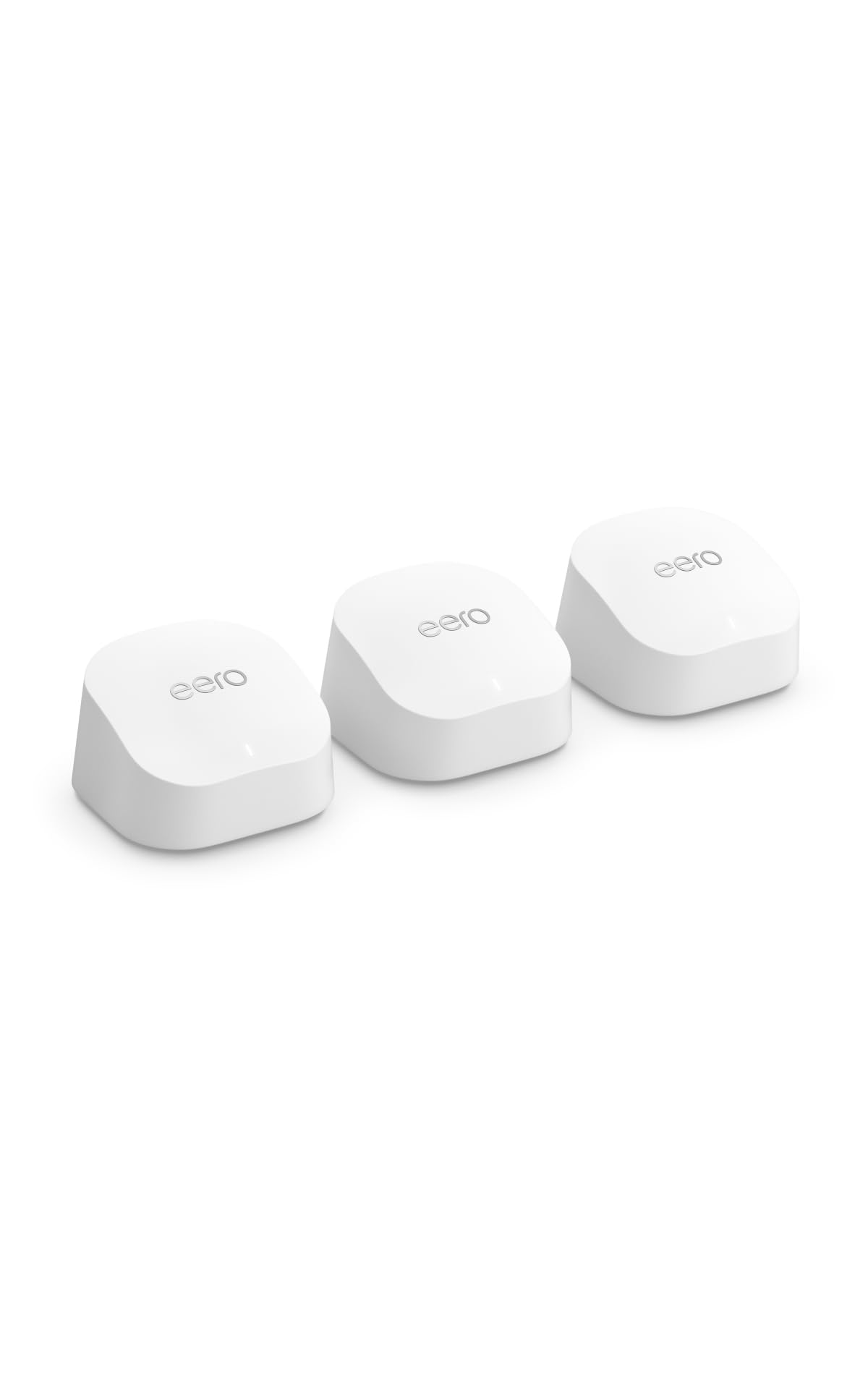
Type: Mesh WiFi system, 3-pack
Standard: WiFi 6
Coverage: Up to 4,500 sq ft
Capacity: Connects 75+ devices
Speed Support: Internet plans up to a Gigabit
Role: Whole-home mesh
The eero 6+ is the simplest system here to live with. It supports internet plans up to a Gigabit and is rated for 75+ connected devices, which covers a modern smart home with room to spare. The compact white units blend into a shelf or side table, and management happens in the eero app. Coverage is the smallest of the five at up to 4,500 sq ft, so placement matters.
This pick suits buyers who want the network to disappear into the background and who value app-driven simplicity over port counts. It earned its place on ease of use and device capacity. The trade-off: coverage is modest for a three-pack, and buyers in a sprawling or multi-wing house may need a fourth unit, which pushes the cost up.
Check the current price on Amazon
NETGEAR Orbi 370 Series (3-Pack)

Type: Mesh WiFi system, router + 2 satellites
Standard: WiFi 7 dual-band
Speed: Up to 5 Gbps
Coverage: Up to 6,000 sq ft
Ports: 2.5 Gig port
Capacity: 70 devices
The Orbi 370 is the entry into WiFi 7, and the 2.5 Gig port is the detail that matters: it lets the system keep up with multi-gig internet plans that older hardware throttles. The router-plus-two-satellites layout covers up to 6,000 sq ft, and the system is rated for 70 devices. Security features are built in at the system level. Setup is handled through the Orbi app.
Buyers with newer phones, laptops, and a fast internet plan will see the benefit soonest. It earned its place as the future-proofing pick without jumping to the top price tier. The trade-off: WiFi 7 clients are still uncommon, so most households will not see the full speed advantage yet, and the dual-band design gives up some backhaul headroom to the tri-band model below.
Check the current price on Amazon
NETGEAR Orbi 770 Series (3-Pack)

Type: Mesh WiFi system, router + 2 satellites
Standard: WiFi 7 tri-band
Speed: Up to 11 Gbps
Coverage: Up to 8,000 sq ft
Ports: 2.5 Gig port
Capacity: 100 devices
The Orbi 770 is the largest and fastest system in this roundup. Tri-band WiFi 7 with up to 11 Gbps and a 2.5 Gig port gives it the headroom for heavy simultaneous use, and coverage reaches up to 8,000 sq ft. It handles 100 devices, so a house full of smart gear, consoles, and work laptops is well inside its limits. Security features come built in, and the Orbi app handles setup.
This pick suits large homes, home offices, and households where many people stream and game at once. It earned its place as the no-compromise option for buyers who want one system to last. The trade-off: at the top of the price range, it costs several times the budget pick, and most buyers will not max out its bandwidth for years.
Check the current price on Amazon
Before You Buy
- Coverage: Match the system’s rated square footage to the house, and add a unit for thick walls, long layouts, or a detached garage.
- Standard: WiFi 6 is the practical baseline; WiFi 7 costs more and pays off mainly with newer devices and multi-gig internet.
- Ports: Count the wired devices. Three Gigabit ports per unit is generous, while a single 2.5 Gig port suits a fast modem or a wired PC.
- Backhaul: Ethernet backhaul support is worth having if the house is pre-wired; it stabilizes the link between units.
- Device Load: Check the rated device count against phones, laptops, TVs, and smart-home gear, with headroom for guests.
- Placement: Units need open space and roughly even spacing; closets and metal cabinets degrade the signal.
- Price Tier: Budget dual-band covers browsing; premium tri-band covers heavy simultaneous use and large footprints.
Frequently Asked Questions
-
How many mesh units does a house need?
One unit per roughly 1,500 to 2,000 square feet is a reasonable starting point, adjusted for wall thickness and layout. A three-pack suits most single-family homes, and a fourth unit helps in long or multi-wing houses. -
Is WiFi 7 worth it over WiFi 6 for a house?
WiFi 7 pays off with newer devices, multi-gig internet, and many simultaneous users. Households on standard broadband with older devices will do fine with WiFi 6 and save money. -
Does a mesh system replace the existing router?
Yes. These systems replace both the router and any range extenders, connecting directly to the modem. The main unit acts as the router for the whole network. -
Can mesh units be wired together?
Some models, including the Deco X55, support Ethernet backhaul when the house has cabling. Wired backhaul improves stability and speed between units. -
Will a mesh system work with smart-home devices?
Yes. The systems here connect dozens of devices, and the eero 6+ is rated for 75+ and the Orbi 770 for 100. Older smart gear on 2.4 GHz is handled by the dual-band radios. -
Where should the main unit go?
Place it near the modem and as central as possible, off the floor and out of cabinets. Satellites go roughly halfway between the main unit and the weak spots.
Bottom Line
For most houses, the TP-Link Deco X55 three-pack is the best mesh WiFi system for a house: WiFi 6 speed, up to 6,500 square feet of coverage, three Gigabit ports per unit, and Ethernet backhaul support at a mid-range price. Buyers on a tight budget should take the Deco S4, while large homes and heavy device loads justify the NETGEAR Orbi 770. Check current pricing on the TP-Link Deco X55 before deciding.