Why there are Amazon links here: Brave Review is paid a commission for qualifying Amazon purchases made through the links below. Your price does not change, and using our links is entirely optional. How this works
Best Smart Home Hub for a Beginner: 5 Easy Picks to Start With
A first smart home hub should be simple to set up, forgiving when something goes wrong, and honest about what it can control. This roundup covers five hubs that suit three kinds of beginners: the phone-first tinkerer who wants an app and a screen, the renter who wants a few lights and a thermostat, and the cautious buyer who wants a platform with room to grow.
The overview table below puts all five side by side. From there, each pick gets a short review with its trade-off spelled out, followed by buying criteria and answers to the questions beginners ask most.
The Picks at a Glance
| Product | Key Spec | Best Use | Price Tier |
|---|---|---|---|
| Home Assistant Green | Official Home Assistant hardware | Local control and advanced automation | Premium |
| Amazon Echo Hub | 8-inch touchscreen, Alexa+ | Screen-based control for Alexa homes | Mid-range |
| Aeotec Smart Home Hub2 – V4 | Zigbee and Matter, no Z-Wave | SmartThings platform on a budget | Mid-range |
| Lutron Caseta Smart Hub | Doesn’t rely on Wi-Fi | Rock-solid lighting control | Budget |
| Aqara Smart Hub M100 | Thread border router, Matter controller | Cheap entry into Matter and Thread | Budget |
1. Home Assistant Green | Smart Home hub with Advanced Automation | Official Home Assistant Hardware

Type: Dedicated smart home hub
Platform: Home Assistant
Hardware: Official Home Assistant hardware
Focus: Advanced automation
Price Tier: Premium
This is the official hardware for Home Assistant, the open-source platform that runs locally instead of leaning on a cloud service. The box is small and fanless, designed to sit quietly on a shelf next to the router, and it arrives ready to power on and connect. Automation is the point: routines can chain devices from different brands together and keep running even when the internet drops. It is aimed at beginners who are willing to read a setup guide once in exchange for long-term control.
The appeal is that nothing is locked to one manufacturer. A buyer can add Zigbee, Thread or Matter devices later with the right adapter and keep everything in one dashboard. The trade-off is that Home Assistant assumes some patience with settings and terminology, so a beginner who wants a five-minute setup will find it heavier going than an app-based hub. Buyers who want a screen on the wall should look elsewhere.
Trade-off: Setup is more involved than a plug-in app hub, and the first automation usually takes an evening of reading.
2. Amazon Echo Hub (newest model), 8", Redesigned with customizable control and Alexa+
Type: Smart home control panel
Screen: 8-inch touchscreen
Voice Assistant: Alexa+
Compatibility: Thousands of devices
Customization: Customizable control layout
Price Tier: Mid-range
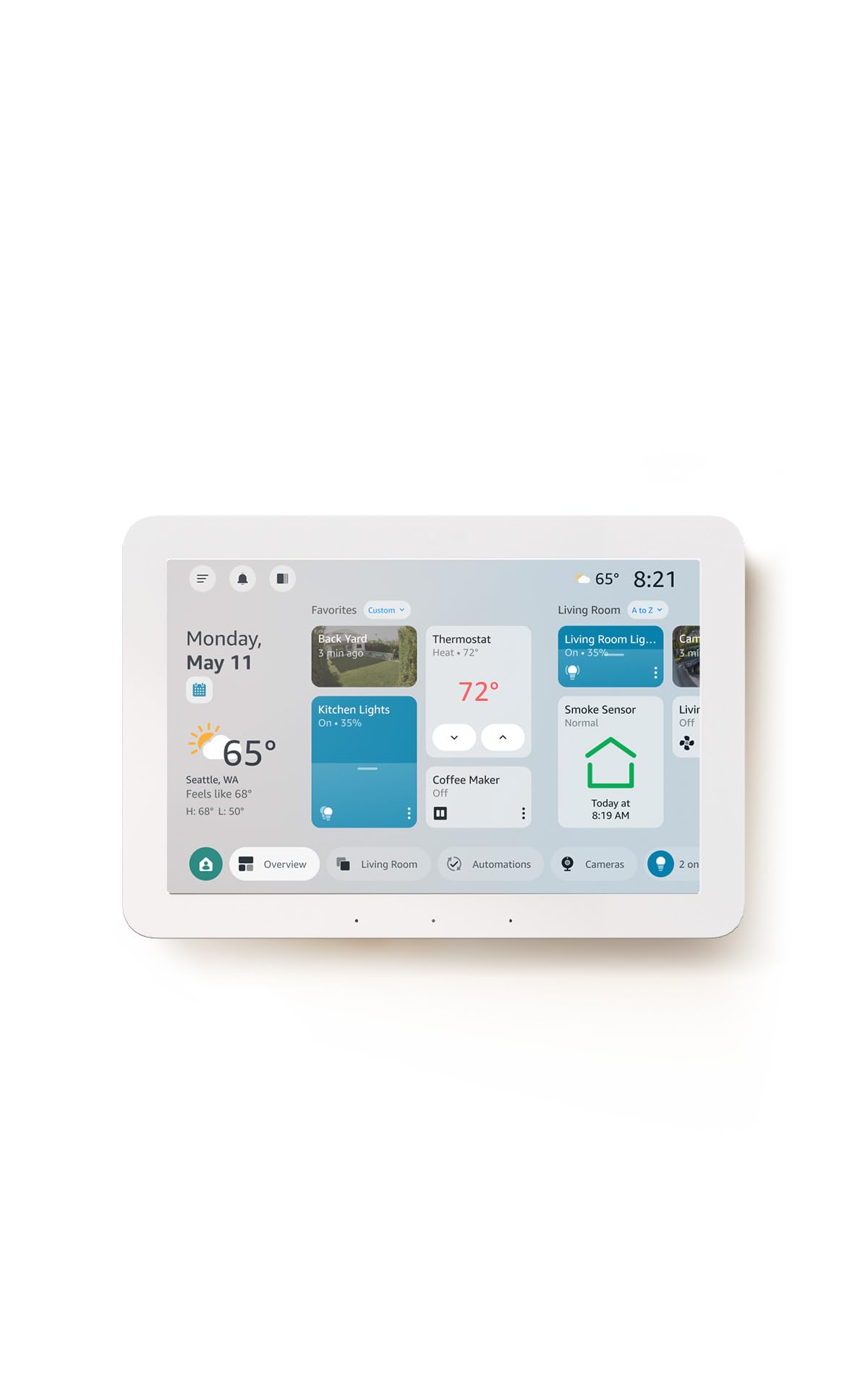
The Echo Hub is a wall-mountable or counter-standing control panel built around an 8-inch touchscreen. It shows tiles for lights, plugs, cameras and thermostats, and the layout can be rearranged so the most-used devices sit on the first screen. Alexa+ handles voice requests, and the panel works with thousands of devices, which makes it the easiest route for a household already using Alexa speakers.
For a beginner, the value is having one always-on screen instead of hunting through a phone app. The catch is that it is a controller, not a radio hub for every protocol, so devices still need their own bridges or a compatible hub behind them. Buyers who want deep local automation rather than a control surface will get more from a platform hub.
Trade-off: It is a front end for Alexa rather than a full protocol hub, so some devices still need their own bridge.
3. Aeotec Smart Home Hub2 – V4, Works as a SmartThings Hub, Zigbee, Matter Gateway, Compatible with Alexa, Google Assistant, WiFi (No Z-Wave)
Type: SmartThings-compatible hub
Radios: Zigbee, Matter gateway
Z-Wave: Not included
Voice Compatibility: Alexa, Google Assistant
Connectivity: Wi-Fi
Price Tier: Mid-range
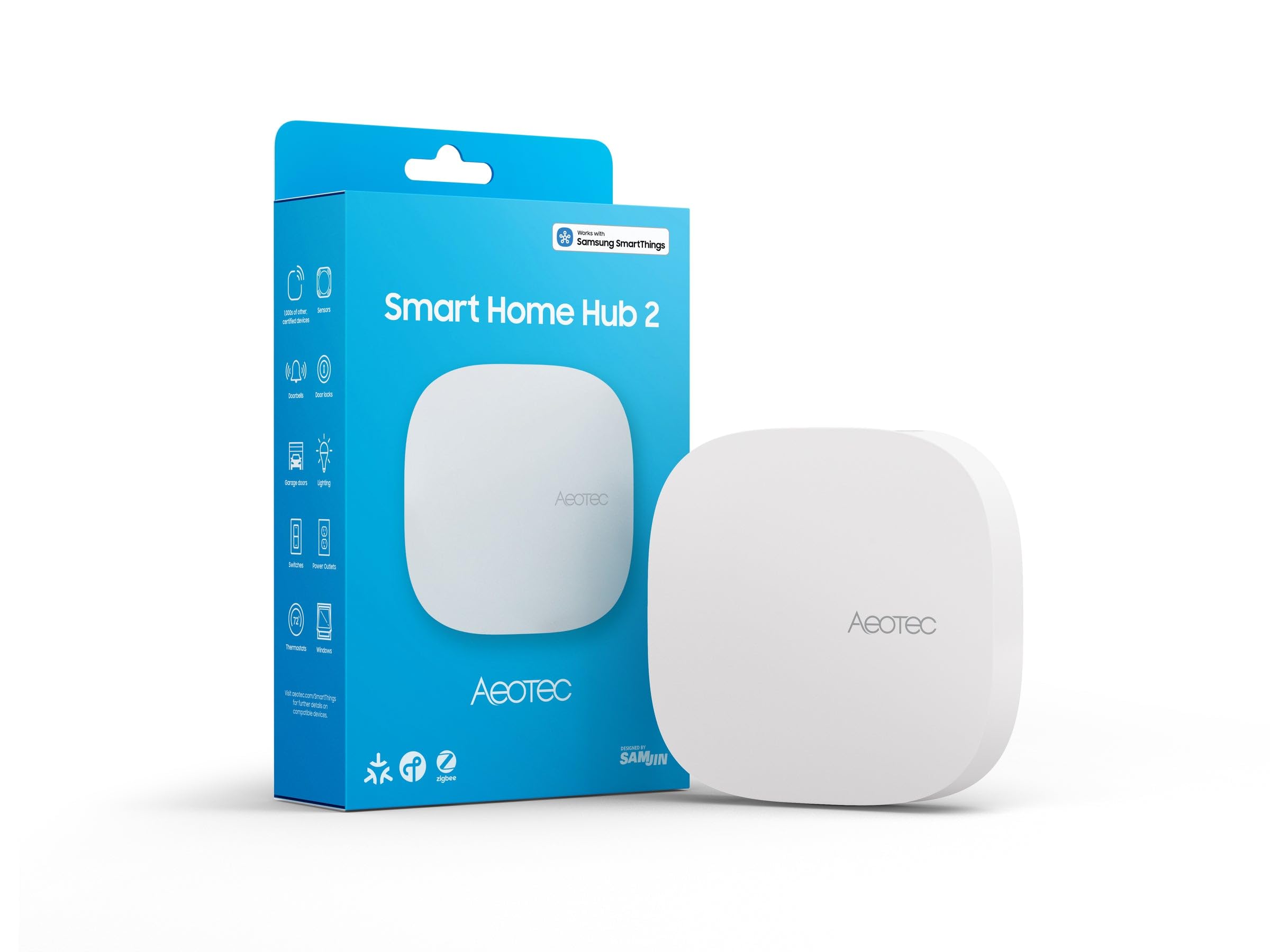
This Aeotec unit runs the SmartThings platform, which is one of the friendliest starting points for a beginner because the app walks through adding each device. It includes Zigbee and Matter gateway support, so sensors, bulbs and Matter-certified gear can join the same network. Setup is app-driven, and Alexa and Google Assistant both work alongside it for voice control.
The omission to note is Z-Wave: this version leaves it out, so buyers with an existing collection of Z-Wave locks or sensors should look at a different hub. For a first setup built on Zigbee and Matter, though, it covers the common cases without extra hardware. It sits in the middle of the price range and earns its place as the balanced pick.
Trade-off: No Z-Wave radio, so anyone with Z-Wave devices already in the house should choose a different hub.
4. Lutron Caseta Smart Hub, L-BDG2-WH, White

Type: Lighting-focused smart hub
Connection: Doesn’t rely on Wi-Fi
Color: White
Voice Compatibility: Alexa, Apple Home, Google Home
Model: L-BDG2-WH
Price Tier: Budget
The Lutron Caseta hub is a small white bridge that connects Caseta switches, dimmers and shades to a home network. Its standout claim is that it does not rely on Wi-Fi for the device link, which keeps lighting responsive even when the home network is busy. It works with Alexa, Apple Home and Google Home, so voice control and scenes are available from day one.
This is the pick for a beginner whose first project is lighting, because Lutron’s ecosystem is narrow but dependable. It will not manage thermostats, cameras or sensors from other brands, so it is a starting point rather than a whole-home brain. Buyers who want one hub for everything should treat it as a stepping stone.
Trade-off: It only manages Lutron Caseta lighting gear, so it cannot grow into a whole-home hub.
5. Aqara Smart Hub M100

Type: Thread border router and Matter controller
Zigbee: Aqara devices only, not third-party
Compatibility: Apple HomeKit, Amazon Alexa, IFTTT, Home Assistant
Connectivity: Wi-Fi
Price Tier: Budget
The Aqara M100 is the cheapest way into Matter and Thread, the two standards most new smart devices are built around. It acts as a Thread border router and a Matter controller, and it works with Apple HomeKit, Alexa, IFTTT and Home Assistant. The small white unit plugs in near the router and is managed through the Aqara app.
The limitation is the Zigbee side: it accepts Aqara’s own Zigbee devices but not third-party ones, so buyers with Zigbee gear from other brands need a different hub. As a first step into Matter, though, it is hard to beat on price and it pairs well with a phone-based setup. Buyers who want one radio for every brand should look at the Aeotec instead.
Trade-off: The Zigbee radio is limited to Aqara’s own devices, which narrows the sensor and switch options.
Before You Buy
- Protocol: Check whether the hub supports Zigbee, Thread, Matter or Z-Wave, and match it to the devices already owned or planned.
- Platform: Decide between an app-first platform such as SmartThings or Alexa and a local platform such as Home Assistant, since switching later means rebuilding routines.
- Voice assistants: Confirm the hub works with Alexa, Google Home or Apple Home if voice control matters in the household.
- Existing gear: A hub that omits a radio, such as Z-Wave on the Aeotec V4, will not control devices that rely on it.
- Setup patience: Screen-based and app-based hubs are ready in minutes; a local automation platform takes an evening or more.
- Growth path: A lighting-only bridge is fine for a first project but will not run cameras, locks and sensors later.
- Network: Hubs that avoid Wi-Fi for device links tend to stay responsive when the home network is congested.
Frequently Asked Questions
-
Does a beginner need a hub at all?
Not always. A single smart plug or bulb can run on Wi-Fi alone, but a hub becomes worthwhile once several devices from different brands need to work together. -
Which hub is easiest to set up?
The Echo Hub and the Aeotec SmartThings hub are the quickest, because both are driven by a guided app and a familiar voice assistant. -
What is the difference between Matter and Zigbee?
Matter is a newer standard that lets devices from different brands interoperate, while Zigbee is an older low-power radio still used by many sensors and bulbs. Hubs that support both cover more devices. -
Can a beginner start with Home Assistant?
Yes, but it helps to treat the first weekend as a learning project. The payoff is local control and automations that keep working without a cloud service. -
Is a cheap hub a false economy?
Only if it locks the buyer into one brand. The Aqara M100 is inexpensive and still opens the door to Matter and Thread, which is a sound first step. -
How many devices can one hub handle?
Most beginner hubs manage a typical apartment or house without trouble. Very large setups with dozens of devices are better served by a platform hub with more headroom.
Bottom Line
For most beginners, the Aeotec Smart Home Hub2 – V4 is the best smart home hub to start with: it runs the friendly SmartThings app, covers Zigbee and Matter, and leaves room to grow without a premium price. Buyers who want a wall screen should choose the Echo Hub, while the Home Assistant Green rewards anyone willing to trade setup time for local control.