Why there are Amazon links here: Brave Review is paid a commission for qualifying Amazon purchases made through the links below. Your price does not change, and using our links is entirely optional. How this works
Amazon eero 7 Dual-Band Mesh Wi-Fi 7 Router: Whole-Home Wi-Fi 7 in One Box
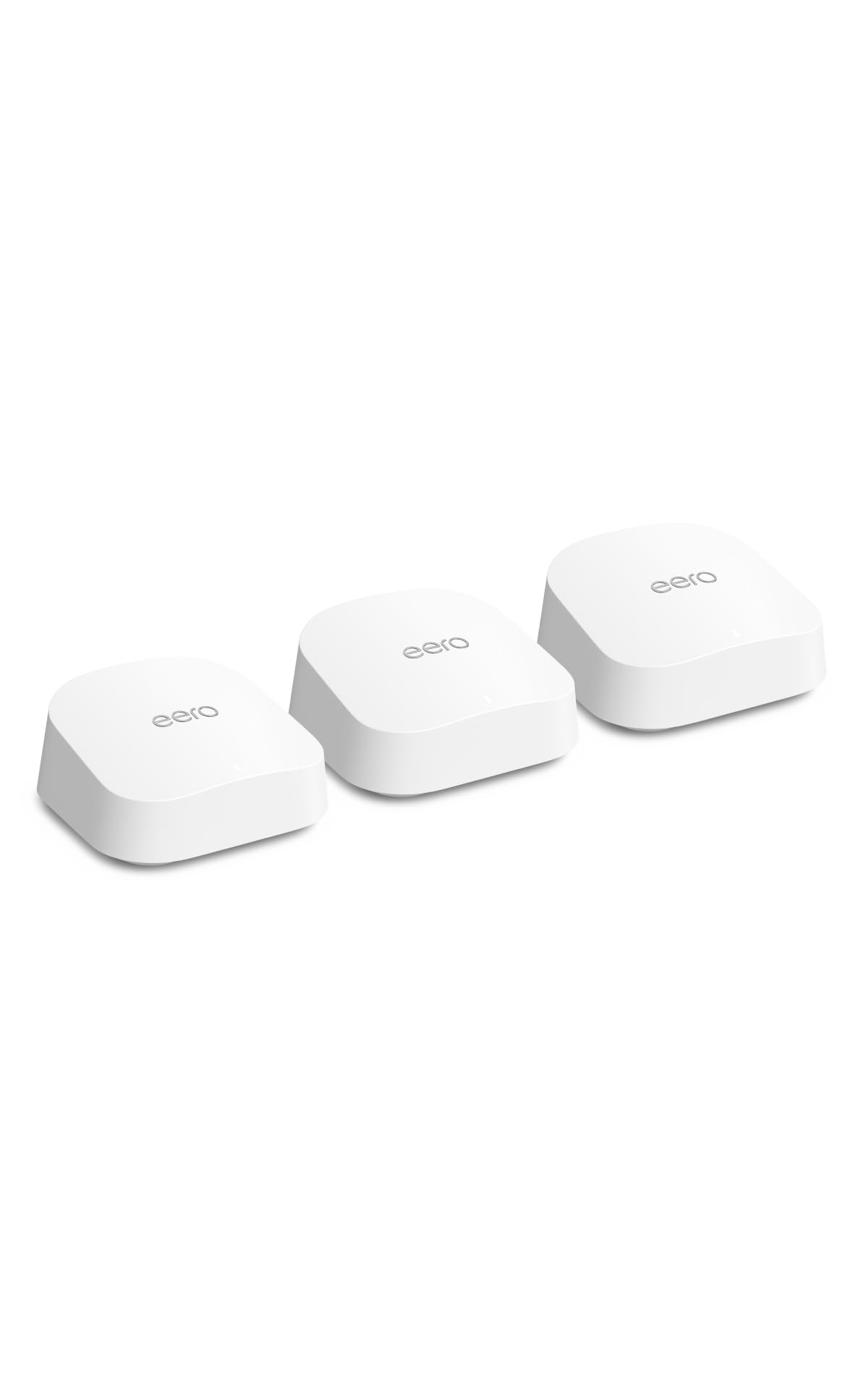
The Amazon eero 7 is a three-pack mesh system built for homes that have outgrown a single router and want the newer Wi-Fi 7 standard without paying flagship prices. It covers up to 6,000 sq. ft., supports internet plans up to 2.5 Gbps, and arrives as a set of three identical units rather than a router-plus-extender bundle. This review covers what the hardware actually does, where a dual-band Wi-Fi 7 design makes sense, and the trade-offs a buyer should accept before ordering.
Features and Specifications
Product: Amazon eero 7 dual-band mesh Wi-Fi 7 router (newest model)
Pack Size: 3-pack
Coverage: Up to 6,000 sq. ft.
Wireless Standard: Wi-Fi 7
Bands: Dual-band
Supported Internet Plans: Up to 2.5 Gbps
The headline figure is the coverage: three units rated for up to 6,000 sq. ft. combined, which puts each node in roughly the 2,000 sq. ft. range. That is a sensible match for a multi-floor house or a long single-story layout where one router leaves dead corners. The 2.5 Gbps ceiling on supported internet plans means the system is aimed at gigabit and multi-gig fiber subscribers rather than people on basic cable tiers.
The Wi-Fi 7 label matters here, but the dual-band detail matters more. This is not a tri-band design, so the system works with the two standard frequency ranges rather than adding a dedicated backhaul radio. Buyers who understand that distinction will read the rest of this review correctly; buyers who assume every Wi-Fi 7 router is tri-band will not.
Build and Design
eero hardware has followed a consistent design language for years: small, matte, rounded boxes with no external antennas and no front-panel light show. The eero 7 continues that approach. Each unit is compact enough to sit on a shelf, a console table or a windowsill without drawing attention, and the lack of protruding antennas makes placement flexible in a way that gaming-style routers are not.
That minimalism is a genuine practical advantage in a mesh system. Nodes need to be spread through a home, and hardware that looks like networking equipment tends to end up hidden in cupboards where it performs badly. A unit that blends into a living room is more likely to be left where the signal is needed.
The trade-off in the build is expandability and ports. Compact mesh nodes typically carry a limited set of Ethernet ports, so buyers with several wired devices — a desktop, a NAS, a console — should plan on a separate switch rather than assuming each node can hard-wire a full desk setup. The design favors wireless coverage over wired flexibility.
Trade-off: The dual-band design keeps the price down but forgoes the dedicated backhaul radio that tri-band mesh systems use, so wireless backhaul shares airtime with client traffic.
Coverage and Placement
Three units rated for 6,000 sq. ft. is a generous claim, and like all mesh coverage figures it assumes ideal conditions: wood-frame interior walls, nodes placed in the open, and no dense masonry between them. A plaster-walled older home or a layout with a brick chimney breast in the middle will see less effective range than the number suggests.
Placement is where most mesh systems succeed or fail. The instinct is to put one node in the room with the weakest signal, but that is usually the worst spot — a node needs a strong connection back to the main unit to relay anything useful. Spreading the three units roughly evenly, with each one within reasonable range of the next, produces far better results than clustering two near the router and one in the far bedroom.
Buyers in apartments and smaller homes should note that a three-pack is more hardware than they need. Two units cover most flats comfortably, and the third becomes a spare or an outdoor-adjacent node rather than a necessity.
Speed and Wi-Fi 7 Performance
Wi-Fi 7 brings real improvements — wider channels, more efficient spectrum use, better handling of congested airwaves — but those gains depend on the client devices connecting to it. Phones, laptops and TVs that predate Wi-Fi 7 will connect using older standards and see no benefit from the newer radio. The router is future-proofing as much as it is a present-day upgrade.
The 2.5 Gbps support ceiling is the more immediately useful specification. Households on gigabit fiber or multi-gig cable plans will not have the router throttle their connection, which is a common frustration with older mesh hardware limited to a 1 Gbps WAN port. For anyone paying for a fast plan, that headroom justifies part of the cost.
The dual-band limitation shows up under heavy load. With no dedicated backhaul radio, traffic between nodes and traffic to client devices compete for the same airtime. In a household with many simultaneous streams, large file transfers and video calls, a tri-band system handles that pressure more gracefully. For ordinary browsing, streaming and working from home, the difference is unlikely to be noticeable.
Setup and Management
eero systems are managed through a phone app, and the setup process is designed for people who do not want to think about IP addresses. The first node connects to the modem, the app walks through naming the network and setting a password, and additional nodes join automatically once powered on nearby. There is no browser-based admin panel to hunt through.
The app handles the day-to-day: device lists, pause controls, guest network, and basic security features. Buyers who like to tune channel widths, set static routes or run a VPN server on their router will find the options thin. eero is deliberately a closed, appliance-like system, and that is either the appeal or the dealbreaker depending on the buyer.
Subscription features sit alongside the free ones. The core router functions work without any recurring cost, but some advanced security and parental controls are tied to a paid tier. Buyers should factor that into the total cost if those features matter to them.
Who It Suits and Who It Does Not
The eero 7 three-pack suits larger homes — roughly 3,000 to 6,000 sq. ft. — with a fast internet plan and a household that wants reliable coverage without configuring anything. It also suits renters and non-technical buyers who value an app that explains itself and hardware that disappears into the decor.
It does not suit buyers who want to tinker. Anyone who expects per-band SSIDs, detailed QoS rules, or a web interface will find the eero ecosystem restrictive. It also does not suit small apartments where a three-pack is overkill, or households on internet plans well below a gigabit where the 2.5 Gbps headroom goes unused.
Buyers with a heavy wired backbone — a house pre-wired with Ethernet — may get better value from access points and a separate router, since the eero nodes’ limited port count forces an extra switch into the setup.
FAQ
-
Is the Amazon eero 7 a tri-band or dual-band router?
It is dual-band. The product name states dual-band explicitly, which means it uses the two standard frequency ranges without a separate dedicated backhaul radio. -
How much square footage does the eero 7 3-pack cover?
Amazon rates the three-pack for coverage up to 6,000 sq. ft. Real-world results depend on wall construction, node placement and interference from neighboring networks. -
Does the eero 7 support multi-gig internet plans?
Yes. The system supports internet plans up to 2.5 Gbps, so it will not bottleneck gigabit or multi-gig fiber connections the way older 1 Gbps mesh hardware can. -
Can the eero 7 be used with a modem from an internet provider?
Yes. The first node connects to an existing modem, and the eero system handles routing and Wi-Fi from there. Provider-supplied router functions are typically disabled or bypassed. -
Does the eero 7 require a subscription?
No subscription is required for the core routing and Wi-Fi functions. Some advanced security and parental-control features sit behind a paid tier, so buyers who want those should budget for it. -
How many eero 7 units are needed for a small apartment?
A three-pack is generally more than a small apartment needs. Two units usually cover a flat comfortably, leaving the third as a spare or for a distant corner. -
Will older phones and laptops benefit from Wi-Fi 7?
Only devices with Wi-Fi 7 hardware can use the newer standard. Older devices connect on previous standards and work normally, but they will not see Wi-Fi 7 speed gains. -
Is the eero 7 good for gaming?
It handles online gaming fine for most households, but the dual-band design and limited manual controls mean competitive gamers who want fine-grained QoS tuning may prefer a router with more configuration options. -
Can wired devices connect to the eero 7 nodes?
The nodes carry Ethernet ports for wired devices, though the count is limited. Households with several wired devices should plan on adding a network switch. -
How does the eero 7 compare with a tri-band Wi-Fi 7 mesh system?
A tri-band system adds a dedicated backhaul radio, which reduces contention in busy households. The eero 7 trades that for a lower price and simpler setup, which suits most ordinary homes.
Bottom Line
The Amazon eero 7 dual-band mesh Wi-Fi 7 router is the straightforward choice for a large home on a fast internet plan where the priority is coverage and simplicity rather than tuning. The 6,000 sq. ft. three-pack, 2.5 Gbps support and app-driven setup cover the needs of most households, and the dual-band design is a reasonable compromise at this price. Buyers who need dedicated backhaul or deep configuration should look at tri-band hardware instead; everyone else can check the current price and stop researching.